

Your Browsing History
- Free 30-day Returns
$167.88
Ships from China.

Meet Your Seller

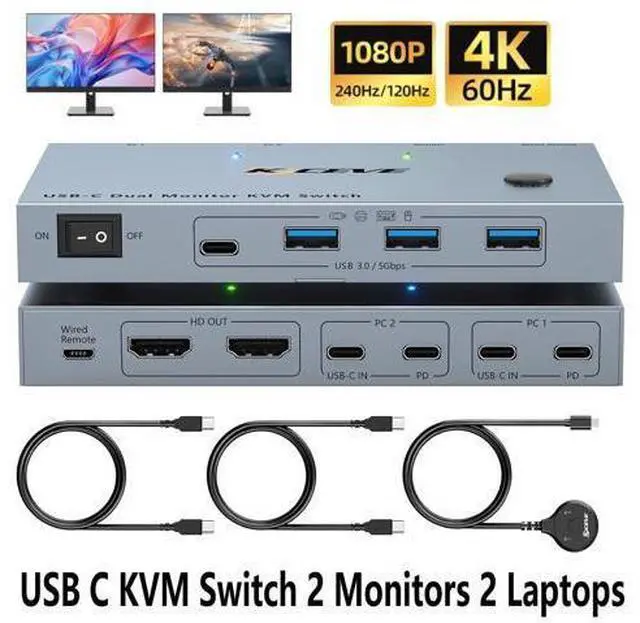


DIXSG USB C KVM Switch 2 Monitors 2 Laptops, 4K@60Hz USB C Dual Monitor KVM Switch for 2 laptops to Share 2 Monitor and 4 USB3.0 Devices, 80W PD Charging, Wired Remote and Cables Included
Limited time offer, ends 10/13 By TechMax Depot
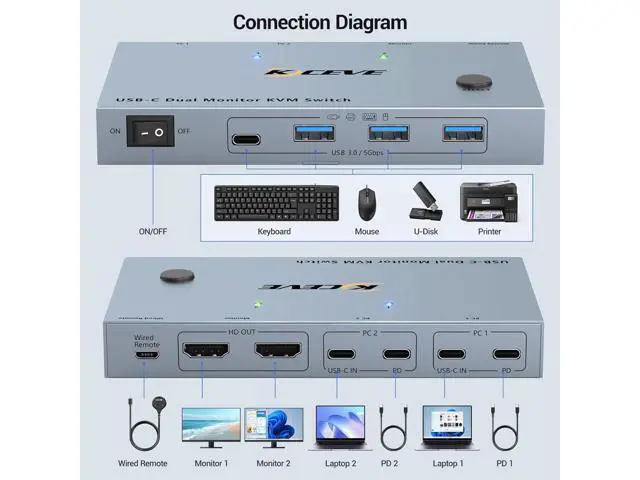
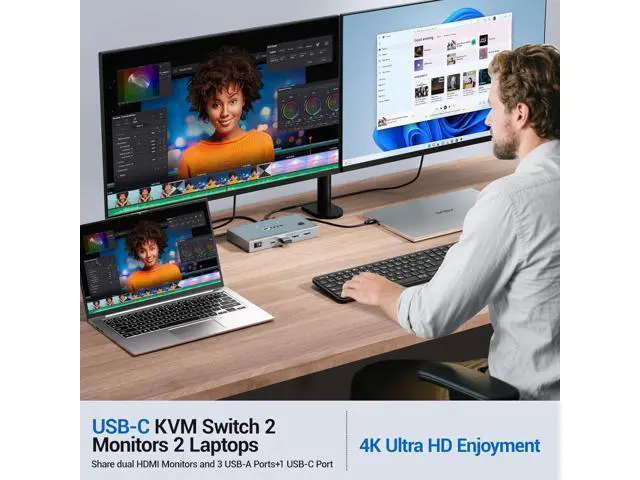
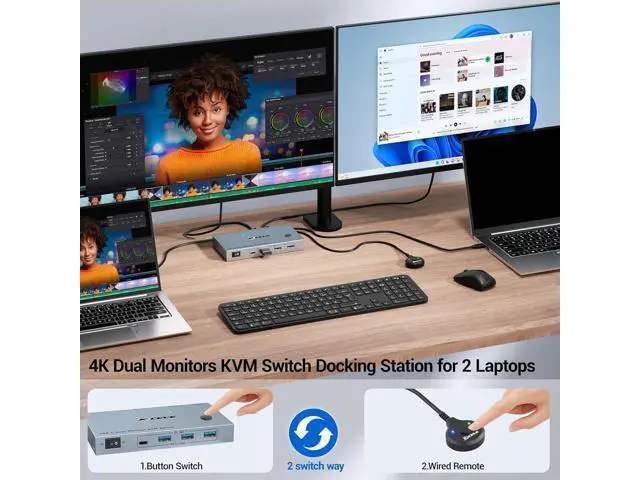
- KVM Switch 2 Monitors 2 Laptops USB-C : This USB C KVM switch allows 2 laptops share 2 monitors and 4 USB devices, such as keyboard, mouse, printer and so on. Each laptop only needs a single USB C input cable, eliminating clutter on your desk. Note: To get display from laptop, pls use USB Type-C 3.1 Gen 2 or higher cables that support Alt (Video&Data&PD) function.
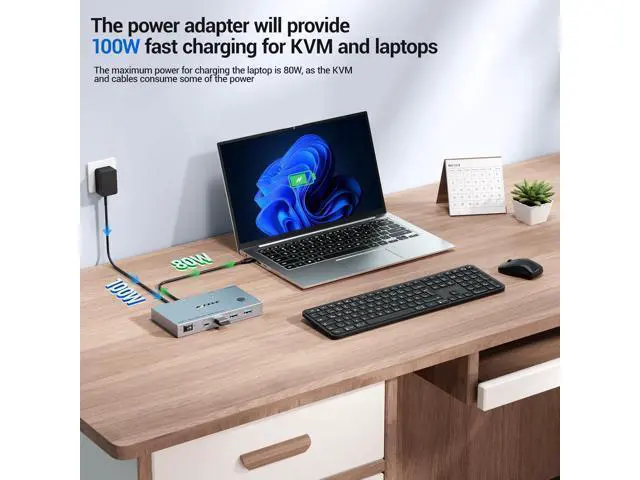
- Support 80W PD Fast Charging: The KVM is designed with a 80W PD charging port, which can provide enough power for your laptop during use and eliminates the hassle of occupied USB-C charging ports!
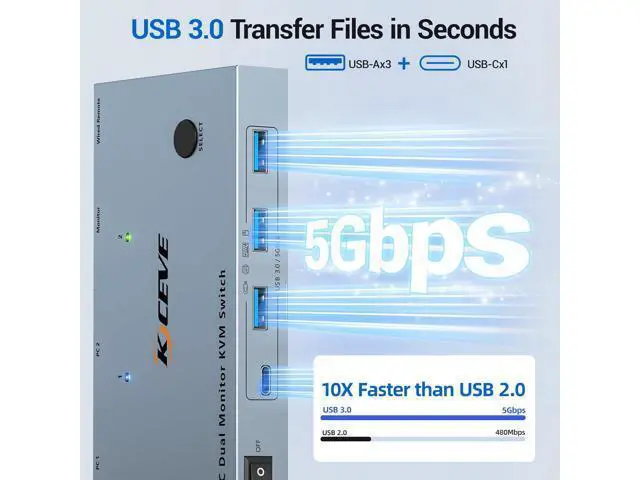
- 5Gbps Ultra-fast Transfer: USB C KVM Docking Station transfer files in Seconds. KVM switch equipped with 4 USB 3.0 ports (3 USB-A Ports +1 USB-C Port) for 2 laptops to share USB devices such as keyboard, mouse, printer, etc., speed up to 5Gbps for data transfer.
- Ultra HD 4K Visual Effect: Supports up to 4K@60Hz, 2K@144Hz /120Hz resolutions and is backward compatible.Note: 2 laptops switch resolution supported by this output depen
+
+
Overview
Specs
Reviews

Any questions? Our AI mode will help you find out quickly.
Try me now
USB C KVM Switch 2 Monitors 4K@60Hz for 2 Laptops USB C KVM switch dual monitor allows 2 USB-C laptops to share dual monitors and 4 USB 3.0 devices such as a set of keyboard, mouse, hard drives, U disk, and printer. Supports mirror mode and extended mode. Core Advantages and Features of USB C 2 monitors KVM Switch Wide
System Compatibility: Our KVM Switch for 2 Laptops perfectly compatible with various computer operating systems, including Windows (Vista/XP and later versions), Mac OS, Linux, Unix, etc. No additional drivers need to be installed, enabling more convenient cross-system use.
Multi Device Input Support: USB C HDMI KVM Switch can connect to a variety of input devices such as PCs, laptops, Raspberry Pi, Digital Video Recorders (DVR), Network Video Recorders (NVR), etc. It is suitable for different scenarios like offices, gaming, meetings, and meets diverse usage needs.
Two Display Modes Switching: KVM Switch 2 Laptops usb c supports extended mode and mirror mode output. Press the "Windows+p" key combination to switch quickly.
(Not: MacOS (M1, M2) system ONLY supports SST mode)
4.
Ultra-HD Image Quality Output: USB C KVM Switch 2 monitors 2 laptops supports ultra-high-definition resolutions of 4K, and is backward compatible with lower resolutions. It presents delicate and clear picture effects, bringing an immersive visual experience.
5. High-Speed USB
Expansion and Transmission: KVM Switch USB C equipped with 4 USB 3.0 ports, it can share USB peripherals such as mice, keyboards, and scanners. At the same time, it supports a high-speed USB 3.0 data transmission rate of up to 5Gbps, making peripheral connection and file transmission more efficient.
Attention: macOS no support for extended screen USB C KVM Switch 2 Monitors 4K@60Hz for 2 Laptops USB C KVM switch dual monitor allows 2 USB-C laptops to share dual monitors and 4 USB 3.0 devices such as a set of keyboard, mouse, hard drives, U disk, and printer. Supports mirror mode and extended mode. Core Advantages and Features of USB C 2 monitors KVM Switch Wide
System Compatibility: Our KVM Switch for 2 Laptops perfectly compatible with various computer operating systems, including Windows (Vista/XP and later versions), Mac OS, Linux, Unix, etc. No additional drivers need to be installed, enabling more convenient cross-system use.
Multi Device Input Support: USB C HDMI KVM Switch can connect to a variety of input devices such as PCs, laptops, Raspberry Pi, Digital Video Recorders (DVR), Network Video Recorders (NVR), etc. It is suitable for different scenarios like offices, gaming, meetings, and meets diverse usage needs.
Two Display Modes Switching: KVM Switch 2 Laptops usb c supports extended mode and mirror mode output. Press the "Windows+p" key combination to switch quickly.
(Not: MacOS (M1, M2) system ONLY supports SST mode) Ultra-HD
Image Quality Output: USB C KVM Switch 2 monitors 2 laptops supports ultra-high-definition resolutions of 4K, and is backward compatible with lower resolutions. It presents delicate and clear picture effects, bringing an immersive visual experience. High-Speed USB
Expansion and Transmission: KVM Switch USB C equipped with 4 USB 3.0 ports, it can share USB peripherals such as mice, keyboards, and scanners. At the same time, it supports a high-speed USB 3.0 data transmission rate of up to 5 Gbps, making peripheral connection and file transmission more efficient.
System Compatibility: Our KVM Switch for 2 Laptops perfectly compatible with various computer operating systems, including Windows (Vista/XP and later versions), Mac OS, Linux, Unix, etc. No additional drivers need to be installed, enabling more convenient cross-system use.
Multi Device Input Support: USB C HDMI KVM Switch can connect to a variety of input devices such as PCs, laptops, Raspberry Pi, Digital Video Recorders (DVR), Network Video Recorders (NVR), etc. It is suitable for different scenarios like offices, gaming, meetings, and meets diverse usage needs.
Two Display Modes Switching: KVM Switch 2 Laptops usb c supports extended mode and mirror mode output. Press the "Windows+p" key combination to switch quickly.
(Not: MacOS (M1, M2) system ONLY supports SST mode)
4.
Ultra-HD Image Quality Output: USB C KVM Switch 2 monitors 2 laptops supports ultra-high-definition resolutions of 4K, and is backward compatible with lower resolutions. It presents delicate and clear picture effects, bringing an immersive visual experience.
5. High-Speed USB
Expansion and Transmission: KVM Switch USB C equipped with 4 USB 3.0 ports, it can share USB peripherals such as mice, keyboards, and scanners. At the same time, it supports a high-speed USB 3.0 data transmission rate of up to 5Gbps, making peripheral connection and file transmission more efficient.
Attention: macOS no support for extended screen USB C KVM Switch 2 Monitors 4K@60Hz for 2 Laptops USB C KVM switch dual monitor allows 2 USB-C laptops to share dual monitors and 4 USB 3.0 devices such as a set of keyboard, mouse, hard drives, U disk, and printer. Supports mirror mode and extended mode. Core Advantages and Features of USB C 2 monitors KVM Switch Wide
System Compatibility: Our KVM Switch for 2 Laptops perfectly compatible with various computer operating systems, including Windows (Vista/XP and later versions), Mac OS, Linux, Unix, etc. No additional drivers need to be installed, enabling more convenient cross-system use.
Multi Device Input Support: USB C HDMI KVM Switch can connect to a variety of input devices such as PCs, laptops, Raspberry Pi, Digital Video Recorders (DVR), Network Video Recorders (NVR), etc. It is suitable for different scenarios like offices, gaming, meetings, and meets diverse usage needs.
Two Display Modes Switching: KVM Switch 2 Laptops usb c supports extended mode and mirror mode output. Press the "Windows+p" key combination to switch quickly.
(Not: MacOS (M1, M2) system ONLY supports SST mode) Ultra-HD
Image Quality Output: USB C KVM Switch 2 monitors 2 laptops supports ultra-high-definition resolutions of 4K, and is backward compatible with lower resolutions. It presents delicate and clear picture effects, bringing an immersive visual experience. High-Speed USB
Expansion and Transmission: KVM Switch USB C equipped with 4 USB 3.0 ports, it can share USB peripherals such as mice, keyboards, and scanners. At the same time, it supports a high-speed USB 3.0 data transmission rate of up to 5 Gbps, making peripheral connection and file transmission more efficient.
Warranty & Returns
Warranty, Returns, And Additional Information
Warranty
- Please contact the Seller directly for warranty information. Warranty information may also be found on the Manufacturer's website.
- CONTACT
Return Policies
- Return for refund within: 30 days
- Return for replacement within: non-replaceable
- This item is covered by TechMax Depot Return Policy
Manufacturer Contact Info
- For a directory of all our manufacturers, please click below.
- Manufacturers Directory
LOADING...