Your Browsing History
Meet Your Seller
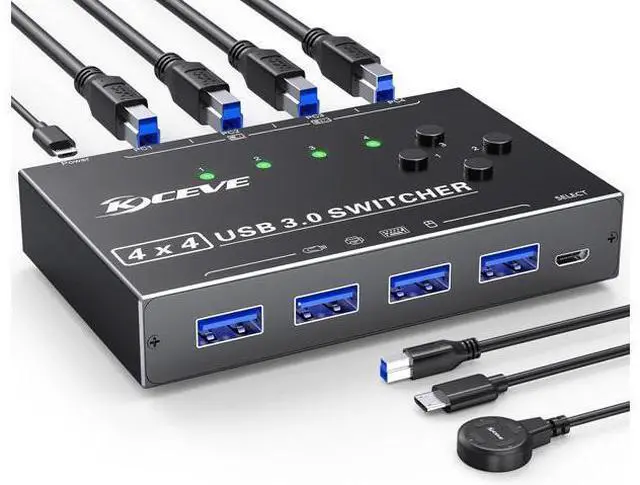
USB 3.0 Switch 4 Computers, 4 Port USB Switch Selector for 4 Computer Share 4 USB Devices, Keyboard Mouse Switch, 4 in 4 Out USB 3.0 Switcher with Wired Remote and 4 Standard USB-B Cables
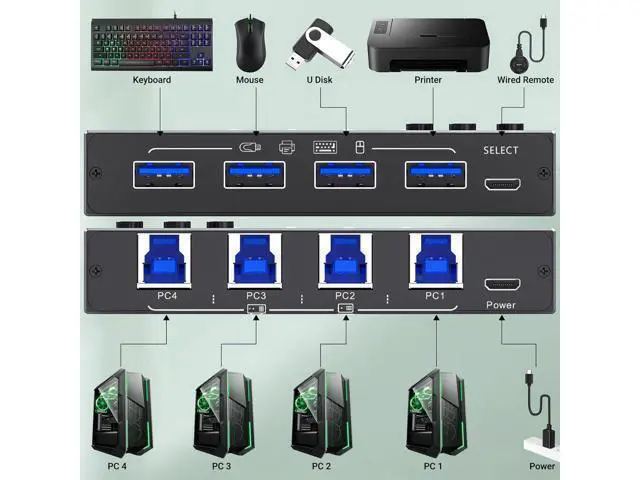
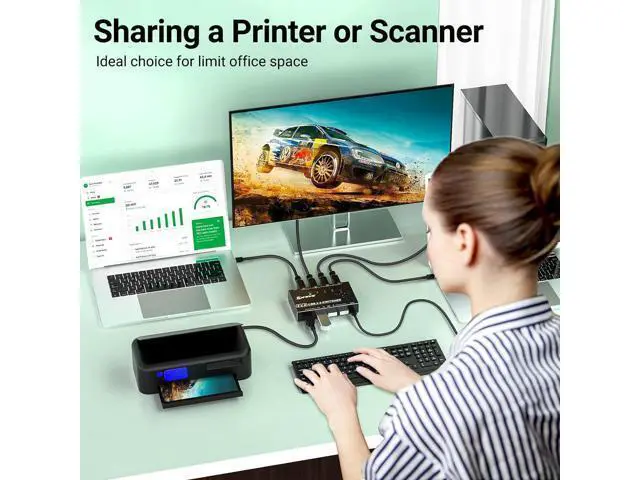
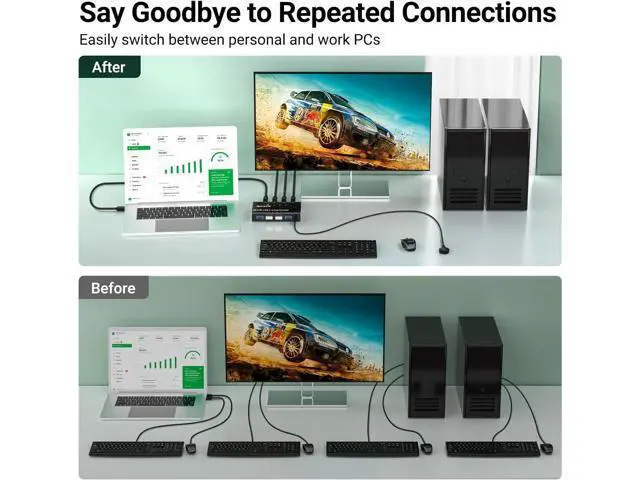
- [USB Switch 4 Computers] 4 Port USB Switcher supports up to 4 computers sharing 4 USB devices like wireless keyboard, mouse, printer etc. Switch freely between your work computer and personal computer and boost your work efficiency.
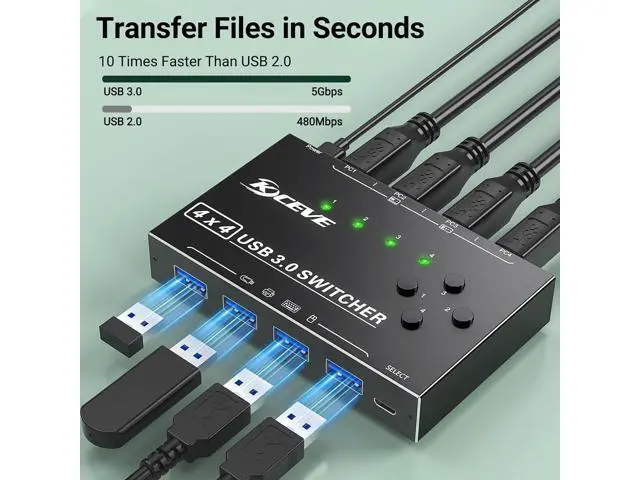
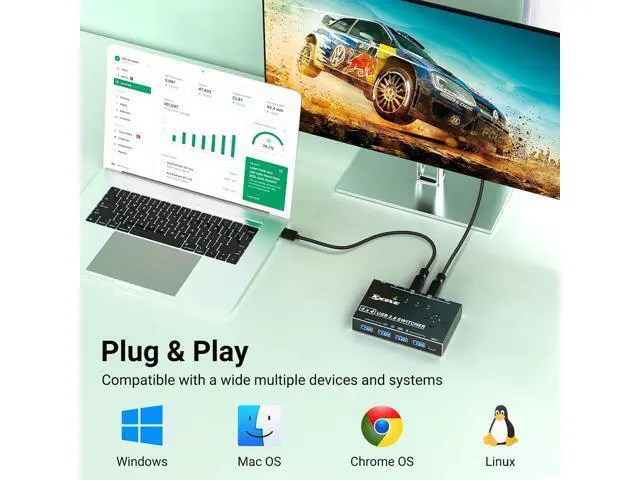
- [5Gb Data Transfer] Support transfer files in seconds(10 times faster than USB 2.0). The USB switch 3.0 is backward compatible with USB 2.0/ 1.1 .Simple plug and play for Windows, macOS, Chrome OS, and Linux computers.
- [USB Power Supply] Designed with a micro charging port for high-power devices like Hard Disk Drives, headsets, and other USB devices to work more stably.
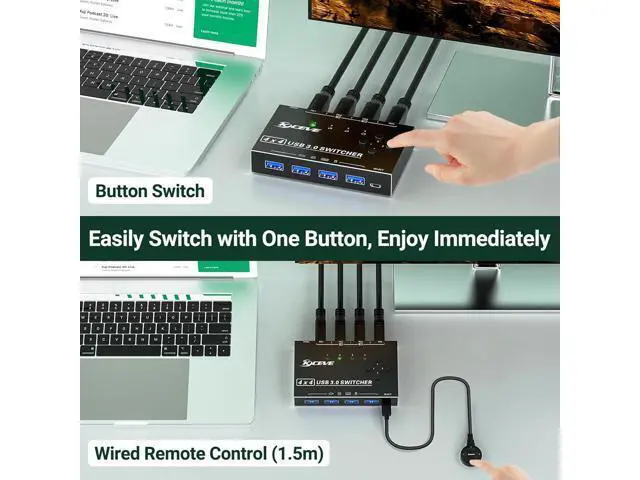
- [Button Switching & Wired Remote]With the USB switcher button or the wired remote, you can freely switch multiple USB devices between 4 computers with one click, green LED indicating the active computer.
- [You will get]4 port USB 3.0 switch; 4*USB3.0 cable (0.8m); wired remote(1.5m); USB power cord. provides 1-year warranty and lifetime technical service for this switch.
+
+
Overview
Specs
Reviews
Any questions? Our AI beta will help you find out quickly.
Try me now
Attention Input Tip: Use the USB A-B cables to connect the USB port of your computers to the USB-B ports of the switch
Output Tip: The USB 3.0 switch has 4 identical USB-A ports on the front, which are used to connect USB devices.
For USB C device: (INPUT) You need to use a USB C to A adapter with a USB A to A cable.
For USB C device: (OUTPUT) If you want to plug a USB C device into this switch, you need to use the USB A to USB C OTG Adapter Not a KVM It is a USB switch without an HDMI port and it does not support 4 computers sharing a single display About
Power Supply: Not all devices need power supply during use; the power port can only supply power to USB switch.
Package Content: USB 3.0 Switch * 1; USB A to B Cable * 4 ( 2.62FT / 0.8M ) Package Remote Control *1 ( 4.92FT / 1.5M ); USB power cord *1( 4.92FT / 1.5M ) USB Switch 4 Computers Our 4 Port USB Switcher supports up to 4 computers sharing 4 USB devices like wireless keyboard, mouse, printer and USB camera. Switch freely between your work computer and personal computer and boost your work efficiency, Ideal for users with multiple computers.
Package Content: USB 3.0 Switch * 1; USB A to B Cable * 4 ( 2.62FT / 0.8M ) Remote Control *1 ( 4.92FT / 1.5M ); USB power cord *1( 4.92FT / 1.5M )

Output Tip: The USB 3.0 switch has 4 identical USB-A ports on the front, which are used to connect USB devices.
For USB C device: (INPUT) You need to use a USB C to A adapter with a USB A to A cable.
For USB C device: (OUTPUT) If you want to plug a USB C device into this switch, you need to use the USB A to USB C OTG Adapter Not a KVM It is a USB switch without an HDMI port and it does not support 4 computers sharing a single display About
Power Supply: Not all devices need power supply during use; the power port can only supply power to USB switch.
Package Content: USB 3.0 Switch * 1; USB A to B Cable * 4 ( 2.62FT / 0.8M ) Package Remote Control *1 ( 4.92FT / 1.5M ); USB power cord *1( 4.92FT / 1.5M ) USB Switch 4 Computers Our 4 Port USB Switcher supports up to 4 computers sharing 4 USB devices like wireless keyboard, mouse, printer and USB camera. Switch freely between your work computer and personal computer and boost your work efficiency, Ideal for users with multiple computers.
Package Content: USB 3.0 Switch * 1; USB A to B Cable * 4 ( 2.62FT / 0.8M ) Remote Control *1 ( 4.92FT / 1.5M ); USB power cord *1( 4.92FT / 1.5M )
Warranty & Returns
Warranty, Returns, And Additional Information
Warranty
- Please contact the Seller directly for warranty information. Warranty information may also be found on the Manufacturer's website.
- CONTACT
Return Policies
- Return for refund within: 30 days
- Return for replacement within: non-replaceable
- This item is covered by TechMax Depot Return Policy
Manufacturer Contact Info
- For a directory of all our manufacturers, please click below.
- Manufacturers Directory
LOADING...