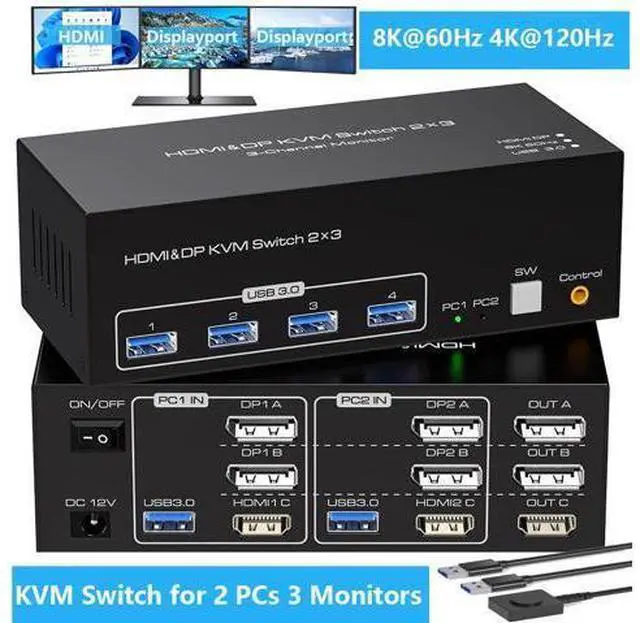
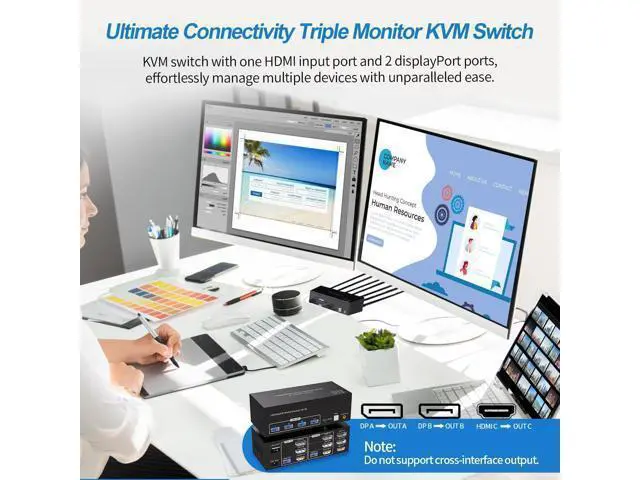
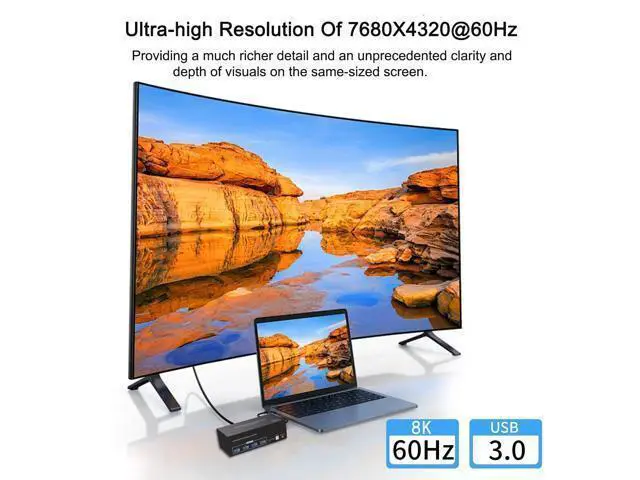
8K HDMI+Displayport KVM Switch for 3 monitors 2 computers Share Mouse Keyboard Printer 8K 3 Monitors KVM Switch is suitable for multiple monitors managment Our HDMI Displayport KVM switch is an idea solution of operating multiple displays simultaneously. Triple monitors outputs allows you to use it on home offices, gaming setups, and professional workstations. Seamlessly manage multiple devices without clutter, ensuring optimal productivity and convenience in any scenario. Efficient Output Options Enjoy versatile output options tailored to your preferences. Featuring 1 HDMI and 2 DisplayPort output ports, our KVM switch is compatible with a wide range of display setups, providing crisp and clear visuals for your work or entertainment needs.
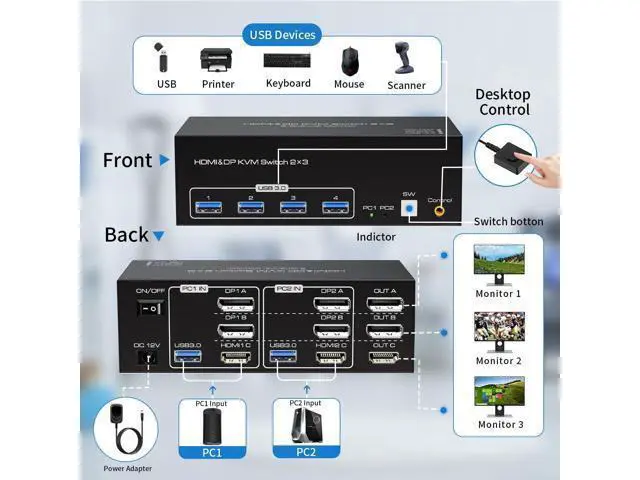
Usage Connect the power source. Connect PC1 to the KVM device using one USB 3.0 cable, one HDMI cable and two DP cables. Connect PC2 to the KVM device using one USB 3.0 cable, one HDMI cable and two DP cables. Connect each of the three monitors to OUT A, OUT B, and OUT C using two DP cables and one HDMI cable. Connect the keyboard and mouse to the KVM device. (Please note that if you want to properly use three monitors, make sure that your graphics card supports 2 DP+1 HDMI outputs.
) Duplicate and
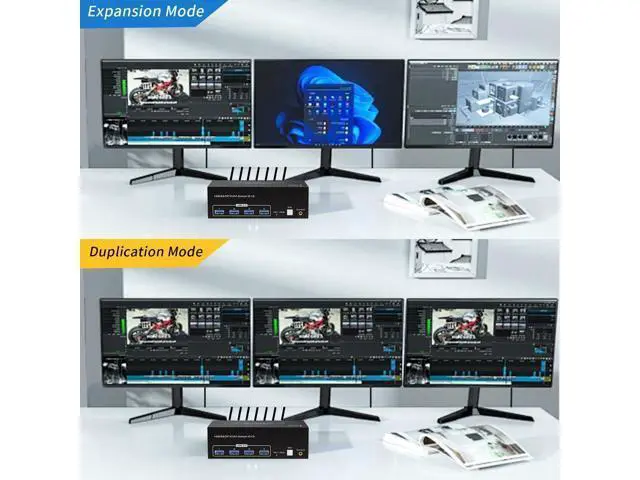
Extend Duplicate mode: three screens display the same content.
Extend mode: Drag and drop windows from the main screen to the other two output screens. Regarding the content transmission through the interfaces Transferring video through the
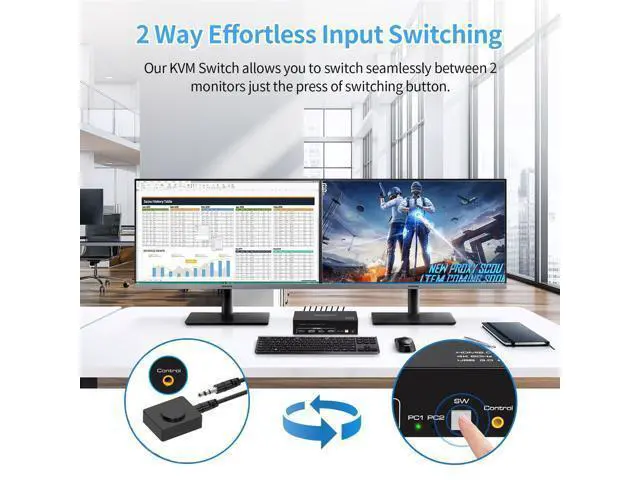
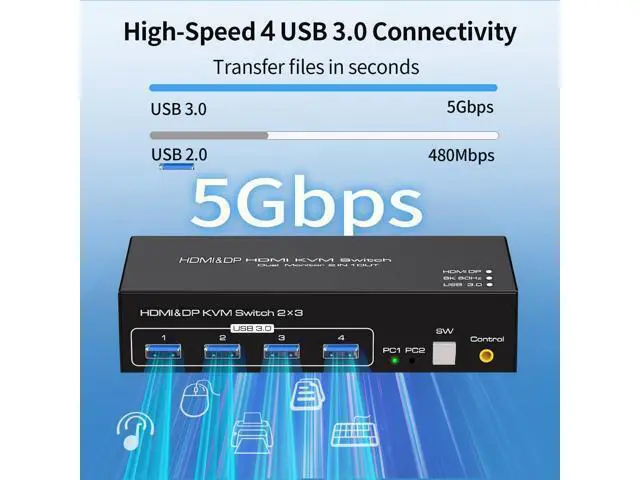
HDMI/ DisplayPort: This KVM Switcher has a high bandwidth, allowing for the transfer of video and audio directly from the input source. And for the transmission of data and files, there are 4 USB 3.0. As they are 3.0 standard, the transmission speed can reach up to 5 Gbps, allowing for the rapid transfer of large files. The compatibility of data between different environments such as Windows, Mac, Linux, etc. Durable and Reliable Crafted with durability in mind, our KVM switch is built to withstand the rigors of daily use. Its metel case sturdy construction ensures long-lasting reliable. Support for ON/OFF power switch The signal can be re-identified after powering off for 5 seconds and then turned on again. No need to unplug or plug in. Desktop Control Enhanced Convenience Our KVM switch comes with an external in-line control, featuring a push-button switch for seamless operation. Easily switch without having to get up when using it. 8K HDMI+2DP Triple Monitor KVM Switch for 2 Computers Share 3 Monitors and 4 USB 3.0 devices.
Features: It is possible to control two computers and three monitors directly with one set of keyboard and mouse. Three monitors can support two modes: duplicate and extend. Supports resolutions up to 8K 60Hz and backward compatible. Equipped with four USB 3.0 ports, allowing you to connect scanners, hard drives, and other USB devices. Equipped with a 12V/1A power supply, ensuring stable operation even when high-power devices are connected. Compatible with Windows/Vista/XP, Mac OS, Linux, and Unix, plug-and-play. Usage Connect the power source. Connect PC1 to the KVM device using one USB 3.0 cable, one HDMI cable and two DP cables. Connect PC2 to the KVM device using one USB 3.0 cable, one HDMI cable and two DP cables. Connect each of the three monitors to OUT A, OUT B, and OUT C using two DP cables and one HDMI cable. Connect the keyboard and mouse to the KVM device. (Please note that if you want to properly use three monitors, make sure that your graphics card supports 2 DP+1 HDMI outputs. )





 here!
here!