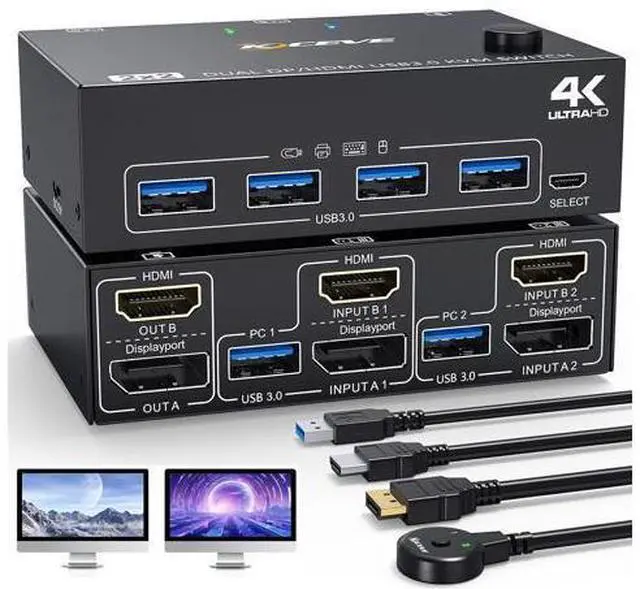
USB 3.0 HDIMI DisplayPort KVM Switch 2 PC 2 Monitors 4K@60Hz 2K@144Hz This Dual Display USB 3.0 KVM Switch (DP HDMI TO DP HDMI) requires each input source to be connected to the corresponding two displays.
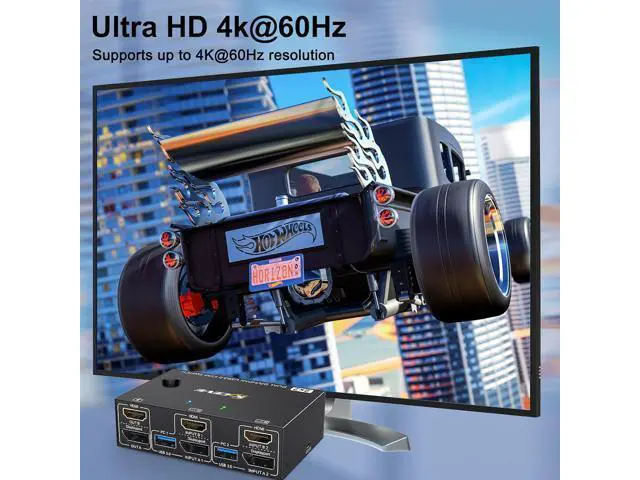
Product advantages: Supports two computers or laptops sharing a keyboard, mouse, and dual monitors. KVM Switch DisplayPort HDMI supports ultra-high-resolution 4K@60Hz resolution and is backward compatible with lower resolutions Two display outputs that support both advanced and mirrored display modes. Support for popular operating systems such as Windows, Linux, and
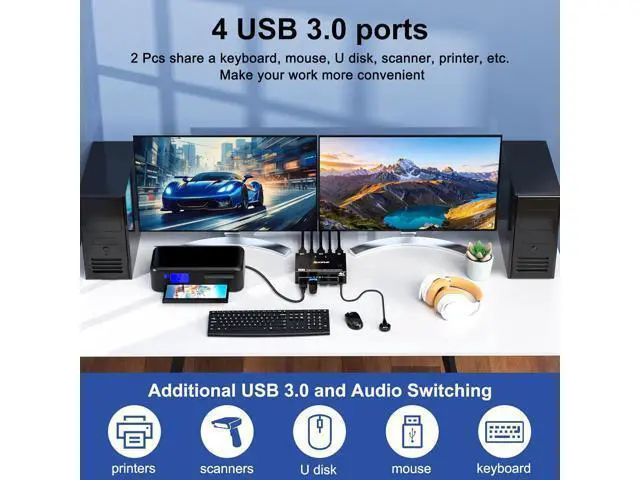
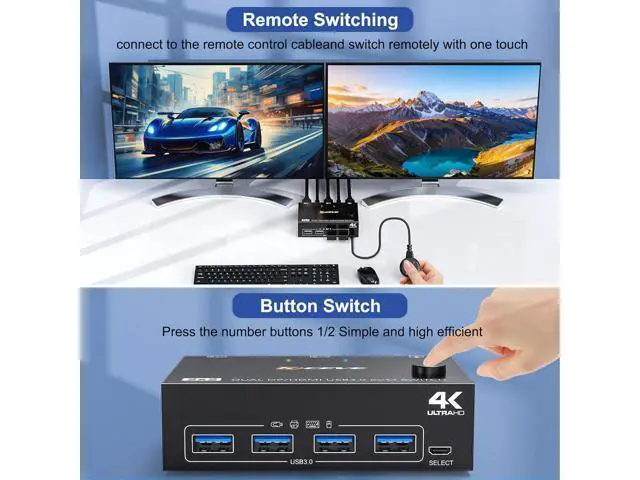
Mac (Note: We generally advise against using MAC systems as the compatibility between KVM and MAC systems is unstable and can easily lead to errors). With four USB 3.0 ports, it supports devices with USB ports (e. g. mouse, keyboard, USB stick, printer, etc. ). Easily switch between two computers using the control panel buttons and remote control. The change takes only 2-4 seconds.
Important note: When using this dual screen KVM switch, each computer must have a DP HDMI port. For computers with discrete and integrated graphics cards, the DP HDMI port must be part of the discrete graphics card. Dual Monitor HDMI DisplayPort KVM Switch with 4 USB 3.0 Ports This HDMI DisplayPort KVM Switch with 4 USB 3.0 ports, backward compatible with USB 2.0 and USB 1.1, share USB devices such as scanners, printers, flash drives, etc. USB 3.0 supports transfer rates up to 5Gbps, so you can work with peace of mind.
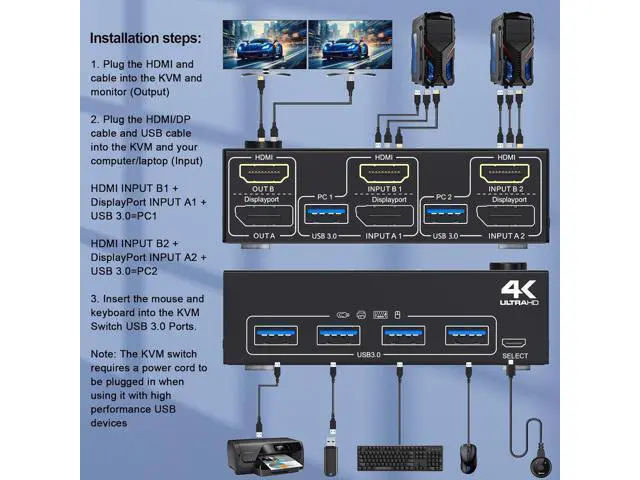
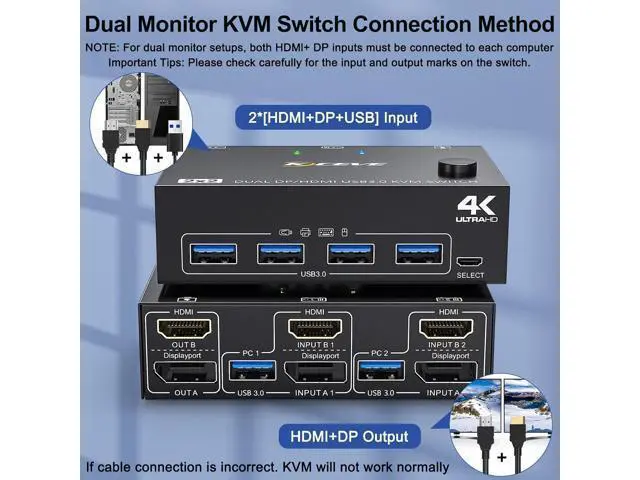
Please Note: If the USB 3.0 input ports are not connected or are connected incorrectly, the USB output device will not be detected. If you are using high-power USB devices, or if the USB port is not detected and the detection is not stable, please connect the DC5V power cable (included) How to connect our DisplayPort HDMI KVM Switch Installation steps: Step
1: Plug the HDMI DP cable into the KVM and monitors
Step 2: Use 1 USB 3.0 cable and one HDMI DP cable to connect PC1 and KVM (INPUT A1 INPUT B1 USB 3.0 = PC1).
Step 3: Use 1 USB 3.0 cable and one HDMI DP cable to connect PC2 and KVM (INPUT A2 INPUT B2 USB 3.0 =PC2).
Step 4: Connect the keyboard and mouse to the USB ports of the KVM switch.
Note: Both input computers must have two graphics cards to support dual-monitor output. The DP HDMI KVM Switch supports two display modes and two switching modes
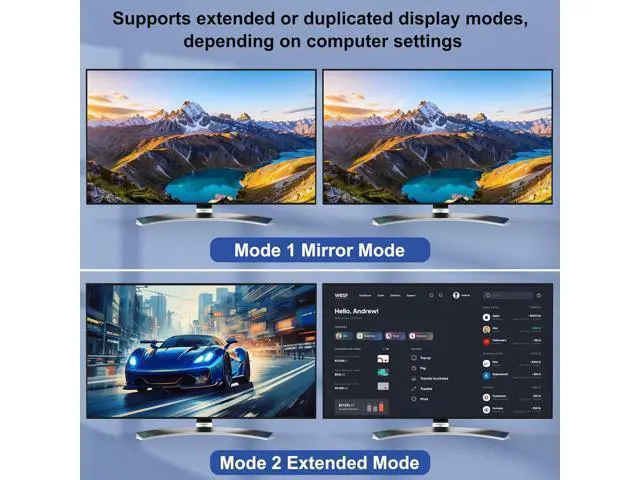
Two display modes: DP HDMI KVM Switch supports Mirror and Advanced display modes. Press Windows P to select Advanced mode (outputs two different screens) or Mirror mode (outputs two identical screens).
Two switching modes: DP HDMI KVM switch supports convenient switching. Switching via control panel buttons and the wired controller takes only 2-4 seconds. Make your work more time-saving. KVM Switch 2 PC 2 Monitors Compatibility This DP HDMI KVM switch is well compatible and suitable for mainstream systems such as Windows 10/8/XP/Vista/Chrome/Mac OS/Linux. Supports most input devices or sources with
HDMI interface: computers, laptops, TV boxes, PS5, S-o-n-y Blu-ray players, projectors. This DP HDMI KVM Switch has indicator lights for each computer and can switch computers according to the indicator lights, allowing you to switch between office, games and movies freely. The DP HDMI KVM Switch comes with a power cord. After the connection is established, please connect the DC5V power adapter (not included) to facilitate the use of higher power USB devices.
Note: If the power adapter is not plugged in, the display may not appear or the screen may flicker.
Friendly reminder: Please make sure your computer is directly connected to the monitor and can output images normally. Please make sure that each computer has a set of DisplayPort cables, HDMI cables, USB cables, connected to the KVM switch. You also need to make sure that your computer's graphics card supports dual-screen output. Otherwise, it will not be available after purchase. Before purchasing, please make sure that each computer has a set of DisplayPort HDMI USB output port





 here!
here!