

Your Browsing History
- Free 30-day Returns
$77.98
Ships from China.

Meet Your Seller

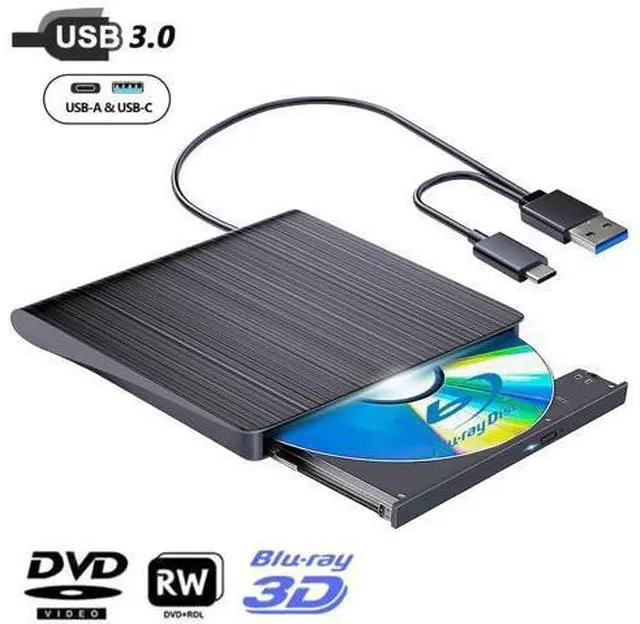


DIXSG External Bluray DVD Drive,USB 3.0 and Type-C Portable 3D Blu-ray DVD Writer Burner, Slim Optical Blu Ray CD DVD Drive Writer Suitable for Windows XP/7/8/10/11 MacOS for PC,Laptop,Desktop, Mac
Limited time offer, ends 09/27 By TechMax Depot
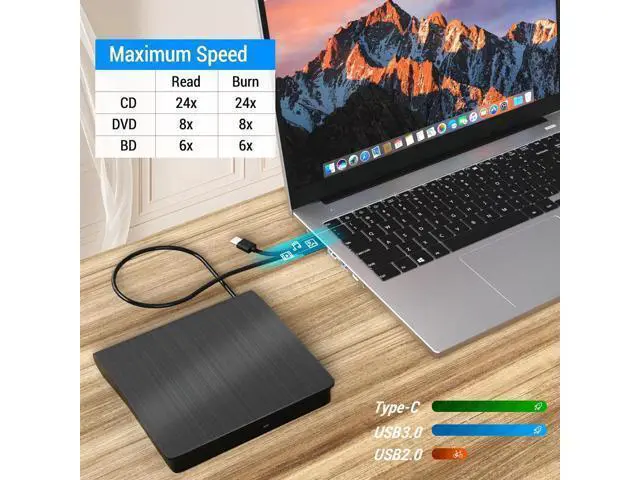
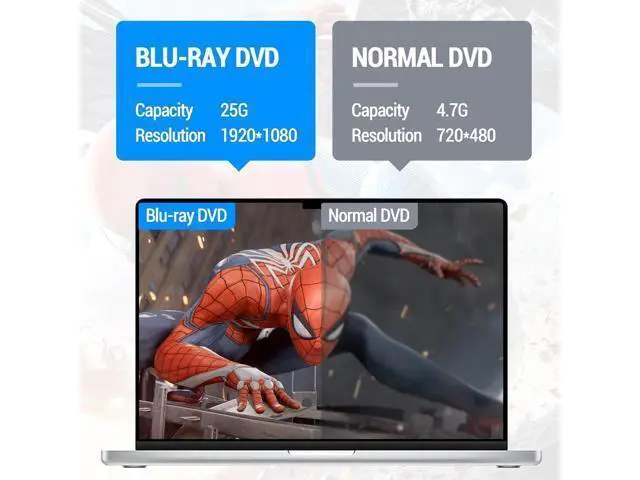
- [Superior Blu-ray Functionality] Features enhanced storage capacity and accelerated read/write speeds. It enables burning functions for CDs and DVDs with capacities of 8.5G, 4.7G, and 700M.
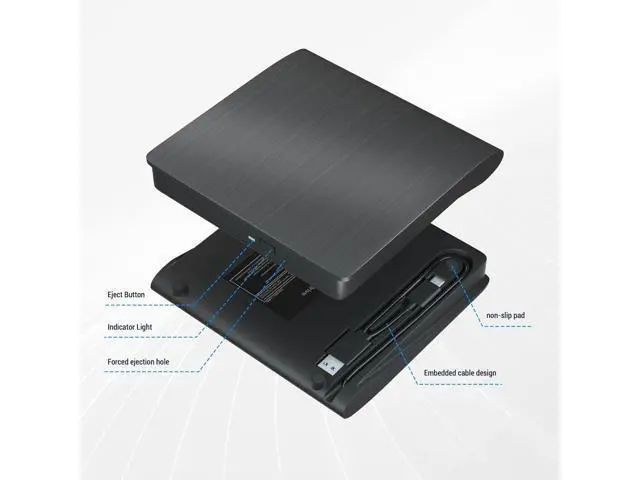
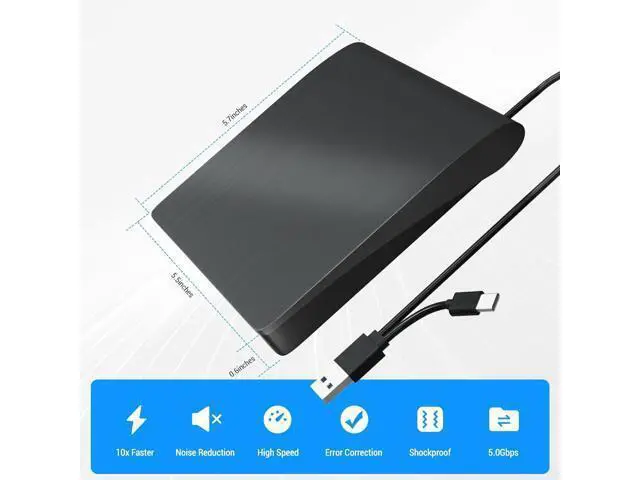
- [Portable & User-Friendly] This stylish and compact Blu-ray drive with dual-interface design combines two separate USB cables into one, allowing seamless connections to computers featuring either Type-C or USB 3.0 interfaces. With its intuitive design, it's incredibly easy to transport and utilize on-the-go.
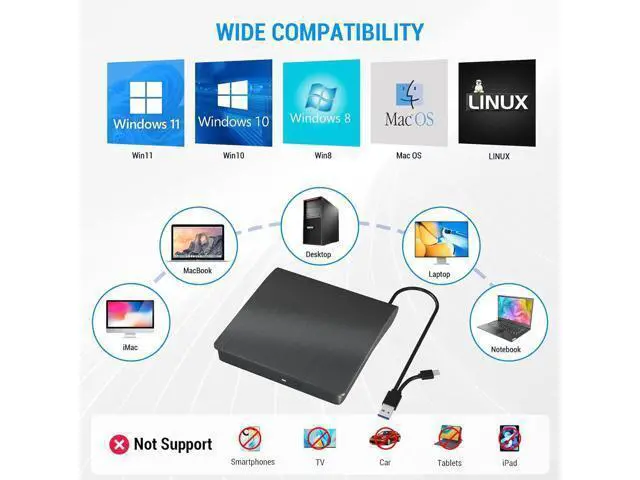
- [Wide Compatibility] Compatibility with various operating systems, including Windows XP/2003/Vista/7/8/10/11, Linux, and all versions of the Mac OS system. Please note,it is not compatible with BD recorders, iPad tablets, Surface tablets, TVs, projectors, smartphones, or cars.
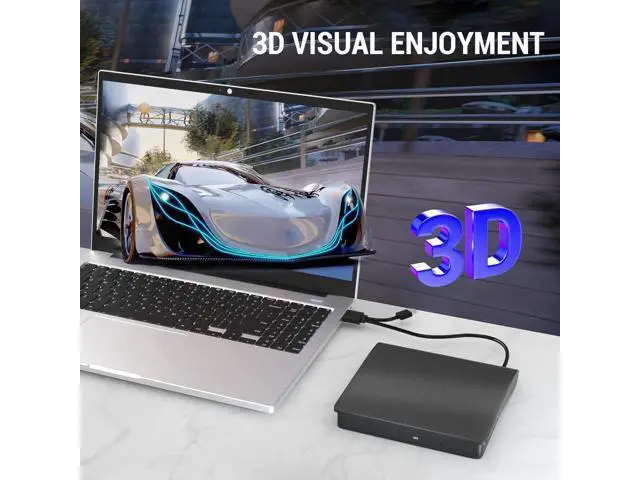
- [Note] Supports 3D playback, delivering a lifelike experience with clarity comparable to 4K quality. However, it is important to mention that the drive cannot play 4K Ultra HD Discs.
+
+
Overview
Specs
Reviews

Any questions? Our AI mode will help you find out quickly.
Try me now
User-Friendly Design The external Blu-ray burner is very easy to use. It can read and write CD, DVD, and BD discs. Simply plug it into your laptop or desktop PC. Unique and Practical Design We've included a slip-proof rubber pad to prevent sliding on the desktop, and recessed cable design for easy storage and space saving. High-Speed Performance Our Blu-ray DVD writer features an advanced high-speed 3.0 interface, reaching a maximum speed of 5Gbps. Enhance your life With this Blu-ray DVD burner, you can enjoy watching movies, play games, listen to music, and even burn files and movies onto CDs, DVDs, or BDs.
Q & A:
Q: Why can't it read my BD disc?
A: Please make sure that your disc is not blocked, copyrighted BD discs have zone bit code protection. You need to download the shielding software AnyDVD to decode the zone bit code.
Q: After connecting to my computer, why can't my computer show this blu ray?
A: The desktop computers plug USB cable directly into the USB interface located aack of the motherboard. Laptops ensure that has suffipower and connect the power cable. If you still cannot, please restart your computer.
Q: Why can't disc tray normally be ejected?
A: If it is a notebook, it may be due to insufficient power. You can also force it to open with a small needle.
Q: When playing a disc, it is very noisy, is it a little problem?
A: This is normal. There are some discs that are thicker than normal discs and will be too noisy during operation.
Q: Can not burn discs.
A: Burns need to install the burning software. It is recommended to use NERO burning software.
Features: User-Friendly Design The external Blu-ray burner is very easy to use. It can read and write CD, DVD, and BD discs. Simply plug it into your laptop or desktop PC. Unique and Practical Design We've included a slip-proof rubber pad to prevent sliding on the desktop, and recessed cable design for easy storage and space saving. High-Speed Performance Our Blu-ray DVD writer features an advanced high-speed 3.0 interface, reaching a maximum speed of 5Gbps. Enhance your life With this Blu-ray DVD burner, you can enjoy watching movies, play games, listen to music, and even burn files and movies onto CDs, DVDs, or BDs.
Package included: 1 x External DVD Drive, 1 x User Manual
Q & A:
Q: Why can't it read my BD disc?
A: Please make sure that your disc is not blocked, copyrighted BD discs have zone bit code protection. You need to download the shielding software AnyDVD to decode the zone bit code.
Q: After connecting to my computer, why can't my computer show this blu ray?
A: The desktop computers plug USB cable directly into the USB interface located aack of the motherboard. Laptops ensure that has suffipower and connect the power cable. If you still cannot, please restart your computer.
Q: Why can't disc tray normally be ejected?
A: If it is a notebook, it may be due to insufficient power. You can also force it to open with a small needle.
Q: When playing a disc, it is very noisy, is it a little problem?
A: This is normal. There are some discs that are thicker than normal discs and will be too noisy during operation.
Q: Can not burn discs.
A: Burns need to install the burning software. It is recommended to use NERO burning software.
Features: User-Friendly Design The external Blu-ray burner is very easy to use. It can read and write CD, DVD, and BD discs. Simply plug it into your laptop or desktop PC. Unique and Practical Design We've included a slip-proof rubber pad to prevent sliding on the desktop, and recessed cable design for easy storage and space saving. High-Speed Performance Our Blu-ray DVD writer features an advanced high-speed 3.0 interface, reaching a maximum speed of 5Gbps. Enhance your life With this Blu-ray DVD burner, you can enjoy watching movies, play games, listen to music, and even burn files and movies onto CDs, DVDs, or BDs.
Package included: 1 x External DVD Drive, 1 x User Manual
Warranty & Returns
Warranty, Returns, And Additional Information
Warranty
- Please contact the Seller directly for warranty information. Warranty information may also be found on the Manufacturer's website.
- CONTACT
Return Policies
- Return for refund within: 30 days
- Return for replacement within: non-replaceable
- This item is covered by TechMax Depot Return Policy
Manufacturer Contact Info
- For a directory of all our manufacturers, please click below.
- Manufacturers Directory
LOADING...