

Your Browsing History
- Free 30-day Returns
$257.98
Ships from China.

Meet Your Seller

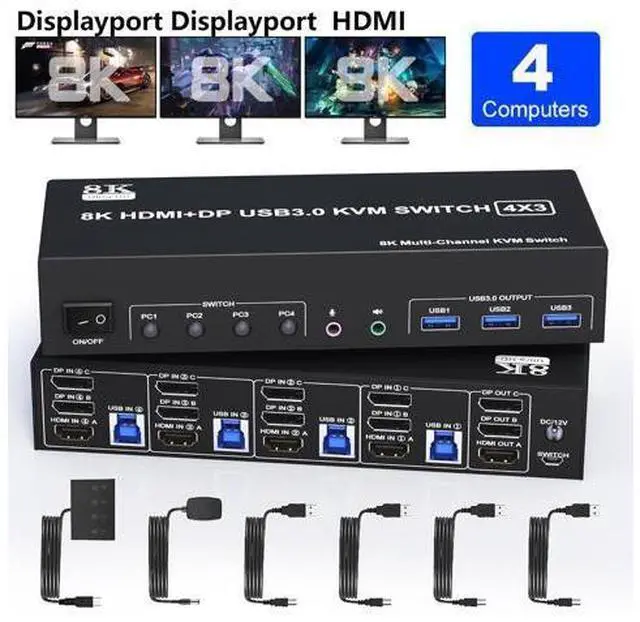


DIXSG KVM Switch 3 Monitors 4 Computers 8K@60Hz 4K@144Hz, 2 DisplayPort +1 HDMI KVM Switch Triple Monitor for 4 Computers with Audio and 3 USB 3.0 Ports, KVM Triple Monitor Keyboard Mouse Switcher
Limited time offer, ends 09/27 By TechMax Depot
- 2 DP +1 HDMI 3 Monitor KVM Switch 4 PC:This KVM perfect for hooking up 4 desktops or laptops to share one set of keyboard, mouse and 3 monitors for extended, mirrored display; Perfect for computers with 3 DP and 1 HDMI monitor for the display outputs. It requires every Laptop/PC support 3 screen or above display functions and must support extended display
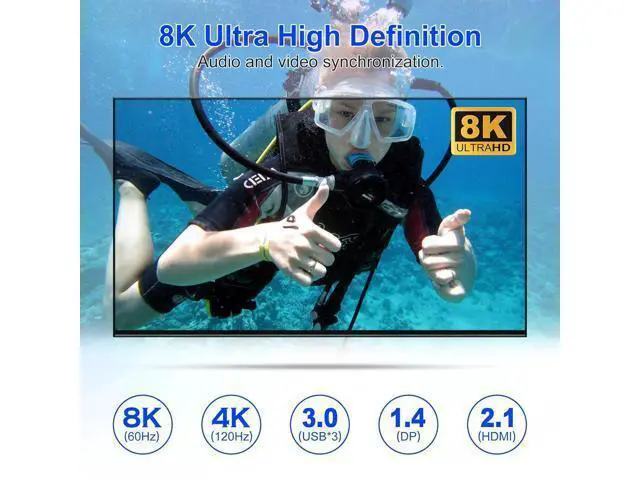
- Ultra HD 8K@60Hz: DisplayPort: support resolution up to 8K@30Hz/4K@144Hz. HDMI: support resolution up to 8K@60Hz/4K@60Hz/2K@60Hz and backward compatible with lower resolution.
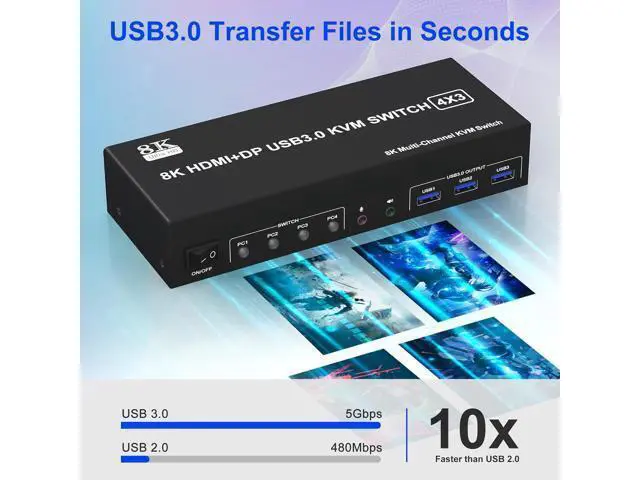
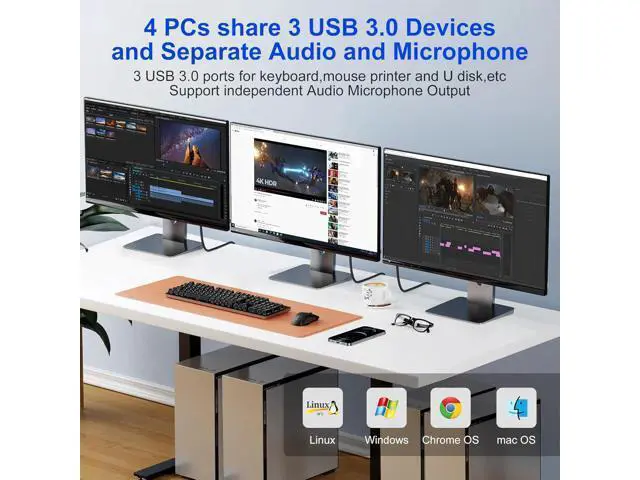
- with 3 USB 3.0 & Audio & Microphone Output: with 3 integrated USB 3.0 ports which can recognize keyboard, mouse, printer and other USB devices. Supports ultra-fast USB 3.0 data transfer up to 5Gbps. KVM Also supports separate audio and microphone output.
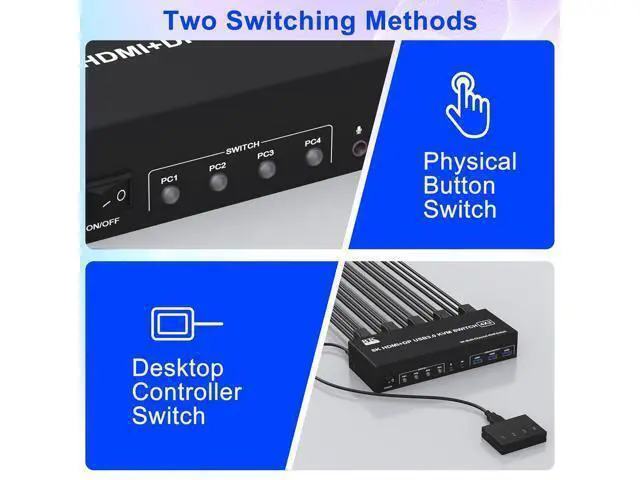
- 2 Switching modes and Wide Compatibility: You can press the button on the panel or use the wired remote controller (included) to switch. Compatible with Windows, Linux, Mac, Unix, Ubuntu,Raspberry etc..
+
+
Overview
Specs
Reviews

Any questions? Our AI mode will help you find out quickly.
Try me now
8K@60Hz 4 Port USB 3.0 Triple Monitor 1 HDMI + 2 DisplayPort KVM Switch for 4 Computers Sharing 3 Monitor and 3 USB 3.0 Ports, Audio &
Microphone Features: 1. 8K Triple Monitor KVM Switch 4-Port allows 4 computers/laptops to share one set of keyboard, mouse, and 3 monitors
2. This KVM switch with 4 ports does not mean that it can only be connected to 4 computers. You may only have 2 computers now, but you may need to use 3 or 4 computers in the future, then you can choose this switch. Pls make sure each of your PCs can support triple display before purchasing.
3. Support HDMI 2.1 and DP 1.4 standards and downward compatibility. Support up to 8K@60Hz for extended, mirrored or spliced display (Depends on your computer's graphics card. ); 4.
2 Switching modes: Button switch and wired remote. 5. with 3 USB 3.0 ports for USB devices, and with extra Audio Microphone output
6. Plug and play, compatible with Windows, Linux, Mac, Unix, Ubuntu, Raspberry and most other major OS
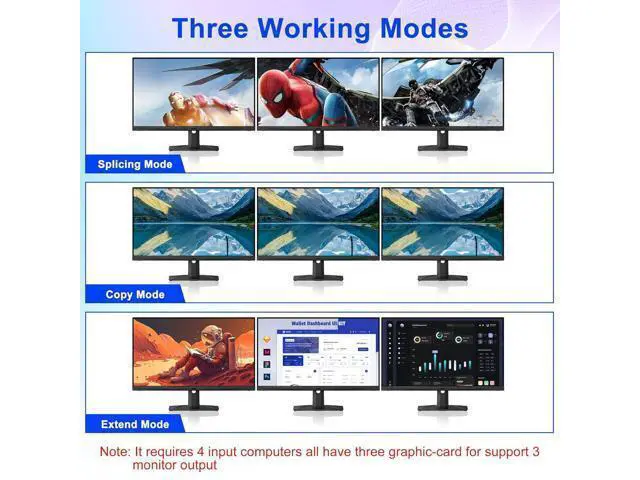
7. The ports that need to plug in HDMI/DisplayPort/USB cables are all hidden behind the KVM switch, so the desktop doesn't get cluttered, you can enjoy the clean workspace. Ultra HD 8K@60Hz Triple Monitor KVM Switch Confirms to HDMI 2.1 & DP 1.4 protocol, supports a maximum resolution of 8K@60Hz 4K@144Hz, and is compatible downwards. Only when both your computer Graphics card, monitor and cable support 8K@60Hz then you can get 8K@60Hz effect, so if you want the max resolution you have to check your devices first. 3 Display Modes Extended Display Mirrored Display Spliced Display 1)Extended mode can output 3 different screens and mirror mode can output 3 identical screens.
Note: If your graphics card has a splicing screen function, you can use the splicing screen mode. 2) The requirement for this KVM to achieve a triple-screen display is that each PC you connect to has the capability to support a triple-screen display. This has nothing to do with KVM.
installation steps:
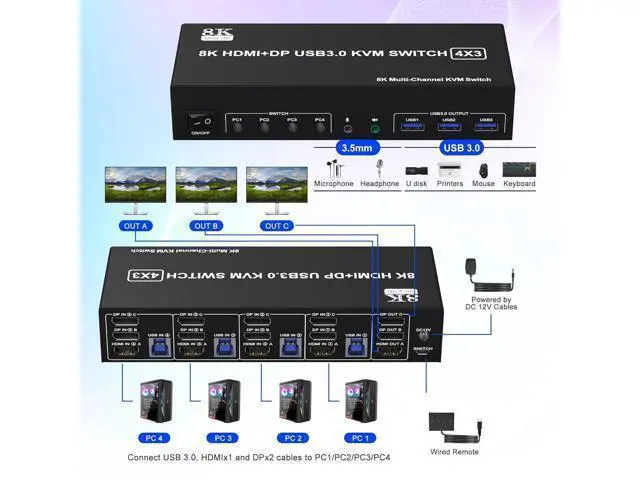
1. Insert the DC/12V adapter into the KVM;
2. Plug the 1*HDMI cable and 2*DisplayPort cable into the KVM switch and monitor; (Output)
3. Plug the 2*DisplayPort cable, 1*HDMI cable, and 1*USB cable into the KVM switch and your computer/laptop (HDMI and DP cables are not included) (Input) HDMI IN 1A + DP IN 1B + DP IN 1C + USB IN 1=PC1 HDMI IN 2A + DP IN 2B + DP IN 2C + USB IN 2=PC2 HDMI IN 3A + DP IN 3B + DP IN 3C + USB IN 3=PC3 HDMI IN 4A + DP IN 4B + DP IN 4C + USB IN 4=PC4 Please check whether HDMI IN 1A, DP IN 1B, DP IN 1C, and USB IN 1 corresponding, and whether HDMI IN 2A, DP IN 2B, DP IN 2C and USB IN 2 are corresponding. Mixed insertion is not supported. The same goes for PC3 and PC4.
4. Insert the mouse and keyboard into the KVM switch
5. If needed, you can connect a microphone and audio port
Note:
1. Most of the reasons why only one video output works is because of an incorrect connection. Please make sure each PC has(1 HDMI +2 DP+USB cable) connect to the KVM.
2. If the input USB 3.0 ports are not connected or connected incorrectly, the output USB device will not be recognized.
3.
Note: HDMI and DP cables are not included Switch by Panel button Push-button design allows for one-touch switching using a button on the KVM Switch box, eliminating the need to plug and unplug cables frequently, saving space and time. Wired Remote Control Supports wired remote switching for easy cable management, you can switch directly on the desktop, convenient for your life and work. LED Indicator When switching to which PC, the LED will tell you whether PC1 or PC2 or PC3 or PC4 is active. Audio and microphone output 3 monitors 4 computers KVM comes with a 3.5 mm Audio Jack port with a DAC chip inside, which can be inserted into a 3-segment 3.5 mm earpiece device, and a 3.5 mm microphone interface, which can be inserted into a 3-segment microphone.
Features: 1. 8K Triple Monitor KVM Switch 4-Port allows 4 computers/laptops to share one set of keyboard, mouse, and 3 monitors
2. This 3-monitor KVM switch with 4 ports
Microphone Features: 1. 8K Triple Monitor KVM Switch 4-Port allows 4 computers/laptops to share one set of keyboard, mouse, and 3 monitors
2. This KVM switch with 4 ports does not mean that it can only be connected to 4 computers. You may only have 2 computers now, but you may need to use 3 or 4 computers in the future, then you can choose this switch. Pls make sure each of your PCs can support triple display before purchasing.
3. Support HDMI 2.1 and DP 1.4 standards and downward compatibility. Support up to 8K@60Hz for extended, mirrored or spliced display (Depends on your computer's graphics card. ); 4.
2 Switching modes: Button switch and wired remote. 5. with 3 USB 3.0 ports for USB devices, and with extra Audio Microphone output
6. Plug and play, compatible with Windows, Linux, Mac, Unix, Ubuntu, Raspberry and most other major OS
7. The ports that need to plug in HDMI/DisplayPort/USB cables are all hidden behind the KVM switch, so the desktop doesn't get cluttered, you can enjoy the clean workspace. Ultra HD 8K@60Hz Triple Monitor KVM Switch Confirms to HDMI 2.1 & DP 1.4 protocol, supports a maximum resolution of 8K@60Hz 4K@144Hz, and is compatible downwards. Only when both your computer Graphics card, monitor and cable support 8K@60Hz then you can get 8K@60Hz effect, so if you want the max resolution you have to check your devices first. 3 Display Modes Extended Display Mirrored Display Spliced Display 1)Extended mode can output 3 different screens and mirror mode can output 3 identical screens.
Note: If your graphics card has a splicing screen function, you can use the splicing screen mode. 2) The requirement for this KVM to achieve a triple-screen display is that each PC you connect to has the capability to support a triple-screen display. This has nothing to do with KVM.
installation steps:
1. Insert the DC/12V adapter into the KVM;
2. Plug the 1*HDMI cable and 2*DisplayPort cable into the KVM switch and monitor; (Output)
3. Plug the 2*DisplayPort cable, 1*HDMI cable, and 1*USB cable into the KVM switch and your computer/laptop (HDMI and DP cables are not included) (Input) HDMI IN 1A + DP IN 1B + DP IN 1C + USB IN 1=PC1 HDMI IN 2A + DP IN 2B + DP IN 2C + USB IN 2=PC2 HDMI IN 3A + DP IN 3B + DP IN 3C + USB IN 3=PC3 HDMI IN 4A + DP IN 4B + DP IN 4C + USB IN 4=PC4 Please check whether HDMI IN 1A, DP IN 1B, DP IN 1C, and USB IN 1 corresponding, and whether HDMI IN 2A, DP IN 2B, DP IN 2C and USB IN 2 are corresponding. Mixed insertion is not supported. The same goes for PC3 and PC4.
4. Insert the mouse and keyboard into the KVM switch
5. If needed, you can connect a microphone and audio port
Note:
1. Most of the reasons why only one video output works is because of an incorrect connection. Please make sure each PC has(1 HDMI +2 DP+USB cable) connect to the KVM.
2. If the input USB 3.0 ports are not connected or connected incorrectly, the output USB device will not be recognized.
3.
Note: HDMI and DP cables are not included Switch by Panel button Push-button design allows for one-touch switching using a button on the KVM Switch box, eliminating the need to plug and unplug cables frequently, saving space and time. Wired Remote Control Supports wired remote switching for easy cable management, you can switch directly on the desktop, convenient for your life and work. LED Indicator When switching to which PC, the LED will tell you whether PC1 or PC2 or PC3 or PC4 is active. Audio and microphone output 3 monitors 4 computers KVM comes with a 3.5 mm Audio Jack port with a DAC chip inside, which can be inserted into a 3-segment 3.5 mm earpiece device, and a 3.5 mm microphone interface, which can be inserted into a 3-segment microphone.
Features: 1. 8K Triple Monitor KVM Switch 4-Port allows 4 computers/laptops to share one set of keyboard, mouse, and 3 monitors
2. This 3-monitor KVM switch with 4 ports
Warranty & Returns
Warranty, Returns, And Additional Information
Warranty
- Please contact the Seller directly for warranty information. Warranty information may also be found on the Manufacturer's website.
- CONTACT
Return Policies
- Return for refund within: 30 days
- Return for replacement within: non-replaceable
- This item is covered by TechMax Depot Return Policy
Manufacturer Contact Info
- For a directory of all our manufacturers, please click below.
- Manufacturers Directory
LOADING...