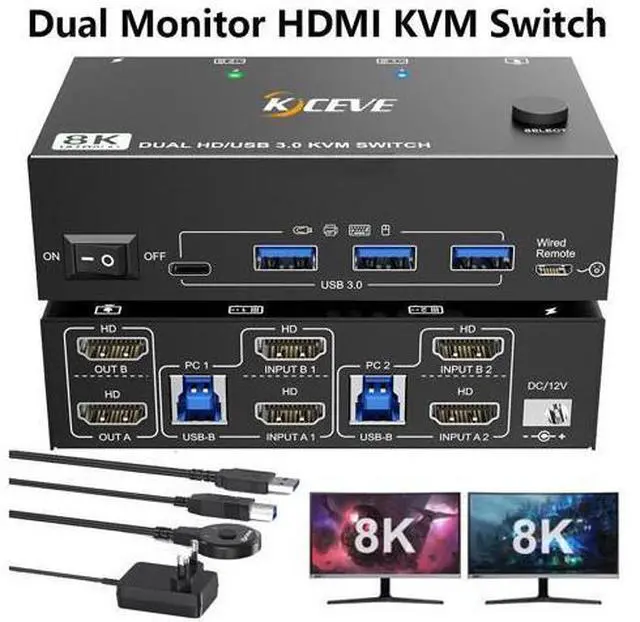
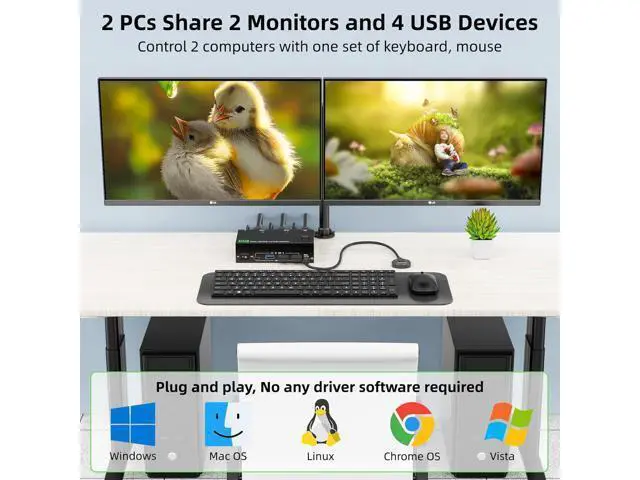
USB 3.0 Dual monitor HDMI KVM switch is specially designed for users who have 2 PCs and 2 monitors. This Dual monitor KVM Switch Allows you to share the mouse keyboard printer monitor with 2 computers (also suitable for Gaming machine, Raspberry Pi, light duty PC). It is a great accessory for family, office or other workplace.
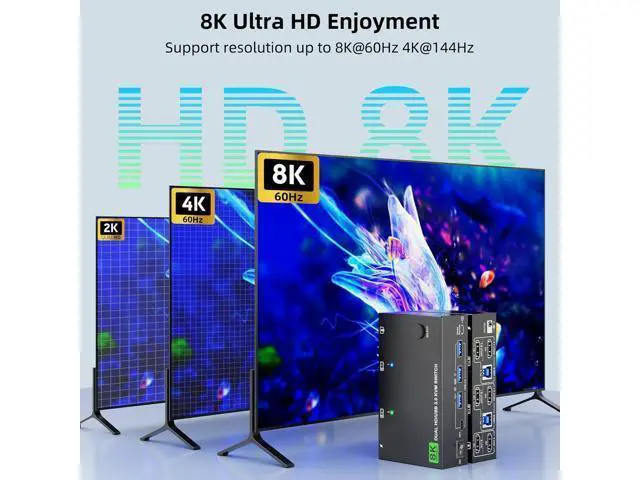
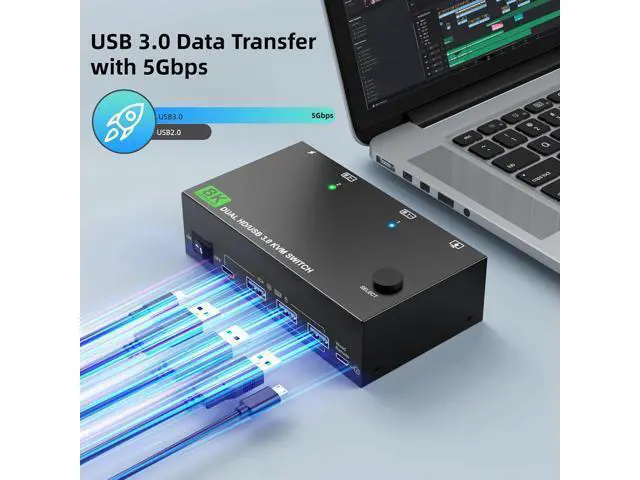
Wide Compatibility: Driver free for Windows 11/10/8/7/Vista/XP and Mac OS, Linux, and Chrome OS. HDMI KVM Switches come with 4 USB 3.0 ports for sharing USB devices. Supports ultra-fast 5Gbps USB 3.0 data transfer speed 10 times faster than USB 2.0 and backward compatible with USB 2.0 / 1.1 devices. Ultra HD 8K@60Hz 4k@144Hz
Visual Enjoyment: KVM Switch HDMI support resolution 7680X4320@30Hz; 3840*2160@120Hz/60Hz; 3440*1440@144Hz/120Hz; 2560*1440@144Hz or lower resolution
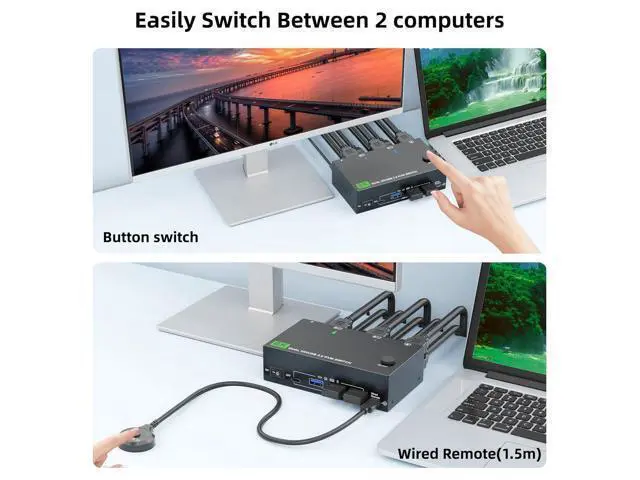
Note: If you need a 8K resolution, please use version 2.1 HD-MI cable and make sure your computers and monitors support 8K! Wide Compatibility For Windows, Mac OS, Linux and Chrome OS. Compatible with PS5, PS4, TV Box, PC, Laptop. 4 USB 3.0 Port with 5Gbps Supports ultra-fast USB 3.0 data transfer up to 5Gbps, can transfer files in Seconds, Faster and more stable than USB 2.0 Two switching modes Desktop controller that supports remote switching (included) and panel button, LED lights indicate the corresponding computer. One click to turn on/off Simply use the on/off button on the KVM when not in use, no need to unplug the cables How to connect?
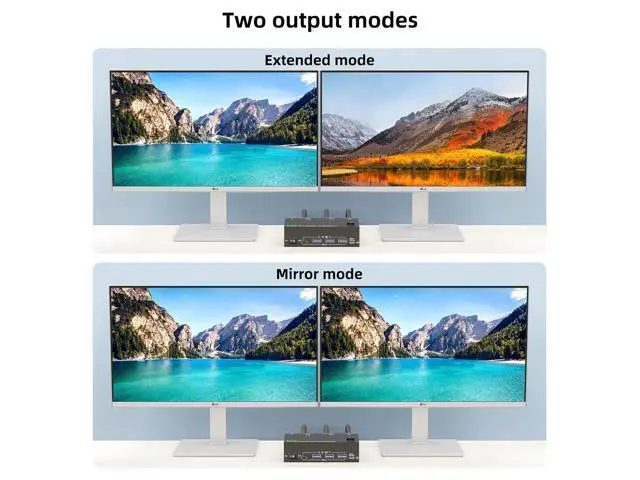
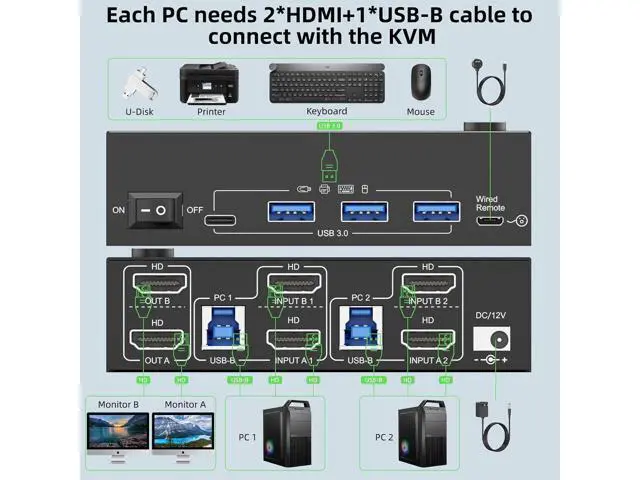
1. Please make sure each computer have(2 HD-MI cables+1 USB cable) connect to the KVM. 2. After connecting the computers and the monitors through KVM, you need to set the screen output mode on the computer (press Windows+P) and select the output mode in the pop-up window on the screen. Otherwise, only one of the two connected monitors has an image. 3. The extended mode can output two different screens, and the copy mode can output two identical screen Dual Monitor KVM Switch 2 computers HDMI Shares 2 Monitors and 4 USB 3.0
Devices Features: 2 computers share a keyboard, mouse, printer, scanner or webcam and display on 2 monitors (Bluetooth mouse and keyboard not supported) Press "Windows+P" to select extended screen mode or mirror mode Plug and play. No additional driver software required USB 3.0 port up to 5Gbps (Contains 3 USB A + 1 USB C ports) Switching via 1.5 m wired remote control and push button switch KVM switch can turn off the monitors LED lights show which computer is active Compatible with Windows11/10/8/7/XP/Vista/Chrome/Mac OS/Linux system Supports most
HDMI devices: desktop computers, laptops, tablets, TV boxes, PS4, PS5, Blu-ray players, monitors, HDTV, projectors. Compliant with HD-MI 2.1, HD-CP 2.3, YUV:
4:4: 4 Support UHD 8K@60Hz, 4K@120Hz, 4K@60Hz, 2K@144Hz, 1920x1080P@144Hz or lower resolution
Please Note: Using 8K cables can solve flickering and black screen problems.
Connection Steps:
1. Connect 2*HDMI cable + 1*USB-A cable (USB 3.0, INPUT A1, INPUT B1) between PC1 and KVM switch
2. Connect 2*HDMI cables + 1*USB-A cable (USB 3.0, INPUT A2, INPUT B2) between PC2 and KVM switch
3. Connect 2 HDMI cables between the KVM switch (OUT A, OUT B) and the monitor.
4. Connect the keyboard and mouse to the KVM USB port
5. Plug USB devices and wired controllers into the KVM
Specifications
:
Size: 11.8 x 6.5 x 3.4 cm
Net Weight: 260g, packaging: 600g
Built-in: ESD protection system
Shell Material: metal UK DC 12V power supply
Packing list: 1* HDMI KVM switch; 2*USB 3.0 Cable( 1.5M ); 1*Wired Remote( 1.5M ); 1*12V Power adapter and 1*User Manual.





 here!
here!