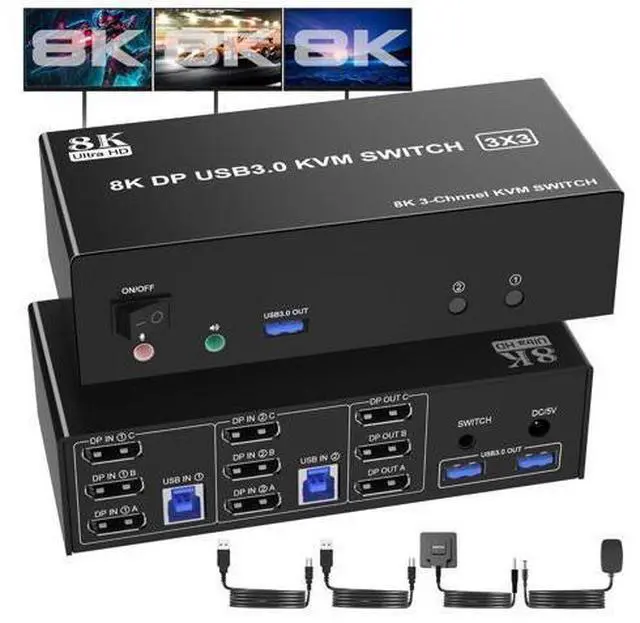
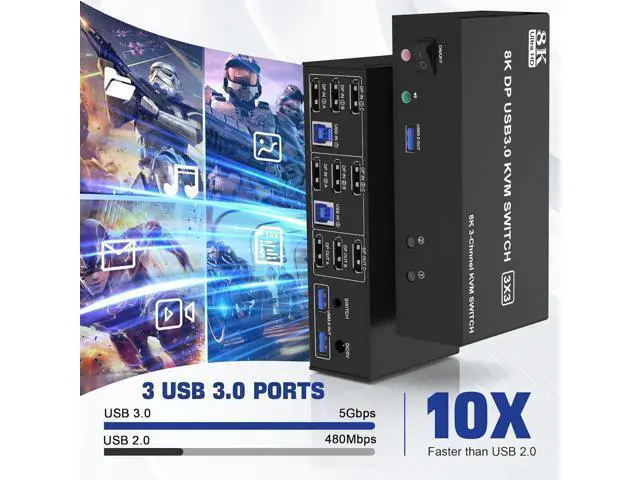
8K@60HZ DisplayPort USB 3.0 Triple Monitor KVM Switch for 2 Computer Sharing 3 Monitor and 3 USB 3.0 Ports, Audio &
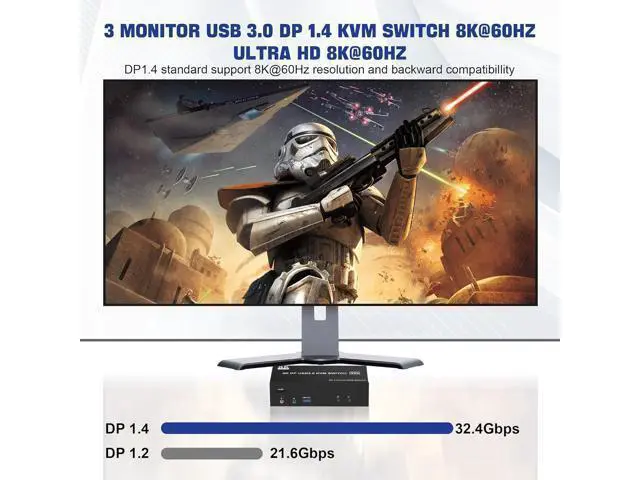
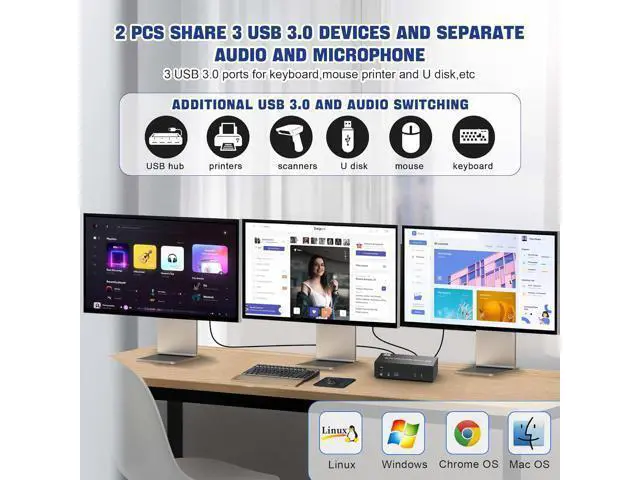
Microphone Advantages: 1, Share one set of keyboard, mouse and 3 monitors (3 DisplayPort) between 2 computers or laptops; 2, Supoort DP 1.4 and downward compatible. 3 monitors output support up to 8K@60Hz for extended, mirrored or spliced display (Depends on your computer's graphics card. ); 3, No complicated installation is required, and non-professionals can easily operate it, Ideal for multi-tasking professionals and gamers who need to access multiple devices quickly and efficiently; 4, Cross support major operation systems including Windows, Linux, Mac and more; 5, Switching
modes: Buttons on the front panel and wired remote; 6, The ports that need to plug in DP/USB cables are all hidden behind the KVM, so the desktop doesn't get cluttered; 7, A USB hub can expand the USB 3.0 ports if multiple connections are required, also an audio microphone output. 8K/4K HD Resolution This KVM switch 3 monitor supporting high resolution max up to 8K@60Hz, and also supports 4K@60Hz or other lower resolution (Downward Compatible).
Note: Only when both your computer Graphics card, monitor and DP cable support 8K@60Hz then you can get 8K@60Hz effect, so if you want the max resolution you have to check your devices first.
installation steps:
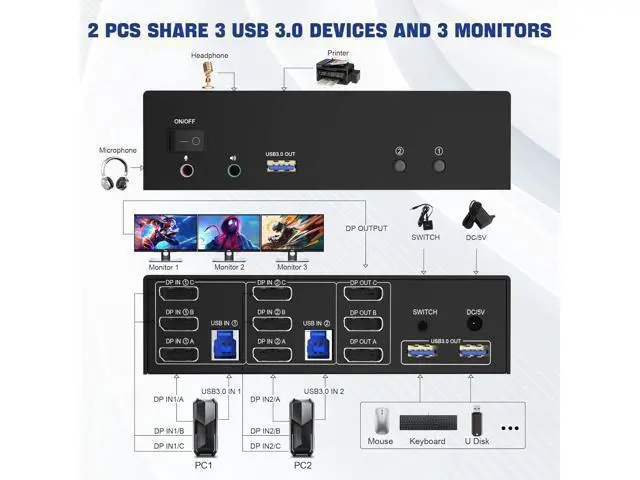
1. Insert the DC/5V adapter into the KVM;
2. Plug the 3 DP cable into the KVM and monitor; (3 DP Output)
3. Plug the 3 DP cable and USB cable into the KVM and your computer/laptop (DP cables are not included) (Input) DP IN 1A + DP IN 1B + DP IN 1C + USB IN 1=PC1 DP IN 2A + DP IN 2B + DP IN 2C + USB IN 2=PC2 Please check whether DP IN 1A, DP IN 1B, DP IN 1C, and USB IN 1 corresponding, and whether DP IN 2A, DP IN 2B, DP IN 2C and USB IN 2 are corresponding. Mixed insertion is not supported.
4. Insert the mouse and keyboard into the KVM switch
5. If needed, you can connect a microphone and audio port
Note:
1. Most of the reasons why only one video output works is because of incorrect connection. Please make sure each PC has(3 DP cables+1 USB cable) connect to the KVM.
2. If the KVM switch does not work, you can turn off the switch on the panel and turn it on again after 2-3 seconds, and it will return to normal. 3. If the input USB 3.0 ports are not connected or connected incorrectly, the output USB device will not be recognized.
4.
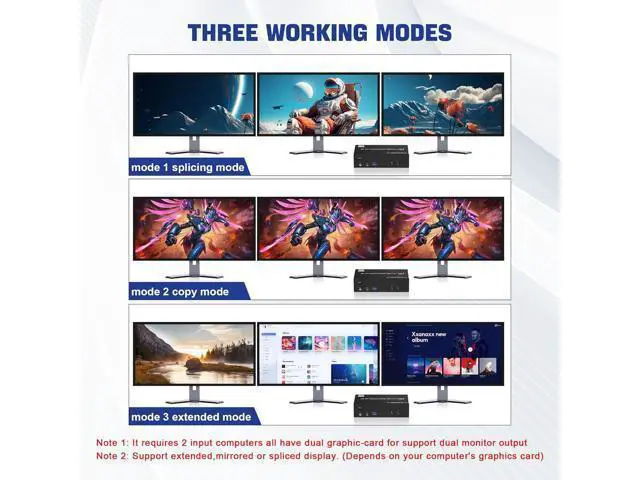
Note: DP cables are not included 3 Display Modes Extended Display Mirrored Display Spliced Display If you are a designer or illustrator, you can use this mode to see the effect while working. 1)Extended mode can output 3 different screens and mirror mode can output 3 identical screens.
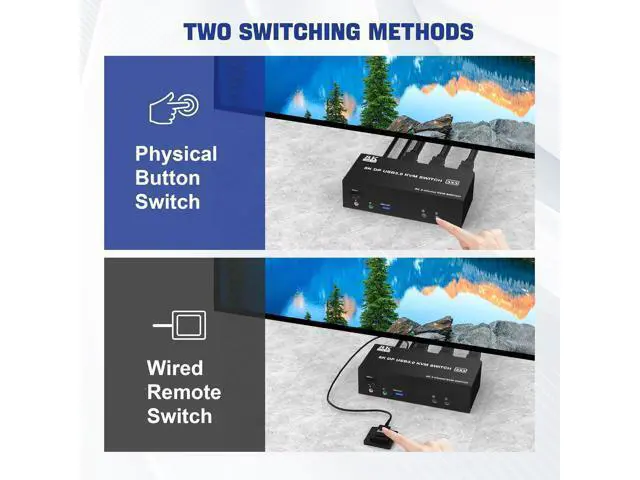
Note: If your graphics card has a splicing screen function, you can use the splicing screen mode. 2) The requirement for this KVM to achieve a 3-screen display is that each PC you connect to has the capability to support a 3 screen display. This has nothing to do with KVM. Supports separate audio and microphone output Display port kvm switch comes with a 3.5 mm Audio Jack port with a DAC chip inside, which can be inserted into a 3-segment 3.5 mm earpiece device, and a 3.5 mm microphone interface, which can be inserted into a 3-segment microphone. Switch by Panel button/desktop controller Quickly switch between the 2 computers with just one click of the switch button on the panel or use the wired remote controller (included in the package).
Please note: This KVM does not support hotkey switching. LED Indicator When switching to which PC, the LED will tell you whether PC1 or PC2 is active.
What You Get: 1x USB 3.0 DisplayPort Triple Monitor KVM Switch, 2x USB 3.0 Cables, 1x Power Adapter, 1x Wired Button Switch, 1x User's manual.
Important: After connecting the computers and the monitors through KVM, you need to set the screen output mode on the computer (press Windows+P) and select the output mode in the pop-up window on the screen. (Extended, mirrored or spliced display modes depend on your





 here!
here!