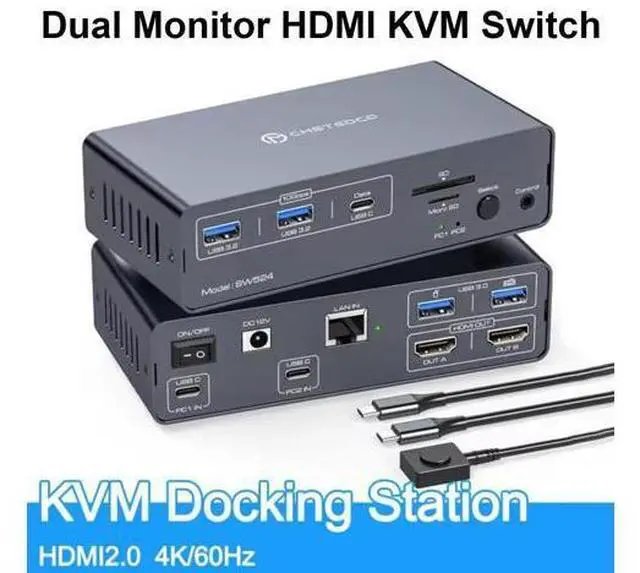
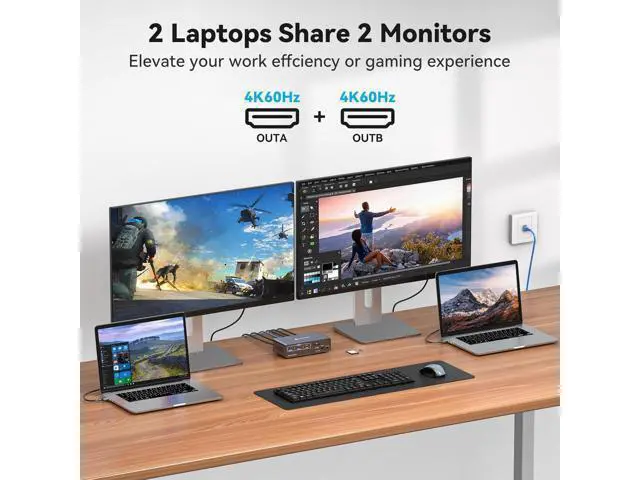
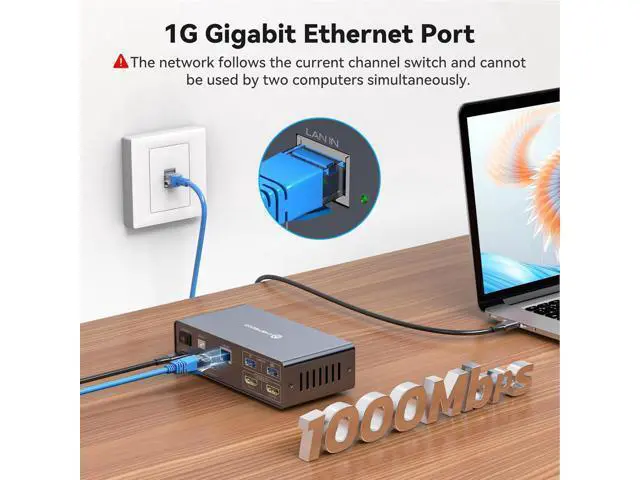
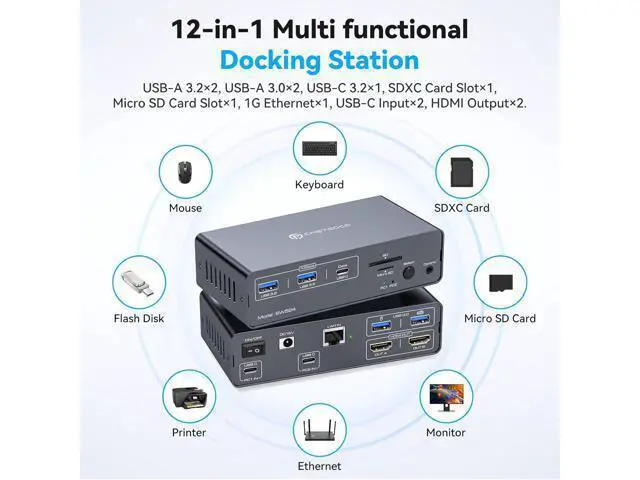
USB C 12-in-1 Laptop Docking Station Switch with Dual HDMI Monitor Supports controlling 2 computer devices and 2 monitors using only 1 set of keyboard and mouse. Supports mouse and keyboard connection to laptop docking stations via two USB 3.0 ports. Supports connecting barcode scanners, USB storage, or other high-speed USB devices through two USB 3.2 Gen2 and one USB-C port. Supports host USB 3.2 Gen2 transfer rate. Supports Ethernet bandwidth up to 1000Mbps (The network follows the current channel switch and cannot be used by two computers simultaneously). Support front panel buttons and external switch buttons to control laptop docking stations inputs.
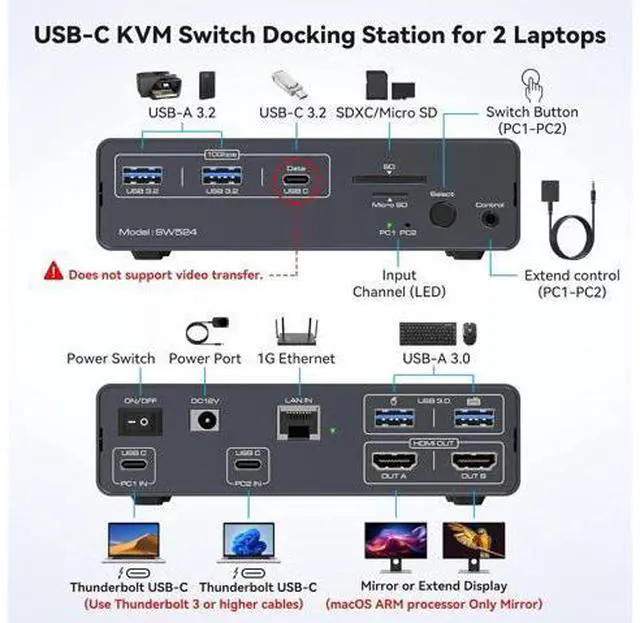
The USB-C port supports dual screen mode for Windows and Mac OS Supports USB 3.0 SD card and Micro SD card. How to use Two Laptops are respectively connected to the PC1 IN port and PC2 IN port of the docking station via the USB-C port. (supports video transmission, Thunderbolt 3 or higher); Connect the HDMI output port on the back of the laptop docking stations to the monitor through an HDMI cable. Connect the mouse and keyboard to the USB 3.0 port on the back. Connect USB storage devices, printers, and other USB devices to the USB port on the front panel.
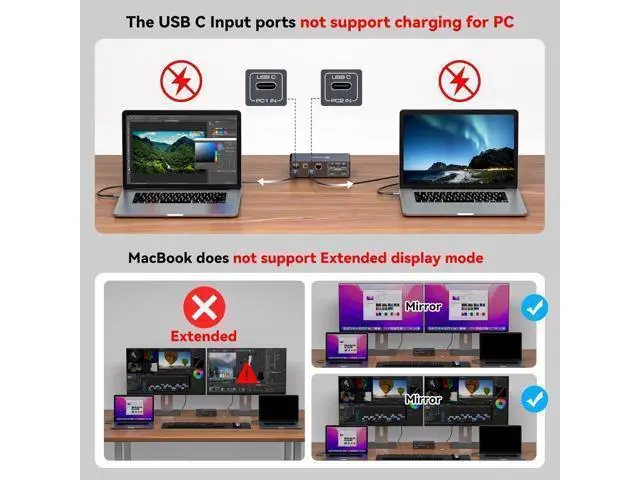
(the USB-C port on the front panel only supports data transfer and does not support PD charging and video transfer) Switch between Computer 1 and Computer 2 through the buttons on the panel or external control kit.
Attention: Before inserting the connecting cable, please disconnect the power supply first. Before power on, please check the connection line carefully. And make sure that all interfaces are normally connected.
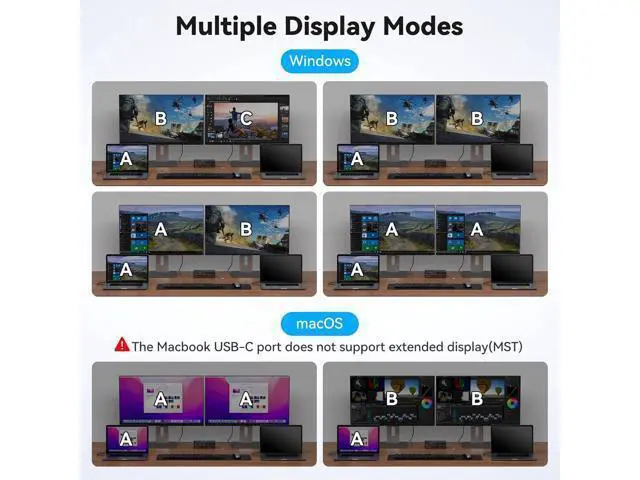
Multiple Display Modes macOS: Only supports mirror mode, i. e. AAA and ABB display modes, and the two monitors display the same picture.
Windows: Supports mirror mode and extended mode, i. e. AAA, ABB, AAB and ABC display modes, and the two monitors can display the same picture or different pictures. It is not recommended to connect any other intermediate devices between the computer and the adapter, as there may be compatibility issues that prevent the extended mode from being implemented. EDID Emulators This docking station supports dual monitor resolution up to 4K@60HZ with EDID emulators in each input port, EDID emulation prevents resolution and icon rearrangement, your computers always get the correct display information. Free yourself from the hassle of constantly adjusting display settings. Two Switching Options The external control switch button allows you to place the dock station outside the work area, making your desk cleaner and tidier. Or press the button on the control panel next to the indicator light to switch with one click. Simple, fast and easy to use, so you have more time for other things!
NOTE: Hotkey switching is not supported. 1000Mbps Gigabit Ethernet port This usb c docking station ensure a fast and stable network connection for smooth work. Ensures network stability and speed even during data-intensive tasks.
Note: the network follows the current channel switching and cannot be used by two computers at the same time USB 3.0 SD card & Micro SD card The Dock Station supports USB 3.0 SD card and Micro SD card, Micro SD cards are flush with the hub, so you can leave one inside as portable storage, and will not break easily. Intimate non-slip design Has rubber feet on the bottom of the Dock Station Switch to help from moving around on the desk. Thoughtful design brings more convenience to your life and work.
Product parameters: 1) 2-channel USB input, 2-channel HDMI 2.0 output + 2-channel USB 3.0 + 2-channel USB 3.2 + 1-channel USB+SD card+TF card+1000M network port 2) Maximum USB transmission rate 10Gbps, HDMI 4K60HZ 3) Support key and external line control switching 4) Working voltage DC12V 1.5A, equipped with USBC-C data cable 12V 1.5A power adapter 5)L141xW75xH38mm USB C 12-in-1 Laptop Docking Station Switch with Dual HDMI Monitor Supports controlling 2 computer devices and 2 monitors using





 here!
here!