2 Port USB C HDMI KVM Switch, 1 x USB C Input +1 x HDMI Input (1 for Each Device) + 1 x HDMI Output Easily connect with just one USB C cable or HDMI cable+USB 2.0 cable for per computer. USB Type C input also works with Macbook Pro, tablets, which capable of outputting video over USB Type-C (alternate mode) to view larger monitor.
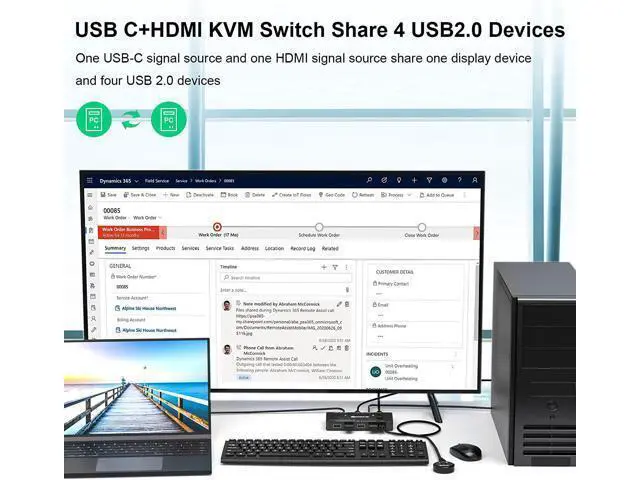
Advantage: "Power" input can charge computers USB Type C input source+ HDMI input source share a wired/wireless keyboard mouse and 1 monitor, Easily output 4K video and digital audio to the HDMI monitor, television or projector without drivers. Supports up to 100W of power to reverse charge the laptop, completely solving the problem of the USB C charging port being occupied when using KVM. USB Type-C HDMI 2.0 KVM Switch output with resolution up to 4k@60Hz, 2K@120Hz, 1440P@100Hz, backward compatible with lower resolutions. USB Type C input port fully compatible with Thunderbolt 3, it is aslo a thunderbolt kvm switch.
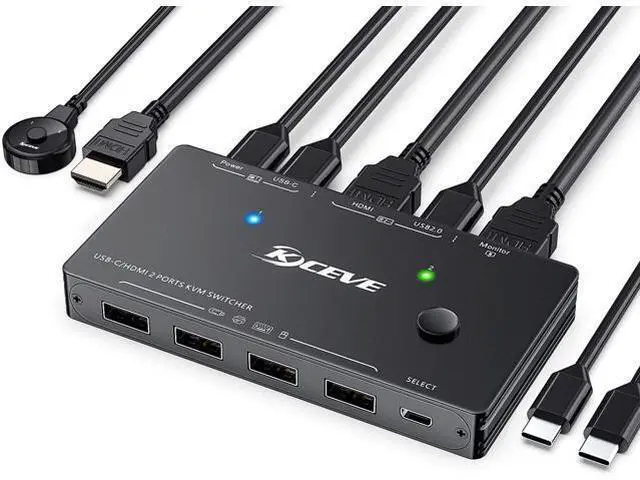
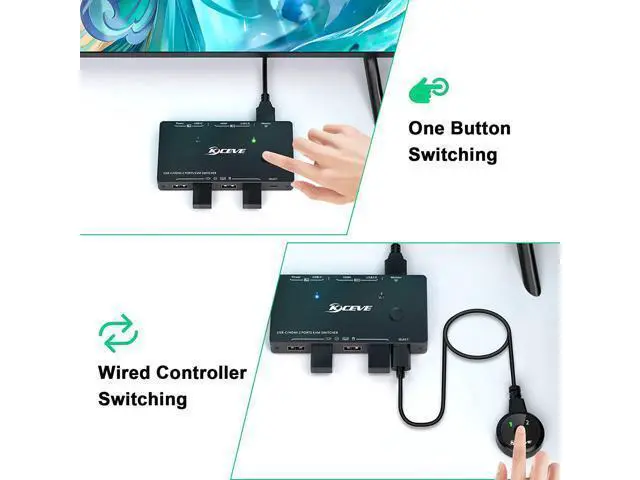
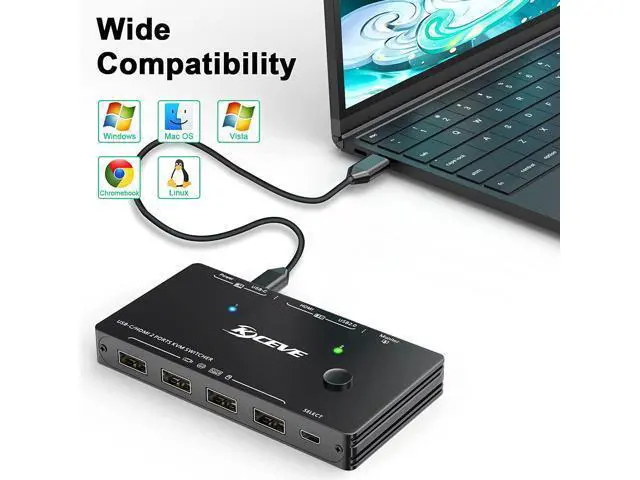
Switching Modes: Push Button Switch and Wired Remote. Cross-support for most major operating systems, including Windows, Linux, Mac, and more. USB HDMI KVM with 4 USB 2.0 ports, suitable for keyboard, mouse, printer, U disk, etc. Support HDMI 2.0 standard, compatible with HDMI 1.4 standard. USB hub can expand USB 2.0 ports if multiple connections are required Charge Type-C input source devices power delivery (up to 100 watts). Connect the PC1's charging cable to the port labeled "Power" to power the USB KVM switch while charging the PC1 (Didn't need to connect the PD charger when do not need to charge the computer).
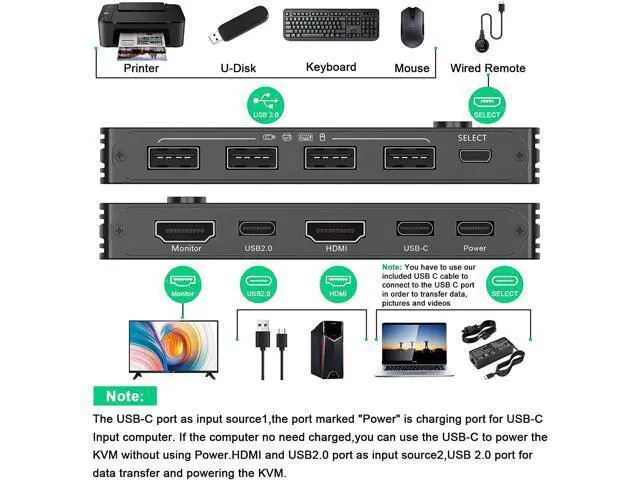
Note: Without the "Power" port connected also works fine, as the "USB-C" port can also provide power to the KVM Since the KVM switcher requires power, the power charge for the laptop will not be as high as the power provided to the input. PC 2 needs to be connected to both the HDMI port and the USB 2.0 port to form a complete input source. In addition, the USB 2.0 port can transmit data and power the KVM switcher. Therefore, no additional power is required when switch to PC
2. Easy Installation, All required cables for connecting the computers and monitor are included.
1. Connect PC 1 to the USB-C port;
2. Connect PC 2 to the HDMI and USB 2.0 port;
3. Connect the monitor to the HDMI port labeled monitor;
4. Connect the keyboard mouse U disk to the USB-A port;
5. Connect the power adapter to the Power of the KVM switch to charge the computer or tablet (optional), power adapter not included;
6. Connect wired remote control to switch between 2 input sources.
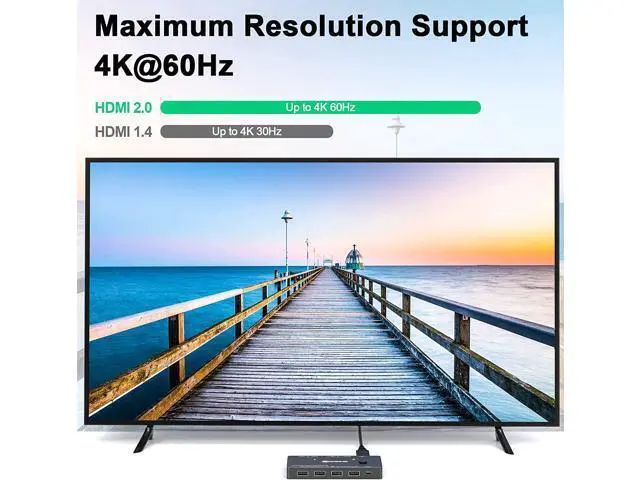
Friendly Reminder: Video adapters for converting HDMI, DisplayPort, VGA, DVI to USB C are not available yet, so please make sure the computer / device has at least one USB Type C port (support Data & Video & PD) before buying this USB C KVM switch selector. 4K HD Resolution Support 4K@60Hz, 2K@120Hz, 3440x 1440@100Hz and backward compatible with lower resolutions.
Note: If need 4K resolution, please make sure the computer/display supports 4K resolution, use Tpye-C cable and HDMI 2.0 cable. Charge computer(just for Type-C input source) This is Type-C/USB-C + HDMI KVM Switch, the "Power" just charge the Type-C/USB-C input computer/laptop. Up to 100w, the actual power will be limited by the connected computer or tablet. Come with Wired Remote and KVM cables
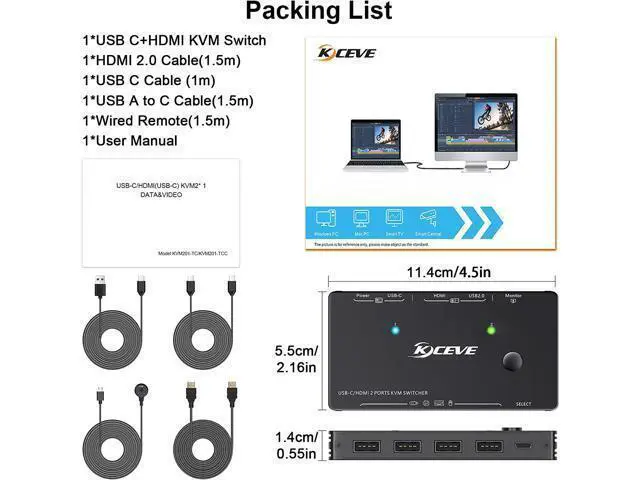
Package included: 1*USB Type-C HDMI KVM Swtich, 1* HDMI 2.0 Cable( 1.5 m), 1*USB C Cable( 1.0 m), 1*USB A to C Cable( 1.5 m), 1* Wired Remote( 1.5 m), 1*User Manual.
Attention: power adapter not included USB Type-C HDMI KVM Switch 4K@60Hz, USB C +HDMI Switch for 2 Computers Share 1 Monitor and 4 USB Devices, Compatible with Thunderbolt 3, with 100 W Power Delivery, Wired Remote and 3 Cables Included





 here!
here!