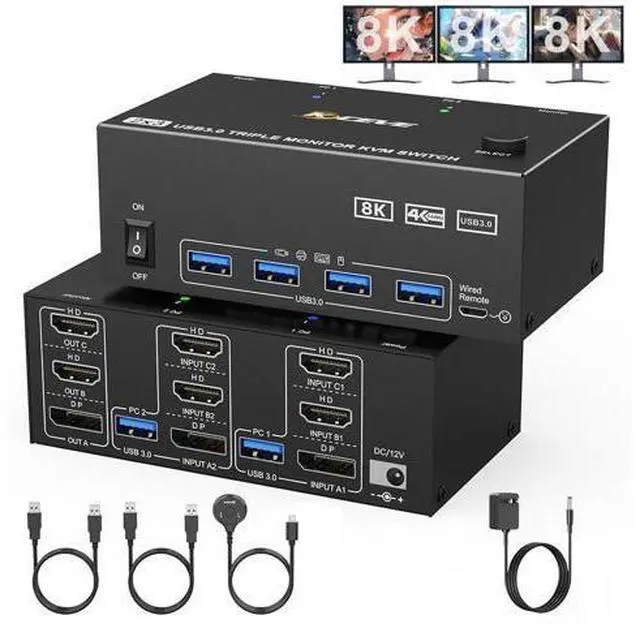
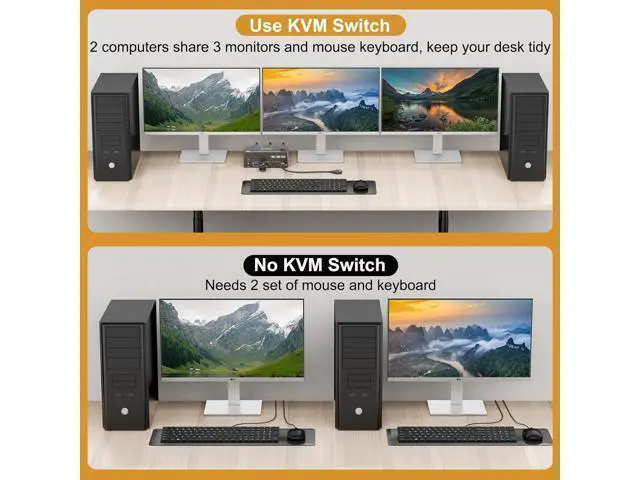
3 monitors KVM switch 2 HDMI + 1 DisplayPort 3 computers share 3 monitors and 4 USB 3.0 devices This 1 Displayport+ 2 HDMI triple monitor KVM switch is perfect for 3 computers or laptops to share 3 monitors and 4 USB 3.0 devices (keyboard, mouse, printer, scanner and other USB devices). Ultra HD 8K@60HZ/4K@144Hz visual experience. This 3 monitor KVM switch outputs a maximum resolution of up to 8K@60Hz/4K@144Hz, every detail can be displayed without latency. Displayport 1.4 supports a maximum resolution of up to 8K@30Hz/4K@144Hz and is backward compatible. HDMI 2.1 supports maximum 8K@60Hz/4K@60Hz and is backward compatible with lower resolution.
Note: The HDMI part does not support 4k@144Hz or 4K@120Hz
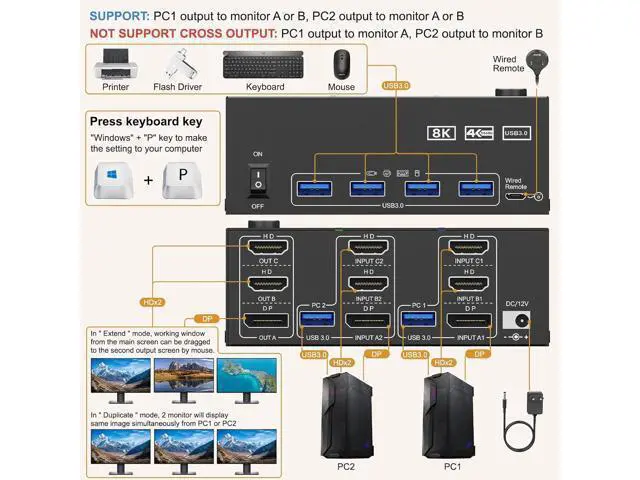
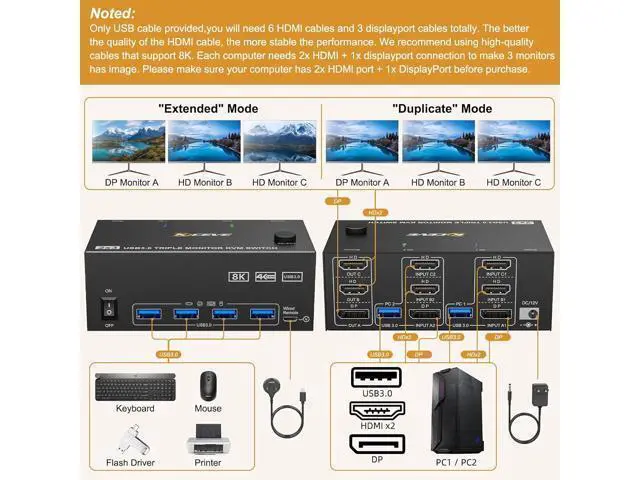
Important note: The final resolution depends on your graphics card, cables, monitors and adapters. For input, each computer requires 1 DP + 2 HDMI port, for output 1 DP monitor + 2 HDMI monitors. For 3 monitors to work, each computer requires 2 HDMI cables +1 DP cable + 1 USB cable to connect to the KVM switch. Please buy good HDMI and DP cables by yourself. If HDMI cable and DP cable are not good enough, the screen will flicker or become unstable.
Step 1: Connect 2 HDMI cables + 1 DP cable + 1 USB cable to PC 1 and KVM switch (INPUT A1, INPUT B1, INPUT C1, USB 3.0 ). Step
2. Connect 2 HDMI cables + 1 DP cable + 1 USB cable to PC 2 and KVM switch (INPUT A2, INPUT B2, INPUT C2, USB 3.0 ). Step
3. Connect 2 HDMI cables and 1 DP cable to the KVM switch (OUT A, OUT B, OUT C) and three monitors.
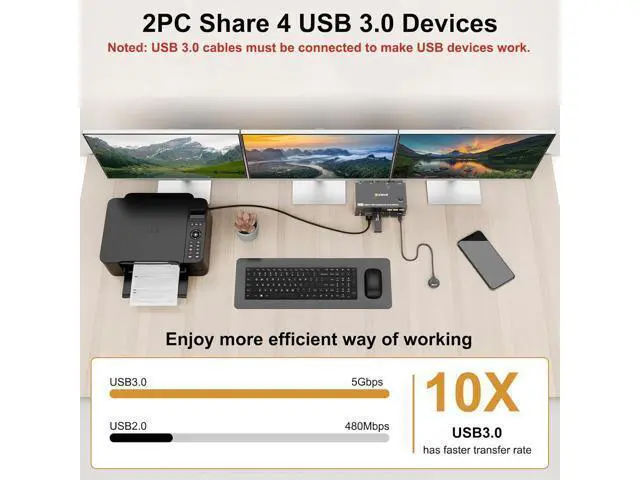
Step 4: Connect your USB device (keyboard and mouse) to the USB 3.0 port of the KVM switch. You can connect up to 4 USB 3.0 devices at the same time. Compatible with USB 2.0 / 1.1 devices. Step
5. Connect the wired remote control
Note: Please connect the 12V DC power supply to provide sufficient power. Using a shorter 8K HDMI+DP cable can make the KVM switch more stable. A good helper to improve work efficiency
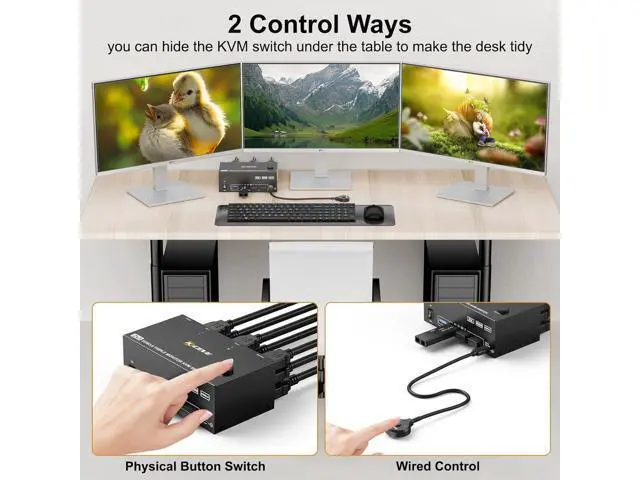
Easy switching: Easily switch between computers using the control panel buttons or wired remote. LED indicators show the active computer status, so multiple devices can be easily managed.
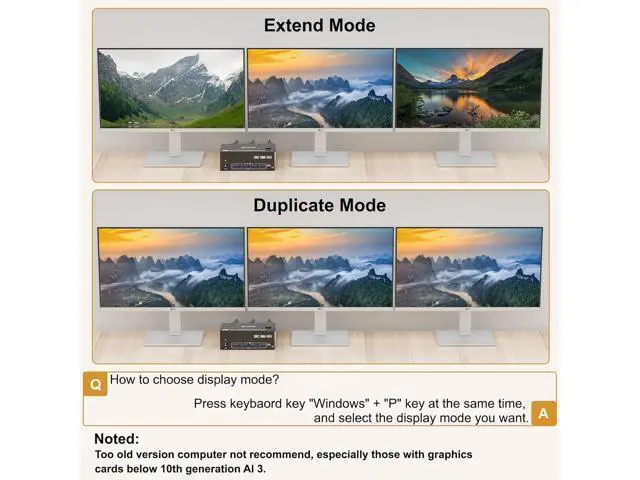
Supports two modes: Mode
1: Copy mode (computer host outputs 3 identical screens on 3 displays)
Mode 2: Advanced mode (computer host outputs 3 different screens on 3 displays) KVM switch supports 2 switching modes KVM switch supports physical buttons and wired control. You can press the button on the control panel or use the cable remote control to select the computers. LED light indicates which computer is running. Up to 8K@60Hz, 4K@144Hz 7680×4320@60Hz, 3840×2160@144Hz providing an incredible viewing experience with realistic images and vibrant colors. Supports extended and mirrored display modes Extended mode can output three different screens and mirror mode can output three identical screens. DC12V connection for power supply No external power supply is required for normal USB devices. DC 12V power supply is included. When you connect a USB device with high power consumption, you need to connect a power supply to ensure a stable connection. Four USB 3.0 ports The upgraded USB 3.0 version ensures faster and more stable data transfer and is a great solution to solve many problems of disconnecting USB devices during use. 2 LED light indicators Blue light indicates PC1. Green light indicates PC2 3 monitors KVM switch 2 HDMI + 1 DisplayPort 3 computers share 3 monitors and 4 USB 3.0 devices This 1 Displayport+ 2 HDMI triple monitor KVM switch is perfect for 3 computers or laptops to share 3 monitors and 4 USB 3.0 devices (keyboard, mouse, printer, scanner and other USB devices).
Ultra HD 8K@60HZ/4K@144Hz visual experience. This 3 monitor KVM switch outputs a maximum resolution of up to 8K@60Hz/4K@144Hz, every detail can be displayed without latency. Displayport 1.4 supports a maximum resolution of up to 8K@30Hz/4K@144Hz and is backward compatible. HDMI 2.1 supports maximum 8K@60Hz/4K@60Hz and is backward compatible with lower resolution.
Note: The HDMI p





 here!
here!