

Your Browsing History
- Free 30-day Returns
$177.88
Ships from China.

Meet Your Seller

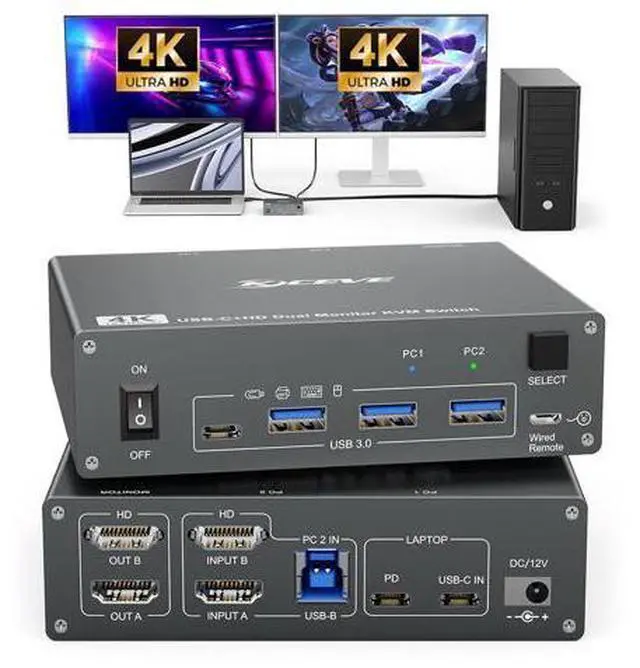


DIXSG 2 Port USB C HDMI KVM Switch 2 Computers 2 Monitors, Dual Monitor USB 3.0 USB Type C HDMI KVM Switch Supports 4K@60Hz for 2 Laptops that Share Keyboard, Mouse and Monitor, with Wired Remote
Limited time offer, ends 10/13 By TechMax Depot
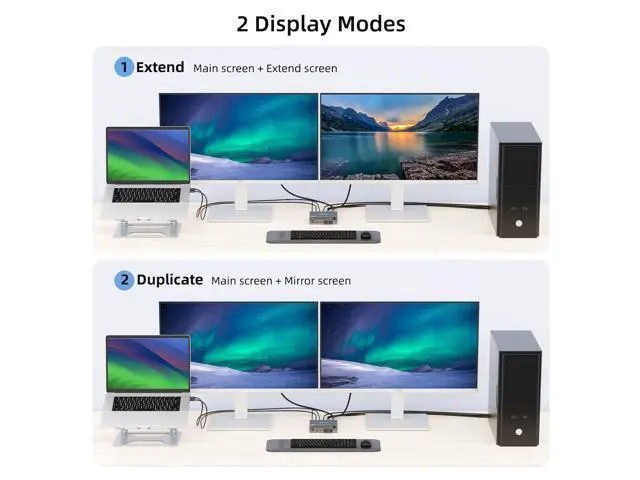
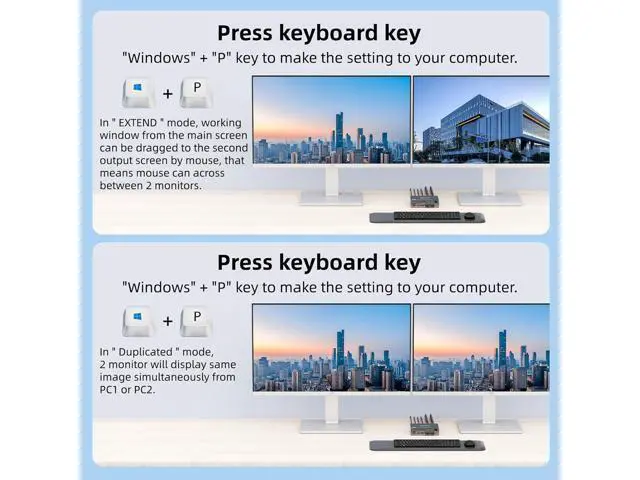
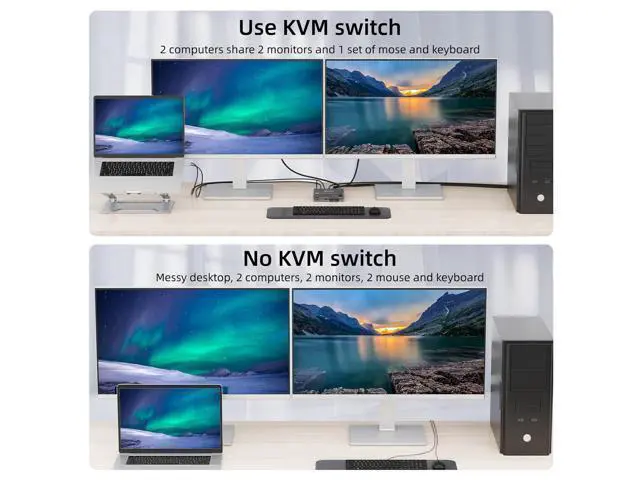
- HDMI + USB C KVM Switch for 2 Monitors: This is a perfect KVM switch for 2 monitors for USB C laptops and HDMI computers for sharing keyboard, mouse and monitor. In copy mode, the main screen can be copied to the second output screen. In expansion mode, t
+
+
Overview
Specs
Reviews

Any questions? Our AI mode will help you find out quickly.
Try me now
This is a USB C KVM Switch for 1 Laptop + 1 Desktop + 2 Monitors
Product Name: USB C KVM Switch for 2 Computers, 2
Monitors Material: Metal casing
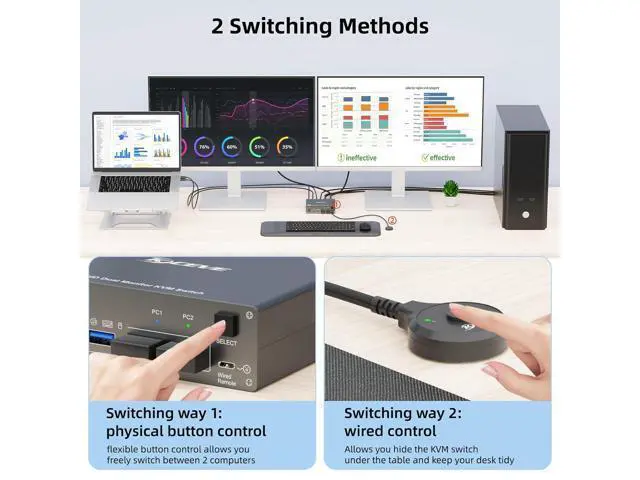
Control type: physical button and wired control
Switch mode via keyboard hotkey: Not supported
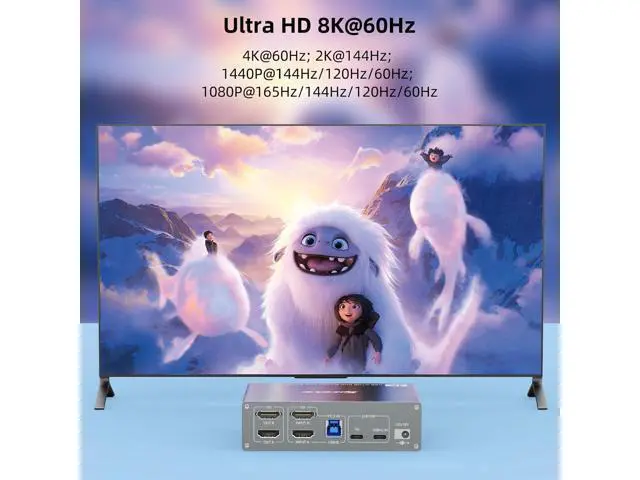
Resolution range: Up to 4K@60Hz Supports wired or wireless keyboard and mouse
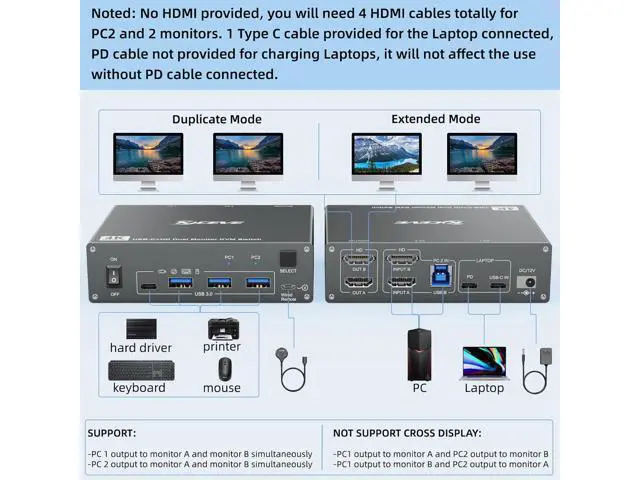
Note: HDMI cable not included Plug and Play KVM Switch for USB-C Computers and HDMI Computers
1. Please make sure your laptop has a USB Type-C port for audio and video transmission. USB-C input = PC1A PD cable is not required if you do not need to charge the laptop. If you want to charge the laptop when using this KVM switch, you need an external laptop power supply to connect the USB-C KVM switch to your socket. A laptop adapter is not included. Instead, please do not use a mobile phone power supply. The PD port provides 87W charging.
2. Please make sure your other desktop has 2 HDMI ports. Input A + Input B + USB B = PC2 For the desktop output signal on 2 monitors, 2 HDMI ports are required. We recommend using HDMI cables with a length of no more than 2 m. Supports 2 switching options Physical button control. Wired control, we have improved the wired control, it is larger and the touch feels more comfortable, this switching option responds quickly and is flexible, you can hide the 4 PC KVM switch under the table and thus keep the desk tidy. 2 Monitor KVM Switch with 4 USB 3.0 Ports The USB 3.0 version ensures faster and more stable data transfer and is a great solution to solve many problems of disconnecting USB devices during use. DC12V connection for power supply No external power supply is required for normal USB devices. DC12 power supply is included. When you connect a USB device with high power consumption, you need to connect a power supply to ensure a stable connection. This is a USB C KVM Switch for 1 Laptop + 1 Desktop + 2 Monitors
Product Name: USB C KVM Switch for 2 Computers, 2
Monitors Material: Metal casing
Control type: physical button and wired control
Switch mode via keyboard hotkey: Not supported
Resolution range: Up to 4K@60Hz Supports wired or wireless keyboard and mouse Plug and Play KVM Switch for USB-C Computers and HDMI Computers
1. Please make sure your laptop has a USB Type-C port for audio and video transmission. USB-C input = PC1A PD cable is not required if you do not need to charge the laptop. If you want to charge the laptop when using this KVM switch, you need an external laptop power supply to connect the USB-C KVM switch to your socket. A laptop adapter is not included. Instead, please do not use a mobile phone power supply. The PD port provides 87W charging.
2. Please make sure your other desktop has 2 HDMI ports. Input A + Input B + USB B = PC2 For the desktop output signal on 2 monitors, 2 HDMI ports are required. We recommend using HDMI cables with a length of no more than 2 m.
Product Name: USB C KVM Switch for 2 Computers, 2
Monitors Material: Metal casing
Control type: physical button and wired control
Switch mode via keyboard hotkey: Not supported
Resolution range: Up to 4K@60Hz Supports wired or wireless keyboard and mouse
Note: HDMI cable not included Plug and Play KVM Switch for USB-C Computers and HDMI Computers
1. Please make sure your laptop has a USB Type-C port for audio and video transmission. USB-C input = PC1A PD cable is not required if you do not need to charge the laptop. If you want to charge the laptop when using this KVM switch, you need an external laptop power supply to connect the USB-C KVM switch to your socket. A laptop adapter is not included. Instead, please do not use a mobile phone power supply. The PD port provides 87W charging.
2. Please make sure your other desktop has 2 HDMI ports. Input A + Input B + USB B = PC2 For the desktop output signal on 2 monitors, 2 HDMI ports are required. We recommend using HDMI cables with a length of no more than 2 m. Supports 2 switching options Physical button control. Wired control, we have improved the wired control, it is larger and the touch feels more comfortable, this switching option responds quickly and is flexible, you can hide the 4 PC KVM switch under the table and thus keep the desk tidy. 2 Monitor KVM Switch with 4 USB 3.0 Ports The USB 3.0 version ensures faster and more stable data transfer and is a great solution to solve many problems of disconnecting USB devices during use. DC12V connection for power supply No external power supply is required for normal USB devices. DC12 power supply is included. When you connect a USB device with high power consumption, you need to connect a power supply to ensure a stable connection. This is a USB C KVM Switch for 1 Laptop + 1 Desktop + 2 Monitors
Product Name: USB C KVM Switch for 2 Computers, 2
Monitors Material: Metal casing
Control type: physical button and wired control
Switch mode via keyboard hotkey: Not supported
Resolution range: Up to 4K@60Hz Supports wired or wireless keyboard and mouse Plug and Play KVM Switch for USB-C Computers and HDMI Computers
1. Please make sure your laptop has a USB Type-C port for audio and video transmission. USB-C input = PC1A PD cable is not required if you do not need to charge the laptop. If you want to charge the laptop when using this KVM switch, you need an external laptop power supply to connect the USB-C KVM switch to your socket. A laptop adapter is not included. Instead, please do not use a mobile phone power supply. The PD port provides 87W charging.
2. Please make sure your other desktop has 2 HDMI ports. Input A + Input B + USB B = PC2 For the desktop output signal on 2 monitors, 2 HDMI ports are required. We recommend using HDMI cables with a length of no more than 2 m.
Warranty & Returns
Warranty, Returns, And Additional Information
Warranty
- Please contact the Seller directly for warranty information. Warranty information may also be found on the Manufacturer's website.
- CONTACT
Return Policies
- Return for refund within: 30 days
- Return for replacement within: non-replaceable
- This item is covered by TechMax Depot Return Policy
Manufacturer Contact Info
- For a directory of all our manufacturers, please click below.
- Manufacturers Directory
LOADING...