

Your Browsing History
- Free 30-day Returns
$64.99

Meet Your Seller



Ultra Small Bluetooth Wireless Mouse, Dual Mode (BT+2.4G) Noiseless Rechargeable (with Mouse Case), 1200 DPI Slim and Portable Mini Travel Cordless Mice for PC Computer Laptop (White)
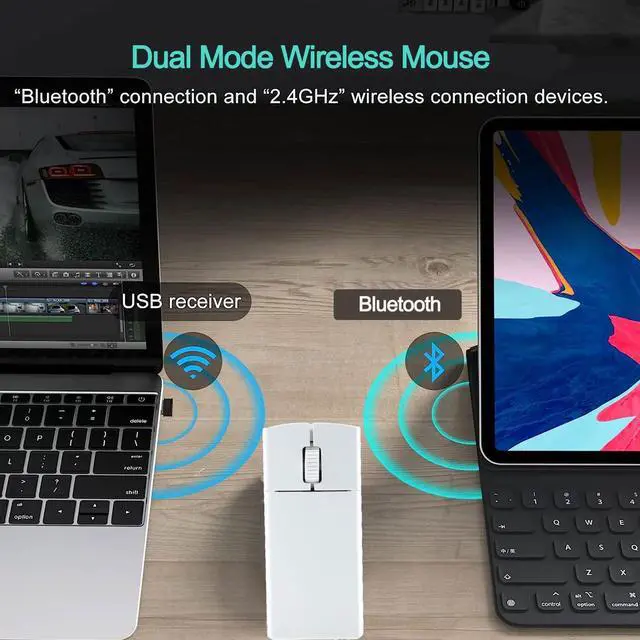
- Versatile ConnectivityOne mouse can control two computers, and the two computers can be connected to 2.4G and Bluetooth respectively, so that the two computers can be switched (Note: not all computers support dual mode, for example, desktop computers or WIN 7 systems do not support Bluetooth, and there is no USB interface computer does not support the receiver)
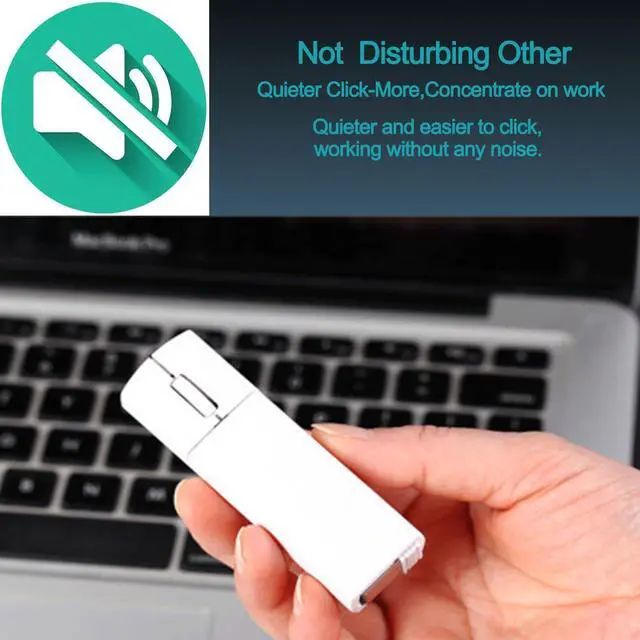
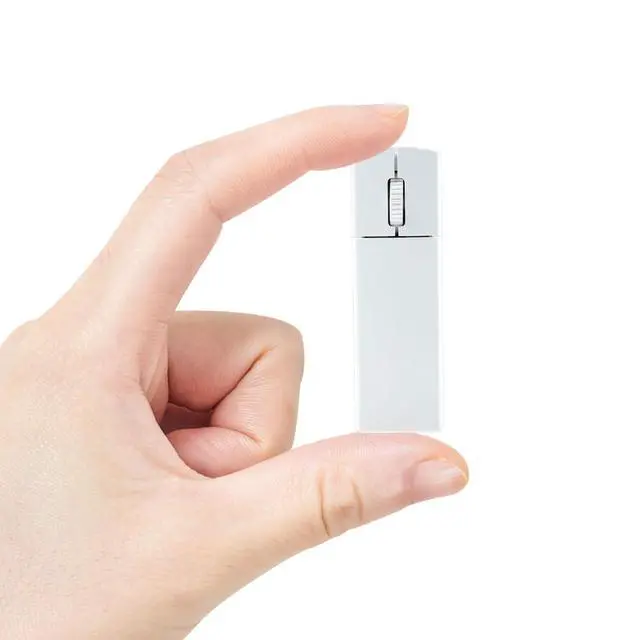
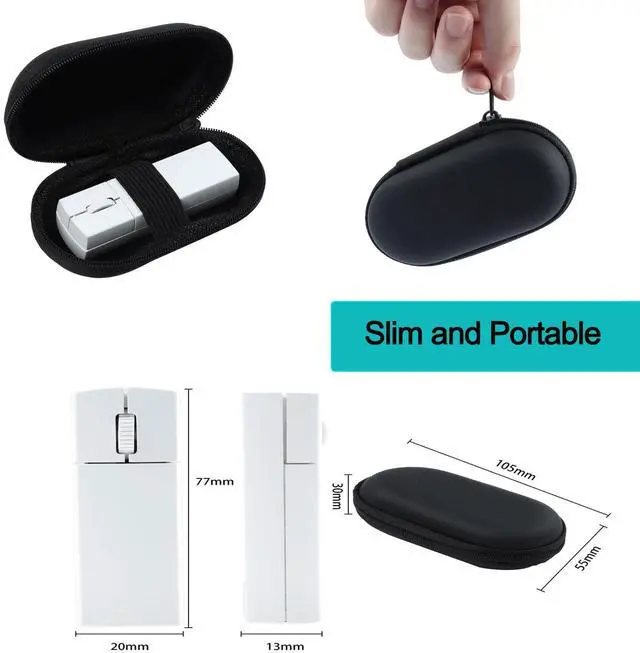
- Compact and Portable The The bluetooth mouse for laptop is compact and about the size of a lighter, suitable for small and medium-sized hands. The mouse is very suitable for daily office use or business trips. You can easily put the mouse into a school bag or even a pocket.
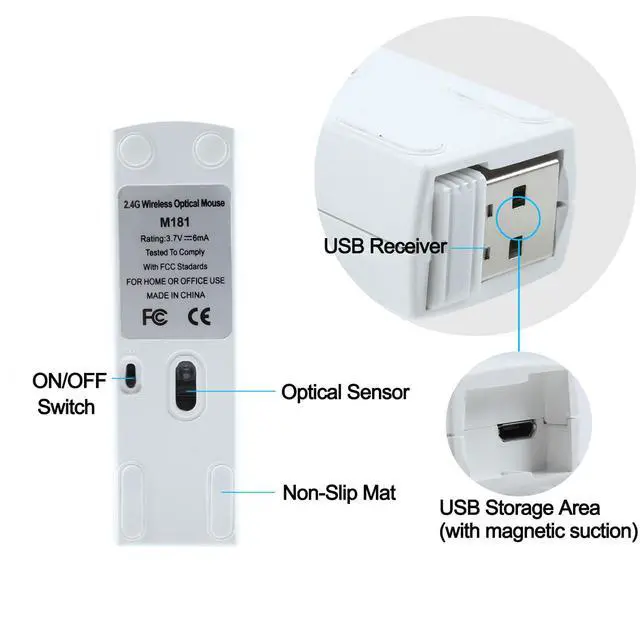
- Plug and PlayPlug the USB receiver into your computers USB port and you can work or use your computer anytime, anywhere. (There is a receiver storage location at the bottom of the bluetooth mouse small mini), so there is no need to worry about losing the USB receiver. The location where the receiver is placed has a magnetic function.
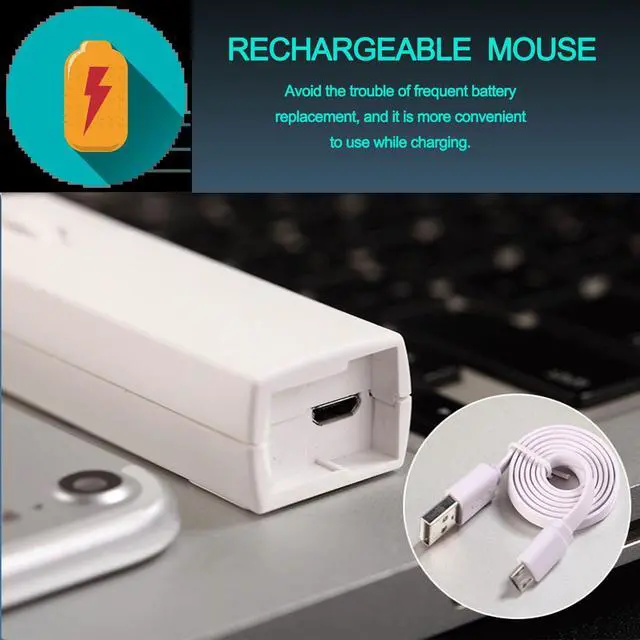
- Rechargeable Energy-Saving DesignThe microsoft bluetooth mouse avoids the trouble of frequent battery replacement. The white mouse has a charging indicator light that shows red when charging and green when fully charged. (The small bluetooth mouse is recommended to use the included Micro USB cable for charging) The Bluetooth silent mouse will enter power-saving sleep mode after being left on the desktop for a period of time. Press any button and wait a few seconds to wake up the mouse.
+
+
Overview
Specs
Reviews

Any questions? Our AI mode will help you find out quickly.
Try me now
How to switch between dual modes?
It is recommended to charge the mouse for 1-2 hours before using it for the first time.
Bluetooth Mode:
Step 01: Power on the Bluetooth mode, and the blue light is flashing
Step 02: In Bluetooth mode, press the middle and right button for 1.5s to enter the pairing state, and the blue light will flash (fast)
2.4G USB Mode:
Step 01: Turn on the mouse switch
Step 02: Press and hold the left and right keys for 4 seconds to switch to 2.4G mode (the blue light is always on)
Step 03: Remove the USB receiver on the bottom of the mouse
Step 04: Plug the USB receiver into the USB A port of your computer and wait a few seconds for it to be automatically recognized.
Portable Mouse Box
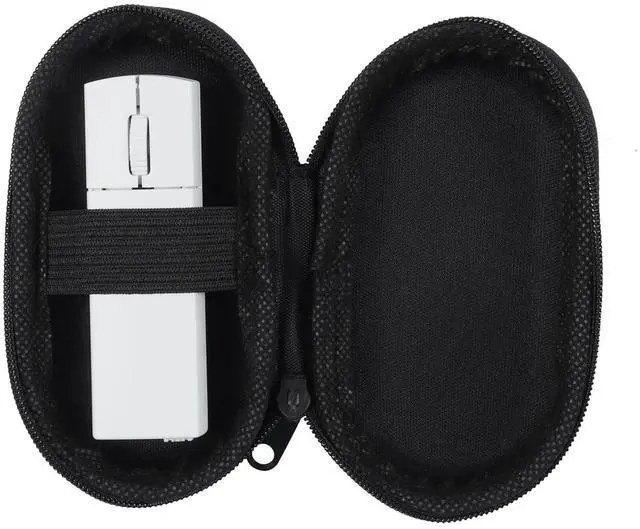
Designed for ultimate portability, our mouse comes with a convenient Mouse Box, Easily store it in your pocket or bag, ensuring protection and accessibility wherever you need it
Free Switching
You can easily switch between Bluetooth and 2.4GHz modes with two buttons on the left and right mouse buttons. Enjoy seamless connectivity options for versatile use in any environment
Comfortable Design
This wireless mouse with an ergonomics design and smooth foot pads can prevent slipping, it can provide an incredible user experience
Versatile Compatibility
This mouse is compatible with a wide range of operating systems. It works with Chromebook, Mac books, Laptops, PCs, and Computers
Specifications
Product Dimensions: 7.7 x 2 x 1.3cm / 3.03" x 0.79" x 0.51"
Weight: 40g / 1.41oz
Tracking System: Optical
Connection Method: Bluetooth and 2.4G USB
Optical Resolution: 1200 DPI
Button Number: 3 Buttons
Charging Port: Micro USB
Wireless Transmission Frequency: 2.4GHz
Operation Distance: 10M (Unobstructed Straight-Line Distance)
Packing List:
1 x Bluetooth Wireless Mouse
1 x Micro USB Charging Cable
1 x Instruction Manual
1 x USB Receiver
Warranty & Returns
Warranty, Returns, And Additional Information
Warranty
- Please contact the Seller directly for warranty information. Warranty information may also be found on the Manufacturer's website.
- CONTACT
Return Policies
- Return for refund within: 30 days
- Return for replacement within: 30 days
- This item is covered by Bright Peak Store Return Policy
Manufacturer Contact Info
- For a directory of all our manufacturers, please click below.
- Manufacturers Directory
LOADING...