• $34.99
  • Free 30-day Returns
  • Sold by Mikiomie Dire

    Shipped by Mikiomie Dire

    Price alert
    Shop it at NeweggBusiness.

    Meet Your Seller

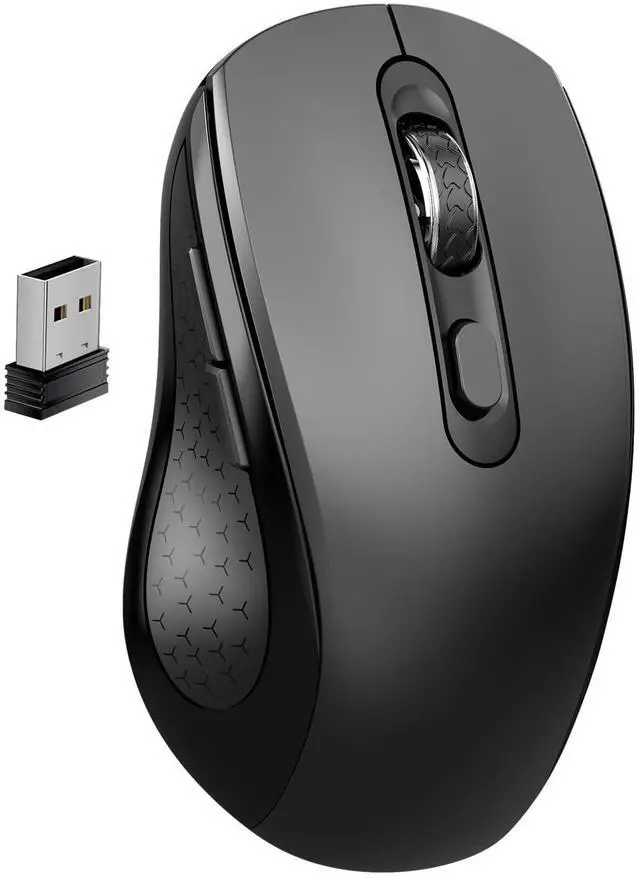
    Silent Wireless Ergonomic Computer Mouse for Laptop PC Chromebook Desktop

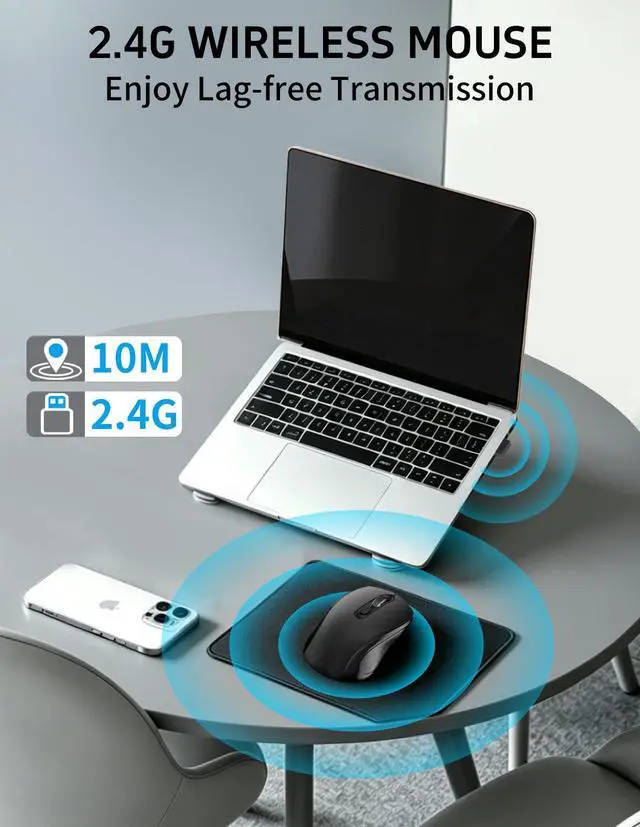
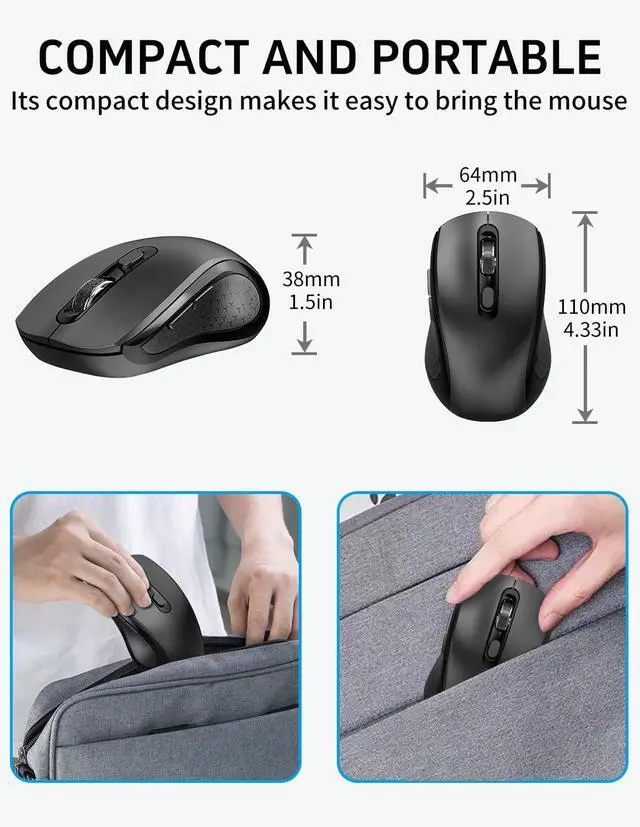
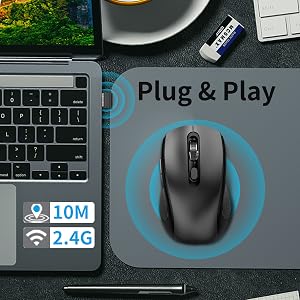
    • 2.4G WIRELESS TECHNOLOGY & USB PLUG AND PLAY: USB Nano Receiver can be stored within the back of the mouse, can suport usb plug and play. Besides, 2.4GHz Wireless provides a powerful, reliable connection, transmission distance up to 33ft (10m) .Which eliminated delays, interference, accurate orbit & fast data transmission . Great wireless mouse for home and office
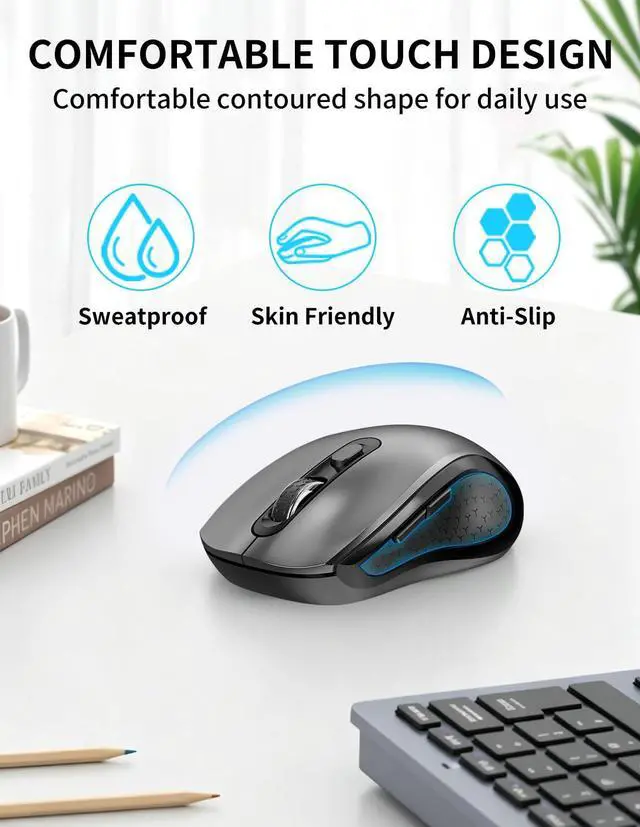
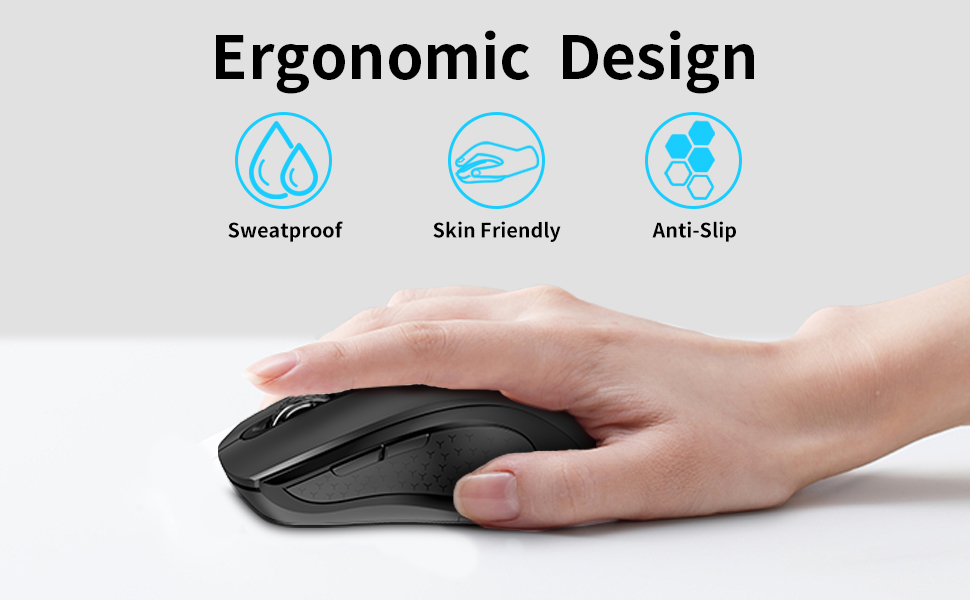
    • ERGONOMIC DESIGN AND COMFORTABLE FEEL:The contour shape of the 2.4G wireless mouse is suitable for the palm, sweat resistant, skin friendly, and can achieve maximum comfort. The rubber wheels of the USB wireless mouse are sturdy and durable, ensuring that your hands do not slip while scrolling. The soft rubber roller can also ensure your comfort during use. It can greatly improve work efficiency
    • LONG BATTERY LIFE AND AUTOMATIC SLEEP MODE:USB wireless mouse powered by 1 AA battery (not included). The self-service on/off button can better save power, and the intelligent sleep mode can extend battery life. When the mouse is asleep, simply turn the scroll wheel or click any key to wake up the mouse
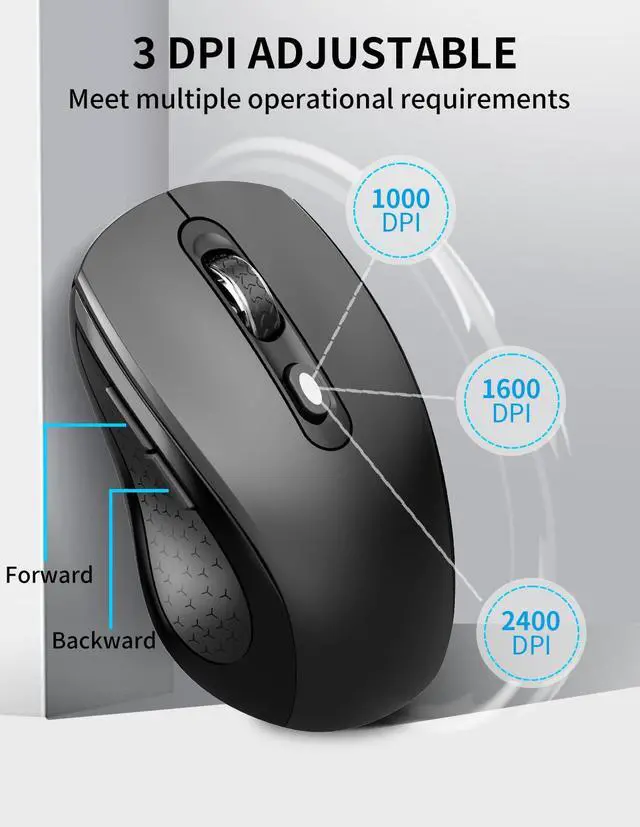
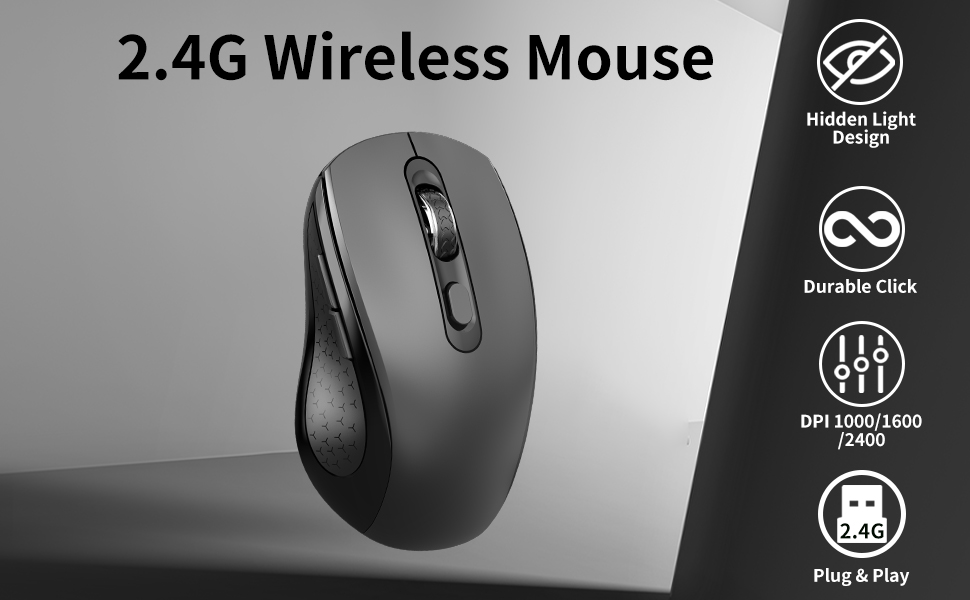
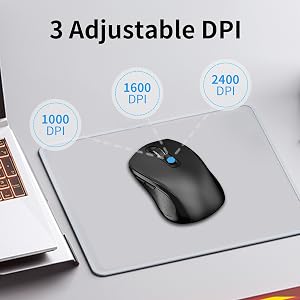
    • 3-LEVEL ADJUSTABLE DPI: 3-level DPI settings (1000/1600/2400) to meet your multiple needs, either for daily work or gaming.6 buttons enable superior productivity and efficiency to meet all your computer needs. Moving quickly between documents or browsing your favorite Web sites is a breeze with large, easy-to-reach Back/Forward buttons
    +
    +
    Overview
    Specs
    Reviews
    avatar

    Any questions? Our AI beta will help you find out quickly.

    2.4G Silent , Anti Slip Roller, 6 Button Ergonomics Cordless Computer Wireless Mouse
    Mouse

    2.4G Ergonomic Mouse, silent and Anti slip Roller Wireless Mouse

    3-Level DPI Adjustment:

    After clicking the DPI button, the middle mouse button flashes once to indicate 1000DPI, flashes twice to indicate 1600DPI, and flashes three times to indicate 2400DPI.
    2.4G Ergonomic Mouse, silent and Anti slip Roller Wireless Mouse

    Plug&Play

    Easy to operate, no need to install any drivers, plug in USB, turn on the switch to complete the connection.
    2.4G Ergonomic Mouse

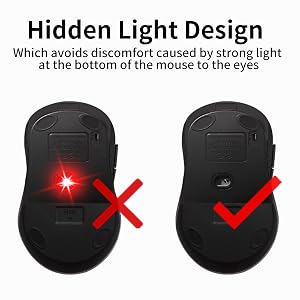
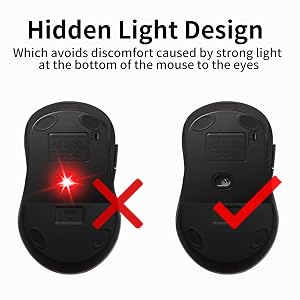
    Invisible Light Design

    The noiseless mouse adopts a hidden light design, which avoids discomfort caused by strong light at the bottom of the mouse to the eyes.

    Office, study, work, outdoor, office, meeting, computer mouse

    Package Include: 1 * Wireless Mouse ; 1 * USB Receiver ; 1 * User Manual

    *Pls kindly note: No battery included in the package*

    If wireless mouse not response, please try following tips:

    Turn off all 2.4G devices in your room and make sure the product is as close as possible to the Nano receiver.

    Repair the cordless mouse:

    1. Turn off the power switch at the bottom of the laptop mouse.
    2. Unplug the receiver from the computer port.
    3. Turn on the power switch at the bottom of the computer mouse.
    4. Simultaneously press and hold the wheel button, the left button, and the right button for 5 seconds, and the mouse enters pairing mode. (The mouse is designed with invisible light and no lights will light up)
    5. Insert the USB receiver into the computer within 15 seconds.
    6. Note: If the code is not successful, please repeat these steps. After multiple attempts, the mouse still cannot function properly.

    Q & A

    Q: Why is there no laser response at the bottom when turning on the mouse switch?

    A: mouse adopts a hidden laser design, it avoids discomfort to the eyes caused by strong light at the bottom of the mouse.

    Q: Is the mouse compatible with my device?

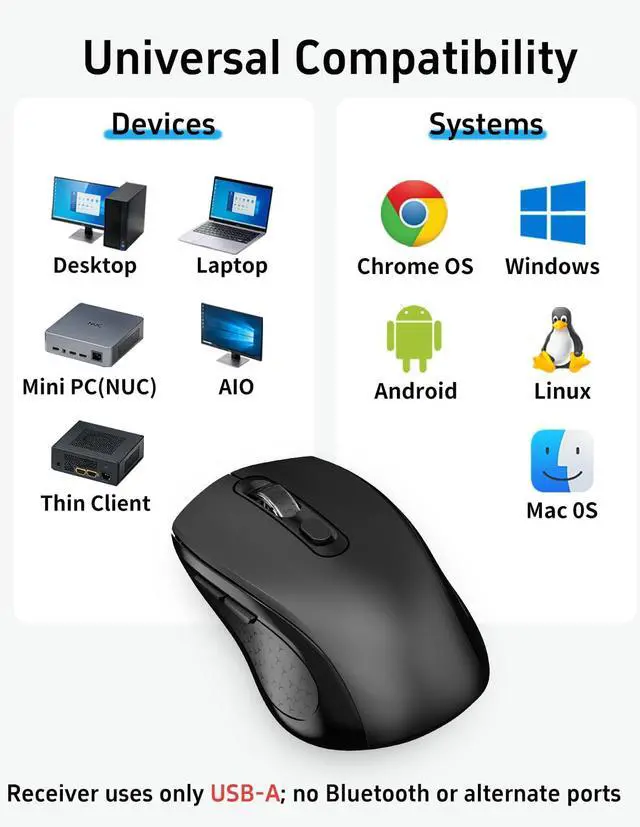
    A: As long as the USB of the mouse can be inserted, it is compatible with this system.(The device needs to have a USB-A port)

    Q: Does this wireless mouse for laptop have a sleep mode, and how do you wake the mouse from sleep?

    A: Yes, the laptop's wireless mouse features an auto-sleep mode for power conservation (if idle for over 10 min). It wakes up instantly upon pressing any key.

    2.4G Silent , Anti Slip Roller, 6 Button Ergonomics Cordless Computer Wireless Mouse
    Mouse

    2.4G Ergonomic Mouse, silent and Anti slip Roller Wireless Mouse

    3-Level DPI Adjustment:

    After clicking the DPI button, the middle mouse button flashes once to indicate 1000DPI, flashes twice to indicate 1600DPI, and flashes three times to indicate 2400DPI.

    2.4G Ergonomic Mouse, silent and Anti slip Roller Wireless Mouse

    Plug&Play

    Easy to operate, no need to install any drivers, plug in USB, turn on the switch to complete the connection.
    2.4G Ergonomic Mouse

    Invisible Light Design

    The noiseless mouse adopts a hidden light design, which avoids discomfort caused by strong light at the bottom of the mouse to the eyes.

    Office, study, work, outdoor, office, meeting, computer mouse

    Package Include: 1 * Wireless Mouse ; 1 * USB Receiver ; 1 * User Manual

    *Pls kindly note: No battery included in the package*

    If wireless mouse not response, please try following tips:

    Turn off all 2.4G devices in your room and make sure the product is as close as possible to the Nano receiver.

    Repair the cordless mouse:

    1. Turn off the power switch at the bottom of the laptop mouse.
    2. Unplug the receiver from the computer port.
    3. Turn on the power switch at the bottom of the computer mouse.
    4. Simultaneously press and hold the wheel button, the left button, and the right button for 5 seconds, and the mouse enters pairing mode. (The mouse is designed with invisible light and no lights will light up)
    5. Insert the USB receiver into the computer within 15 seconds.
    6. Note: If the code is not successful, please repeat these steps. After multiple attempts, the mouse still cannot function properly.

    Q & A

    Q: Why is there no laser response at the bottom when turning on the mouse switch?

    A: mouse adopts a hidden laser design, it avoids discomfort to the eyes caused by strong light at the bottom of the mouse.

    Q: Is the mouse compatible with my device?

    A: As long as the USB of the mouse can be inserted, it is compatible with this system.(The device needs to have a USB-A port)

    Q: Does this wireless mouse for laptop have a sleep mode, and how do you wake the mouse from sleep?

    A: Yes, the laptop's wireless mouse features an auto-sleep mode for power conservation (if idle for over 10 min). It wakes up instantly upon pressing any key.

    Silent Wireless Ergonomic Computer Mouse for Laptop PC Chromebook Desktop

    Warranty & Returns

    Warranty, Returns, And Additional Information

    Warranty

    • Please contact the Seller directly for warranty information. Warranty information may also be found on the Manufacturer's website.
    • CONTACT

    Return Policies

    Manufacturer Contact Info

    LOADING...