Your Browsing History
- Free 30-day Returns
$112.00
Ships from China.
Meet Your Seller
waveshare 7inch HDMI LCD IPS Capacitive Touch Screen 1024×600 Display Monitor for All Rev Raspberry Pi 4B/3B+/3B/2B/B+/A+/Zero,BeagleBone Black Windows 10/8.1/8/7
Limited time offer, ends 07/19 By GGnix
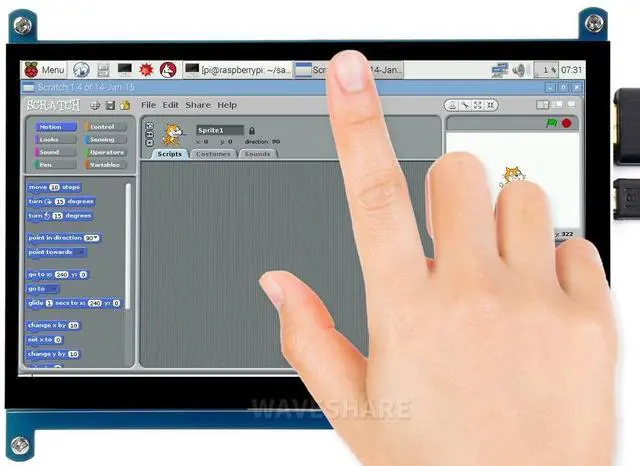
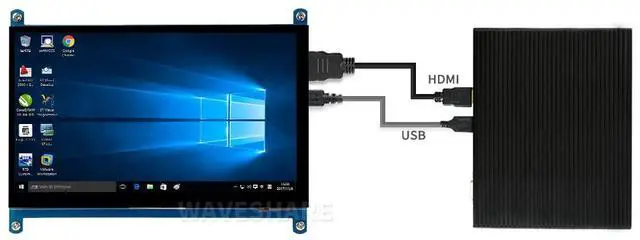
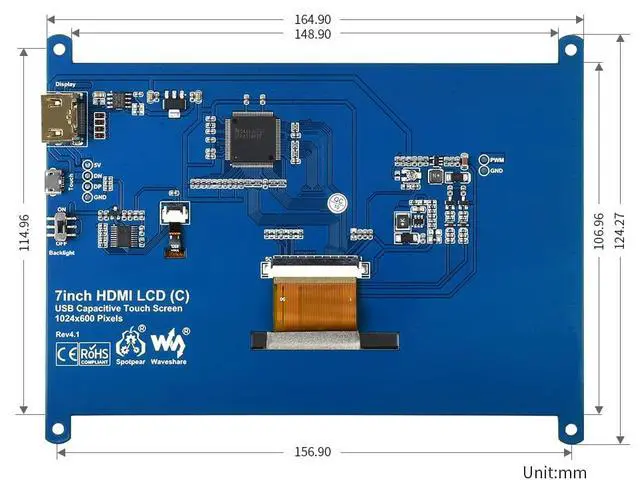
- (The newest Rev4.1) 7inch HDMI LCD (C), IPS screen, Capacitive Touch Screen ,HDMI interface,1024x600 hardware resolution.HDMI Interface for displaying , USB Interface for touching. Backlight can be turned off to lower power consumption
- Supports popular mini PCs such as Raspberry Pi, BB Black, as well as general desktop computers: When works with Raspberry Pi, supports Raspbian/Ubuntu/Kali/Retropie/WIN10 IOT, driver free;When work as a computer monitor, supports Windows 10/8.1/8/7, five-points touch, and driver free
- Note:Please set the config.txt file by addding [the hdmi_drive=1] into the end of code if you connect it with raspberry pi. (like manual in picture)Otherwise the LCD could not work properly.
- Note:If the LCD work in abnormal states for long time, it may be broken if you don't set the config.txt file at the beginning.After setting config file,please power off the screen and put it aside for a few hours to avoid the flickers.
- Note: to use the LCD with following mini-PCs, ad
+
+
Overview
Specs
Reviews
Any questions? Our AI beta will help you find out quickly.
Try me now
(The newest Rev 4.1 ) 7inch HDMI LCD (C), IPS screen, Capacitive Touch Screen, HDMI interface, 1024x600 hardware resolution. HDMI Interface for displaying, USB Interface for touching. Backlight can be turned off to lower power consumption^^Supports popular mini PCs such as Raspberry Pi, BB Black, as well as general desktop computers: When works with Raspberry Pi, supports Raspbian/Ubuntu/Kali/Retropie/WIN10 IOT, driver free; When work as a computer monitor, supports Windows 10/ 8.1 /8/7, five-points touch, and
driver free^^Note: Please set the config. txt file by addding [the hdmi_drive=1] into the end of code if you connect it with raspberry pi. (like manual in picture) Otherwise the LCD could not work properly.
^^Note: If the LCD work in abnormal states for long time, it may be broken if you don't set the config. txt file at the beginning. After setting config file, please power off the screen and put it aside for a few hours to avoid the flickers.
^^Note: to use the LCD with following mini-PCs, ad

driver free^^Note: Please set the config. txt file by addding [the hdmi_drive=1] into the end of code if you connect it with raspberry pi. (like manual in picture) Otherwise the LCD could not work properly.
^^Note: If the LCD work in abnormal states for long time, it may be broken if you don't set the config. txt file at the beginning. After setting config file, please power off the screen and put it aside for a few hours to avoid the flickers.
^^Note: to use the LCD with following mini-PCs, ad
Warranty & Returns
Warranty, Returns, And Additional Information
Warranty
- Please contact the Seller directly for warranty information. Warranty information may also be found on the Manufacturer's website.
- CONTACT
Return Policies
- Return for refund within: 30 days
- Return for replacement within: 30 days
- This item is covered by GGnix Return Policy
Manufacturer Contact Info
- For a directory of all our manufacturers, please click below.
- Manufacturers Directory
LOADING...