

Your Browsing History
- Free 30-day Returns
$49.38
Ships from China.
Best Sellers
- $51.98
- + FREE SHIPPING

Meet Your Seller

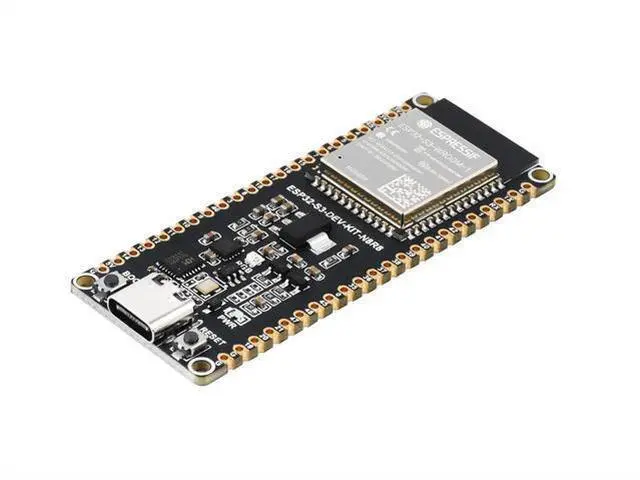
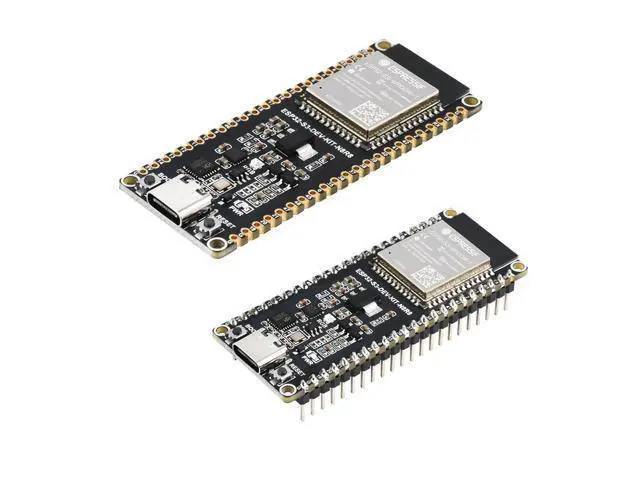
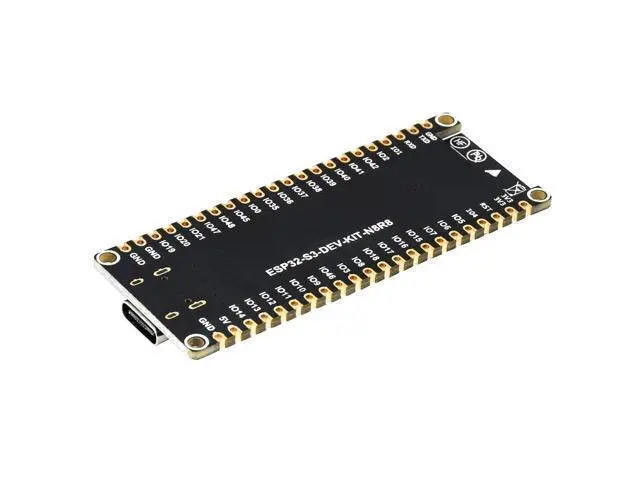
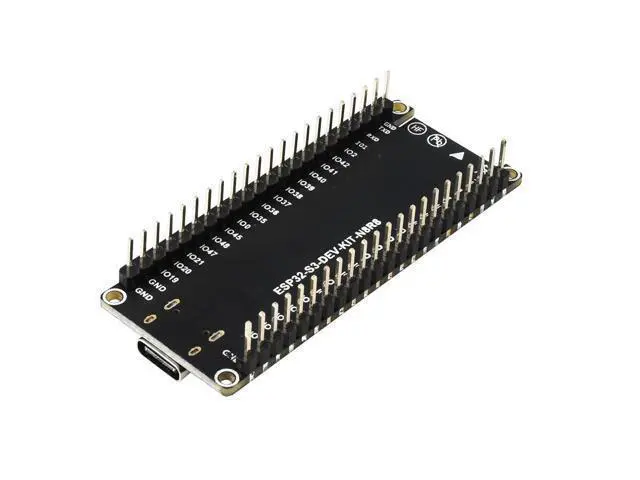
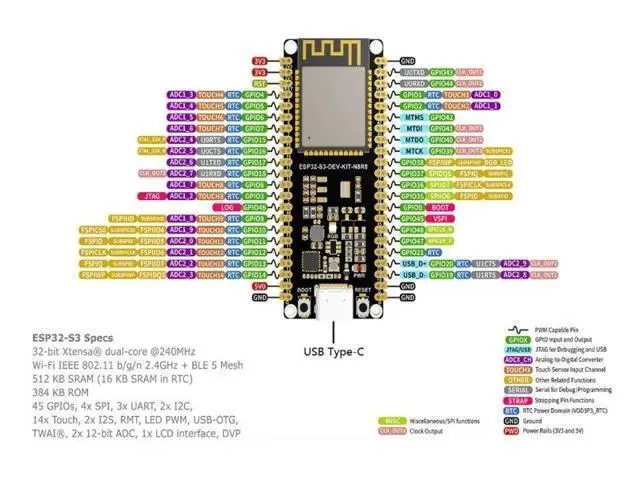
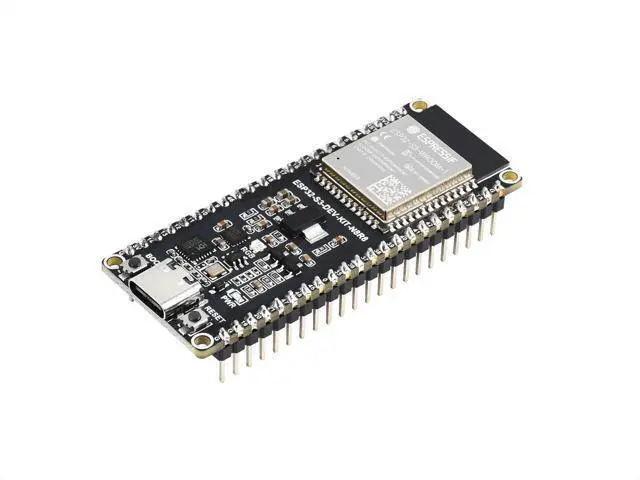


ESP32-S3 microcontroller, 2.4GHz Wi Fi development board, 240MHz dual core processor ESP32-S3-WROOM-1-N8R8 module(S3-DEV-KIT-N8R8)
Limited time offer, ends 10/07 By GGnix
- ESP32-S3 microcontroller, 2.4GHz Wi Fi development board, 240MHz dual core processor ESP32-S3-WROOM-1-N8R8 module(S3-DEV-KIT-N8R8)
+
+
Overview
Specs
Reviews

Any questions? Our AI mode will help you find out quickly.
Try me now
Development Environment Settings By default, the next development system is Windows. ESP-IDF It is recommended to use VSC plug development. Developing using vscodeInstall VSCode 1. Open the download page of the VSCode official website, select the corresponding system and the system bit to download. 1. Open the official software download website and select the corresponding system and system bit to download.
https: //raw. githubusercontent. com/espressif/arduino-esp32/gh-pages/package_esp32_index. json Micropiton PitonFirmware Flash 1. Click here to download firmware and burner. 2. Extract the previously downloaded package and input it. Instalar Thonny 1. AbiertoSitio web oficial de Thonny. Obtener la demostracin 1. Haz clic aqu para descargarLa demostracin. 2. Descomprima el archivo zip de demostracin. ResourceSchematic ESP32-S3-DEV-KIT-N8R8 SchematicDemo MicroPython DemoSoftwareESP32-S3 Flash software & MicroPython firmware Thonny Python IDE (Windows V 3.3. 3)CH343 Window VCP driver Android APP MAC driverUART SSCOM Serial Assistant DatasheetESP32-S3 ESP32-S3 Technical Reference Datasheet ESP32-S3 Datasheet ESP32-S3-WROOM-1 DatasheetMicroPython Official Document MicroPython Official Document FAQ Question: After power on, the recognized serial port devices and USB ports keep restarting?
Answer: Check if the power supply voltage of the USB port is less than 5V. Generally, the power supply voltage of the USB port is above 4.9V, and both USB ports of the module can be used normally. If it is lower than 4.9V, there may be insufficient power supply and USB port disconnection. In this case, it is necessary to replace the USB port with sufficient voltage.
https: //raw. githubusercontent. com/espressif/arduino-esp32/gh-pages/package_esp32_index. json Micropiton PitonFirmware Flash 1. Click here to download firmware and burner. 2. Extract the previously downloaded package and input it. Instalar Thonny 1. AbiertoSitio web oficial de Thonny. Obtener la demostracin 1. Haz clic aqu para descargarLa demostracin. 2. Descomprima el archivo zip de demostracin. ResourceSchematic ESP32-S3-DEV-KIT-N8R8 SchematicDemo MicroPython DemoSoftwareESP32-S3 Flash software & MicroPython firmware Thonny Python IDE (Windows V 3.3. 3)CH343 Window VCP driver Android APP MAC driverUART SSCOM Serial Assistant DatasheetESP32-S3 ESP32-S3 Technical Reference Datasheet ESP32-S3 Datasheet ESP32-S3-WROOM-1 DatasheetMicroPython Official Document MicroPython Official Document FAQ Question: After power on, the recognized serial port devices and USB ports keep restarting?
Answer: Check if the power supply voltage of the USB port is less than 5V. Generally, the power supply voltage of the USB port is above 4.9V, and both USB ports of the module can be used normally. If it is lower than 4.9V, there may be insufficient power supply and USB port disconnection. In this case, it is necessary to replace the USB port with sufficient voltage.
Warranty & Returns
Warranty, Returns, And Additional Information
Warranty
- Please contact the Seller directly for warranty information. Warranty information may also be found on the Manufacturer's website.
- CONTACT
Return Policies
- Return for refund within: 30 days
- Return for replacement within: 30 days
- This item is covered by GGnix Return Policy
Manufacturer Contact Info
- For a directory of all our manufacturers, please click below.
- Manufacturers Directory
LOADING...
LOADING...