

Your Browsing History
- Free 30-day Returns
$57.27
Ships from China.

Meet Your Seller

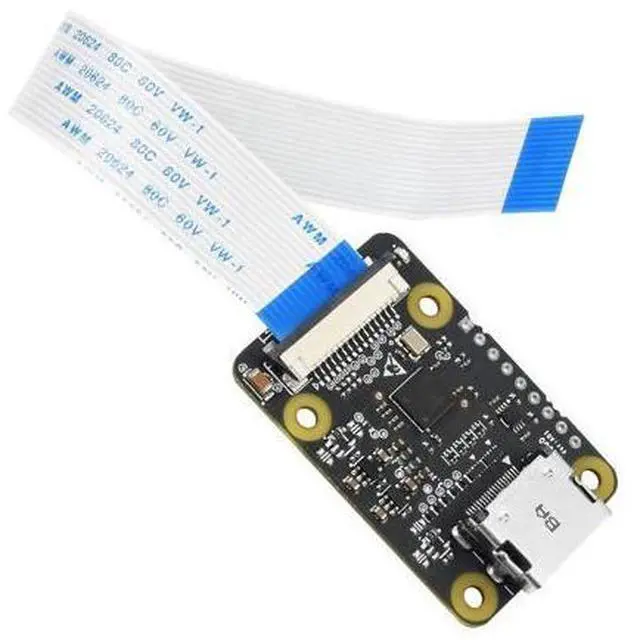


waveshare HDMI to CSI Camera Adapter, Support HDMI Input up to 1080p 30fps Compatible with Raspberry Pi 4B/3B+/3B/Pi Zero/Zero W,Raspberry Pi CSI Cameras
Limited time offer, ends 09/20 By GGnix
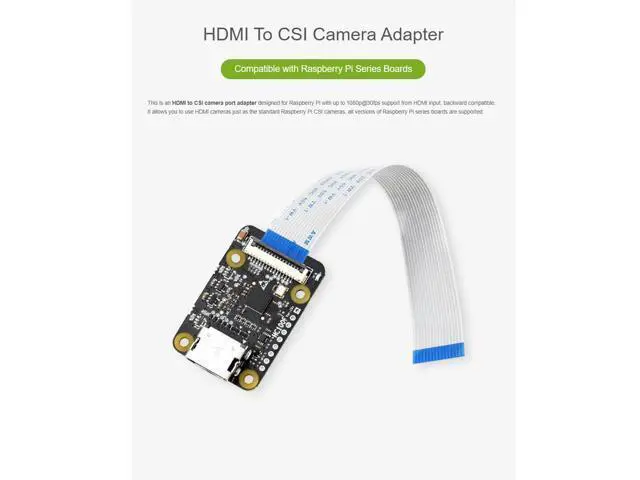
- This is an HDMI to CSI camera port adapter ,HDMI in Module,up to 1080p@30fps support from HDMI input, backward compatible.
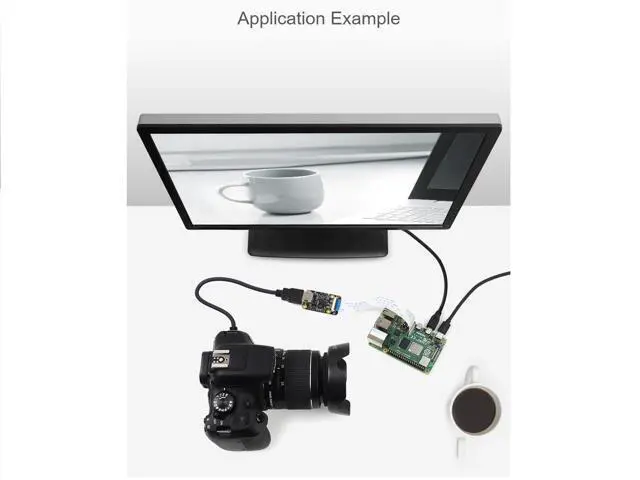
- It allows you to use HDMI cameras just as the standard Raspberry Pi CSI cameras
- It is also compatible with Raspberry Pi 4 Model B, Raspberry Pi 3 Model B+/3B, Raspberry Pi 3 Model A+, Raspberry Pi 2 Model B,Raspberry Pi 1 Model B+,Raspberry Pi Zero W Raspberry Pi Zero
- Note:If you need to use it for Raspberry Pi Zero ,Zero W, extra FCC cable is required.
- Package Content:HDMI to CSI Adapter x1
+
+
Overview
Specs
Reviews

Any questions? Our AI mode will help you find out quickly.
Try me now
Overview This is an HDMI to CSI camera port adapter designed for Raspberry Pi with up to 1080p@30fps support from HDMI input, backward compatible. It allows you to use HDMI cameras just as the standard Raspberry Pi CSI cameras, all versions of Raspberry Pi series boards are supported.
Features PN: HDMI to CSI
Adapter Input signal: HDMI;
Output signal: CSI;
Limitation: HDMI input supports up to 1080p@30fps, backward compatible
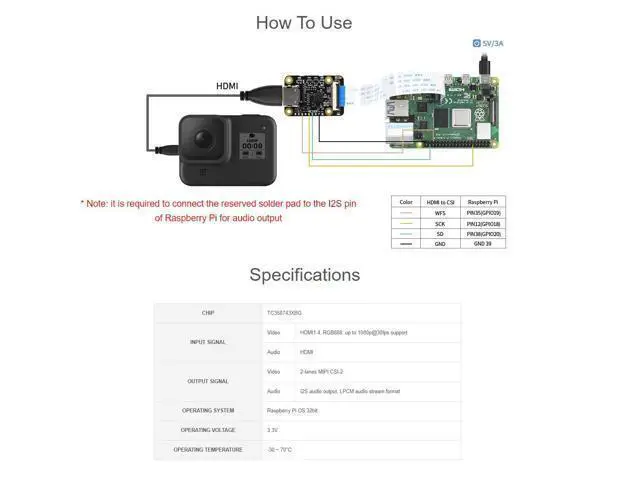
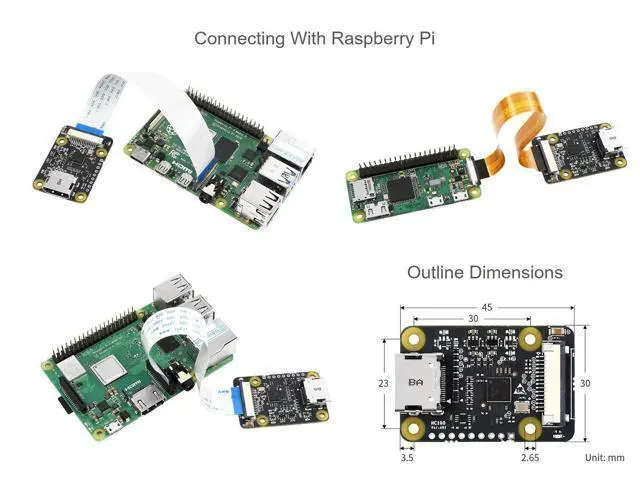
Support: Raspberry Pi 4B/3B+/3B/2B/B+/3A+/Pi Zero/Zero W, Raspberry Pi CSI cameras Connection Connect the FPC cable of Raspberry Pi to the CSI interface of Raspberry Pi. The CSI interface of Pi 2B, 3B, 3B+ located between the LAN port and HDMI port. The CSI interface of Pi 4 is placed between the HDMI1 interface and the audio jack. If you use Pi zero, the CSI interface is beside the Power port. Here is the diagram of Pi 4. 4B Note that the silver side (metal side) should toward to the HDMI interface. Release the black buckle, align the FPC cable and insert it tightly, then close the black buckle. 2. Enable Camera The camera interface of Raspberry Pi is default disabled. Before you use camera, you should enable it. Open Raspberry Pi terminal and excute command sudo raspi-config, then choose Interfacing Options -> Camera -> Yes Reboot Raspberry Pi sudo reboot 3. Test Open a terminal and test the adapter Capturesudo raspistill -o image-01. jpg Recordsudo raspivid -o video-01. h264 -t 10000 Package Content HDMI to CSI Adapter x1 Note The FCC cable is required if using with Raspberry Pi Zero, Zero W The Raspberry Pi and HDMI Camera are not included in the product package.
Features PN: HDMI to CSI
Adapter Input signal: HDMI;
Output signal: CSI;
Limitation: HDMI input supports up to 1080p@30fps, backward compatible
Support: Raspberry Pi 4B/3B+/3B/2B/B+/3A+/Pi Zero/Zero W, Raspberry Pi CSI cameras Connection Connect the FPC cable of Raspberry Pi to the CSI interface of Raspberry Pi. The CSI interface of Pi 2B, 3B, 3B+ located between the LAN port and HDMI port. The CSI interface of Pi 4 is placed between the HDMI1 interface and the audio jack. If you use Pi zero, the CSI interface is beside the Power port. Here is the diagram of Pi 4. 4B Note that the silver side (metal side) should toward to the HDMI interface. Release the black buckle, align the FPC cable and insert it tightly, then close the black buckle. 2. Enable Camera The camera interface of Raspberry Pi is default disabled. Before you use camera, you should enable it. Open Raspberry Pi terminal and excute command sudo raspi-config, then choose Interfacing Options -> Camera -> Yes Reboot Raspberry Pi sudo reboot 3. Test Open a terminal and test the adapter Capturesudo raspistill -o image-01. jpg Recordsudo raspivid -o video-01. h264 -t 10000 Package Content HDMI to CSI Adapter x1 Note The FCC cable is required if using with Raspberry Pi Zero, Zero W The Raspberry Pi and HDMI Camera are not included in the product package.
Warranty & Returns
Warranty, Returns, And Additional Information
Warranty
- Please contact the Seller directly for warranty information. Warranty information may also be found on the Manufacturer's website.
- CONTACT
Return Policies
- Return for refund within: 30 days
- Return for replacement within: 30 days
- This item is covered by GGnix Return Policy
Manufacturer Contact Info
- For a directory of all our manufacturers, please click below.
- Manufacturers Directory
LOADING...