Your Browsing History
Ships from China.
Meet Your Seller
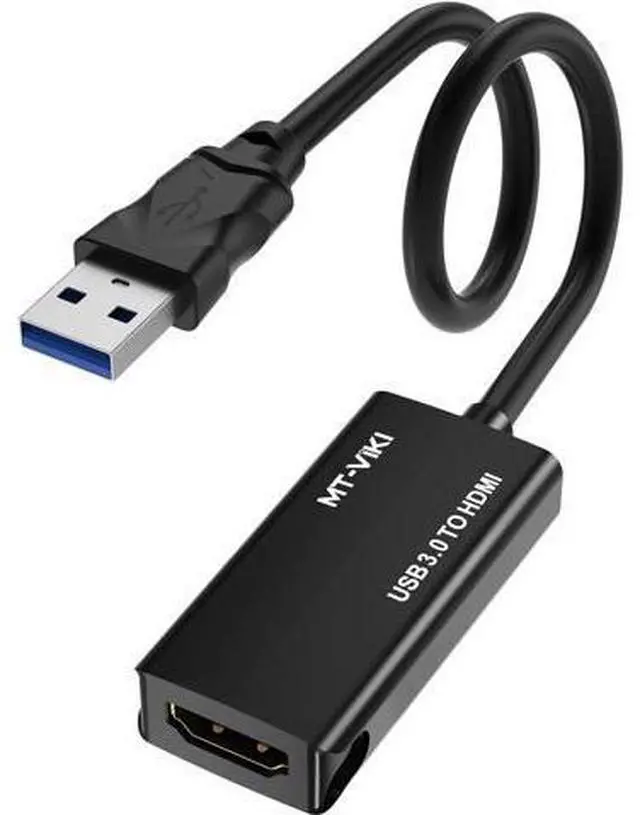
MT-VIKI USB 3.0 to HDMI Adapter, USB 3.0 to HDMI Male to Female Adapter, 1080P Compatible with Mac OS, Windows 10/8.1/8/7 (Uni-Directional)
Limited time offer, ends 07/26 By GGnix
- Not Plug and play, Require to install the driver! After install it for the first time, it will be plug and play for future use, very convenient! During installation, maybe it requires you to 'disable anti-virus' or select 'allow this software install' , Please rest assured that this software will not cause harm to your devices. (Noted:MAC system needs to download the driver from the official website,PLS contact us for Link)
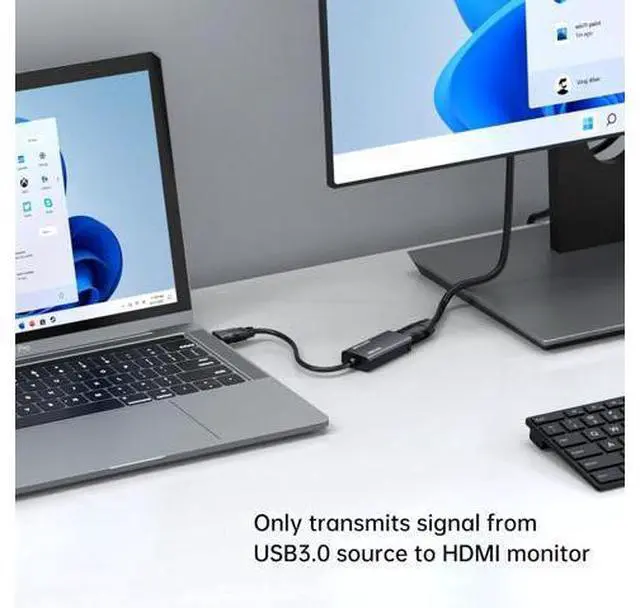
- USB 3.0 to HDMI Adapter: Ultra Fast USB 3.0 port and built-in with premium quality chip for stable performance and long life. It connects a computer, desktop, laptop with USB 3.0 port to a monitor, projector, HDTV, or other devices with HDMI port. (NOTED: Only USB to HDMI, NOT HDMI to USB)
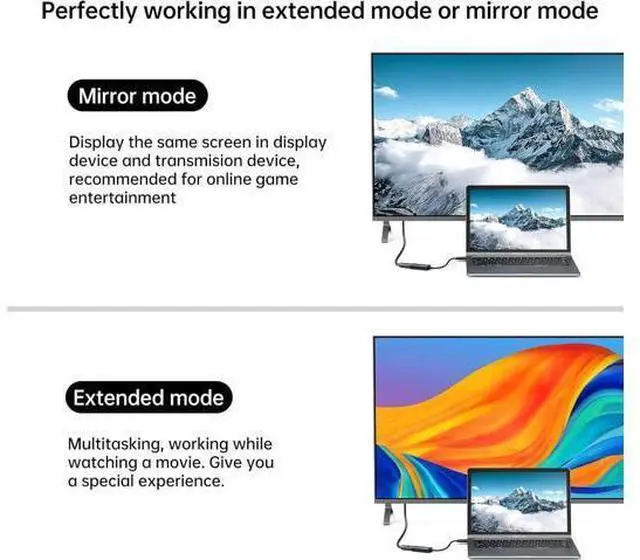
- Mirror & Extend Mode: Importance!!!Pls don't use different brand usb 3.0 to hdmi adapter at the same time, cuz the USB Driver will conflict. This USB to HDMI convertor have extend mode let your laptop for visibility of multiple tasks at the same time; Mirror mode gives your lapt
+
+
Overview
Specs
Reviews
Any questions? Our AI beta will help you find out quickly.
Try me now
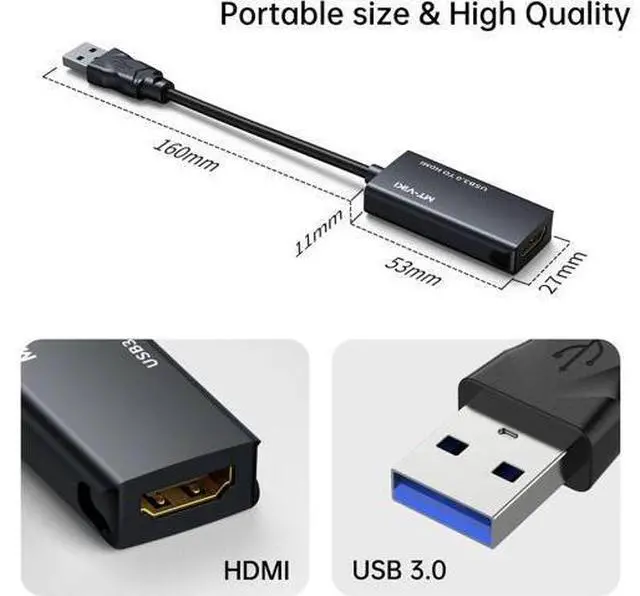
USB 3.0 to HDMI Adapter, MT-UH03 This USB 3.0 to HDMI Adapter provides a cost-effective and easy solution for connecting a desktop, laptop with USB 3.0 Port to a HDMI display such as monitor, projector or TV. Connect the USB 3.0 male end to the USB 3.0 port of your computer, And connect the HDMI female end to HDMI cable from the display.
pecifications: -
Input: USB 3.0 Male -
Output: HDMI Female -
Audio Support: YES -
Installation: The driver installation disk will auto pop up, pls install it.
NOTED: Mac system need to download the driver from MT-VIKI website. Pls c o n t a c t u s for the LINK.
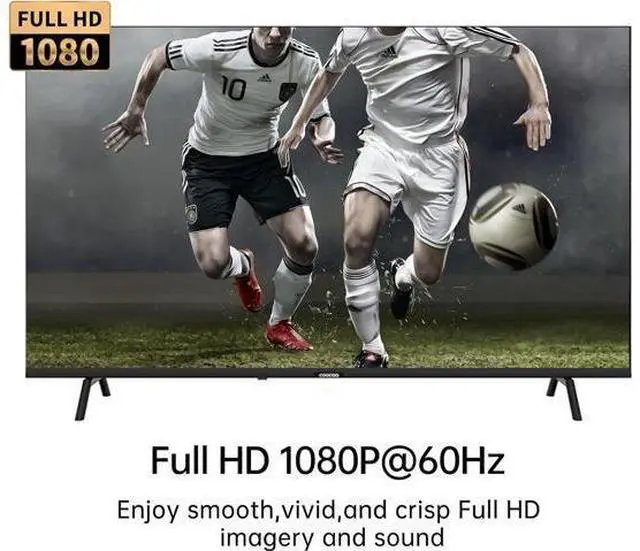
- Maximal Resolution: USB
3.0: 1920* 1080@60Hz. It is not plug-and-play. A driver needs to be installed! After the first installation, it will be plug-and-play for subsequent use, which is very convenient! During the installation process, you may need to "disable the antivirus software" or choose "allow this software to install". Please rest assured, this software will not cause any damage to your device. Non-bidirectional Only USB 3.0 to HDMI Adapter Not HDMI to USB Adapter Compact design Lightweight Portable heat dissipation Advanced Chip More stable image no delay no splash screen FQA 1.
Q: Is the product plug and play?
A: Plug in the device, then open 'This PC'. You'll see a "USBDISPLAY". Double click on it, and install it. Last restart your Laptop/computer for the changes to take effect. 2.
Q: Does it support Windows system?
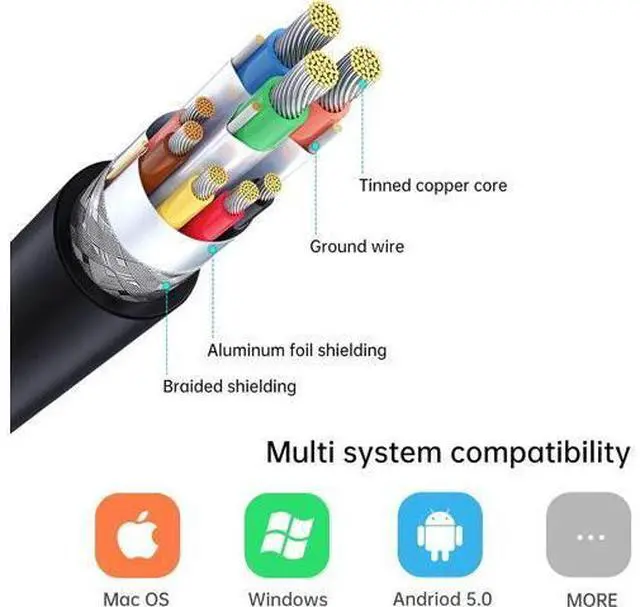
A: Yes, it can supports Win 7/8/10/11. Support Mirror and Extend Mode. 3.
Q: Does it support MAC system?
A: Yes, but you need to download the driver from MT-VIKI website, Pls c o n t a c t u s for Website Link. Only support Mirror Mode. 4.
Q: Does it support Android and Harmmony system?
A: Yes, it supports Android 5.0 and above systems, and supports the latest Harmony system. Only support Mirror Mode. 5.
Q: Does it support Linux system?
A: Linux/Vista/Chrome/Firestick are not supported. 6.
Q: Does the resolution support 1080p?
A: For USB 3.0 interface, the resolution can up to 1080p, but for USB 2.0, it only can reach 800x600 resolution.

pecifications: -
Input: USB 3.0 Male -
Output: HDMI Female -
Audio Support: YES -
Installation: The driver installation disk will auto pop up, pls install it.
NOTED: Mac system need to download the driver from MT-VIKI website. Pls c o n t a c t u s for the LINK.
- Maximal Resolution: USB
3.0: 1920* 1080@60Hz. It is not plug-and-play. A driver needs to be installed! After the first installation, it will be plug-and-play for subsequent use, which is very convenient! During the installation process, you may need to "disable the antivirus software" or choose "allow this software to install". Please rest assured, this software will not cause any damage to your device. Non-bidirectional Only USB 3.0 to HDMI Adapter Not HDMI to USB Adapter Compact design Lightweight Portable heat dissipation Advanced Chip More stable image no delay no splash screen FQA 1.
Q: Is the product plug and play?
A: Plug in the device, then open 'This PC'. You'll see a "USBDISPLAY". Double click on it, and install it. Last restart your Laptop/computer for the changes to take effect. 2.
Q: Does it support Windows system?
A: Yes, it can supports Win 7/8/10/11. Support Mirror and Extend Mode. 3.
Q: Does it support MAC system?
A: Yes, but you need to download the driver from MT-VIKI website, Pls c o n t a c t u s for Website Link. Only support Mirror Mode. 4.
Q: Does it support Android and Harmmony system?
A: Yes, it supports Android 5.0 and above systems, and supports the latest Harmony system. Only support Mirror Mode. 5.
Q: Does it support Linux system?
A: Linux/Vista/Chrome/Firestick are not supported. 6.
Q: Does the resolution support 1080p?
A: For USB 3.0 interface, the resolution can up to 1080p, but for USB 2.0, it only can reach 800x600 resolution.
Warranty & Returns
Warranty, Returns, And Additional Information
Warranty
- Please contact the Seller directly for warranty information. Warranty information may also be found on the Manufacturer's website.
- CONTACT
Return Policies
- Return for refund within: 30 days
- Return for replacement within: 30 days
- This item is covered by GGnix Return Policy
Manufacturer Contact Info
- For a directory of all our manufacturers, please click below.
- Manufacturers Directory
LOADING...