

Your Browsing History

Meet Your Seller

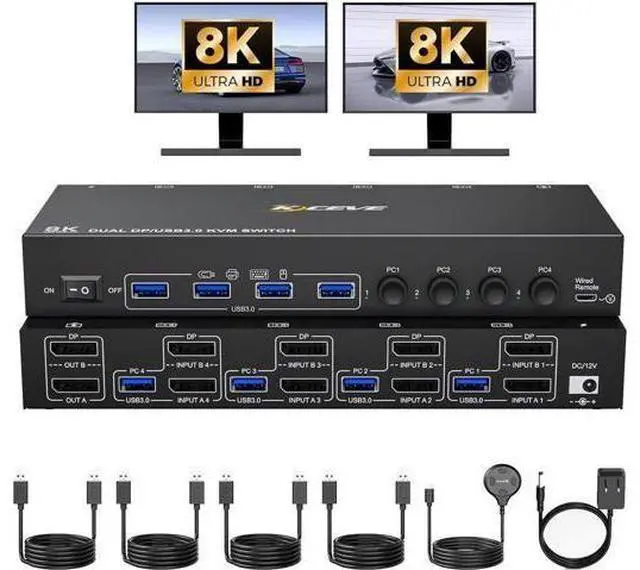


Dual Monitor Displayport KVM Switch 2 Monitors 4 Computers, 4 Port Displayport USB 3.0 DP1.4 Dual Monitor KVM Switcher 8K@30Hz/4K@144Hz 4 in 2 Out Keyboard Mouse Switches, with Wired Remote
Limited time offer, ends 10/07 By ApexGadgets
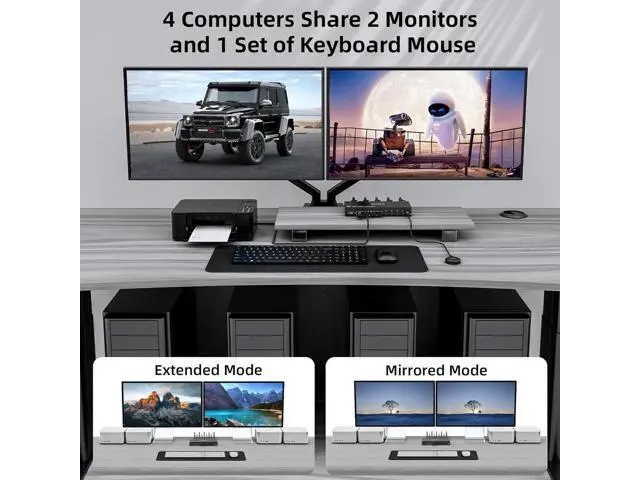
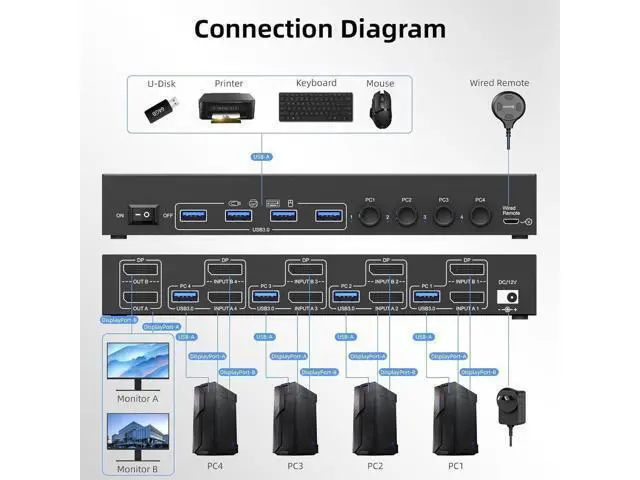
- [2 Monitors 4 Computers Displayport KVM] The DP KVM switch allows to control 4 computers/laptops with one set of keyboard mouse and 2 monitors for mirrored or extended screens, making workspace tidier and more efficient. Note: To get 2 screens, pls make sure 2 DP cables are connected from each PC to the corresponding DP port on the KVM and each PC supports dual display.
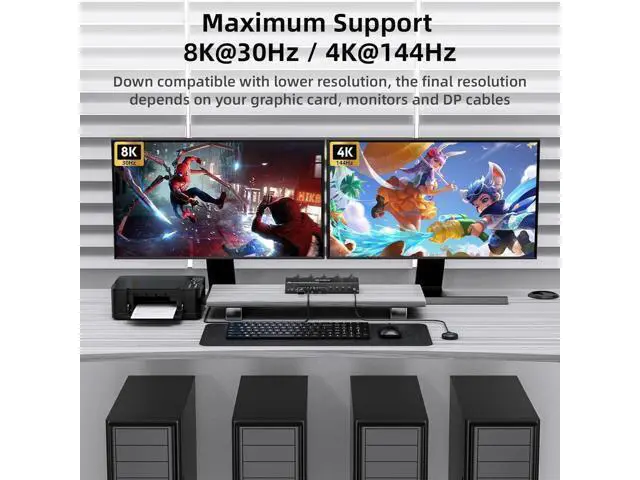
- [Ultra HD 8K@30Hz/4K@144Hz] The KVM switches supports max resolution up to 8K@30Hz or high refresh rate 4K@144Hz, and also supports 3D and 1080P@60Hz or downward compatible with lower resolution.
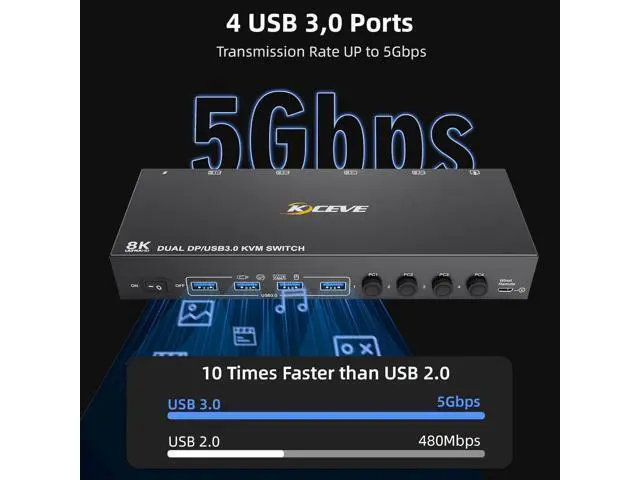
- [4 USB 3.0 Ports] The KVM has 4 USB 3.0 ports which allows 4 computers to share keyboard, mouse, printer or other USB devices. USB 3.0 transfer speed up to 5Gbps, which is 10x faster than USB2.0(only 480Mbps).
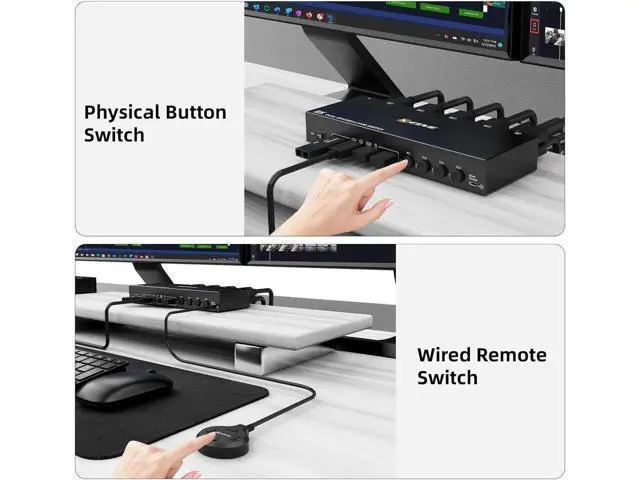
- [2 Switching Ways & Wide Compatibility] Support panel button switching and wired remote control switching (including). Compatible with Windows/Vista/XP/Mac OS/Linux and Unix operating systems, plug and play.
+
+
Overview
Specs
Reviews

Any questions? Our AI mode will help you find out quickly.
Try me now
2 Monitors 4 Computers USB 3.0 Dual Displayport 1.4 KVM Switch Dual monitor DP 1.4 KVM switch allows 4 computers to share 1 set of keyboard mouse and 2 monitors for mirrored or extended screens, making workspace tidier and improving work efficiency.
Note: To get 2 screens, please make sure 2 Displayport cables are connected from each PC to the corresponding port on the KVM and each PC supports dual display or multi-screen display.
Warm Tips: You could connect your computers to 2 monitors directly without the KVM to test it. 2 Working Modes of 4 Computers Dual Monitor DP 1.4 KVM Switch
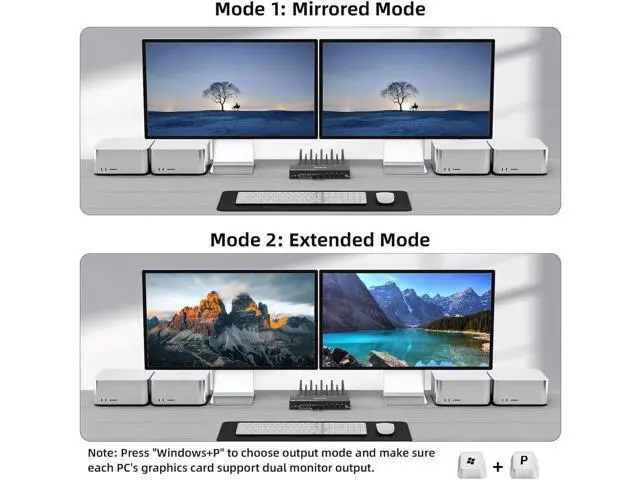
Mirror Mode: 2 monitors display the same screen from PC1/PC2/PC3/PC4.
Extended Mode: The working window from main screen can be dragged to seond output monitor.
Method: Press "Windows+P" to choose output mode Separate 12V Power Port When you use some high power USB devices, you could connect the external 12V/1A power supply to make the switch work with more stable perfromance. Independent Power Switch When you want to turn off dual monitor DP 1.4 kvm, just one-click here to free from the hassle of the unplugging and unplugging the cables. Clear Indicator Lights when switching between 4 computers, the clear and non-dazzling indicator lights will indicate the working computer. Wired Remote Switching With the included 1.5M desktop controller, you can easily switch signal when the 4 port dual monitor kvm is placed behind or under a desk.
Note: To get 2 screens, please make sure 2 Displayport cables are connected from each PC to the corresponding port on the KVM and each PC supports dual display or multi-screen display.
Warm Tips: You could connect your computers to 2 monitors directly without the KVM to test it. 2 Working Modes of 4 Computers Dual Monitor DP 1.4 KVM Switch
Mirror Mode: 2 monitors display the same screen from PC1/PC2/PC3/PC4.
Extended Mode: The working window from main screen can be dragged to seond output monitor.
Method: Press "Windows+P" to choose output mode Separate 12V Power Port When you use some high power USB devices, you could connect the external 12V/1A power supply to make the switch work with more stable perfromance. Independent Power Switch When you want to turn off dual monitor DP 1.4 kvm, just one-click here to free from the hassle of the unplugging and unplugging the cables. Clear Indicator Lights when switching between 4 computers, the clear and non-dazzling indicator lights will indicate the working computer. Wired Remote Switching With the included 1.5M desktop controller, you can easily switch signal when the 4 port dual monitor kvm is placed behind or under a desk.
Warranty & Returns
Warranty, Returns, And Additional Information
Warranty
- Please contact the Seller directly for warranty information. Warranty information may also be found on the Manufacturer's website.
- CONTACT
Return Policies
- Return for refund within: 30 days
- Return for replacement within: 45 days
- This item is covered by ApexGadgets Return Policy
Manufacturer Contact Info
- For a directory of all our manufacturers, please click below.
- Manufacturers Directory
LOADING...