

Your Browsing History

Meet Your Seller

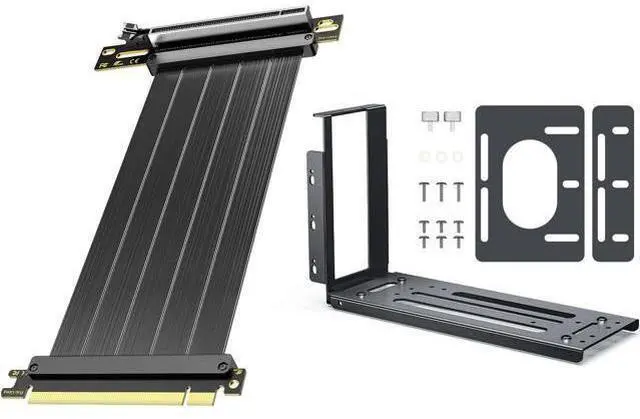

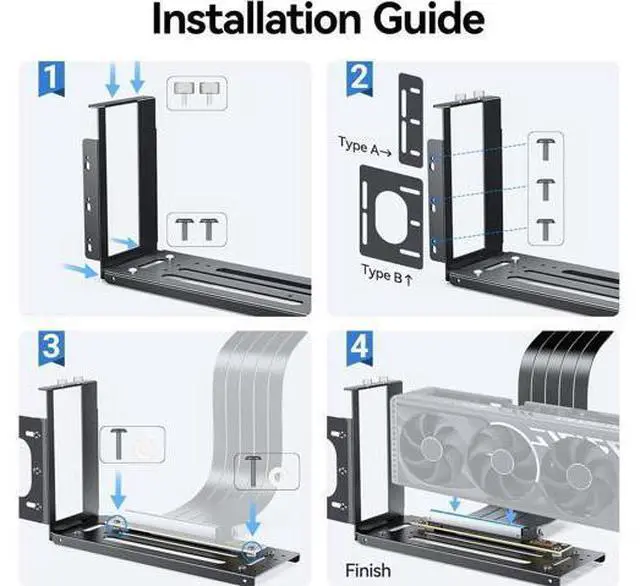


PCIe 4.0 Riser Cable 20cm Black Vertical GPU 2-Slot Mount Bracket
Limited time offer, ends 09/29 By EmpressTech
- Package List:1JEYI PCIe 4.0 Riser Cable 200MM/ 20cm/ 0.65ft Black 2JEYI Vertical GPU 2-Slot Mount Bracket; NOTE: Low-version PCIE riser cable can cause boot failure with a high-version GPU/Motherboard. 1. Enter the BIOS/UEFl Setup Utility; 2.Switch to Advanced Mode; 3.Go to PCle/Chipset Settings,PCIEX16(G5) Link Model: GEN4; 4.Locate the Specific PCle Speed Option; 5.Change the Setting; 6.Save Changes and Exit;; PCIe 4.0 x16 Full Speed: Supports 16 GT/s bandwidth for GPUs (RTX 4090 Ti, 3090 Ti, RX 7900) Graphics Card and PCIe 4.0 motherboards. Backward compatible with PCIe 3.0/2.0.; Perfect 20cm Length: Ideal for vertical GPU mounting or compact builds. Flexible routing maximizes airflow in ATX/mid-tower cases; Durable & Stable Design: Gold-plated connectors + shielded braided cable ensure minimal signal loss, corrosion resistance, and long-term reliability
+
+
Overview
Specs
Reviews

Any questions? Our AI mode will help you find out quickly.
Try me now
Package List: 1JEYI PCIe 4.0 Riser Cable 200MM/ 20cm/ 0.65 ft Black 2JEYI Vertical GPU 2-Slot
Mount Bracket NOTE: Low-version PCIE riser cable can cause boot failure with a high-version GPU/Motherboard.
1. Enter the BIOS/UEFl Setup Utility; 2. Switch to Advanced Mode; 3. Go to PCle/Chipset Settings, PCIEX16 (G5)
Link Model: GEN4; 4. Locate the Specific PCle Speed Option; 5. Change the Setting; 6. Save Changes and Exit; PCIe 4.0 x16
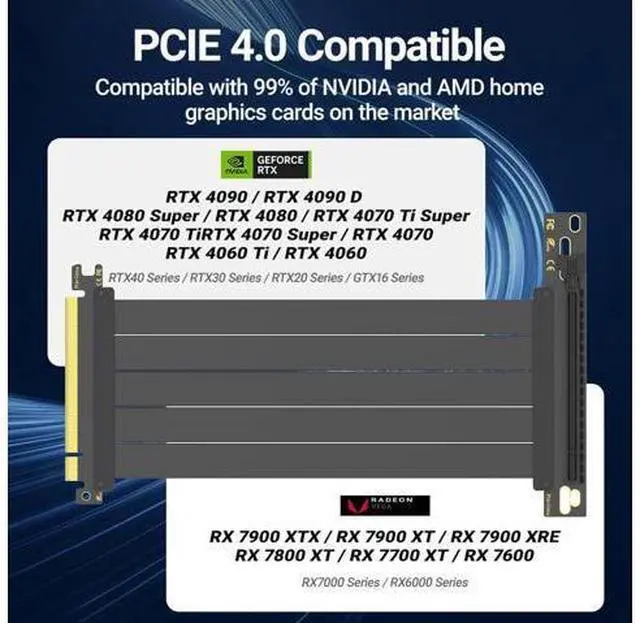
Full Speed: Supports 16 GT/s bandwidth for GPUs (RTX 4090 Ti, 3090 Ti, RX 7900) Graphics Card and PCIe 4.0 motherboards. Backward compatible with PCIe 3.0 / 2.0.
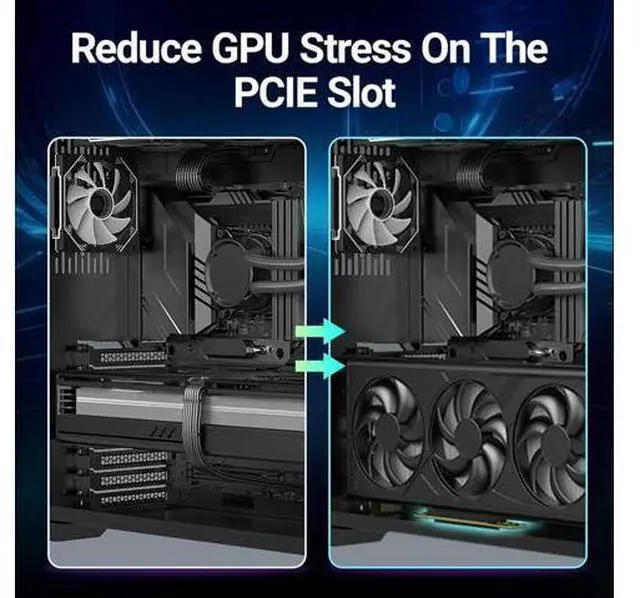
Perfect 20cm Length: Ideal for vertical GPU mounting or compact builds. Flexible routing maximizes airflow in ATX/mid-tower cases
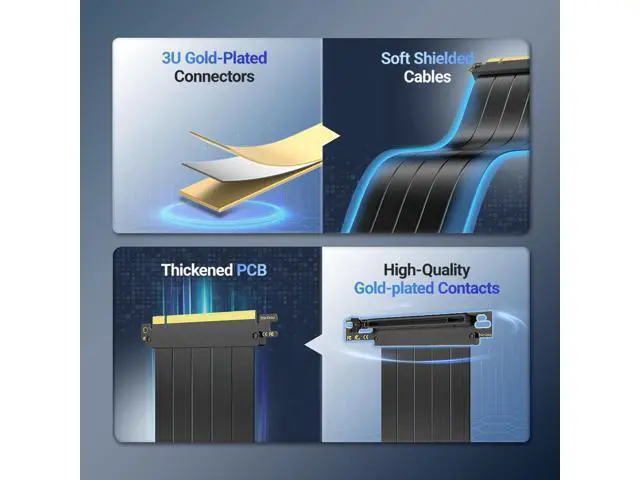
Durable & Stable Design: Gold-plated connectors + shielded braided cable ensure minimal signal loss, corrosion resistance, and long-term reliability
Mount Bracket NOTE: Low-version PCIE riser cable can cause boot failure with a high-version GPU/Motherboard.
1. Enter the BIOS/UEFl Setup Utility; 2. Switch to Advanced Mode; 3. Go to PCle/Chipset Settings, PCIEX16 (G5)
Link Model: GEN4; 4. Locate the Specific PCle Speed Option; 5. Change the Setting; 6. Save Changes and Exit; PCIe 4.0 x16
Full Speed: Supports 16 GT/s bandwidth for GPUs (RTX 4090 Ti, 3090 Ti, RX 7900) Graphics Card and PCIe 4.0 motherboards. Backward compatible with PCIe 3.0 / 2.0.
Perfect 20cm Length: Ideal for vertical GPU mounting or compact builds. Flexible routing maximizes airflow in ATX/mid-tower cases
Durable & Stable Design: Gold-plated connectors + shielded braided cable ensure minimal signal loss, corrosion resistance, and long-term reliability
Warranty & Returns
Warranty, Returns, And Additional Information
Warranty
- Please contact the Seller directly for warranty information. Warranty information may also be found on the Manufacturer's website.
- CONTACT
Return Policies
- Return for refund within: 30 days
- Return for replacement within: 30 days
- This item is covered by EmpressTech Return Policy
Manufacturer Contact Info
- For a directory of all our manufacturers, please click below.
- Manufacturers Directory
LOADING...