Your Browsing History
- Free 30-day Returns
$207.98
Ships from China.
Meet Your Seller
Visit VoltSync Store
FOLLOW
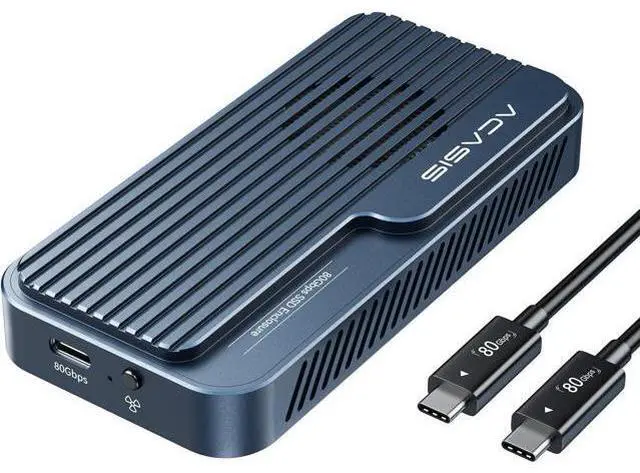
VoltSync ACASIS 80Gbps M.2 NVMe SSD Enclosure, with Cooling Fan, Compatible with Thunderbolt5/USB4 V2.0, Back Compatible with Thunderbolt4/USB4 V1.0, USB3.2/3.1/3.0 (TB501 Pro) (Gray)
Limited time offer, ends 07/19 By VoltSync
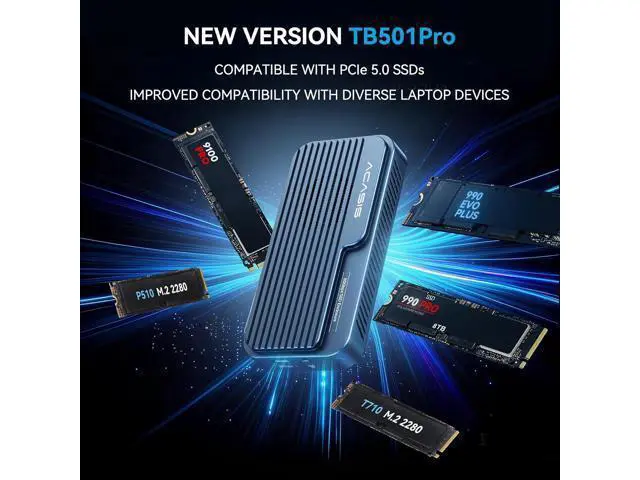
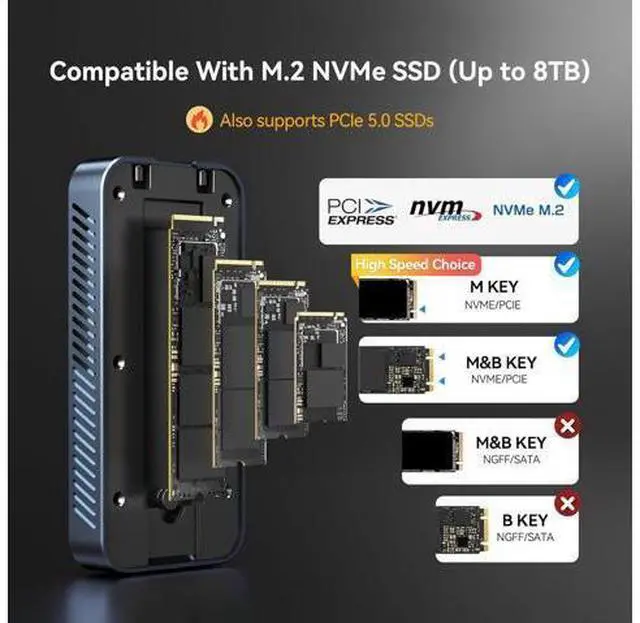
- ACASIS Upgraded 80Gbps SSD EnclosurePowered by the advanced JHL9480 chip, this enclosure supports PCIe 5.0 SSDs and most laptops, delivering fast, stable, and future-proof performance.
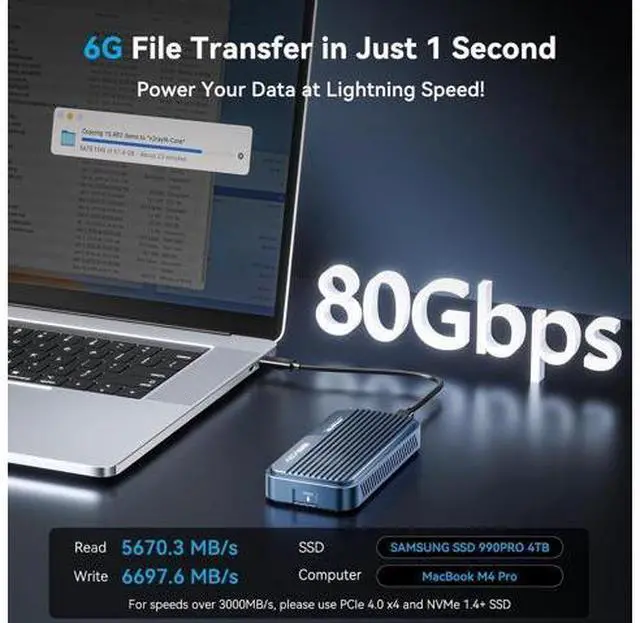
- Blazing-Fast SpeedsEnjoy read and write speeds up to 6000 MB/s. Perfect for content creators, gamers, and professionals handling large files or data-heavy tasks. To exceed 3000 MB/s, use a PCIe 4.0 x4 NVMe 1.4 or higher SSD.
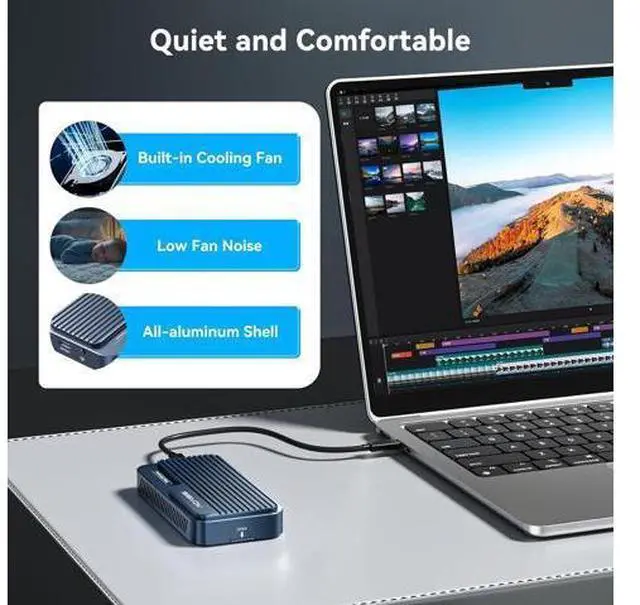
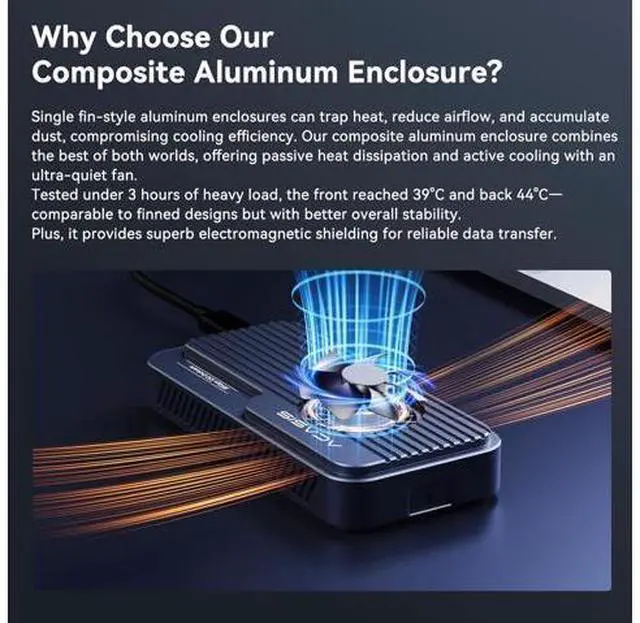
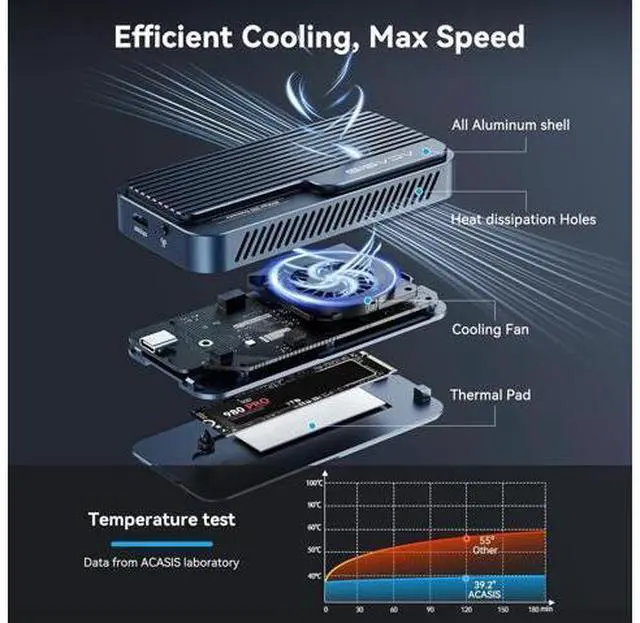
- Smart Cooling FanThe built-in fan auto-starts at 55°C and stops at 40°C to keep your SSD stable and extend its life. Manual mode is easy: press and hold the switch for 1 second to force it on
- system resumes auto mode when turned off.
- Heat Management for EnclosureDuring large file transfers, the enclosure may heat up, which is normal. For stable performance, manually activate the fan, place the enclosure in a ventilated area, and avoid long continuous transfers of large files.
- Plug & Play, No Drivers Needed, Tool-less DesignJust connect and gosimple setup lets you focus on your work without delays.
- Packaging List80Gbps M.2 NVMe SSD Enclosure x 1, 80Gbps Cable (19.68 in) x 1, Silicone Stoppers x 2, SSD Size Adapter x1, Thermal Pads x 2, User Manual x1.
- Wide CompatibilityWorks with USB4 V2.0 / 80Gbps at full speed, and backward compatible with 40Gbps, USB4 V1.0, and USB 3.2/3.1/3.0.
+
+
Overview
Specs
Reviews
Any questions? Our AI beta will help you find out quickly.
Try me now
What's in the box 80Gbps Cable ( 19.68 in) x1 80Gbps M. 2 NVMe SSD Enclosure x1 SSD Size Adapter x1 Silicone Stoppers x2 Thermal Pads x2 Can't Recognize The 80Gbps Nvme SSD
Enclosure?
Windows: Update Thunderbolt drivers; new drives Disk Management New Volume.
Mac: Check Thunderbolt in System Report; if undetected, test ports; new drives Disk Utility Erase.
General: Try another TB cable; if light fails, request replacement. What advantages does the ACASIS 80Gbps M. 2 NVMe SSD Enclosure have over other hard drive enclosures? Dual chip is industry standard, support 80Gbps theoretical speeds (up to 6000MB/s real-world performance) Backward compatible with USB4 V 1.0, USB 3.2 / 3.1 / 3.0. Auto-activating fan, aluminium housing with thermal pads for effective heat dissipation. Why is the enclosure recognized as a USB device when connected to a MacBook with a Thunderbolt 3 port? Some Thunderbolt 3 ports may only run at USB speed (10Gbps) with the 80Gbps enclsoure due to compatibilitylimits. We recommend using a Thunderbolt 3 or 4 enclosure instead. Why is the enclosure recognized as a USB device when connected to a MacBook with a Thunderbolt 3 port? Some Thunderbolt 3 ports may only run at USB speed (10Gbps) with the 80Gbps enclsoure due to compatibilitylimits. We recommend using a Thunderbolt 3 or 4 enclosure instead. The enclosure has been upgraded. May I confirm whether all stock is the latest B2 revision with PCIe 5.0 compatibility? Please note that all current inventory, in every color, uses the JHL9480-B2 version.
If your device is unable to detect PCIe 5.0, we kindly suggest revisiting the troubleshooting steps outlined in the first QA.

Enclosure?
Windows: Update Thunderbolt drivers; new drives Disk Management New Volume.
Mac: Check Thunderbolt in System Report; if undetected, test ports; new drives Disk Utility Erase.
General: Try another TB cable; if light fails, request replacement. What advantages does the ACASIS 80Gbps M. 2 NVMe SSD Enclosure have over other hard drive enclosures? Dual chip is industry standard, support 80Gbps theoretical speeds (up to 6000MB/s real-world performance) Backward compatible with USB4 V 1.0, USB 3.2 / 3.1 / 3.0. Auto-activating fan, aluminium housing with thermal pads for effective heat dissipation. Why is the enclosure recognized as a USB device when connected to a MacBook with a Thunderbolt 3 port? Some Thunderbolt 3 ports may only run at USB speed (10Gbps) with the 80Gbps enclsoure due to compatibilitylimits. We recommend using a Thunderbolt 3 or 4 enclosure instead. Why is the enclosure recognized as a USB device when connected to a MacBook with a Thunderbolt 3 port? Some Thunderbolt 3 ports may only run at USB speed (10Gbps) with the 80Gbps enclsoure due to compatibilitylimits. We recommend using a Thunderbolt 3 or 4 enclosure instead. The enclosure has been upgraded. May I confirm whether all stock is the latest B2 revision with PCIe 5.0 compatibility? Please note that all current inventory, in every color, uses the JHL9480-B2 version.
If your device is unable to detect PCIe 5.0, we kindly suggest revisiting the troubleshooting steps outlined in the first QA.
Warranty & Returns
Warranty, Returns, And Additional Information
Warranty
- Please contact the Seller directly for warranty information. Warranty information may also be found on the Manufacturer's website.
- CONTACT
Return Policies
- Return for refund within: 30 days
- Return for replacement within: 30 days
- This item is covered by VoltSync Return Policy
Manufacturer Contact Info
- For a directory of all our manufacturers, please click below.
- Manufacturers Directory
LOADING...