






Built for camera privacy
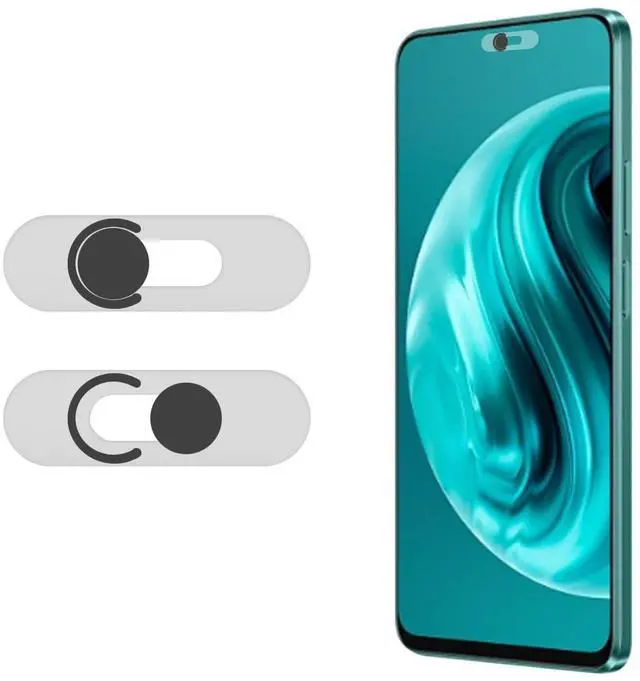
A lens cover is far more direct and reliable than software for blocking unauthorized shots. And the simple slide cover puts you in total control of your camera privacy.

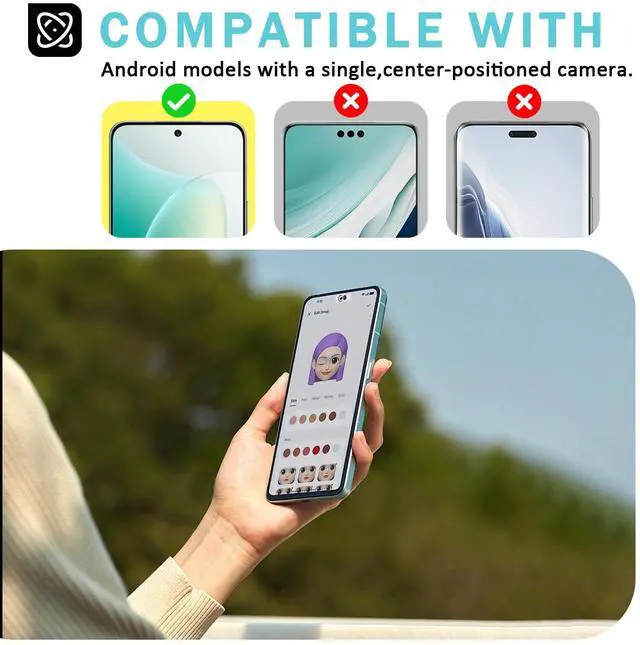
Privacy camera cover for single-hole front camera
Ensure that your phone's front camera is functioning properly and enjoying protection. Before purchasing, please ensure that the front camera of your Android phone is a single independent lens.

Slide control
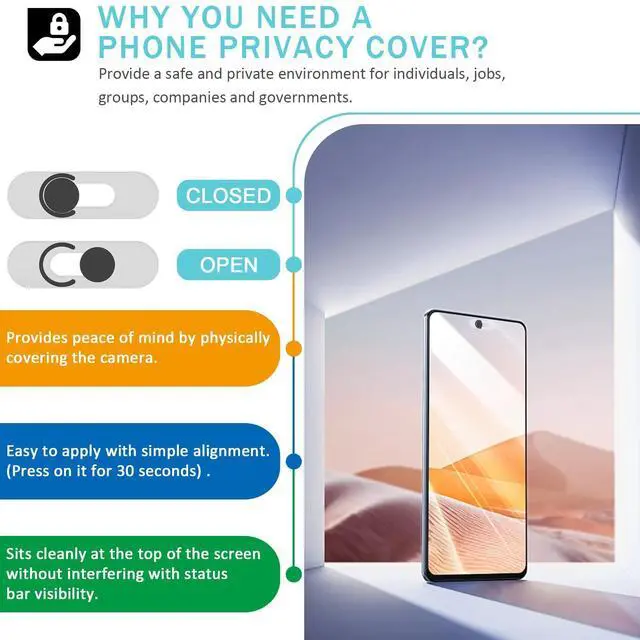
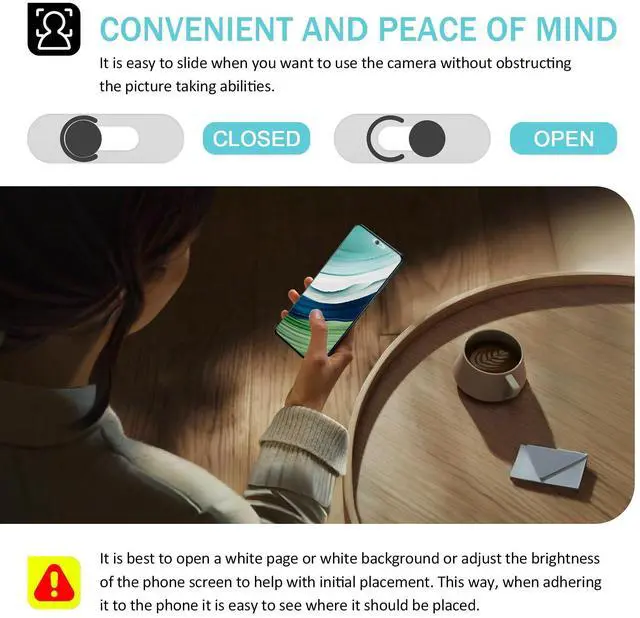
No complicated settings, just swipe once to block hidden camera access or turn on the camera for daily shooting, video calls, simple, secure, suitable for various usage scenarios.

Dual protection
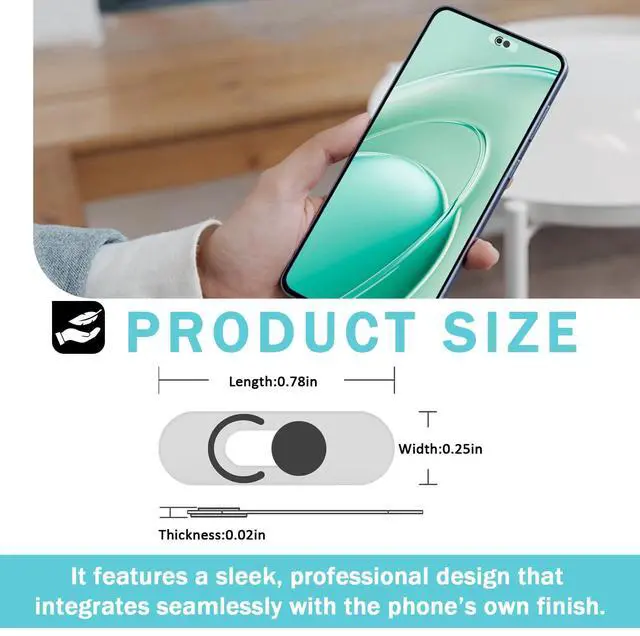
Our camera lens cover is designed to fit snugly with the lens, effectively preventing unintentional privacy risks such as accidental activation and malicious program background calls. But also isolates dust, fingerprints, and accidental scratches, reducing camera lens wear and providing long-term protection for phones.

Easy installation
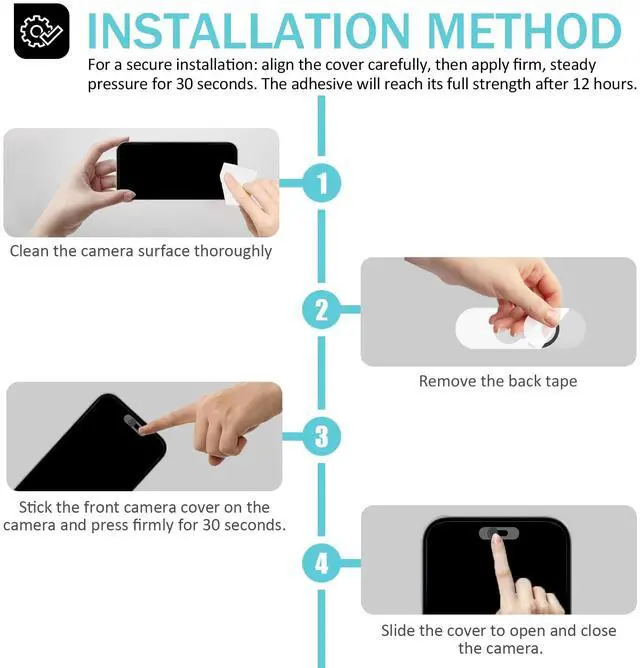
Please follow these 4 steps to install the front camera cover on your phone.
First, wipe the camera surface clean for a tight, long-lasting adhesion. Then align the phone cover with the front lens, and press to secure.
After installation, slide the cover to test its function and confirm that it does not affect your phone’s normal operation.
Built for camera privacy
A lens cover is far more direct and reliable than software for blocking unauthorized shots. And the simple slide cover puts you in total control of your camera privacy.
Privacy camera cover for single-hole front camera
Ensure that your phone's front camera is functioning properly and enjoying protection. Before purchasing, please ensure that the front camera of your Android phone is a single independent lens.
Slide control
No complicated settings, just swipe once to block hidden camera access or turn on the camera for daily shooting, video calls, simple, secure, suitable for various usage scenarios.
Dual protection
Our camera lens cover is designed to fit snugly with the lens, effectively preventing unintentional privacy risks such as accidental activation and malicious program background calls. But also isolates dust, fingerprints, and accidental scratches, reducing camera lens wear and providing long-term protection for phones.
Easy installation
Please follow these 4 steps to install the front camera cover on your phone.
First, wipe the camera surface clean for a tight, long-lasting adhesion. Then align the phone cover with the front lens, and press to secure.
After installation, slide the cover to test its function and confirm that it does not affect your phone’s normal operation.