

Your Browsing History
- Free 30-day Returns
$6,495.99

Meet Your Seller

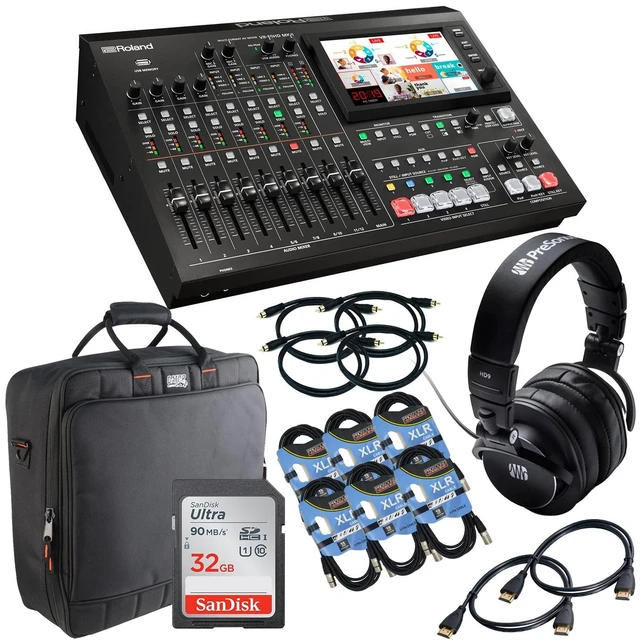
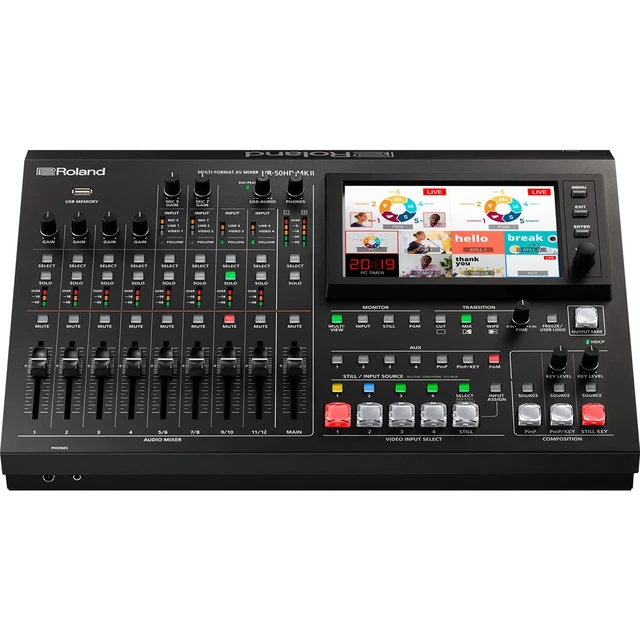
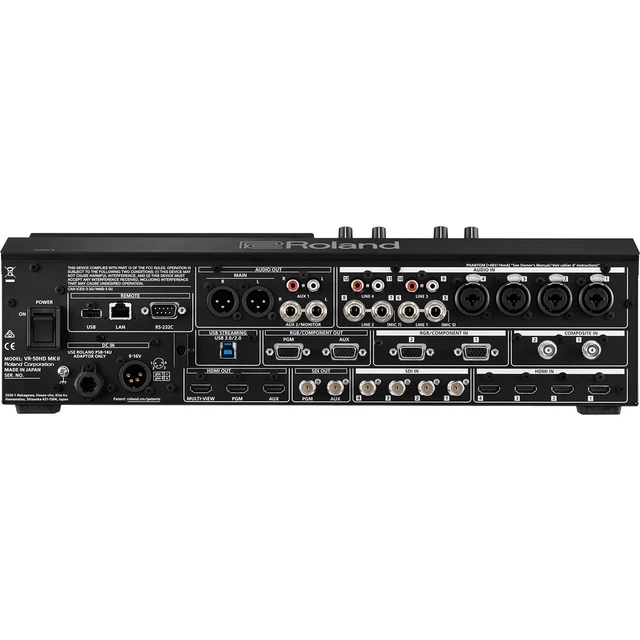
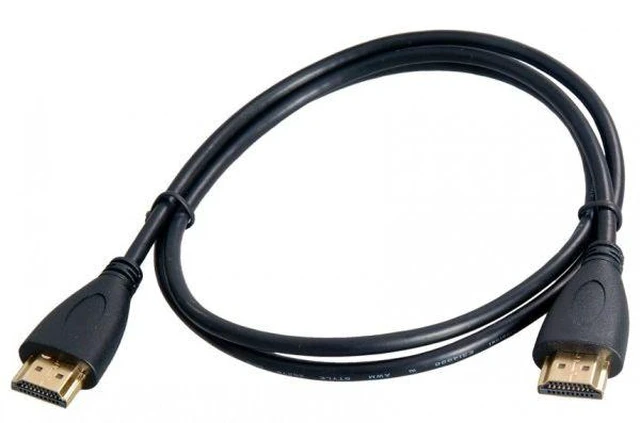


Roland VR-50HD MK II Multi-Format AV Mixer, Presonus HD9 Headphones, (6) XLR Cables, (4) RCA Cables, (2) HDMI Cables, Gator G-MIXERBAG 1818, 32GB SD Card Bundle
- 4-Channel Video Plus Stills
- NTSC/PAL, HD, Computer Signal Compatible
- SD/HD/3G-SDI, RGB/Component, HDMI Inputs
- 12-Channel Digital Audio Mixer
+
+
Overview
Specs
Reviews

Any questions? Our AI mode will help you find out quickly.
Try me now
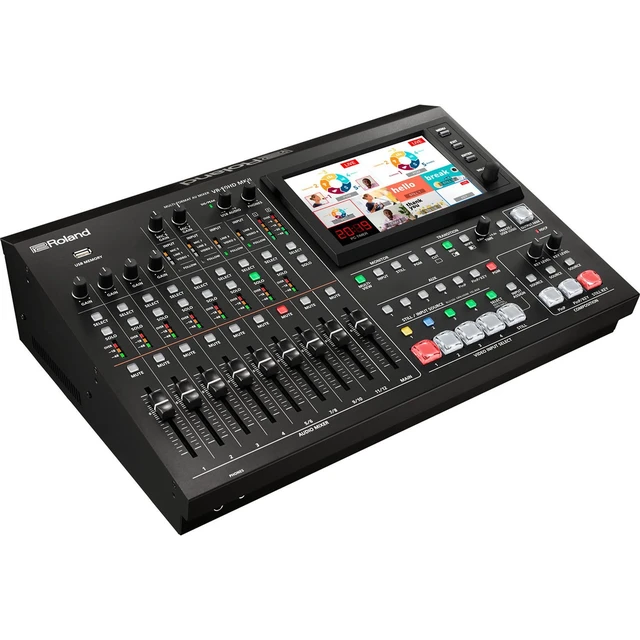
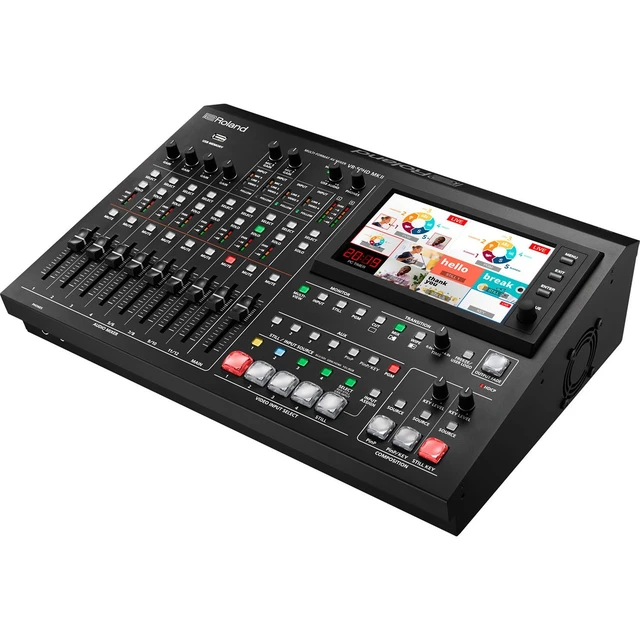
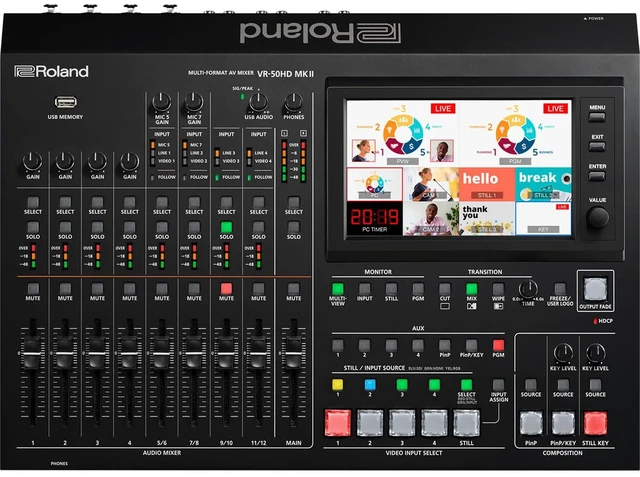
Inspired by user feedback on the first version of the VR-50HD, the Roland VR-50HD MK II Multi-Format AV Mixer with USB 3.0 Streaming provides key updates to the already powerful unit that integrates an audio mixer, video switcher, multiviewer touchscreen and USB video/audio streaming into a stand-alone device. This portable live HD production solution combines the functions of a video switcher and an audio mixer, and it is ideal for use at live events, schools, churches, council meetings, and corporate events. The VR-50HD MK II features four video input channels, either SDI, HDMI, RGB/Component, composite, or a combination. It supports SD, HD, and computer-based signals in either NTSC or PAL standards, with selectable frame rates, and will scale input video to match the selected output resolution. The VR-50HD MK II features four SDI inputs that support SD/HD/3G-SDI signals, two RGB/Component video inputs, two composite video, and four HDMI inputs as well as 12 analog audio input channels. Built into the front of the mixer is a 7" LCD touchscreen multiview display that shows the four input sources as well as displays a red border on the active input source. You can set up and control the unit through the touchscreen interface. The unit has a designated HDMI output that will send the multiview display to an available HDMI monitor. The PGM output is available through SDI/HDMI/ and RGB/Component streams. It is also available via the USB output, which you can bring into an available computer or encoder to stream live. The VR-50HD MK II features two built-in full-resolution, picture-in-picture channels, and you can layer the four inputs to make one composite in addition to the picture-in-picture channels. You can also control select PTZ cameras from the unit.
Improved Features
AUX output for dedicated record, streaming, or confidence monitor feeds
Updated user interface for fast, trouble-free operation
New high-quality audio preamps and converters for crystal-clear sound
Direct control of select PTZ cameras from JVC and Panasonic over LAN
Automatic audio mixing and video switching functions to support single operators
Redesigned Interface
The VR-50HD MK II is also easier to operate that the original VR-50HD via a redesigned user interface. Dedicated broadcast-style buttons for AUX, PinP, and Still sources avoid the need to drill down into the menu system. Select, Solo, and Mute buttons are included for all audio channels speeding up the monitoring process. And with the large touchscreen multiview monitor, you can view and assign inputs, display up to four still images, execute preview/program functions, and more.
12-Input, 4-Channel Multi-Format Video Switcher
With four HDMI, four SD/HD/3G-SDI, two RGB/COMPONENT, and two composite inputs, the VR-50HD MK II provides you with 12 audio inputs for the four video channels. All inputs are active all the time, so you can connect up to twelve input sources, although the mixer only switches video from four sources at one time. The wide variety of input connectors allow you to connect professional HD cameras, computers, and Blu-ray and DVD players as well as video cameras using composite output. If four inputs aren't enough, you can also assign an input to each of the picture-in-picture channels. This allows you four input sources plus two more full-frame sources that you can transition to, for a total of six input sources.
Mix and Match Resolution
The unit features multi-format specifications that allow you to mix sources with different resolutions. Please note that the frame rate/Hz must be the same between the multiple sources, so, for example, you couldn't switch between a PAL source and an NTSC source. The frame rate is selected in the system menu and your input sources must match that frame rate. As long as your input sources match the selected frame rate, the unit will scale the input
Improved Features
AUX output for dedicated record, streaming, or confidence monitor feeds
Updated user interface for fast, trouble-free operation
New high-quality audio preamps and converters for crystal-clear sound
Direct control of select PTZ cameras from JVC and Panasonic over LAN
Automatic audio mixing and video switching functions to support single operators
Redesigned Interface
The VR-50HD MK II is also easier to operate that the original VR-50HD via a redesigned user interface. Dedicated broadcast-style buttons for AUX, PinP, and Still sources avoid the need to drill down into the menu system. Select, Solo, and Mute buttons are included for all audio channels speeding up the monitoring process. And with the large touchscreen multiview monitor, you can view and assign inputs, display up to four still images, execute preview/program functions, and more.
12-Input, 4-Channel Multi-Format Video Switcher
With four HDMI, four SD/HD/3G-SDI, two RGB/COMPONENT, and two composite inputs, the VR-50HD MK II provides you with 12 audio inputs for the four video channels. All inputs are active all the time, so you can connect up to twelve input sources, although the mixer only switches video from four sources at one time. The wide variety of input connectors allow you to connect professional HD cameras, computers, and Blu-ray and DVD players as well as video cameras using composite output. If four inputs aren't enough, you can also assign an input to each of the picture-in-picture channels. This allows you four input sources plus two more full-frame sources that you can transition to, for a total of six input sources.
Mix and Match Resolution
The unit features multi-format specifications that allow you to mix sources with different resolutions. Please note that the frame rate/Hz must be the same between the multiple sources, so, for example, you couldn't switch between a PAL source and an NTSC source. The frame rate is selected in the system menu and your input sources must match that frame rate. As long as your input sources match the selected frame rate, the unit will scale the input
Warranty & Returns
Warranty, Returns, And Additional Information
Warranty
- Please contact the Seller directly for warranty information. Warranty information may also be found on the Manufacturer's website.
- CONTACT
Return Policies
- Return for refund within: 30 days
- Return for replacement within: 60 days
- This item is covered by ProSoundGear Return Policy
Manufacturer Contact Info
- For a directory of all our manufacturers, please click below.
- Manufacturers Directory
LOADING...