




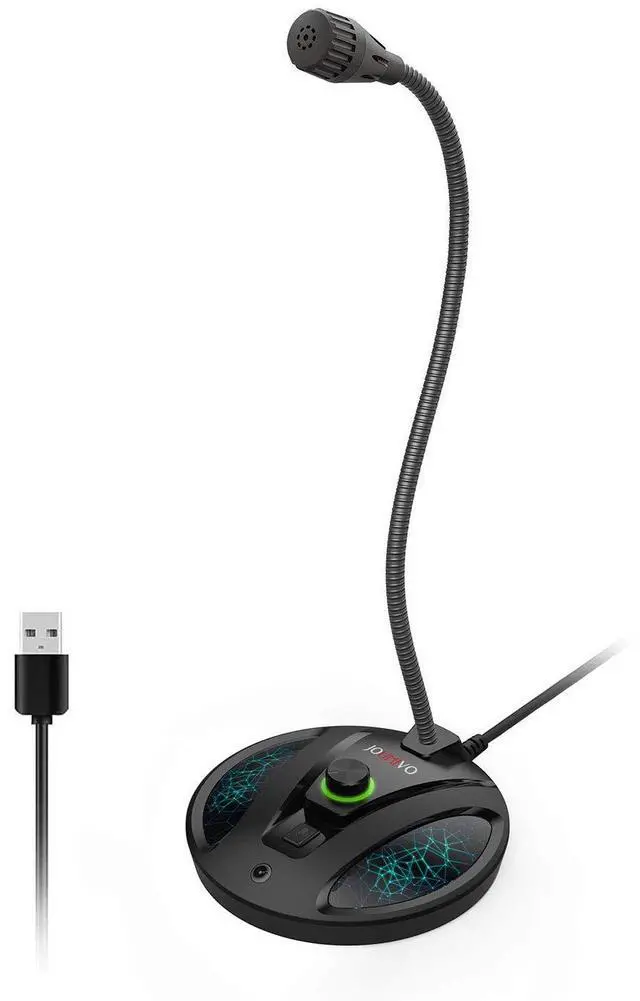
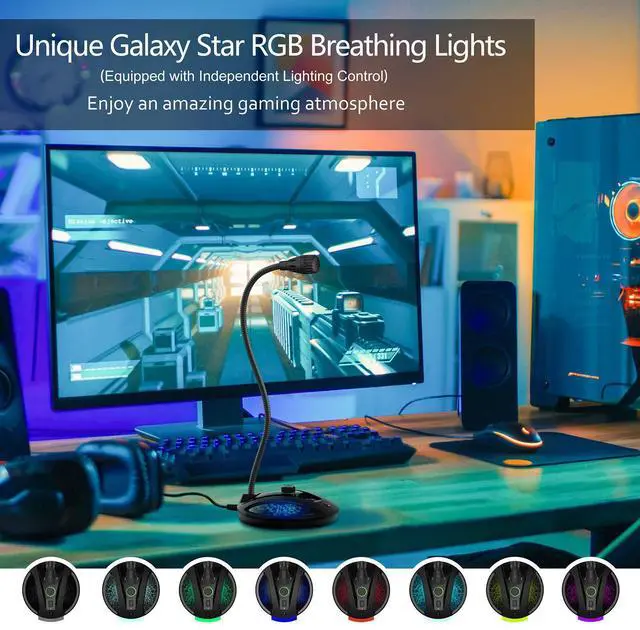
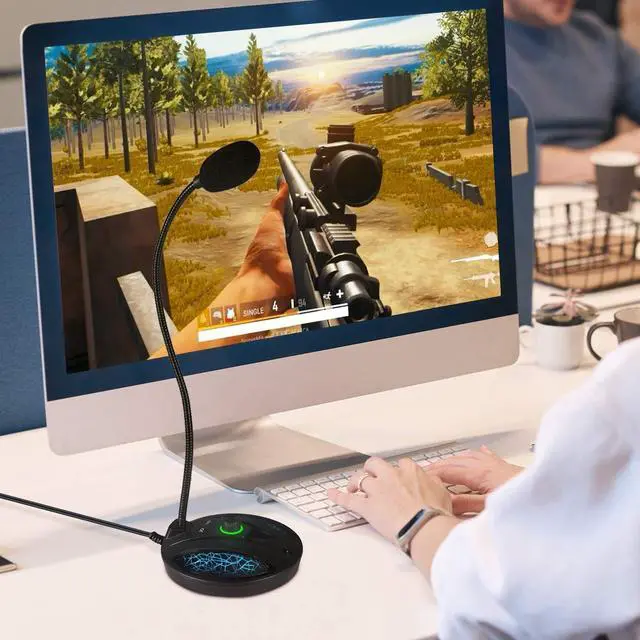
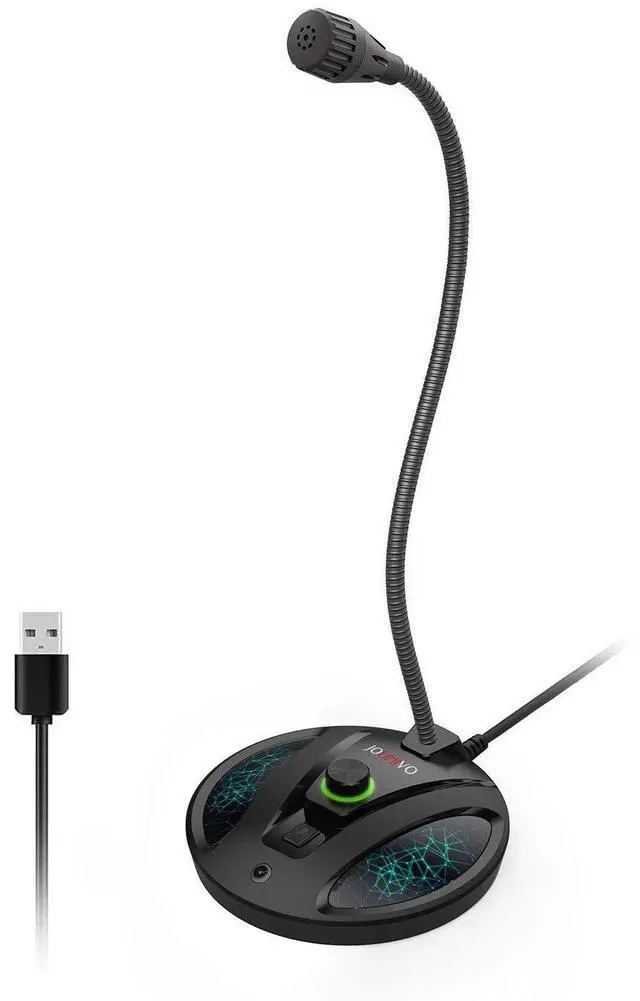


Why Choose JV603P Desktop Microphone?
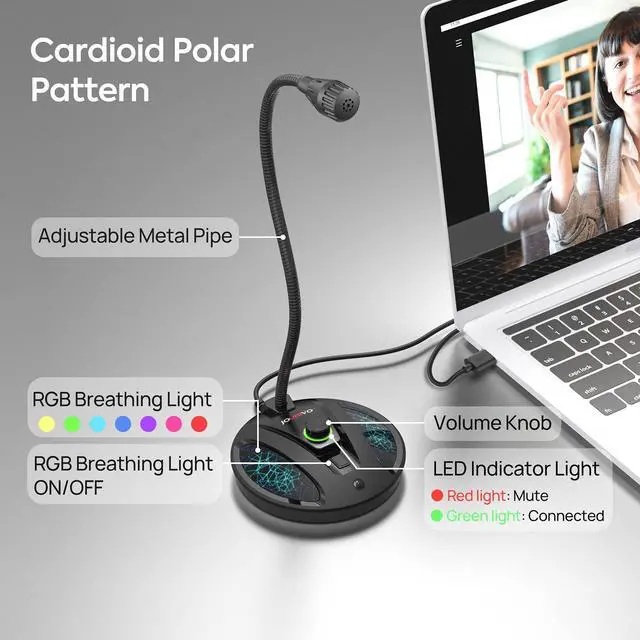
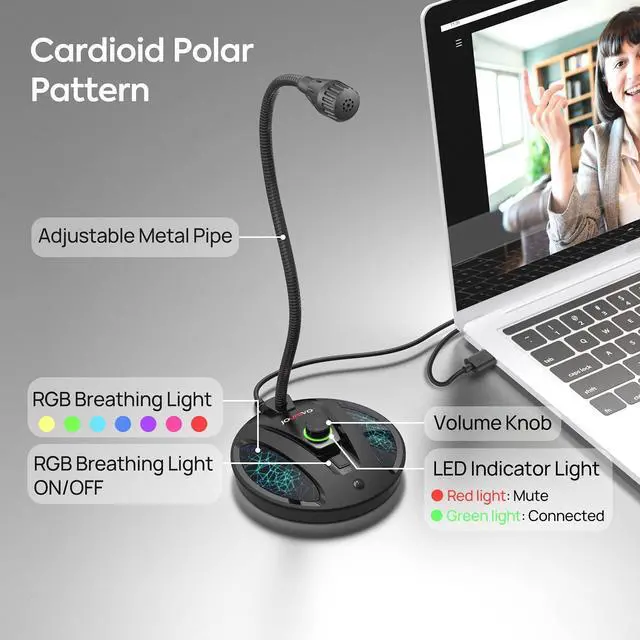
- Mute Switch with LED Indicator: For clear indication of the computer microphone status.
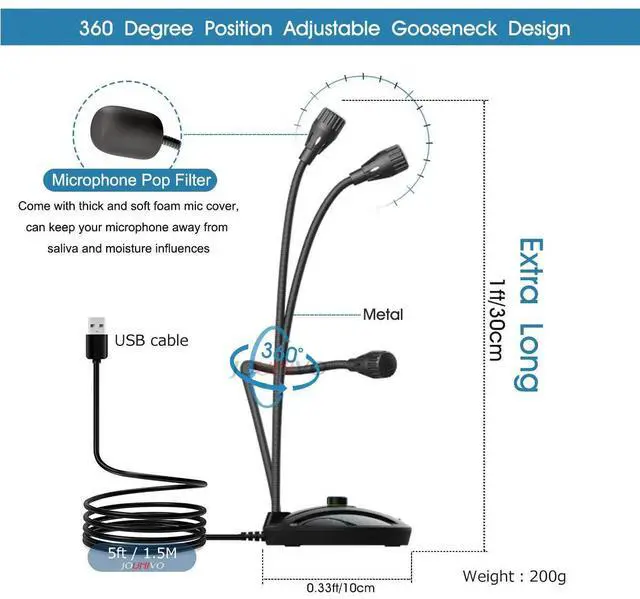
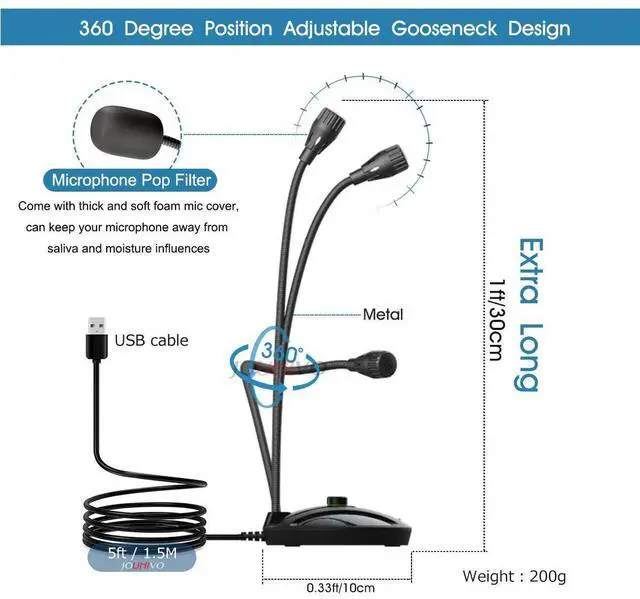
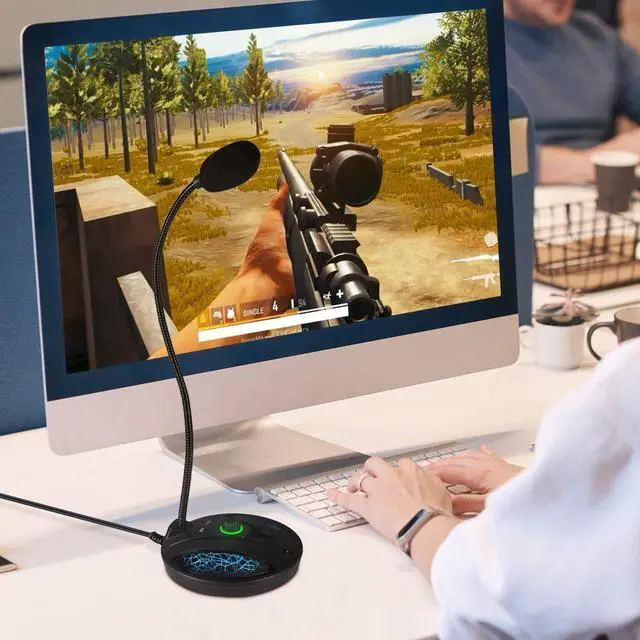
- 360°Flexible Gooseneck Design: The gooseneck PC microphone allows you to adjust the perfect angle, height or swivel to show your charming voice.
- Best Choice for Podcast: Podcast microphone picks up is very crisp and very clear, fast and accurate recognition.
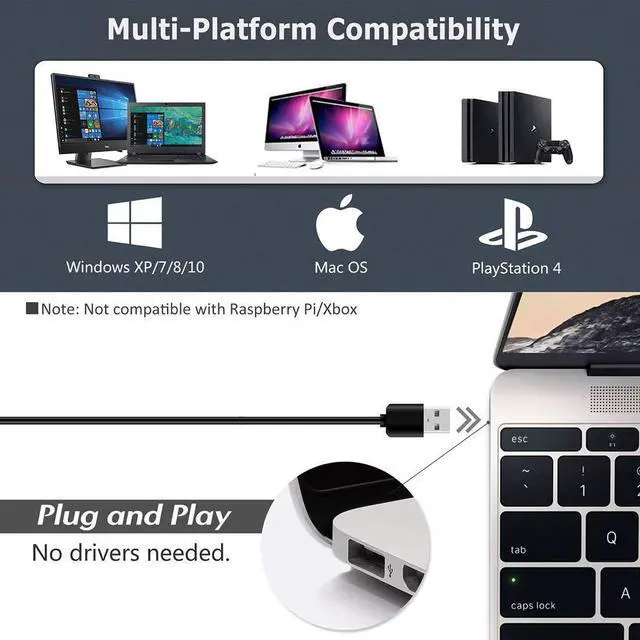
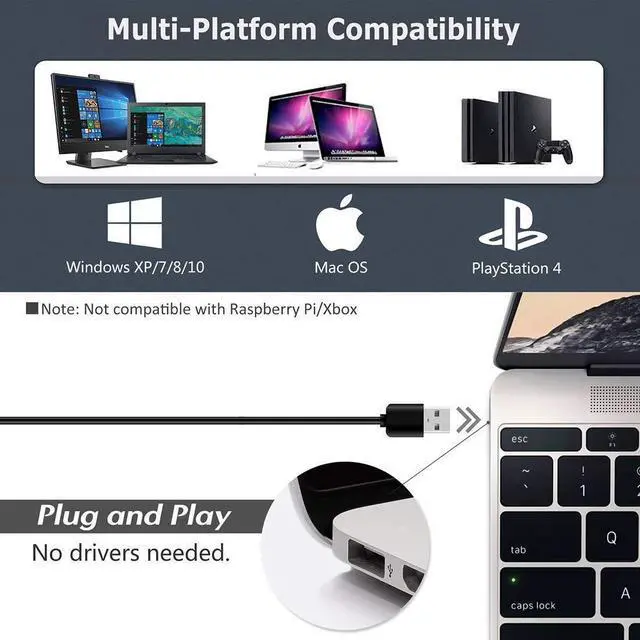
- Plug & Play for Win/Mac Computer and PS4: USB desktop microphone with Plug & Play compatible with Win 7 8 10/Mac/PS4/PS3. Professional in recording, dictation, YouTube, Skype, gaming, streaming, podcast, etc.
- Desktop Base: Gaming microphone with heavy-duty housing ensures firm support for the long gooseneck.


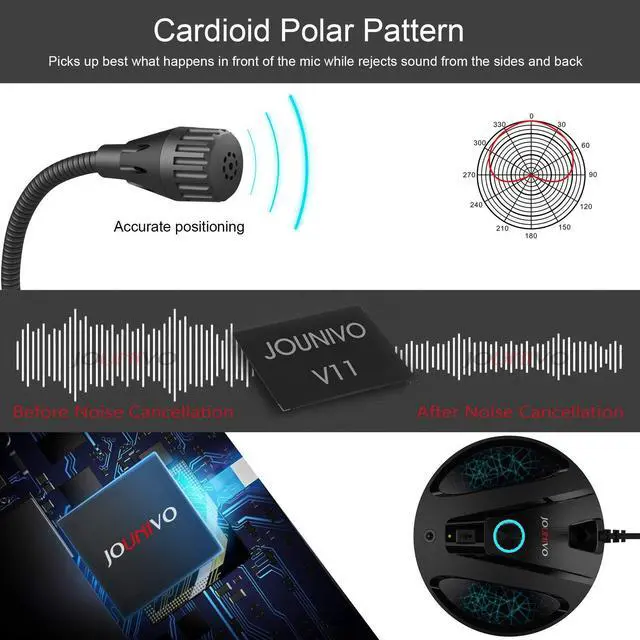
Clear Sound with Noise Reduction Tech
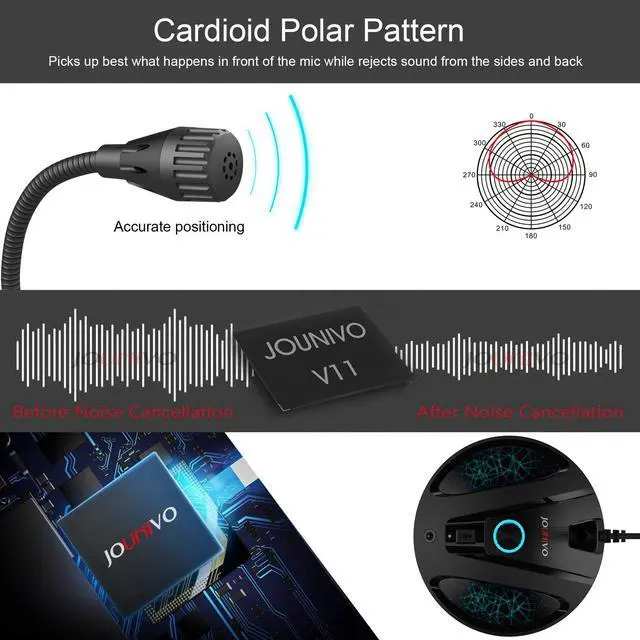
- Intelligent Noise-Canceling Tech can pick up your smooth and accurate voice and reduce background noise and echo

Cardioid Polar Pattern
- Cardioid microphone focus on what you want to record

Built-in JOUNIVO upgraded chip
- Built-in JOUNIVO's upgraded chip make sure pick up the high-quality sound when gaming
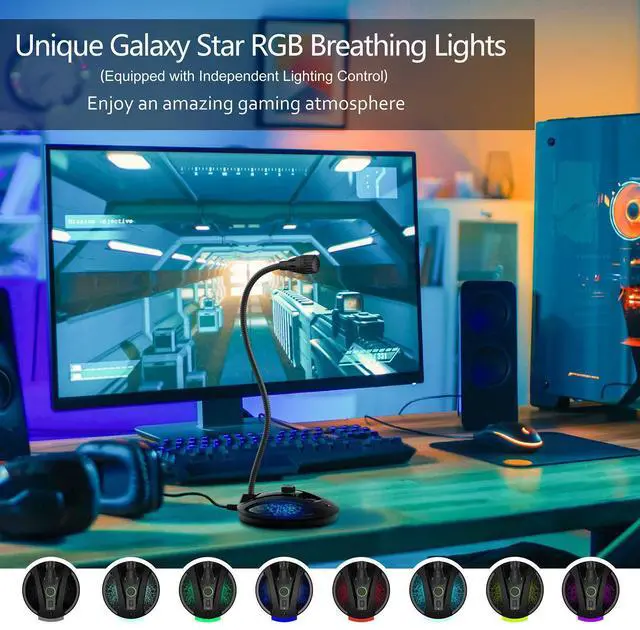
Perfect for Recording, Gaming, Live Chating, Video Conference etc.

How can I do when the microphone cannot be used?Few ways for troubleshooting:
- A. You need to disable the computer's onboard mic by accessing your sound devices in the hardware section of the control panel. And choose the mic (JV603PRO)
- B. Check whether the "mic mute" of the online control is open or not. When the "mic mute" is open, the light will turn red.
- C. Please don't connect the microphone to an extension adapter(includes USB hub), or it will weaken the signal sent from devices. The cable length is 1.8m (6ft), long enough for daily use.
Specification:
Compatible with Windows 7/8/10, Windows Vista, Windows XP
Macintosh: Mac OSX(10.4.11 or higher)
USB Compatibility: USB 1.1 2.0 and 3.0
Polar pattern: Cardioid
Size: 4*4*12 in
Cable length: 6ft
Package Included:
1 * Microphone
1 * User Manual
 JV603Pro Gooseneck Mic |  JV601 Gooseneck Mic |  JV801 Speakerphone |  JV808 Conference Mic |  JV906 Recording Mic | |
|---|---|---|---|---|---|
| Customer Reviews | — | — | — | — | — |
| Price | — | — | — | — | — no data |
| Polar pattern | Cardioid | Omnidirectional | Omnidirectional | Omnidirectional | Cardioid |
| Mute button | ? | ? | ? | ? | ? |
| Volume Control | ? | no data | ? | no data | no data |
| Build-in speaker | no data | no data | ? | no data | no data |
| USB Cord included | 6ft | 6ft | 6ft | 6ft | 6ft |
| Stand Included | Desktop Base | Desktop Base | Desktop Base | Desktop Base | Tripod Stand |
Why Choose JV603P Desktop Microphone?
- Mute Switch with LED Indicator: For clear indication of the computer microphone status.
- 360°Flexible Gooseneck Design: The gooseneck PC microphone allows you to adjust the perfect angle, height or swivel to show your charming voice.
- Best Choice for Podcast: Podcast microphone picks up is very crisp and very clear, fast and accurate recognition.
- Plug & Play for Win/Mac Computer and PS4: USB desktop microphone with Plug & Play compatible with Win 7 8 10/Mac/PS4/PS3. Professional in recording, dictation, YouTube, Skype, gaming, streaming, podcast, etc.
- Desktop Base: Gaming microphone with heavy-duty housing ensures firm support for the long gooseneck.
Clear Sound with Noise Reduction Tech
- Intelligent Noise-Canceling Tech can pick up your smooth and accurate voice and reduce background noise and echo
Cardioid Polar Pattern
- Cardioid microphone focus on what you want to record
Built-in JOUNIVO upgraded chip
- Built-in JOUNIVO's upgraded chip make sure pick up the high-quality sound when gaming
Perfect for Recording, Gaming, Live Chating, Video Conference etc.
How can I do when the microphone cannot be used?Few ways for troubleshooting:
- A. You need to disable the computer's onboard mic by accessing your sound devices in the hardware section of the control panel. And choose the mic (JV603PRO)
- B. Check whether the "mic mute" of the online control is open or not. When the "mic mute" is open, the light will turn red.
- C. Please don't connect the microphone to an extension adapter(includes USB hub), or it will weaken the signal sent from devices. The cable length is 1.8m (6ft), long enough for daily use.
Specification:
Compatible with Windows 7/8/10, Windows Vista, Windows XP
Macintosh: Mac OSX(10.4.11 or higher)
USB Compatibility: USB 1.1 2.0 and 3.0
Polar pattern: Cardioid
Size: 4*4*12 in
Cable length: 6ft
Package Included:
1 * Microphone
1 * User Manual
JV603Pro Gooseneck Mic | JV601 Gooseneck Mic | JV801 Speakerphone | JV808 Conference Mic | JV906 Recording Mic | |
|---|---|---|---|---|---|
| Customer Reviews | — | — | — | — | — |
| Price | — | — | — | — | — no data |
| Polar pattern | Cardioid | Omnidirectional | Omnidirectional | Omnidirectional | Cardioid |
| Mute button | ? | ? | ? | ? | ? |
| Volume Control | ? | no data | ? | no data | no data |
| Build-in speaker | no data | no data | ? | no data | no data |
| USB Cord included | 6ft | 6ft | 6ft | 6ft | 6ft |
| Stand Included | Desktop Base | Desktop Base | Desktop Base | Desktop Base | Tripod Stand |