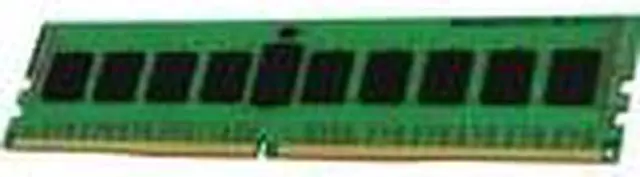
Kingston KCP426NS8/8 is an 8GB DDR4-2666 desktop memory module for upgrading or replacing RAM in a compatible desktop that uses 288-pin, non-ECC unbuffered DIMMs; check your system’s supported memory type and speed before buying.
Recommended For
- Owners of a compatible DDR4 desktop who need an 8GB replacement module matching a system that specifies 2666MT/s, non-ECC unbuffered DIMM memory.
- People upgrading an older DDR4 desktop for everyday office tasks or light multitasking, when 8GB is an appropriate addition to the system’s existing memory.
- Desktop repair shops and system builders replacing a faulty 8GB DDR4-2666 UDIMM in a compatible PC, rather than seeking a performance-tuned memory kit.
- Users adding a matching-capacity module to a compatible desktop that has an available memory slot and supports this DDR4 DIMM specification.
Real-World Use Scenarios
- Adding this as a second 8GB stick to a compatible desktop that currently has one 8GB stick can bring system memory to 16GB, giving browser tabs and everyday apps more room before memory pressure affects multitasking. Check the motherboard’s compatibility and memory-slot layout first.
- For a compatible basic-use desktop, installing it as the system’s 8GB of memory can support routine tasks such as email, documents, web browsing, and video streaming. It is a modest-capacity setup, so many demanding apps or heavier multitasking may call for more total RAM.
- Pairing it with a compatible 8GB module in the motherboard’s recommended slots can enable dual-channel memory on supported desktops. This increases memory bandwidth, though the practical effect varies by workload and should not be treated as a guaranteed improvement in everyday speed or game frame rates.
- When upgrading an older desktop that supports DDR4-2666, this module can add memory without moving to a newer RAM generation. The system must support a 288-pin, non-ECC, unbuffered DDR4 DIMM; the PC’s motherboard and processor determine compatibility and operating speed.
Spec Summary
| Attribute | Value |
|---|
| Best For | Adding or replacing memory in a desktop computer |
|---|




 here!