







Packing list
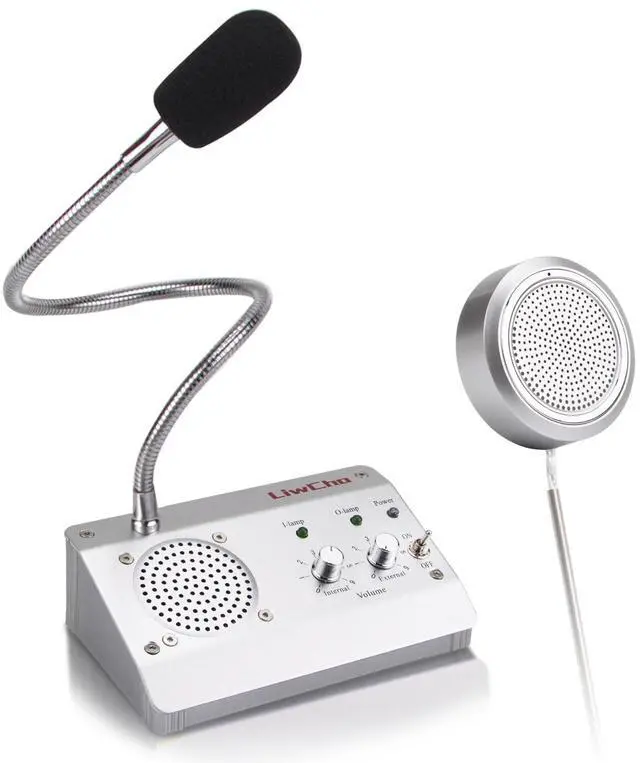
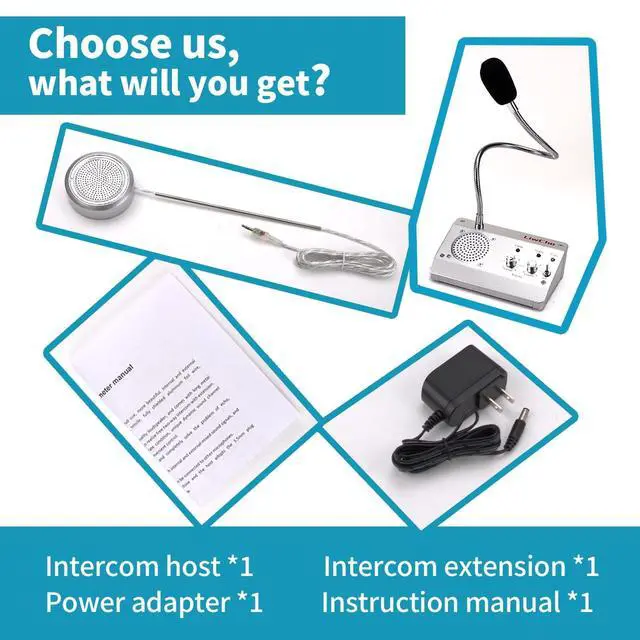
- LiwCho Intercom host *1
- LiwCho Intercom extension *1
- LiwCho Intercom Power adapter *1
- LiwCho Intercom Accessories bag *1 (User Manual *1, double-sided tape *4, fixed wire card *4)

- Plug and play
- The circular auxiliary audio cable is connected to the extension interface Ext of the host, and the Power adapter is connected to the host interface Power, which can be used normally.
- Simple operation
- As long as the switch is gently dialed, the walkie-talkie is started, the internal and external volume control knob is adjusted to the appropriate position, the walkie-talkie can achieve the working state that best meets your needs.
- If there is interference or screaming problem, please...
- 1. Try to adjust the distance between the host and the extension to avoid being too close, and it is best to have obstacles separated;
- 2. Adjust to the appropriate size of the internal and external volume, which is also possible to reduce noise;
- 3. Check whether there is any interference source, such as induction cooker, detector, etc., try to keep a distance;
- If the power supply is normally connected, the switch is turned on, the working light is on, but the intercom has no sound, please...
- 1. Check whether cables are securely inserted between the host and the secondary unit;
- 2. Whether the interface is accurate, The auxiliary audio line is connected to Ext jack;
- 3. Check whether the internal and external volume control knobs are at the lowest level;
- 4. Ensure that customers speak close to the microphone, preferably within 12 inches of the distance, in order to better reception;

Sensitive microphone
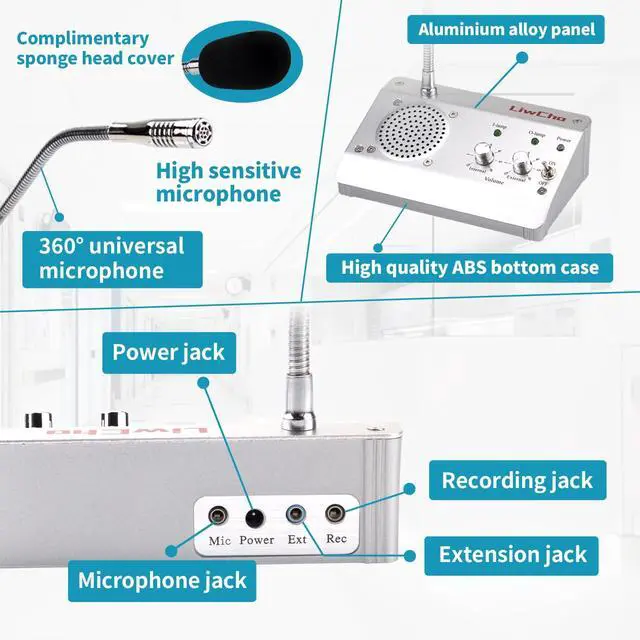
High quality microphone, high sensitivity, 360° all-round pickup. In particular, we also present a sponge cover for the microphone head, so as to ensure that the intercom is more hygienic and more beautiful, but it does not affect the pickup effect.

High power speaker
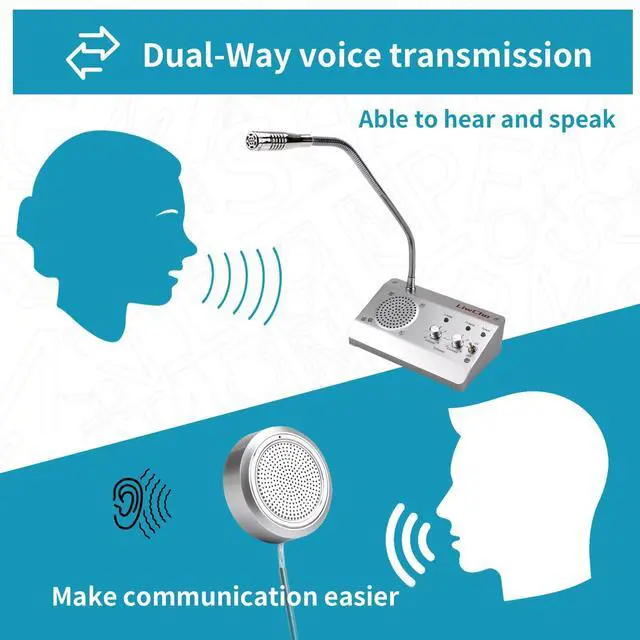
The main machine and the auxiliary machine have built-in high-power speakers, and each speaker has undergone strict factory testing to ensure the large volume of the speaker and the intercom amplification is clearer.

Flexible microphone
The metal soft rod can rotate the direction of 360°, also known as the universal talk rod, which facilitates the setting of various positions of the intercom.

Volume adjustment
Set the volume control knob, just gently rotate, you can control the size of the volume, simple and convenient, as you like.

Connect external devices
Rec jack can connect external recording equipment to meet a variety of office needs;
Mic jack can be connected to a wireless microphone and become a mobile walkie-talkie, which is no longer affected by the distance of the window intercom.

Save desktop space
Powerful but small host, save desktop space, free up space for other devices.

 LiwCho LC-936 |  LiwCho LC-881 |  LiwCho LC-9908-4H |  LiwCho LC-9908-10 |  LiwCho LC-9908-10H | |
|---|---|---|---|---|---|
| Customer Reviews | — | — | — | — | — |
| Price | — | — | — | — | — |
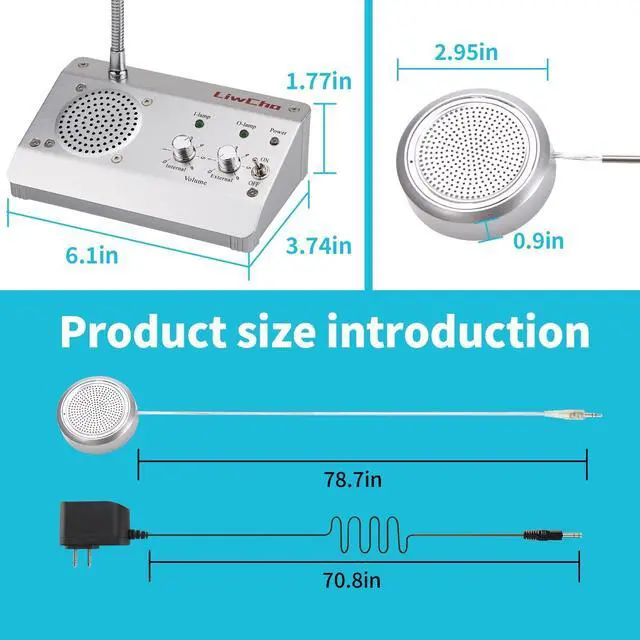
| Machine size | 4.57x 3.19 x1.06inch | 4.61x 3.74 x2.16inch | 6.1 x 3.74 x 1.77 inch | 6.1 x 3.74 x 1.77 inch | 6.1 x 3.74 x 1.77 inch |
| Material | ABS | Aluminum Alloy /ABS | Aluminum Alloy /ABS | Aluminum Alloy /ABS | Aluminum Alloy /ABS |
| Line length | 78.74inch | 78.74inch | 78.74inch | 78.74inch | 78.74inch |
| Volume adjustment | ? | ? | ? | ? | ? |
| Recording jack | ? | ? | ? | ? | ? |
| Microphone style | Built-in Mic | Flexible Mic | Flexible Mic | Flexible Mic | Flexible Mic |
| Extension power | 10W | 4W | 4W | 10W | 10W |
Packing list
- LiwCho Intercom host *1
- LiwCho Intercom extension *1
- LiwCho Intercom Power adapter *1
- LiwCho Intercom Accessories bag *1 (User Manual *1, double-sided tape *4, fixed wire card *4)
- Plug and play
- The circular auxiliary audio cable is connected to the extension interface Ext of the host, and the Power adapter is connected to the host interface Power, which can be used normally.
- Simple operation
- As long as the switch is gently dialed, the walkie-talkie is started, the internal and external volume control knob is adjusted to the appropriate position, the walkie-talkie can achieve the working state that best meets your needs.
- If there is interference or screaming problem, please...
- 1. Try to adjust the distance between the host and the extension to avoid being too close, and it is best to have obstacles separated;
- 2. Adjust to the appropriate size of the internal and external volume, which is also possible to reduce noise;
- 3. Check whether there is any interference source, such as induction cooker, detector, etc., try to keep a distance;
- If the power supply is normally connected, the switch is turned on, the working light is on, but the intercom has no sound, please...
- 1. Check whether cables are securely inserted between the host and the secondary unit;
- 2. Whether the interface is accurate, The auxiliary audio line is connected to Ext jack;
- 3. Check whether the internal and external volume control knobs are at the lowest level;
- 4. Ensure that customers speak close to the microphone, preferably within 12 inches of the distance, in order to better reception;
Sensitive microphone
High quality microphone, high sensitivity, 360° all-round pickup. In particular, we also present a sponge cover for the microphone head, so as to ensure that the intercom is more hygienic and more beautiful, but it does not affect the pickup effect.
High power speaker
The main machine and the auxiliary machine have built-in high-power speakers, and each speaker has undergone strict factory testing to ensure the large volume of the speaker and the intercom amplification is clearer.
Flexible microphone
The metal soft rod can rotate the direction of 360°, also known as the universal talk rod, which facilitates the setting of various positions of the intercom.
Volume adjustment
Set the volume control knob, just gently rotate, you can control the size of the volume, simple and convenient, as you like.
Connect external devices
Rec jack can connect external recording equipment to meet a variety of office needs;
Mic jack can be connected to a wireless microphone and become a mobile walkie-talkie, which is no longer affected by the distance of the window intercom.
Save desktop space
Powerful but small host, save desktop space, free up space for other devices.
LiwCho LC-936 | LiwCho LC-881 | LiwCho LC-9908-4H | LiwCho LC-9908-10 | LiwCho LC-9908-10H | |
|---|---|---|---|---|---|
| Customer Reviews | — | — | — | — | — |
| Price | — | — | — | — | — |
| Machine size | 4.57x 3.19 x1.06inch | 4.61x 3.74 x2.16inch | 6.1 x 3.74 x 1.77 inch | 6.1 x 3.74 x 1.77 inch | 6.1 x 3.74 x 1.77 inch |
| Material | ABS | Aluminum Alloy /ABS | Aluminum Alloy /ABS | Aluminum Alloy /ABS | Aluminum Alloy /ABS |
| Line length | 78.74inch | 78.74inch | 78.74inch | 78.74inch | 78.74inch |
| Volume adjustment | ? | ? | ? | ? | ? |
| Recording jack | ? | ? | ? | ? | ? |
| Microphone style | Built-in Mic | Flexible Mic | Flexible Mic | Flexible Mic | Flexible Mic |
| Extension power | 10W | 4W | 4W | 10W | 10W |