




 here!
here!
I’m your shopping assistant for PC builds, upgrades, and everything tech.
Got questions? Ask away!
Start a conversation
here!
I’m your shopping assistant for PC builds, upgrades, and everything tech.
Got questions? Ask away!
Start a conversation



Any questions? Ask CelesteSM will help you find out quickly.
Note:

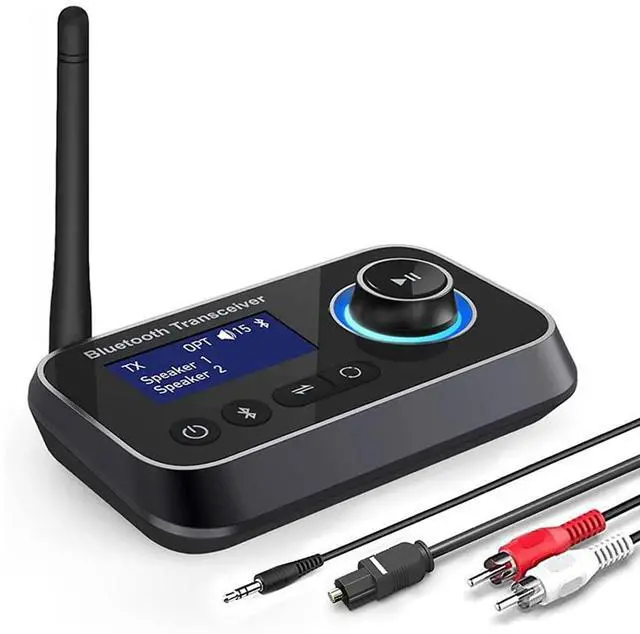
- Bluetooth 5.3 receiver transmitter *1
- Optical Audio Cable *1
- 3.5mm Audio Cable *1
- 3.5mm to RCA Audio Cable *1
- Type-C Power Cable *1
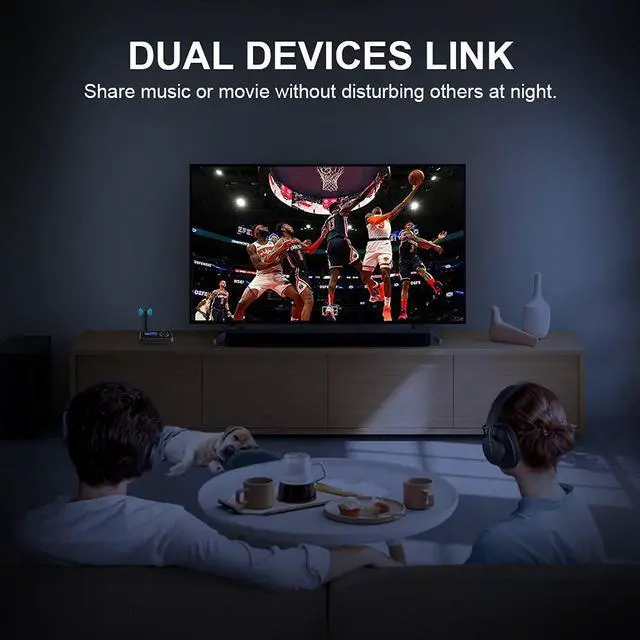
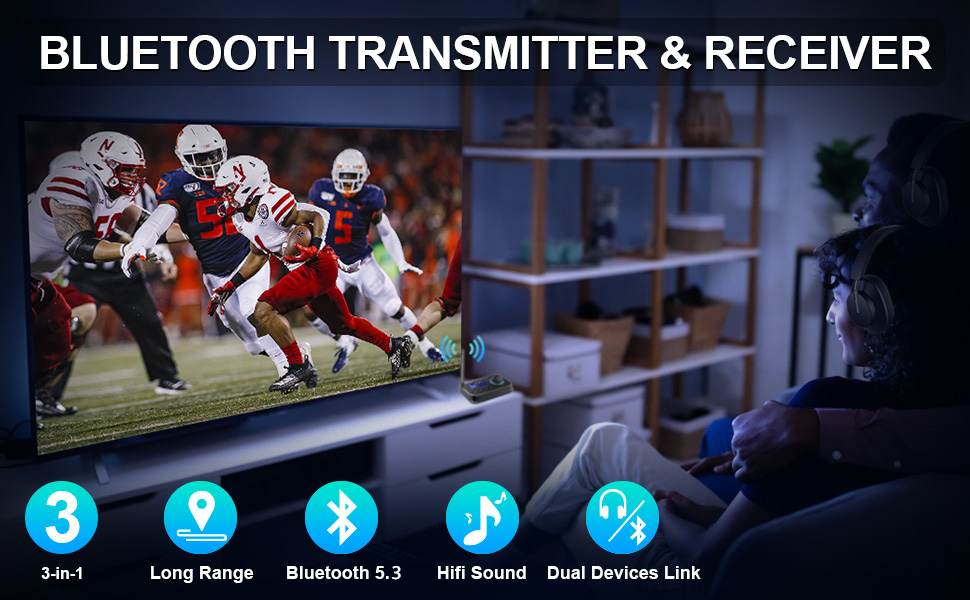
Are you looking for something you could use bluetooth headphones with your spouse after your kids are in bed without waking them or not annoy neighbors at night?
Do you wanna watch TV both with bluetooth headset and existing sound bar simultaneously, and the 2 output devices can be independently used with appropriate volume?
Ainostone bluetooth transceiver is a multifunctional audio adaptor for home audio system. Perfectly meet your needs. It's what you need for extended Bluetooth range!
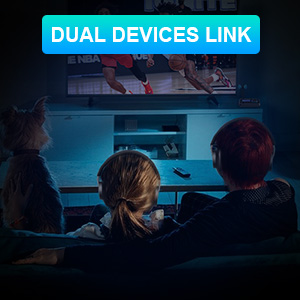
Ainostone bluetooth receiver transmitter with low latency provides a transparent way to pair two wireless devices plus, so if someone wanna listen to soudbar and the other need to use hearing aids or bluetooth headphon with different sound volume. The device can easily solve this problem. And with display indicators you can clearly see when wireless devices connect.
Note:
If the signal connection is unstable, you can try resetting the transmitter and Bluetooth device.
Transmitter initialization:
Long press the Bluetooth identification button to disconnect, then turn off and restart.
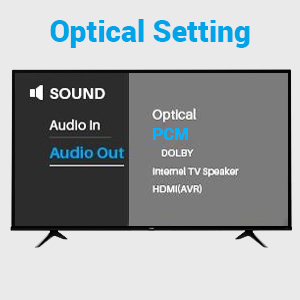
If you connect the adapter to tv through optical cable, please notice: The conversion of fiber optic to AUX analog signals requires setting PCM, which is the audio source format, in the TV.
Generally, in TV settings, find the audio mode and click on Settings - Sound - Digital Audio Output - Select "PCM".
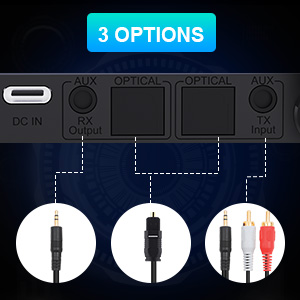
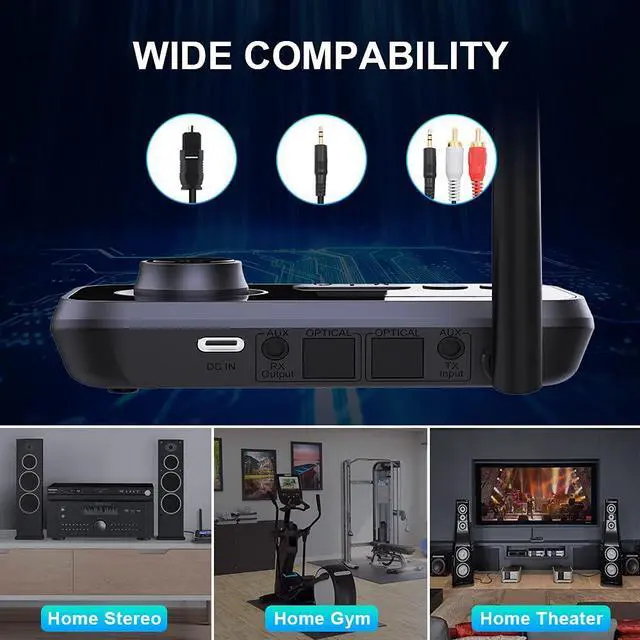
Bluetooth transmitter supports digital OPTICAL, 3.5mm AUX and 3.5mm to RCA, 3 output ways makes it compatible with 99% of the TV.
Note:
FAQ:
Q1. Cannot connect to optical cable and RCA at the same time.
A: In three modes (TX/RX/BYPASS), optical is default. In the case of optical fiber insertion, if AUX is connected at the same time, AUX will take precedence, the machine will automatically recognize AUX and display it. But RCA cannot be used with optical fiber at the same time, you need to unplug the unused cable, otherwise both will not work.
Q2: Cannot connect to my device.
A: Please confirm:
1. You have selected the correct mode.
2. your Bluetooth device was in pairing status and that the both devices are within 1m during pairing.
Q3: The Bluetooth audio transmitter is connected to my TV via fiber optic but there is no sound.
A:Please check you have set PCM on the TV. In general, you will find the audio mode in the TV settings and click "Settings - Sound - Digital Audio Output - Select "PCM"".
Q4: The connection is unstable and easy to disconnect.
A: Please initialize the Bluetooth transmitter, and then reconnect again to see whether there is still the same problem.
Transmitter initialization: Long press the Bluetooth identification button to disconnect, then turn off and restart.
Q5: There is a delay.
A: The delay is also related to the connected devices, and surrounding Bluetooth devices can also affect signal transmission. It is recommended to turn off other surrounding Bluetooth devices and try to connect to other devices to confirm if the same problem persists.
Q6: After power off, it does not remember the last paired devices.
Please initialize the Bluetooth adapter and then connect again.
How to initialize adapter: Long press the Bluetooth identification key to disconnect, then deactivate and restart.
Note:
- Bluetooth 5.3 receiver transmitter *1
- Optical Audio Cable *1
- 3.5mm Audio Cable *1
- 3.5mm to RCA Audio Cable *1
- Type-C Power Cable *1
Are you looking for something you could use bluetooth headphones with your spouse after your kids are in bed without waking them or not annoy neighbors at night?
Do you wanna watch TV both with bluetooth headset and existing sound bar simultaneously, and the 2 output devices can be independently used with appropriate volume?
Ainostone bluetooth transceiver is a multifunctional audio adaptor for home audio system. Perfectly meet your needs. It's what you need for extended Bluetooth range!
Ainostone bluetooth receiver transmitter with low latency provides a transparent way to pair two wireless devices plus, so if someone wanna listen to soudbar and the other need to use hearing aids or bluetooth headphon with different sound volume. The device can easily solve this problem. And with display indicators you can clearly see when wireless devices connect.
Note:
If the signal connection is unstable, you can try resetting the transmitter and Bluetooth device.
Transmitter initialization:
Long press the Bluetooth identification button to disconnect, then turn off and restart.
If you connect the adapter to tv through optical cable, please notice: The conversion of fiber optic to AUX analog signals requires setting PCM, which is the audio source format, in the TV.
Generally, in TV settings, find the audio mode and click on Settings - Sound - Digital Audio Output - Select "PCM".
Bluetooth transmitter supports digital OPTICAL, 3.5mm AUX and 3.5mm to RCA, 3 output ways makes it compatible with 99% of the TV.
Note:
FAQ:
Q1. Cannot connect to optical cable and RCA at the same time.
A: In three modes (TX/RX/BYPASS), optical is default. In the case of optical fiber insertion, if AUX is connected at the same time, AUX will take precedence, the machine will automatically recognize AUX and display it. But RCA cannot be used with optical fiber at the same time, you need to unplug the unused cable, otherwise both will not work.
Q2: Cannot connect to my device.
A: Please confirm:
1. You have selected the correct mode.
2. your Bluetooth device was in pairing status and that the both devices are within 1m during pairing.
Q3: The Bluetooth audio transmitter is connected to my TV via fiber optic but there is no sound.
A:Please check you have set PCM on the TV. In general, you will find the audio mode in the TV settings and click "Settings - Sound - Digital Audio Output - Select "PCM"".
Q4: The connection is unstable and easy to disconnect.
A: Please initialize the Bluetooth transmitter, and then reconnect again to see whether there is still the same problem.
Transmitter initialization: Long press the Bluetooth identification button to disconnect, then turn off and restart.
Q5: There is a delay.
A: The delay is also related to the connected devices, and surrounding Bluetooth devices can also affect signal transmission. It is recommended to turn off other surrounding Bluetooth devices and try to connect to other devices to confirm if the same problem persists.
Q6: After power off, it does not remember the last paired devices.
Please initialize the Bluetooth adapter and then connect again.
How to initialize adapter: Long press the Bluetooth identification key to disconnect, then deactivate and restart.
Are you looking for a Bluetooth audio adapter that can convert your non-Bluetooth home device, e.g. home stereo or old TV into Bluetooth?
It is best that this Bluetooth transmitter receiver optical allows you and your partner to watch movie or enjoy music in the evening, where it does not disturb your neighbors and still be able to enjoy the background noise.
It is best to equiped with LCD display, then you know what kind of mode you were in and which devices are connected.
It must also have a long transmit/receive range so that you can enjoy the music from every corner of the room when carrying your mobile phone.
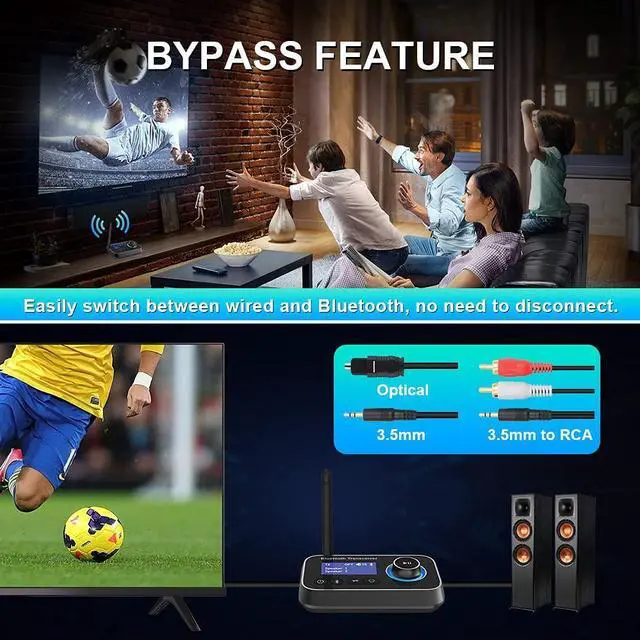
It must also equiped with a switch button that prevents annoying and unnecessary connections, while eliminating frequent disconnection of the plug.
Ainostone Bluetooth 5.3 Transmitter Receiver - Perfect Bluetooth for the old home stereo with all functions you wanna!!! So that your wishes of making a non-Bluetooth TV-device BT-capable by using an audio adapter has come true.
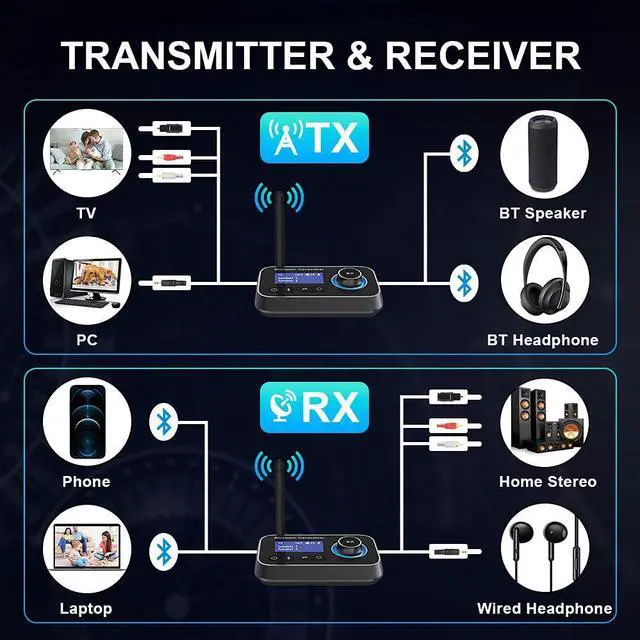
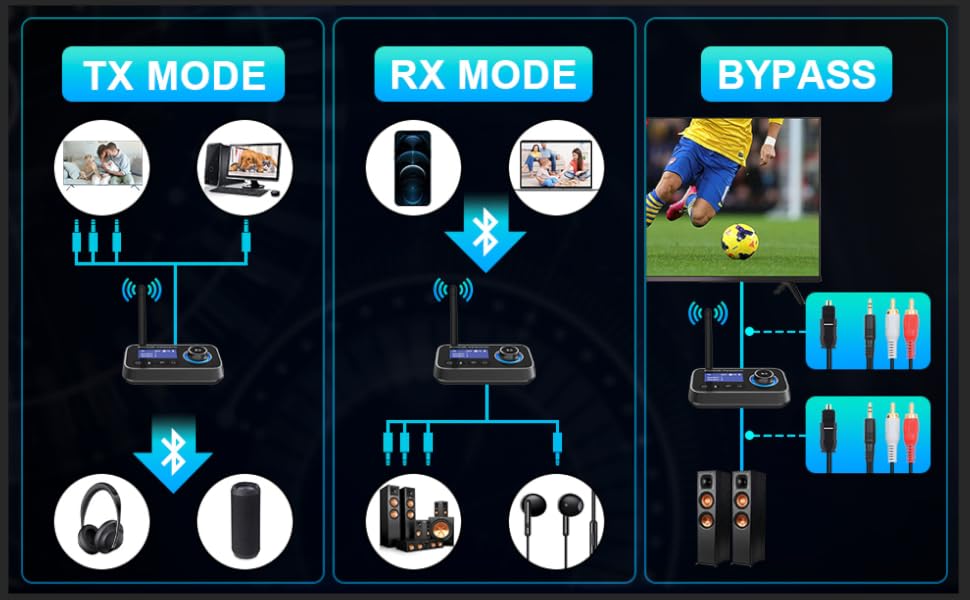
3 Modes
Transmitter Mode: Allows non-Bluetooth-devices to retrofitted into Bluetooth and thus an audio stream can be sent e.g. to a BT speaker or headphones.< Br> Receiver Mode: Enable Bluetooth on your wired speakers, stereo, home theater. Receive audio wirelessly from any Bluetooth device.< Br> Bypass Mode: In Bypass mode, you can easily connect various audio systems to TV using optical/ aux or RCA cables. When connecting the TV, please set to PCM Audio on TV.
Bluetooth 5.3 Audio Adapter
Equipped with Bluetooth 5.3 chip for the faster data and music transmission, the Bluetooth TV Adapter improves the performance of Bluetooth audio.< Br>< Br> Dual Connections
You can connect and use the Bluetooth TV Transmitter with two audio receivers such as Bluetooth headphones/speakers simultaneously in TX mode. Sharing TV with family/friend/lover at night with this TV Bluetooth audio transmitter. You are NO LONGER AN ISLAND at this moment.< Br> Volume control function allows you adjust the volume through adapter. Please note that when adjusting the volume, the volume of both headphones will be adjusted simultaneously. < Br>< Br> 1.8-Inch LCD display & ON/OFF Switch Button
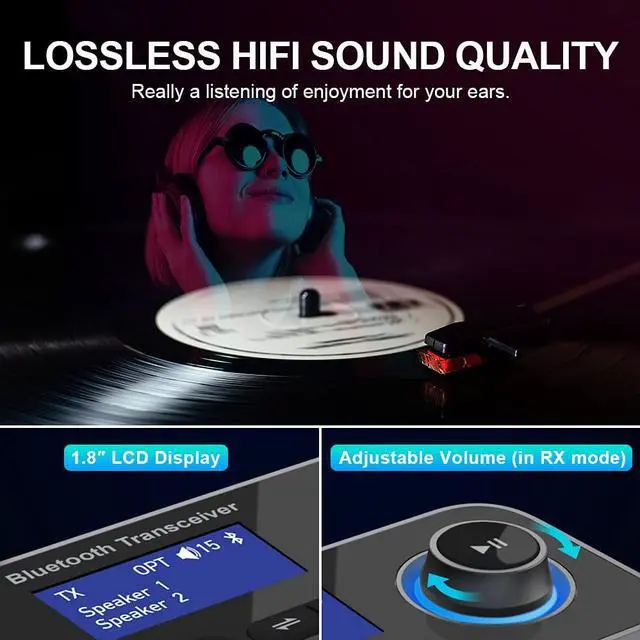
You can immediately knows whether the Bluetooth 5.3 Transmitter Receiver recognizes a nearby headphones or not, then select it in the display and confirm with OK. The on/off switch button avoids always unplugging the plug.< br>
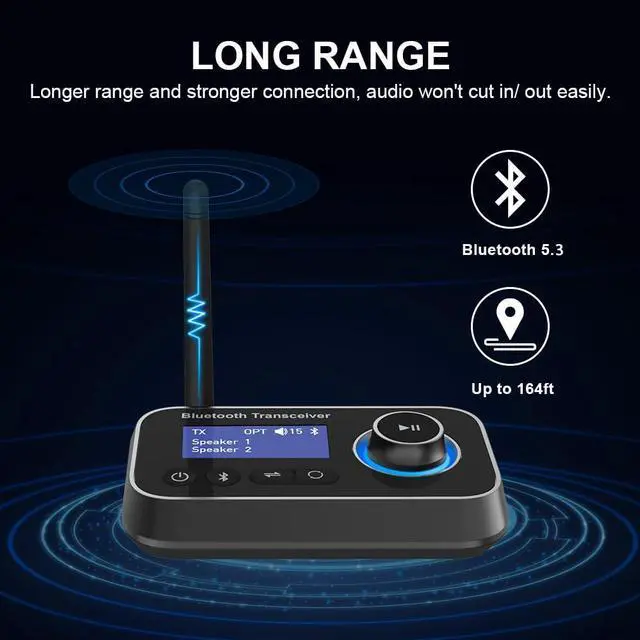
Long Range
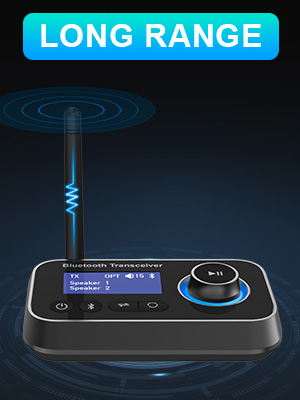
Due to external antenna, the transmission range is significantly better outside as well as in the garden than other Bluetooth transmitter receiver for home stereo. Enough range to take your phone anywhere.< br>
Wide Compatibility
Packed with optical audio cable, 3.5mm aux cable and 3.5mm to RCA audio cable. The Bluetooth Audio Transmitter is compatible with most TVs. Make sure to set audio format to PCM when connect a TV with Optical output.
| Product Dimensions | 3.3 x 1.2 x 0.47 inches |
| Item Weight | 6.4 ounces |
| Item model number | AS0401-GREY-2 |
| Date First Available | January 5, 2025 |
| Manufacturer | Ainostone |


