Your Browsing History
Meet Your Seller
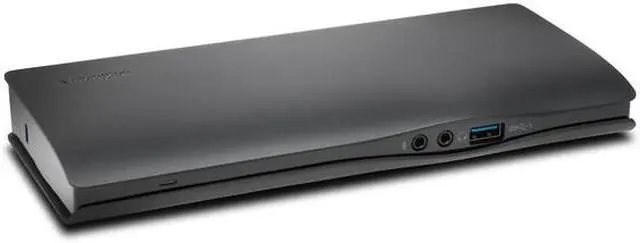
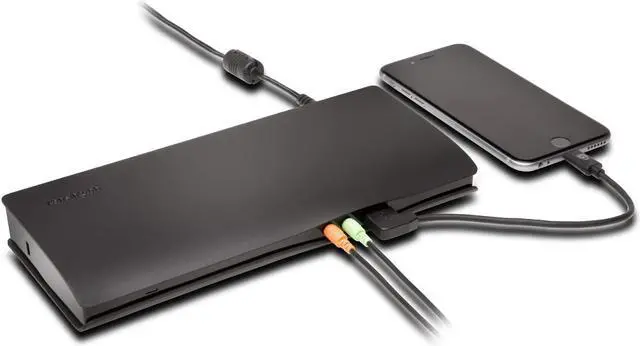
Kensington SD4500 USB-C Universal 5Gbps Dual-4K Dock - DisplayPort and HDMI Ports - docking station - HDMI | K38230WW with free Retractable stereo headphones
- The perfect travel companion for mobile users
- Designed to fit in pocket & 3.5 mm jack
- USB-C Docking Station for 2015/2016 MacBook Retina 12
- Dell XPS 13 9350/XPS 15 9550,Dell Precision 5510
- Best For: USB-C Laptops & Ultrabooks and Monitors that support up to 4K (does not support USB-C Power Delivery)
- Connection Technology: USB-C Alt Mode
- Compatibility: Chrome OS 44 or above, macOS 10.10 or above, Windows 7 or above
- # of Monitors Supported: 2
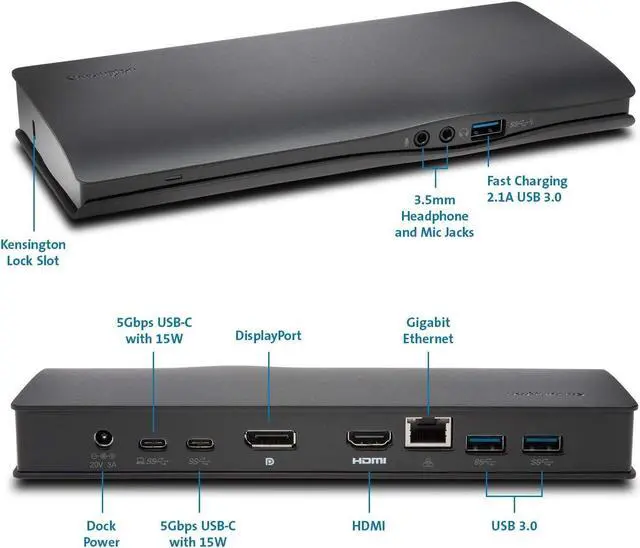
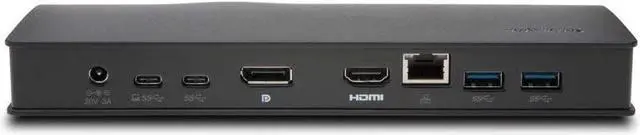
- Video Ports: 1 x HDMI v2.0 and 1 x DisplayPort v1.2
- Maximum Resolution: Single Monitor: 4096 x 2160 @ 60Hz and Dual Monitors: 4096 x 2160 @ 30Hz (macOS and Chrome OS devices only support a single display)
- Plug & Play installation without need for drivers or downloads (macOS and Windows 7 require a one-time driver download)
- System Requirements: Host device must support DisplayPort Alt mode over USB-C, as well as Multi-Stream Transport (MST) for multi-monitor support. Mac and Chrome do not support dual displays via MST today.
+
+
Overview
Specs
Reviews
Any questions? Our AI beta will help you find out quickly.
Try me now
>USB-C™ Connectivity
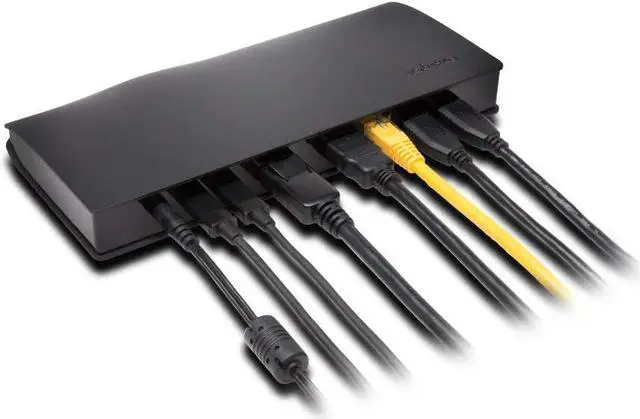
A single cable allows you to plug in your Windows®, Mac OS® or Chrome OS® laptop and have access to your entire desktop setup, including 4K video and USB 3.1 Gen 1 SuperSpeed data transfer.
>Plug & Play Installation
Simply plug in the dock and it will run automatically without the need for drivers or downloads (Mac OS requires one-time Ethernet driver download)
>4K for Dual Monitors
Display content up to the clarity of Ultra HD with 4096x2160 resolution via DisplayPort and HDMI ports for improved productivity
>Zero Footprint Mounting
By purchasing the Kensington Dock Mount (K33959WW), you can quickly and easily mount the SD4500 to the back of a 75mm or 100mm VESA-compatible monitor, ideal for desktops that are too cluttered or have limited space
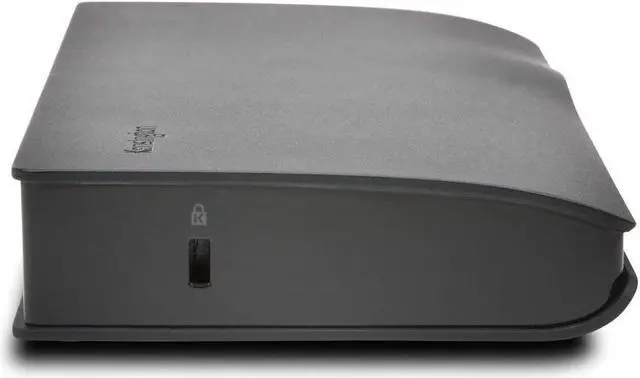
>Kensington Security Slot™
Allows you to easily attach a cable lock from the #1 brand in physical device security and prevent theft from your desktop
>USB Accessory Expansion
Three USB 3.1 Gen 1 ports and one USB-C port allow you to connect a variety of peripherals like a mouse, keyboard or flash drive. One of the USB 3.1 ports on the front of the dock can be used as a 2.1A fast charging port for tablets and smartphones.
>Gigabit Ethernet Port
Provides a reliable wired connection to a network or the Internet
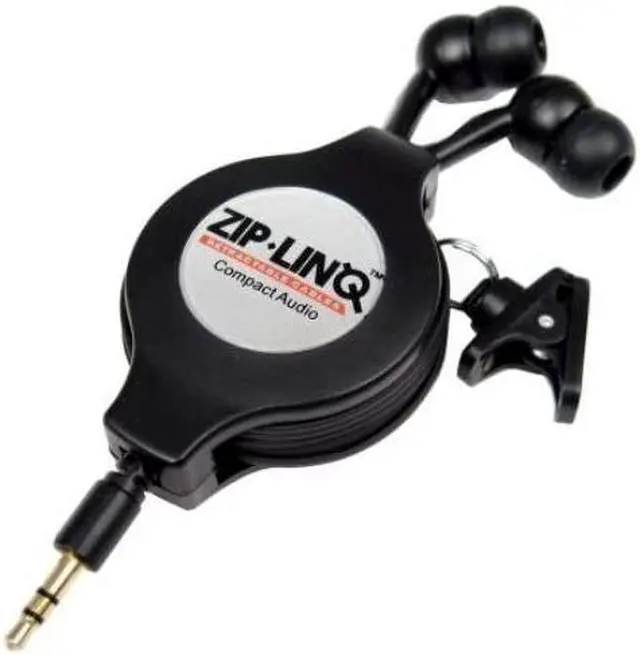
Retractable 3.5 mm jack Earbuds - Black
Easily extends to over 48 by pulling both ends. Simply pull again and it quickly retracts back into its housing.

A single cable allows you to plug in your Windows®, Mac OS® or Chrome OS® laptop and have access to your entire desktop setup, including 4K video and USB 3.1 Gen 1 SuperSpeed data transfer.
>Plug & Play Installation
Simply plug in the dock and it will run automatically without the need for drivers or downloads (Mac OS requires one-time Ethernet driver download)
>4K for Dual Monitors
Display content up to the clarity of Ultra HD with 4096x2160 resolution via DisplayPort and HDMI ports for improved productivity
>Zero Footprint Mounting
By purchasing the Kensington Dock Mount (K33959WW), you can quickly and easily mount the SD4500 to the back of a 75mm or 100mm VESA-compatible monitor, ideal for desktops that are too cluttered or have limited space
>Kensington Security Slot™
Allows you to easily attach a cable lock from the #1 brand in physical device security and prevent theft from your desktop
>USB Accessory Expansion
Three USB 3.1 Gen 1 ports and one USB-C port allow you to connect a variety of peripherals like a mouse, keyboard or flash drive. One of the USB 3.1 ports on the front of the dock can be used as a 2.1A fast charging port for tablets and smartphones.
>Gigabit Ethernet Port
Provides a reliable wired connection to a network or the Internet
Retractable 3.5 mm jack Earbuds - Black
Easily extends to over 48 by pulling both ends. Simply pull again and it quickly retracts back into its housing.
Warranty & Returns
Warranty, Returns, And Additional Information
Warranty
- Please contact the Seller directly for warranty information. Warranty information may also be found on the Manufacturer's website.
- CONTACT
Return Policies
- Return for refund within: 30 days
- Return for replacement within: 30 days
- This item is covered by BuyCoolGadgets Return Policy
Manufacturer Contact Info
- For a directory of all our manufacturers, please click below.
- Manufacturers Directory
LOADING...