

Your Browsing History
- Free 30-day Returns
$33.99



Meet Your Seller

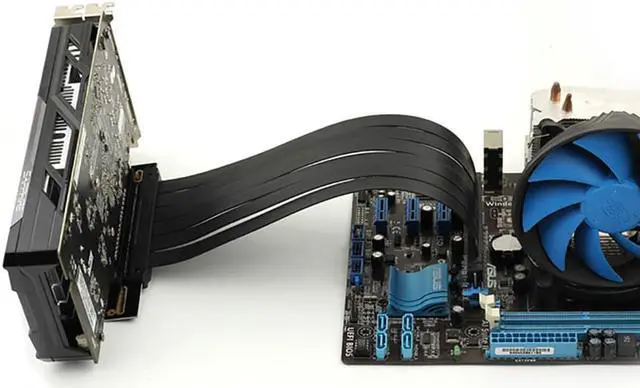


PCIe 4.0 x16 Riser Cable 200mm 90 Degree Right Angle PCI-E Gen4 GPU Extension Cable, High Speed Flexible Graphics Card Extender for Vertical Mount Gaming PC Case (Black)
- FULL-SPEED PCIE 4.0 X16 PERFORMANCE This riser cable delivers full PCIe 4.0 x16 bandwidth with peak speeds up to 32GB/s (unidirectional) and over 64GB/s (bi-directional). No performance sacrifice your Gen4 GPU runs at full speed. Backward compatible with PCIe 3.0/2.0/1.0.
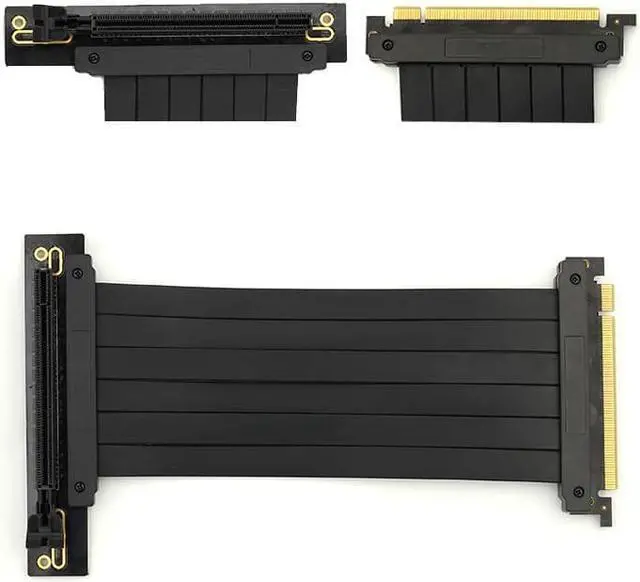
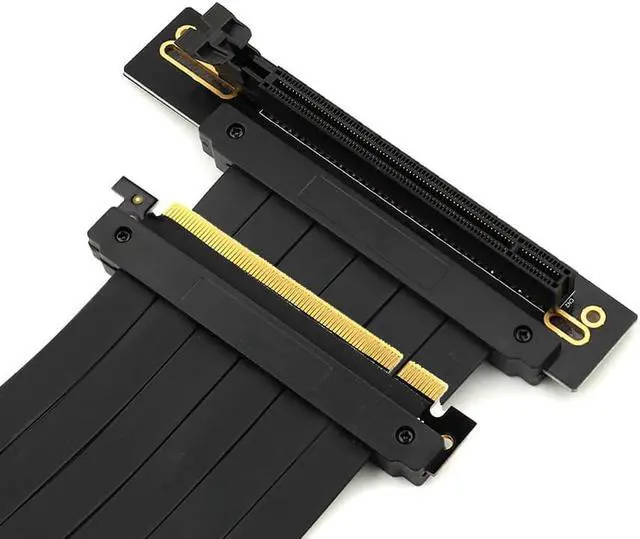
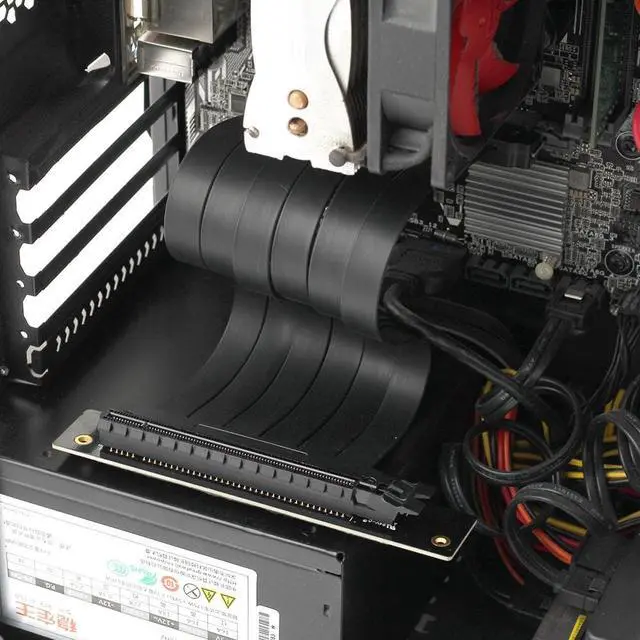
- 90° RIGHT ANGLE CONNECTOR SPACE-SAVING DESIGN Features a 90-degree right angle connector optimized for clean cable management in compact PC cases, SFF builds, and vertical GPU mounting setups. The angled design reduces strain on the PCIe slot and allows for flexible routing in tight spaces.
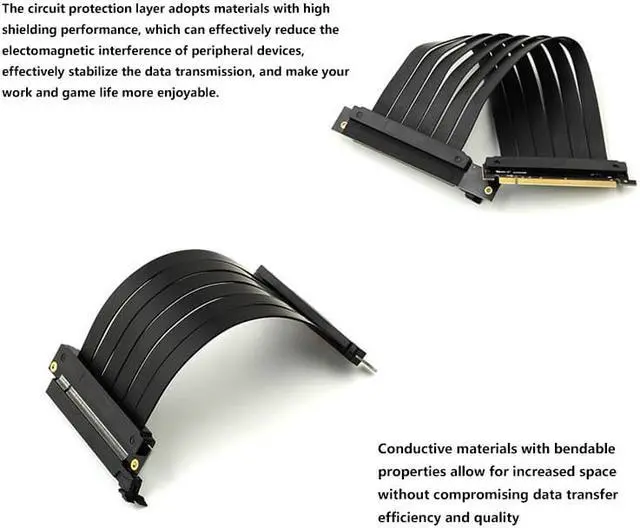
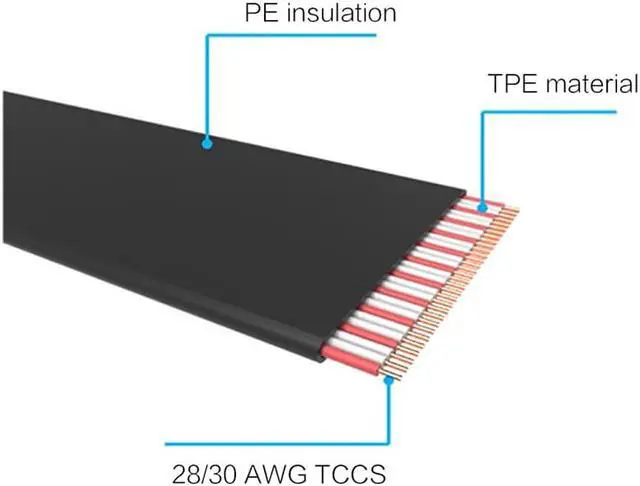
- ADVANCED EMI SHIELDING STABLE SIGNAL TRANSMISSION Each differential signal pair is individually foil-wrapped, minimizing electromagnetic interference. Constructed with silver-plated copper core wrapped in Teflon and Aluminum foil with a PVC protective coating for superior conductivity and almost attenuation-free signal transmission.
- FLEXIBLE & DURABLE CONSTRUCTION Features a slim, flat, and foldable design for easy cable management and routing inside any case. Gold-plated PCI pins ensure maximum durability with 400g holding force per contact pair. High-quality solder points provide superior conductivity and long-lasting reliability.
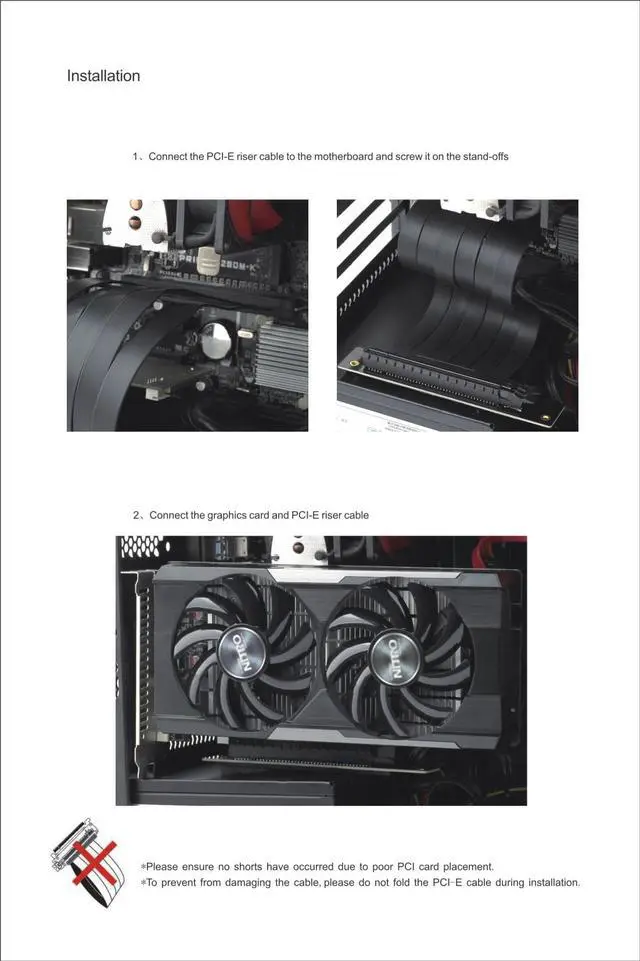
- PLUG-AND-PLAY EASY INSTALLATION Simply connect the riser cable to your motherboards PCIe x16 slot and plug your graphics card into the other end. No drivers or software required. The 200mm (7.87 inches) length provides the perfect balance
+
+
Overview
Specs
Reviews

Any questions? Our AI mode will help you find out quickly.
Try me now
About this item
- FULL-SPEED PCIE 4.0 X16 PERFORMANCE This riser cable delivers full PCIe 4.0 x16 bandwidth with peak speeds up to 32GB/s (unidirectional) and over 64GB/s (bi-directional). No performance sacrifice your Gen4 GPU runs at full speed. Backward compatible with PCIe 3.0/2.0/1.0.
- 90° RIGHT ANGLE CONNECTOR SPACE-SAVING DESIGN Features a 90-degree right angle connector optimized for clean cable management in compact PC cases, SFF builds, and vertical GPU mounting setups. The angled design reduces strain on the PCIe slot and allows for flexible routing in tight spaces.
- ADVANCED EMI SHIELDING STABLE SIGNAL TRANSMISSION Each differential signal pair is individually foil-wrapped, minimizing electromagnetic interference. Constructed with silver-plated copper core wrapped in Teflon and Aluminum foil with a PVC protective coating for superior conductivity and almost attenuation-free signal transmission.
- FLEXIBLE & DURABLE CONSTRUCTION Features a slim, flat, and foldable design for easy cable management and routing inside any case. Gold-plated PCI pins ensure maximum durability with 400g holding force per contact pair. High-quality solder points provide superior conductivity and long-lasting reliability.
- PLUG-AND-PLAY EASY INSTALLATION Simply connect the riser cable to your motherboards PCIe x16 slot and plug your graphics card into the other end. No drivers or software required. The 200mm (7.87 inches) length provides the perfect balance enough reach for vertical mounting without excess cable clutter.
- WIDE COMPATIBILITY Compatible with all PCIe 4.0/3.0 x16 graphics cards and motherboards. Works with major GPU brands including: NVIDIA: RTX 50/40/30 Series AMD: Radeon RX 7000/6000 Series Chipsets: X570, B550, Z690, B660, and future Gen4/Gen5 chipsets IMPORTANT COMPATIBILITY NOTE This is a PCIe 4.0 cable. For motherboards and GPUs that support PCIe 4.0, it will work at full Gen4 speed. For PCIe 3.0 systems, it is backward compatible and will operate at Gen3 speeds. No BIOS settings adjustment required for most systems plug and play.
Want to showcase your graphics card, improve airflow, and reduce GPU sag? The PCIe 4.0 x16 Riser Cable is the essential accessory for any PC builder looking to mount their graphics card vertically. This high-speed extension cable connects your GPU to the motherboard, allowing you to position your graphics card for maximum visual impact and optimal cooling all while maintaining full PCIe 4.0 x16 bandwidth.
Feature Benefit
PCIe 4.0 x16 Full Speed 32GB/s peak bandwidth no performance sacrifice
90° Right Angle Connector 3Space-saving design for compact cases and clean cable management
200mm (7.87) Length Perfect balance enough reach without cable clutter
Silver-Plated Copper Core Superior conductivity wrapped in Teflon & Aluminum foil
EMI Shielding Individual foil-wrapped signal pairs stable transmission
Gold-Plated Contacts Maximum durability 400g holding force per contact
- Gamers Show off your RGB graphics card with a vertical mount
- PC Enthusiasts Improve aesthetics and airflow in custom builds
- Compact Builds Space-saving 90° design fits tight ITX cases
- Thermal Optimization Better GPU cooling with vertical positioning
Step 1: Power off your computer and unplug the power cord.
Step 2: Connect the 90° right angle end of the riser cable to your graphics card.
Step 3: Connect the straight end of the riser cable to your motherboards PCIe x16 slot.
Step 4: Mount your GPU vertically using your cases vertical mounting bracket or a dedicated GPU mount.
Step 5: Secure the cable and route it neatly for clean cable management.
Step 6: Power on your PC and enjoy your vertically mounted GPU.
Technical Specifications| Product Type | PCIe Riser Extension Cable |
| Interface | PCIe 4.0 x16 |
| Connector Type | 90° Right Angle (Female) to 0° (Male) |
| Cable Length | 200mm / 7.87 inches |
| Max Speed | 32GB/s (unidirectional), 64GB/s+ (bi-directional) |
| Compatibility | PCIe 4.0/3.0/2.0/1.0 | <