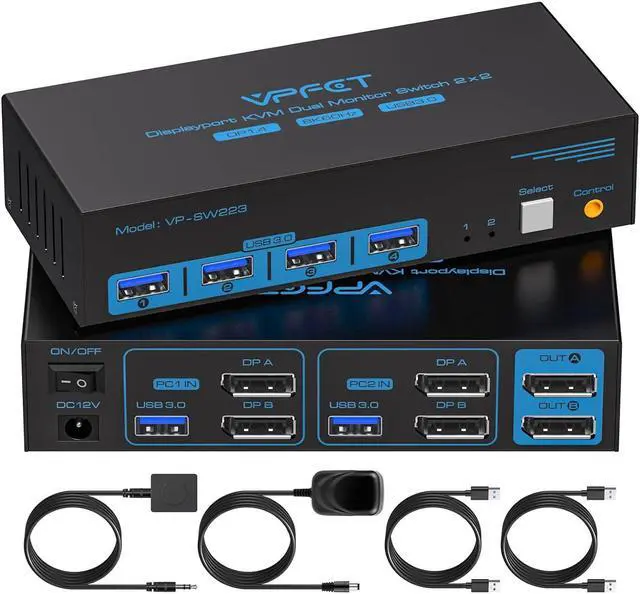
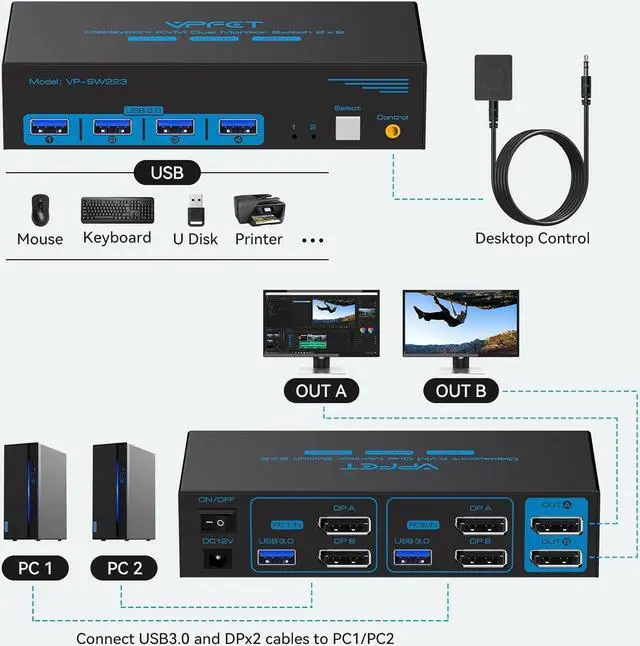
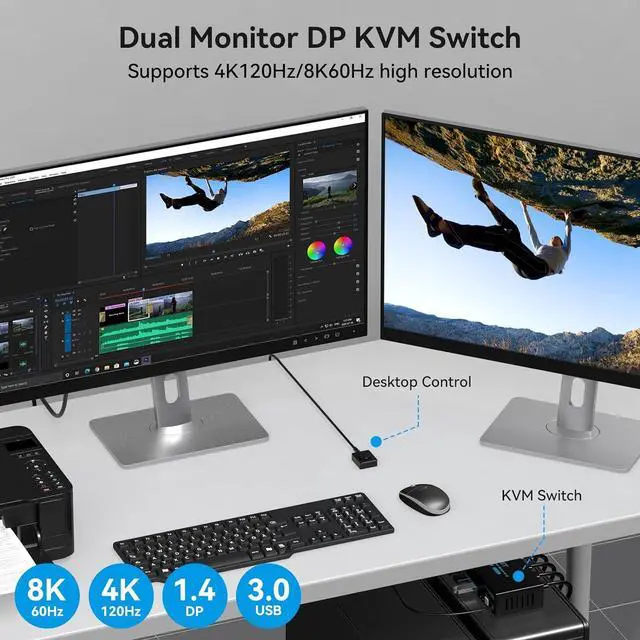
Easy to switch: The indicator light shows the active channel and allows you to switch between two computers at the push of a button. In addition to the push-button switch on the unit, there is a separate wired extension button that allows you to move it to where you need it, and you can place it in a convenient area to switch between devices. Or you can place it under your desk, which can make for a neater, emptier desktop.
Note: Keyboard shortcuts (hotkeys) are not supportedfalseUSB 3.0 KVM
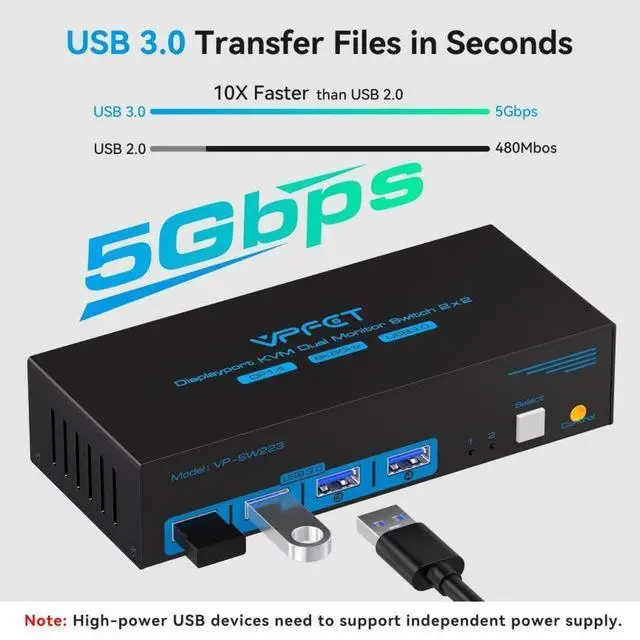
In addition to the mouse and keyboard, the additional USB port allows the two systems to share printers, USB flash drives and other devices. USB 3.0 interface transfer speed up to 5Gbps, saving your data transfer time, so that the USB device to the source of the connection is more smooth, backward compatible with USB 2.0.
Note: Please make sure that each computer is connected to the KVM using a USB cable to connect to the KVM, otherwise the USB device will not be recognizedfalseCompatibility and
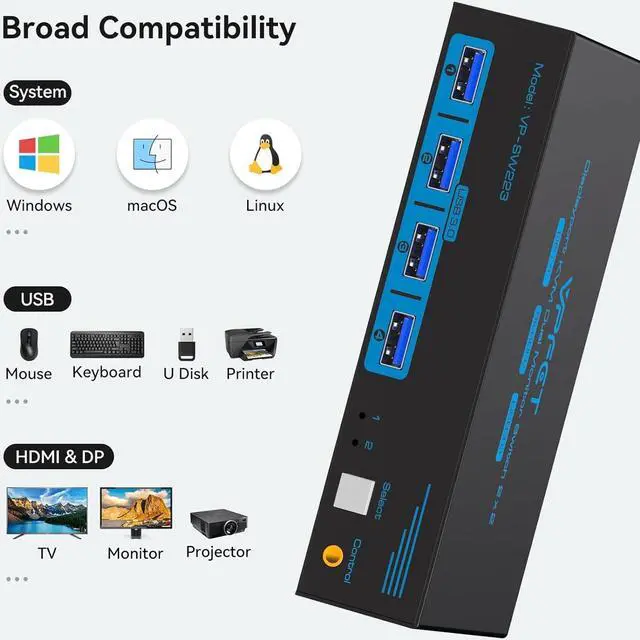
Workmanship: This KVM Switch is sturdy, quiet, compact, drop-proof, heat dissipation, has a metal casing, well-made, and the DC12V/1A power supply provides sufficient energy for the switch to work more stably. And it can be compatible with many operating systems, such as Windows 7/10/8/ 8.1 /7/Vista/XP, Linux and Chrome OSfalse- Displayport Dual Monitor KVM Switch: The DP KVM switch allows two computers or laptops to share two monitors and four USB devices, which can effortlessly handle multiple monitors, whether you are working in a home office or a professional environment, this KVM switch provides seamless switching and increased productivity.
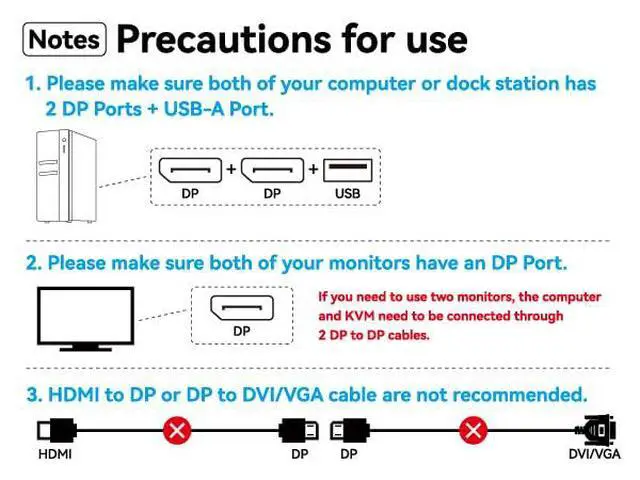
Note: Please make sure your computer has two DP ports and the monitors all have one DP port. All cables are recommended to be no longer than 1.5 metres
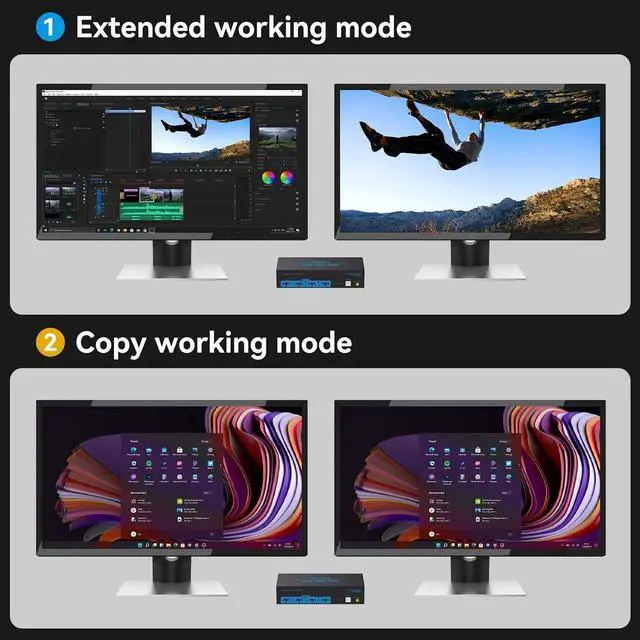
- 8K KVM Extended & Copy ModeDisplayPort KVM supports a visual experience of up to 8K60Hz and 4K120Hz, and is backward compatible with resolutions such as 2K144Hz and 1080P. Extended Mode allows you to move the application window to another screen, providing ample workspace for efficient multitasking. Copy Mode will copy the image from the main screen to the secondary screen, suitable for presenting your PPT or other works.
Please note: Make sure the computer supports extended and copy modes
- Easy to switch: The indicator light shows the active channel and allows you to switch between two computers at the push of a button. In addition to the push-button switch on the unit, there is a separate wired extension button that allows you to move it to where you need it, and you can place it in a convenient area to switch between devices. Or you can place it under your desk, which can make for a neater, emptier desktop.
Note: Keyboard shortcuts (hotkeys) are not supported
- USB 3.0 KVM
In addition to the mouse and keyboard, the additional USB port allows the two systems to share printers, USB flash drives and other devices. USB 3.0 interface transfer speed up to 5Gbps, saving your data transfer time, so that the USB device to the source of the connection is more smooth, backward co