

Your Browsing History
- Free 30-day Returns
$161.87

Meet Your Seller

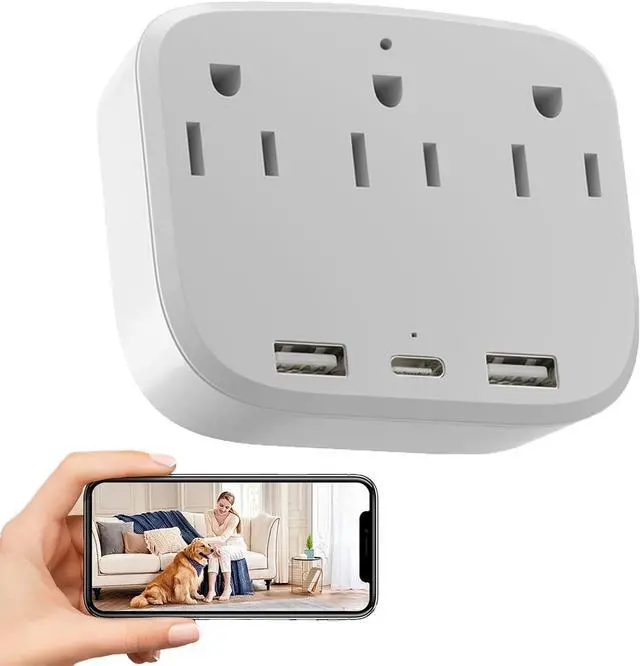


4K Outlet Camera Wall Charger Indoor Cameras Pet Monitor-WiFi Cam with App Remote, Motion Alerts & Local Storage- No Audio
- Ultra HD 4k image: Experience exceptional clarity, it has a wide-angle view of 100 degrees,captures sharp details of pets movements on daylight.(No night vision, don't suggest use it in darkness). No Audio.
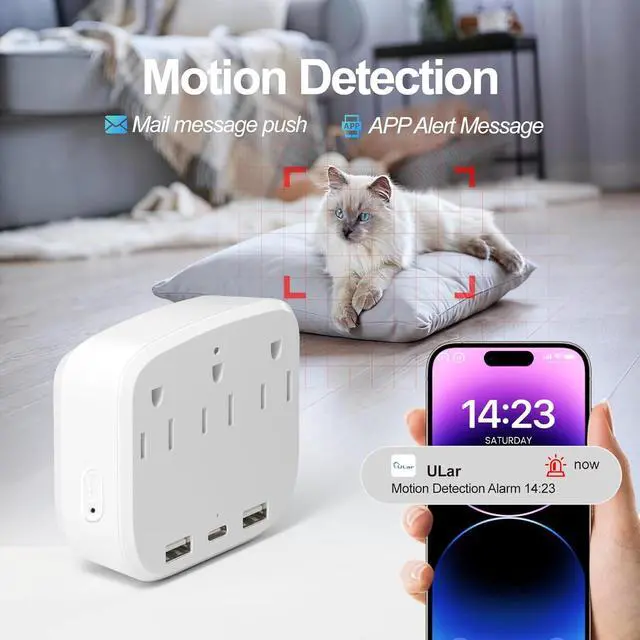
- Motion Detection: It can detect motion, with adjustable sensitivity and you can set your detection zone, so it accurately monitors key areas and reduces false alarms. And it will send you clips and screeshots to you immediately when it detected.
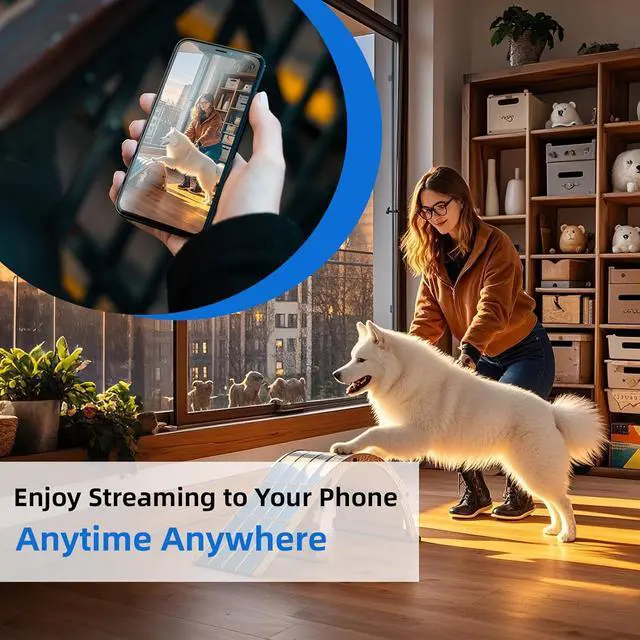
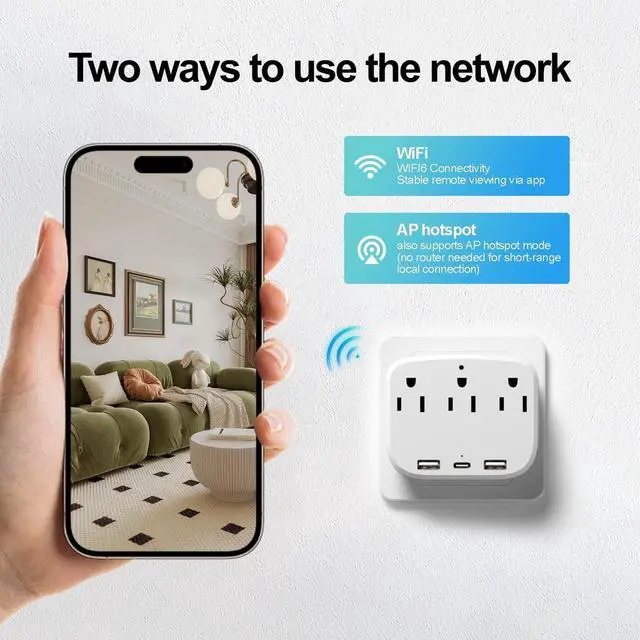
- Reliable Wifi Connection and AP hotspot connection: The optimized 2.4G WiFi6 ensures stable connectivity, you can remotely view the pets wherever you are. Also it supports AP hotspot mode (point-to-point connection without network), which can h you connect it when you are short distance.
+
+
Overview
Reviews

Any questions? Our AI mode will help you find out quickly.
Try me now
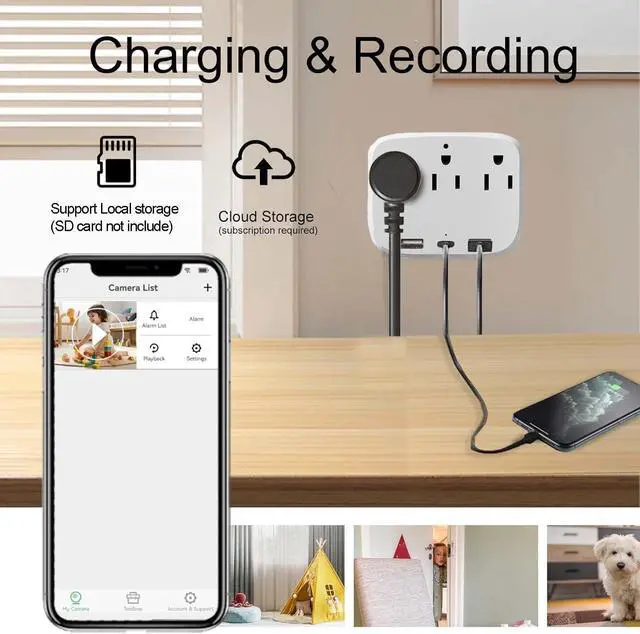
Support Local Storage (SD Card not includes) & Cloud Storage (need subscription), and it support loop recording that can automatically overwrites old footage when SD card is full no manual maintenance required.
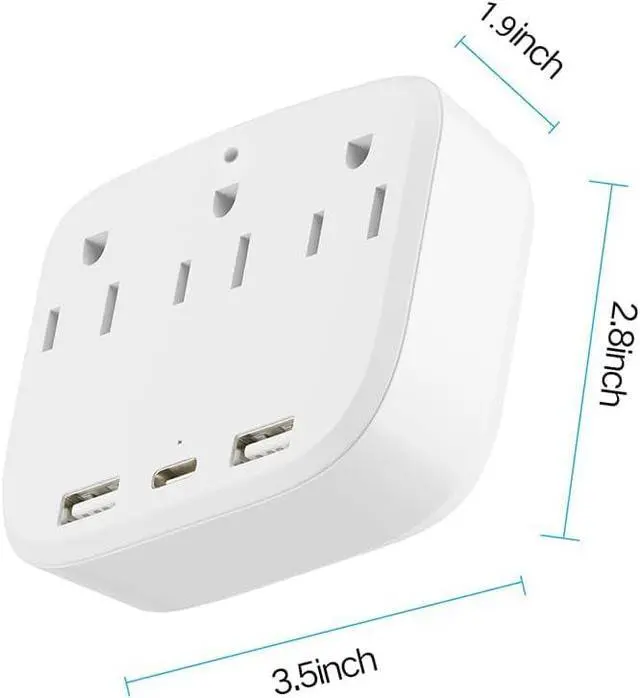
Multi-functional outlet with Type A and Type C ports to charge multiple devices(maximum current 10A, not exceeding 2000W) while monitoring your pets. Also you can share it with your family, the camera support share 3~5 device.
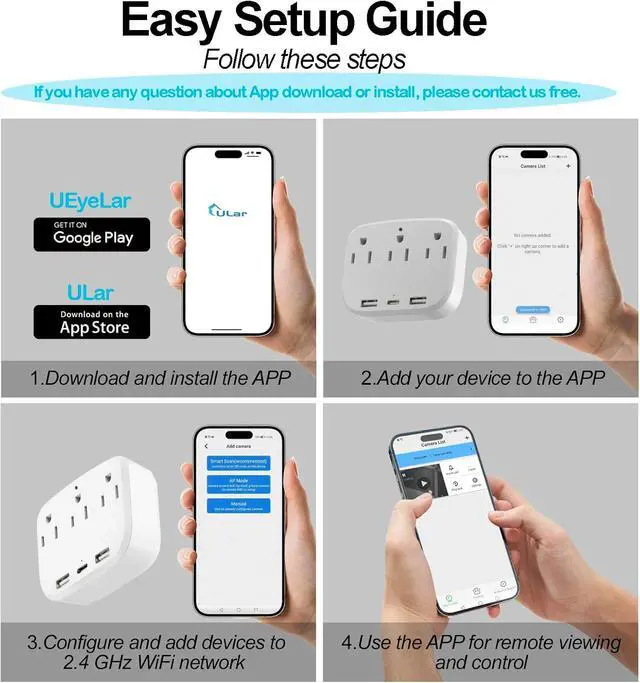
How to Connect: (Prepare your own SD card and insert it in card slot). Step1. Plug in the camera and the indicator light is always on, you need to wait a few seconds it will turn to red&blue blinking. Step2. Turn on your phone's WiFi also connect it with your home WiFi. Then turn on our App to 'add camera', please notes select the mode 1 'smart scan' and view the correct camera model you have. Step3. Confirm the WiFi again, There will be a code on your App, you need use the usb charger camera to scan this code, when the indicator light blinking blue first then keep blue on, it says recognized. After this, you can set your camera password and remote the camera.
Please note that iOS users should download the "" application from the App Store, while Android users are required to download the "UEyeLar" application from Google Play. If you encounter any issues during installation or use, please feel free to contact us. Our professional technical team will provide you with prompt and comprehensive support.
4K HD Indoor Camera Wall Charger CameraTrue 2K Video Recording and True 4K Snapshot
Online viewing, video recording, and saved videos all reach true 2K level of clarity, while saved snapshots can reach true 4K level. The recorded images are clear, natural and smooth. (No audio, no sound, in accordance with local policies and regulations
Motion DetectionYou can set your motion detection zone: In motion detection mode, this feature allows you to define the area you want to monitor. Within this area, any object movement will instantly trigger monitoring, and you can open the app at any time to view the playback.
Adjustable sensitivity: You can adjust the monitoring sensitivity as needed.
Two Storage MethodsThis camera supports the insertion of microSD cards up to 256GB, and you can insert 32GB, 64GB, or 128GB depending on your ne. (SD card not includes)
Support for cloud storage inside the mobile app. Cloud storage requires a subscription.
Step1. (Prepare your own SD card and insert it in card slot). Plug in the camera and the indicator light is always on, you need to wait a few seconds it will turn to red&blue blinking.
Step2. Turn on your phone's WiFi also connect it with your home WiFi. Then turn on our App to 'add camera', please notes select the mode 1 'smart scan' and view the correct camera model you have.
Step3. Confirm the WiFi again, There will be a code on your App, you need use the usb charger camera to scan this code, when the indicator light blinking blue first then keep blue on, it says recognized. After this, you can set your camera password and remote the camera
Please note that iOS users should download the "" application from the App Store, while Android users are required to download the "UEyeLar" application from Google Play.
Multi-functional outlet with Type A and Type C ports to charge multiple devices(maximum current 10A, not exceeding 2000W) while monitoring your pets. Also you can share it with your family, the camera support share 3~5 device.
How to Connect: (Prepare your own SD card and insert it in card slot). Step1. Plug in the camera and the indicator light is always on, you need to wait a few seconds it will turn to red&blue blinking. Step2. Turn on your phone's WiFi also connect it with your home WiFi. Then turn on our App to 'add camera', please notes select the mode 1 'smart scan' and view the correct camera model you have. Step3. Confirm the WiFi again, There will be a code on your App, you need use the usb charger camera to scan this code, when the indicator light blinking blue first then keep blue on, it says recognized. After this, you can set your camera password and remote the camera.
Please note that iOS users should download the "" application from the App Store, while Android users are required to download the "UEyeLar" application from Google Play. If you encounter any issues during installation or use, please feel free to contact us. Our professional technical team will provide you with prompt and comprehensive support.
4K HD Indoor Camera Wall Charger CameraTrue 2K Video Recording and True 4K Snapshot
Online viewing, video recording, and saved videos all reach true 2K level of clarity, while saved snapshots can reach true 4K level. The recorded images are clear, natural and smooth. (No audio, no sound, in accordance with local policies and regulations
Motion DetectionYou can set your motion detection zone: In motion detection mode, this feature allows you to define the area you want to monitor. Within this area, any object movement will instantly trigger monitoring, and you can open the app at any time to view the playback.
Adjustable sensitivity: You can adjust the monitoring sensitivity as needed.
Two Storage MethodsThis camera supports the insertion of microSD cards up to 256GB, and you can insert 32GB, 64GB, or 128GB depending on your ne. (SD card not includes)
Support for cloud storage inside the mobile app. Cloud storage requires a subscription.
Step1. (Prepare your own SD card and insert it in card slot). Plug in the camera and the indicator light is always on, you need to wait a few seconds it will turn to red&blue blinking.
Step2. Turn on your phone's WiFi also connect it with your home WiFi. Then turn on our App to 'add camera', please notes select the mode 1 'smart scan' and view the correct camera model you have.
Step3. Confirm the WiFi again, There will be a code on your App, you need use the usb charger camera to scan this code, when the indicator light blinking blue first then keep blue on, it says recognized. After this, you can set your camera password and remote the camera
Please note that iOS users should download the "" application from the App Store, while Android users are required to download the "UEyeLar" application from Google Play.
Warranty & Returns
Warranty, Returns, And Additional Information
Warranty
- Please contact the Seller directly for warranty information. Warranty information may also be found on the Manufacturer's website.
- CONTACT
Return Policies
- Return for refund within: 30 days
- Return for replacement within: 30 days
- This item is covered by Group Can Trading Limited Return Policy
Manufacturer Contact Info
- For a directory of all our manufacturers, please click below.
- Manufacturers Directory
LOADING...