• $251.99
  • Free 30-day Returns
  • Price alert
    Shop it at NeweggBusiness.

    Meet Your Seller

    Wireless Microphone Karaoke Mixer System with HD Audio Return Channel, Optical (Toslink), AUX, Supports Smart TV, Media Box, PC, Bluetooth, Soundbar, Receiver (SWM16-MAX)

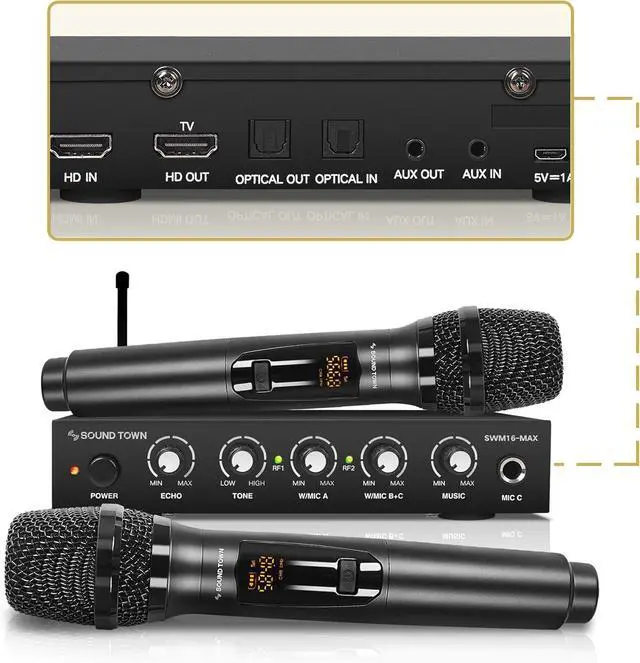
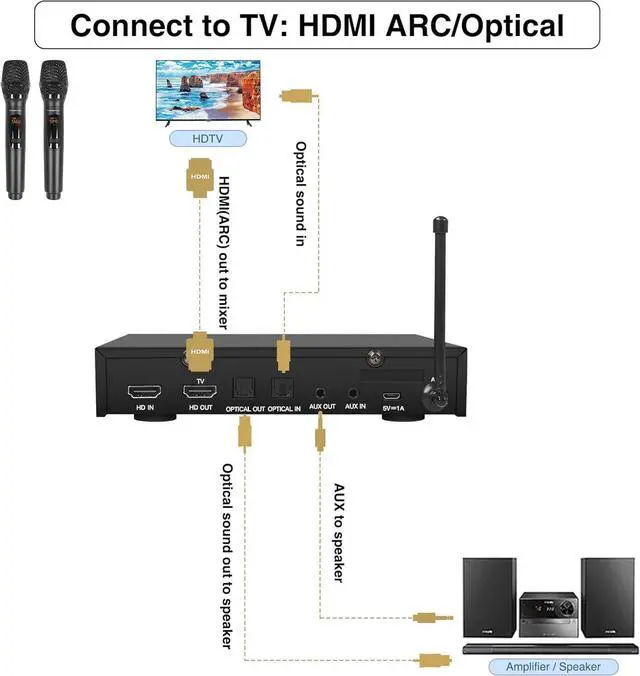
    • FLEXIBLE CONNECTION OPTIONS: With HD Audio Return Channel (input only) and HD, Optical (Toslink), 3.5mm AUX input & output ports, the SWM16-MAX is compatible with a variety of devices such as smart TVs, home receivers, soundbars and etc.
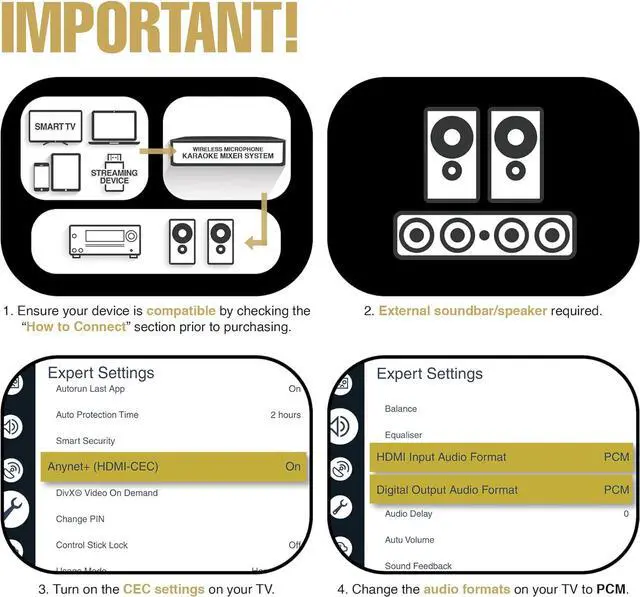
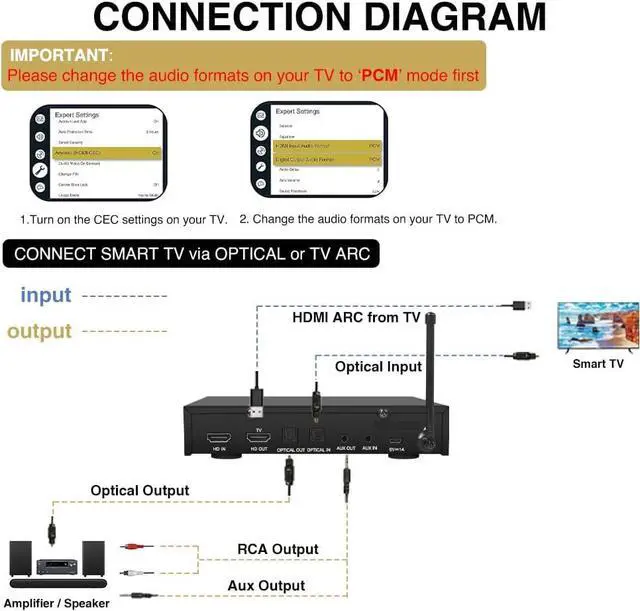
    • EASY TO SET UP: The HD Audio Return Channel and Optical inputs on the SWM16-MAX karaoke mixer allows you to extract the audio from your smart TV to the mixer, blends the music and vocal, and sends the mixed signals to a soundbar or amplifier (HDMI cable is not included).
    • INTERFERENCE FREE: The wireless microphone system comes with Ultra-High Frequency (UHF, 550-590 MHz) which is less likely to get interference from other equipment compared with a VHF system. It has 16 selectable frequencies (8 frequencies each channel) and is compliant with the latest FCC regulations.
    +
    +
    Overview
    Reviews
    avatar

    Any questions? Our AI beta will help you find out quickly.

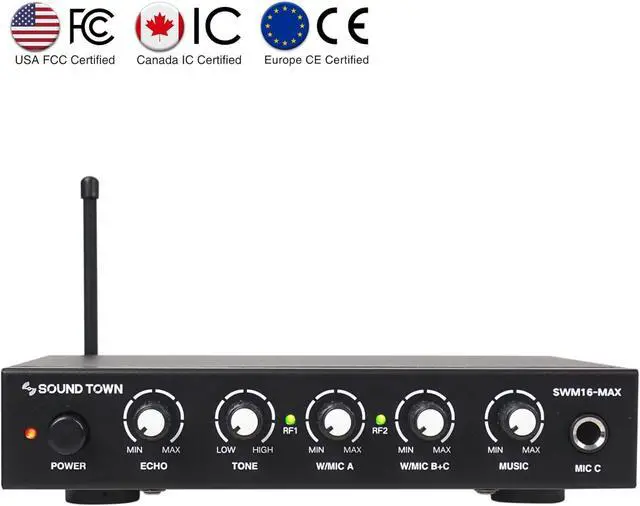
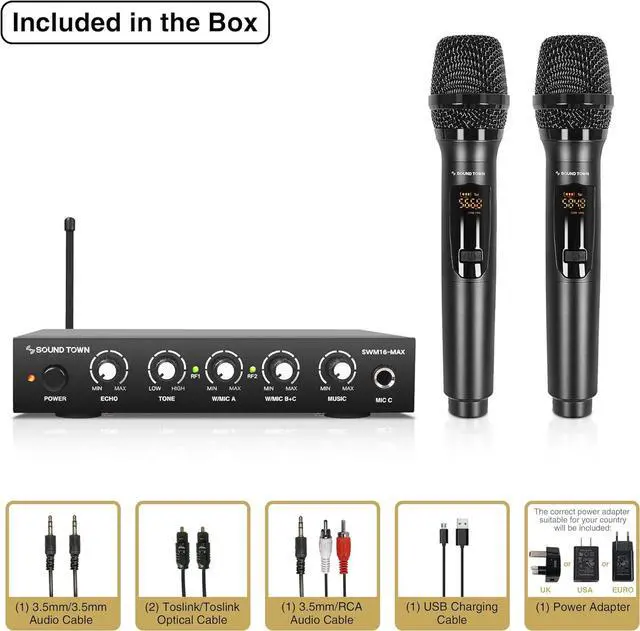
    TWO IN ONE: The wireless microphone receiver is also a sound mixer and equipped with rotatory controls which allow you to adjust echo, tone and volume of the mics; Its ideal for conferences, broadcasting, weddings, karaoke, social events and any small to medium-sized venues such as meeting rooms, auditoriums, schools, churches and small stages.
    CONNECTION DIAGRAM: 1. To use this product via the TV connection, refer to the picture of Connection Instructions, enable your TVs ARC function, PCM setting and choose external speakers in the TV settings. 2. If you are experiencing little to no volume for the mics, turn the volume much higher on your TV, Sound Bar, and Receiver; then on the SWM16-MAX mixer, turn the volume knob low to mid level (20%-30%).

    Warranty & Returns

    Warranty, Returns, And Additional Information

    Warranty

    • Please contact the Seller directly for warranty information. Warranty information may also be found on the Manufacturer's website.
    • CONTACT

    Return Policies

    Manufacturer Contact Info

    LOADING...
    LOADING...