Your Browsing History
- Free 30-day Returns
$117.63
Meet Your Seller
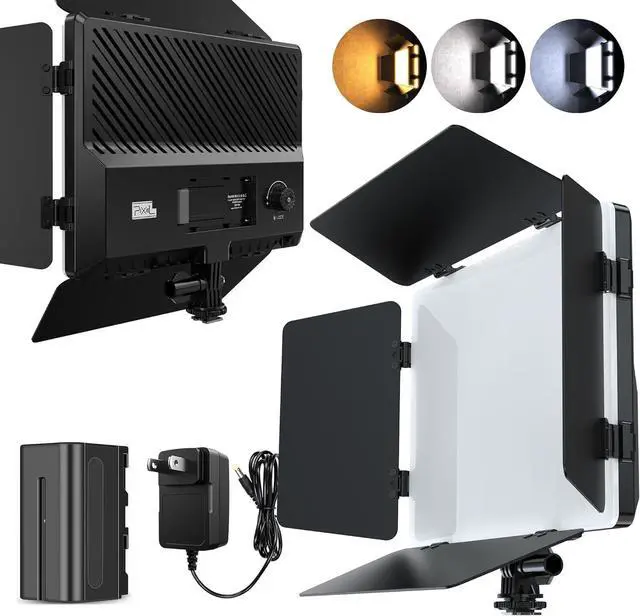
Photography Lighting Camera Video Light 20W Kit Suit with Adapter/Battery 4400mAh Bi-Color Dimmable 2500-6500K Led Studio Streaming Photo Shooting Light for Outdoor Live Streaming
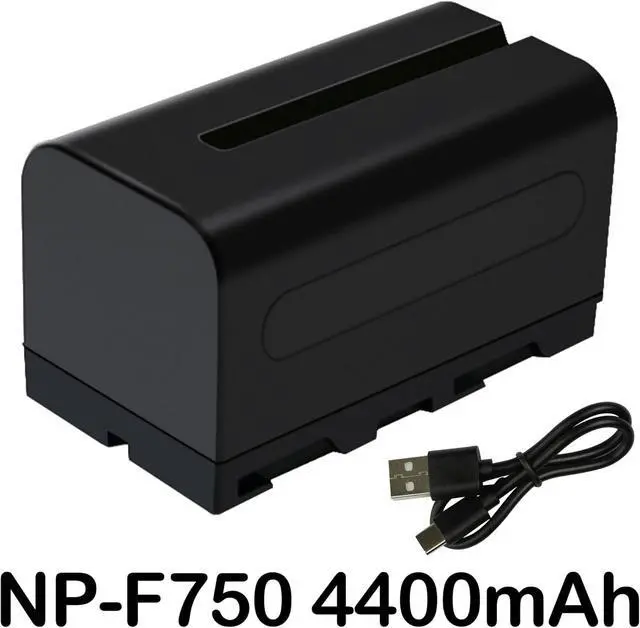
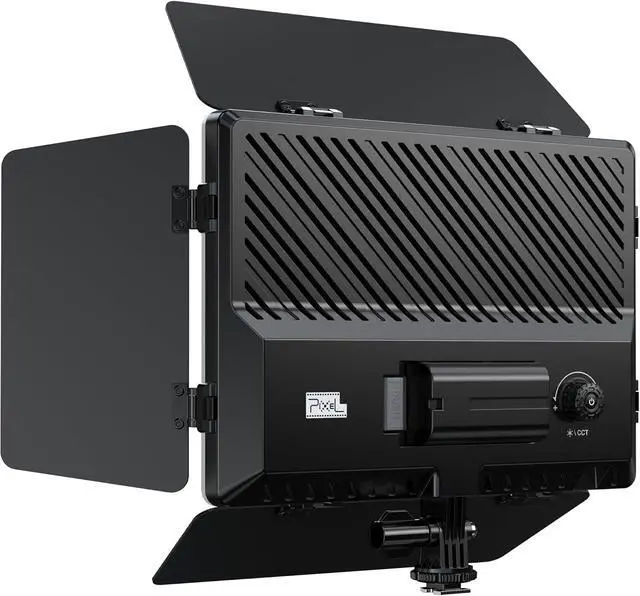
- MULTIPLE-USE LED LIGHTING SETLED panel light (9.85×7 inches) can be 180 degree adjustable, meeting your different demands on suitable shooting angle;Dual Power supply With NP-F750 4400mAh Battery an Adapter Power Supply.
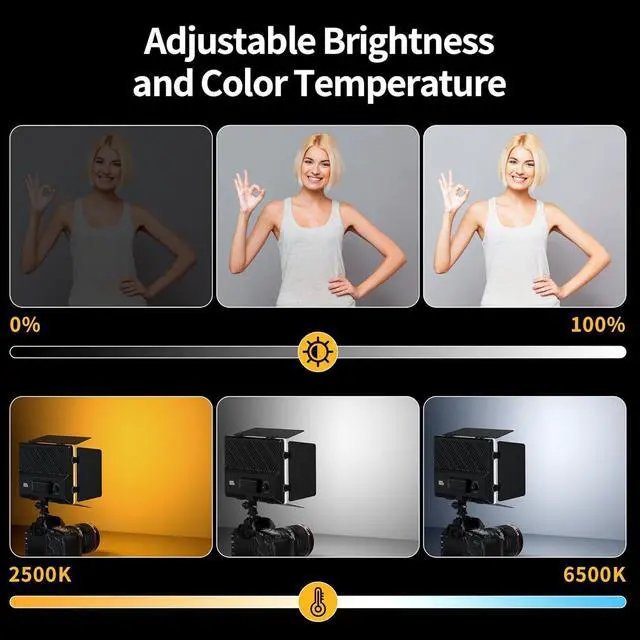
- PRODUCT FEATURESP30 Bi Color Temperature Photography Lights is a Powerful Lighting Deviae for a Variety of Photographi Scenarios.With a Color Temperature Range of 2500K to 6500Kit is Abie to Meet fhe Needs of Shooting Under Different Lighting Conditions.
- PHOTOGRAPAPHY CREATION this Light can be applied to a Variety of ScenesSuch as Wedding PhotographyPortrait PhotographyLandscape Photography and so on.Lts Powerful Funations and Portability allow Photogrphers to Easily Cope With a Variety of Scenes and Create unique Light Effects.
+
+
Overview
Specs
Reviews
Any questions? Our AI beta will help you find out quickly.
Try me now
BATTERY POWERBATTERY POWER: Please insall 1 piece NP-F series battery onto the lihium battery slot. Long-press the middle button of the multi-function switch knob to turn on the LED light. Long-press again to turn off the LED light.
ADAPTER POWER SUPPLYInsert the DC plug of the power adapter into the adapter port. piug the power cord of the adapter into a power outlet and connect to 110-240V 50/60Hz AC power. Long-press the middle button of the multifunctional dial to power on the LED light. Long-press again to turn off the LED light.
ADJUSING BRIGHTNESS/BI COLOR TEMPERATUE SWITCHINGa: ln the power-on StareRotate the multi-function switch knobYou can increase the brightness by rotating it clockwise, And becrese the brightness by rotating it counterclowise, Thus realizing flexidle adjustment of brightness. b: Press the toggle button in middle of the multi-function knob to enter the color temperature adjustment mode, In this mode, Rotate the knob to adjust the color temperature from 2500k to 6500k. After about six seconbs.

ADAPTER POWER SUPPLYInsert the DC plug of the power adapter into the adapter port. piug the power cord of the adapter into a power outlet and connect to 110-240V 50/60Hz AC power. Long-press the middle button of the multifunctional dial to power on the LED light. Long-press again to turn off the LED light.
ADJUSING BRIGHTNESS/BI COLOR TEMPERATUE SWITCHINGa: ln the power-on StareRotate the multi-function switch knobYou can increase the brightness by rotating it clockwise, And becrese the brightness by rotating it counterclowise, Thus realizing flexidle adjustment of brightness. b: Press the toggle button in middle of the multi-function knob to enter the color temperature adjustment mode, In this mode, Rotate the knob to adjust the color temperature from 2500k to 6500k. After about six seconbs.
Warranty & Returns
Warranty, Returns, And Additional Information
Warranty
- Please contact the Seller directly for warranty information. Warranty information may also be found on the Manufacturer's website.
- CONTACT
Return Policies
- Return for refund within: 30 days
- Return for replacement within: 30 days
- This item is covered by Group Can Trading Limited Return Policy
Manufacturer Contact Info
- For a directory of all our manufacturers, please click below.
- Manufacturers Directory
LOADING...