

Your Browsing History
- Free 30-day Returns
$148.55


Meet Your Seller

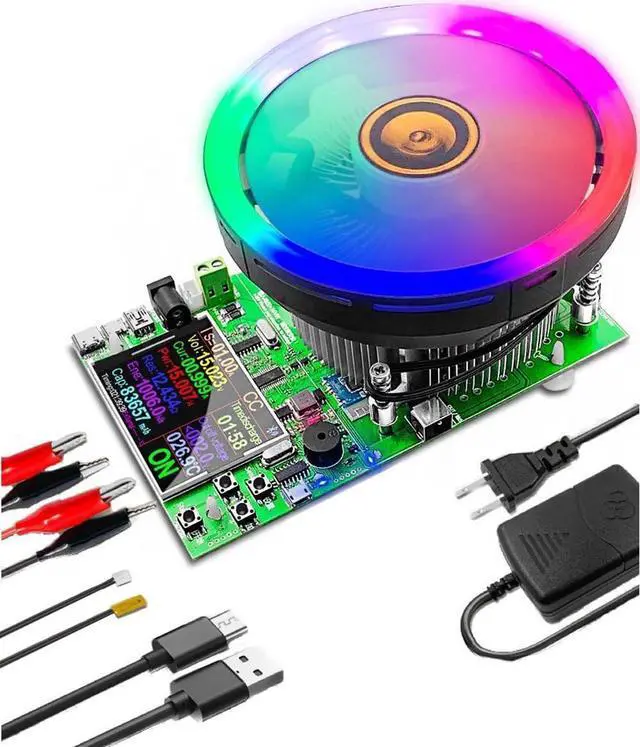


Electronic Load Tester, USB Load Tester, 180W 200V 20A Battery Capacity Tester Constant Current & Constant Voltage, 4 Modes, Intelligent Discharge Resistance Power Tester
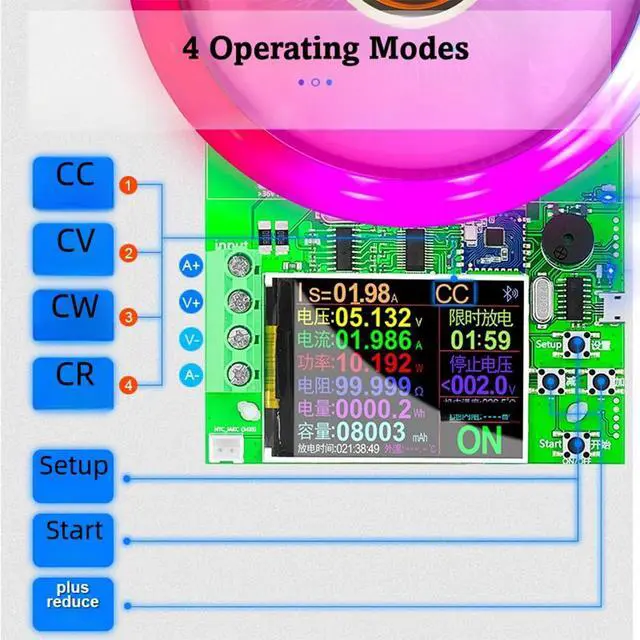
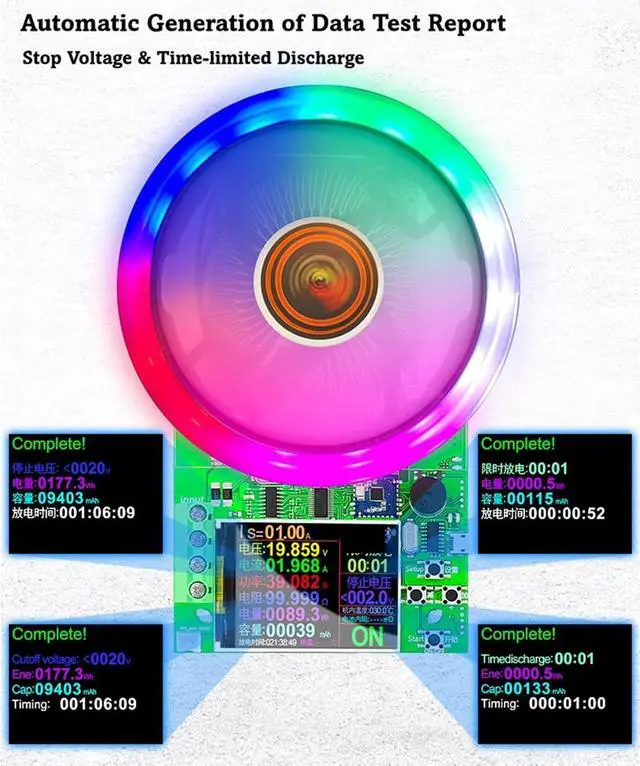
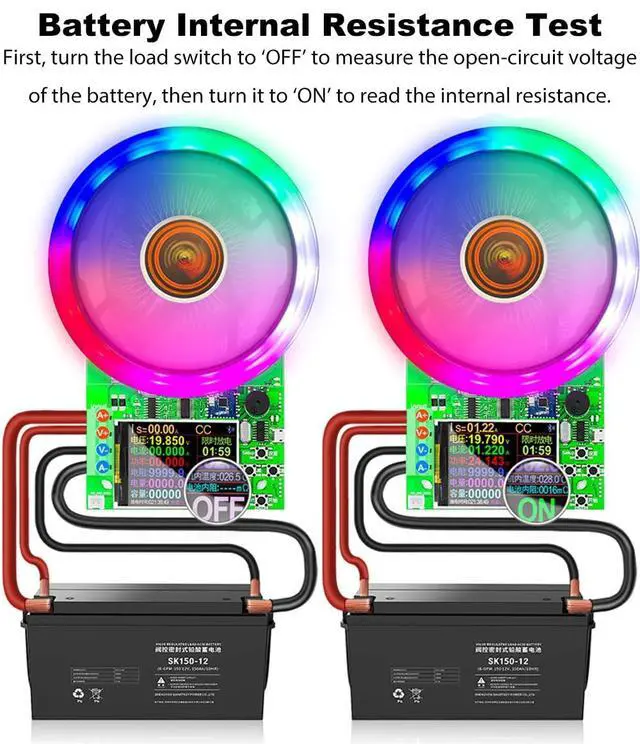
- 4 operating modes - constant current / constant voltage / constant power / constant resistance, plus auto generation of data report & 2.4 HD color large screen
- 3 intelligent safety protections to monitor the discharge status in real time
- External wired NTC thermometer to realize dual temperature measurement inside and outside
+
+
Overview
Reviews

Any questions? Our AI mode will help you find out quickly.
Try me now
Can test the charging speed and quality of a variety of charging cable and data cables
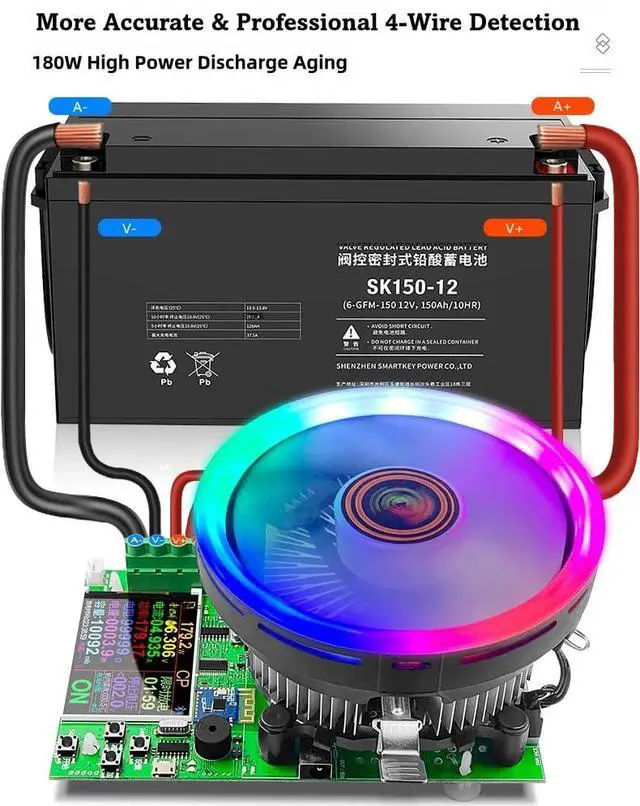
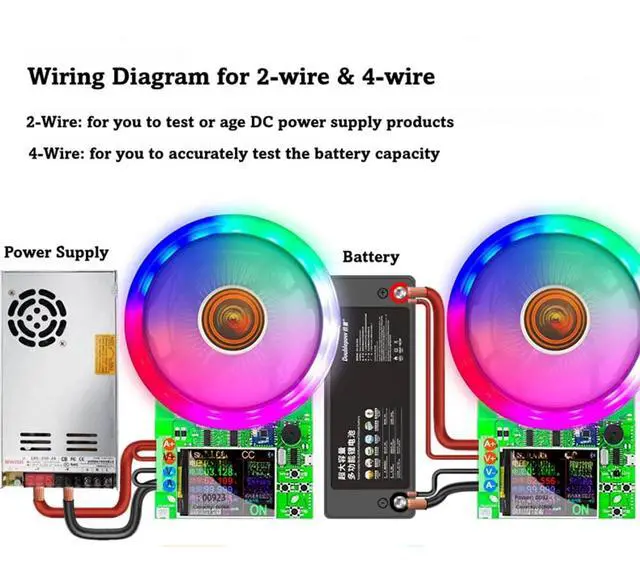
Flexible input wiring interface design to support more DIY connections and extend the functions
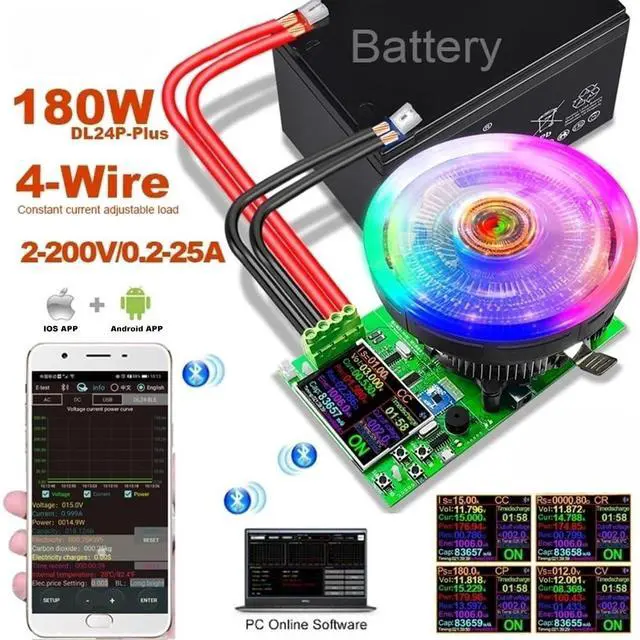
1) IOS Mobile APP: Please search for E_test in the App Store to download and install, click the Bluetooth APP icon to open the software, and then click the Bluetooth icon above the software to enter and select DL24-BLE to connect, and you can realize the smartphone remote control settings and measurement functions. The discharge status can be monitored anytime on your phone. 2) Android phone
APP: Scan the QR code on the back of the host to download the APP. After installation, open the software and click the Bluetooth icon to enter and select DL24-BLE to connect (no need of Bluetooth pairing). 3) PC wired
APP: After the host is powered on, connect the USB port of the computer with the provided data cable, install the CH340 serial port driver, then scan the QR code on the back of the host to download the APP. After installation, select the software and add the serial port model. 4) PC Bluetooth wireless
APP: Add the Bluetooth device to the serial port device of DL24-SPP on the computer, then scan the QR code on the back of the host to download the APP and store it. Open the software without installing and select the Bluetooth serial port model just added.
SPECIFICATION
- Voltage: 2-200V
- Current: 0.2 -20A
- Power: 180W
PACKAGE
- 1 x Load Tester
- 1 x Power supply
- 1 x 2M PC computer connection cable
- 1 x Temperature probe
- 1 x Red and black single line crocodile clip line
Flexible input wiring interface design to support more DIY connections and extend the functions
1) IOS Mobile APP: Please search for E_test in the App Store to download and install, click the Bluetooth APP icon to open the software, and then click the Bluetooth icon above the software to enter and select DL24-BLE to connect, and you can realize the smartphone remote control settings and measurement functions. The discharge status can be monitored anytime on your phone. 2) Android phone
APP: Scan the QR code on the back of the host to download the APP. After installation, open the software and click the Bluetooth icon to enter and select DL24-BLE to connect (no need of Bluetooth pairing). 3) PC wired
APP: After the host is powered on, connect the USB port of the computer with the provided data cable, install the CH340 serial port driver, then scan the QR code on the back of the host to download the APP. After installation, select the software and add the serial port model. 4) PC Bluetooth wireless
APP: Add the Bluetooth device to the serial port device of DL24-SPP on the computer, then scan the QR code on the back of the host to download the APP and store it. Open the software without installing and select the Bluetooth serial port model just added.
SPECIFICATION
- Voltage: 2-200V
- Current: 0.2 -20A
- Power: 180W
PACKAGE
- 1 x Load Tester
- 1 x Power supply
- 1 x 2M PC computer connection cable
- 1 x Temperature probe
- 1 x Red and black single line crocodile clip line
Warranty & Returns
Warranty, Returns, And Additional Information
Warranty
- Please contact the Seller directly for warranty information. Warranty information may also be found on the Manufacturer's website.
- CONTACT
Return Policies
- Return for refund within: 30 days
- Return for replacement within: 30 days
- This item is covered by Halo Electronics Return Policy
Manufacturer Contact Info
- For a directory of all our manufacturers, please click below.
- Manufacturers Directory
LOADING...