

Your Browsing History
- Free 30-day Returns
$127.04

Meet Your Seller

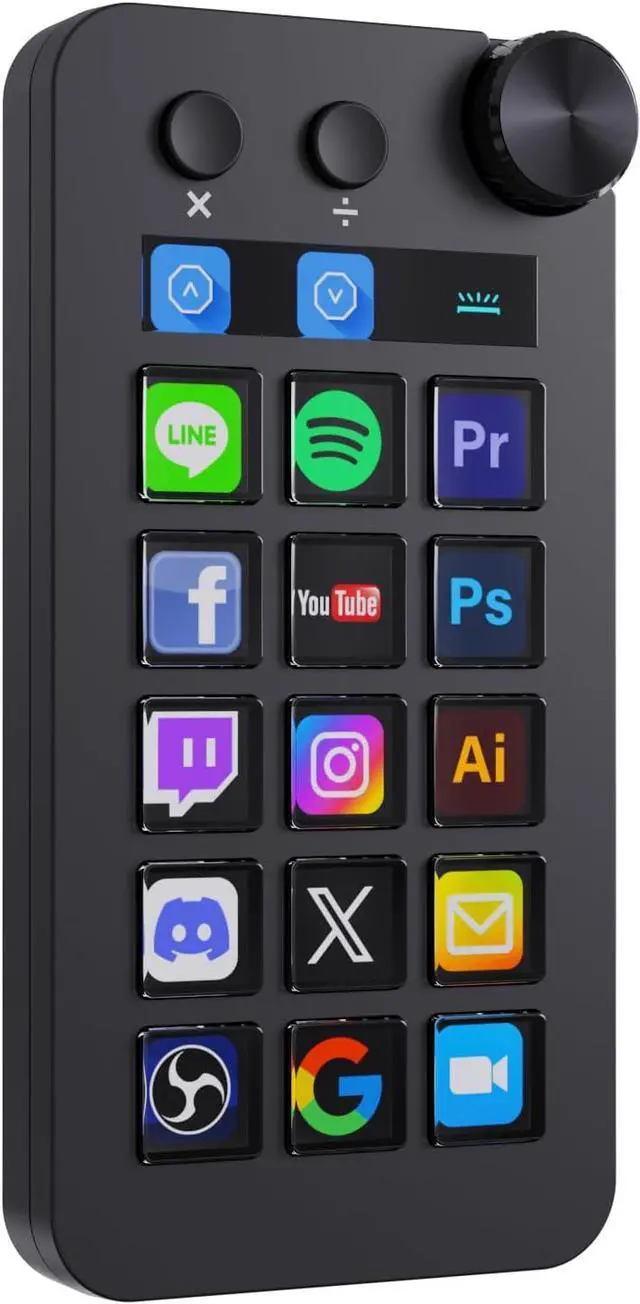


VSDinside Stream Controller Deck with 18 Customizable Macro Keys to Trigger Actions in OBS Twitch YouTube for Content Creators Stream Dock Compatible with PC & Mac N1 Black Macro Keypad
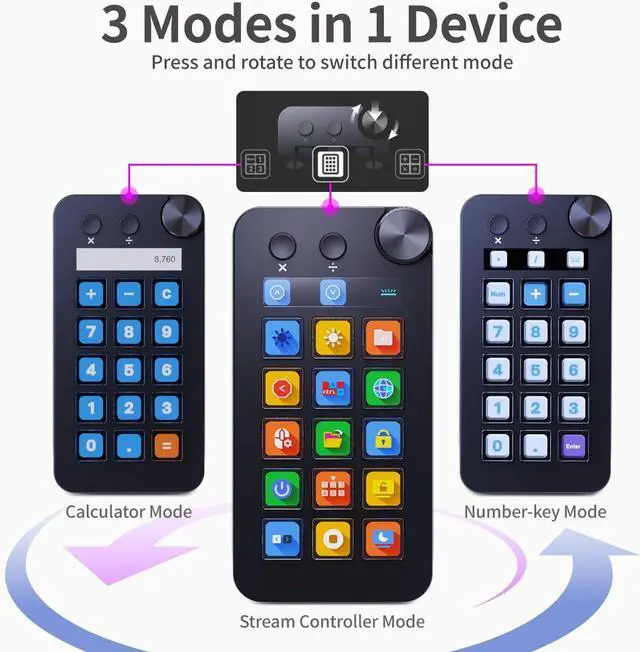
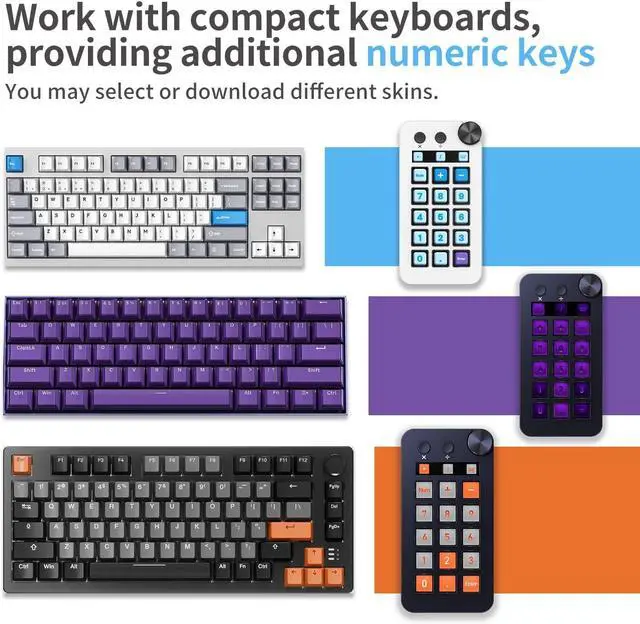
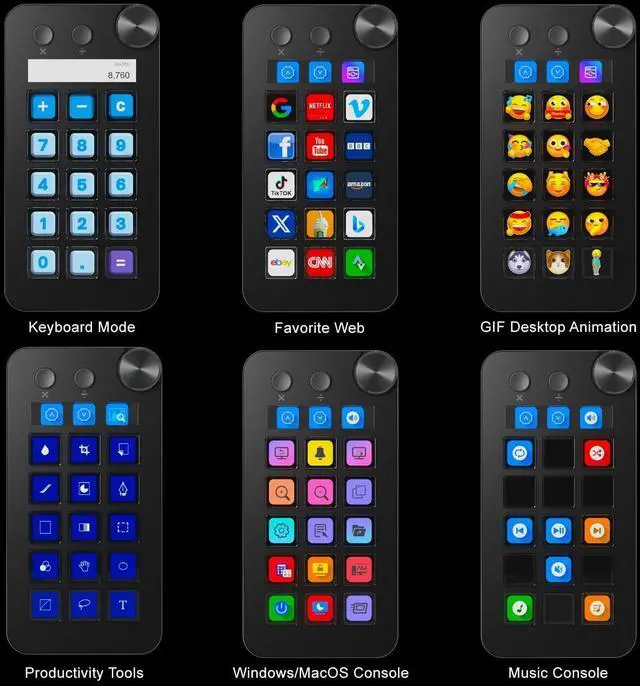
- Numeric Keypad Mode The N1 Stream Controller Deck offers three different modes of operation, whereas similar products on the market only support custom keyboard mode. By pressing and turning the knob, you can switch between shortcut key mode, calculator mode, and numeric keypad mode. Calculator mode simplifies mathematical operations, while numeric keypad mode compensates for the limitations of a compact keyboard as well as being a very good left-hand device.
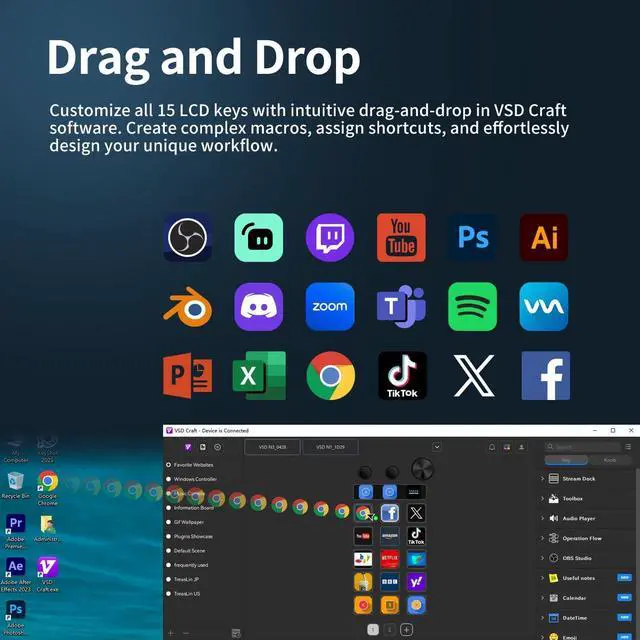
- 18-key Customizable Macro Keyboard The N1 features 18 macro keys, consisting of 15 visual LCD buttons, 2 clickable buttons, and 1 rotary knob. In conjunction with the dedicated VSD Craft software, you can freely assign the function of each key to suit your preference. Key icons can be customized by drag & drop, taking screenshots, or selecting images. This unleashes unlimited personalization possibilities and instantly transforms your desktop into a highly efficient tool.
+
+
Overview
Reviews

Any questions? Our AI mode will help you find out quickly.
Try me now
Multi-Scenario Quick Controls Customize dedicated shortcut scenarios to suit your needs: Daily mode instantly launches frequently used software, documents, and web pages; Work mode sets up quick controls for Photoshop/DAW/Premiere Pro/Blender and other software; Live mode sets up quick controls for your favorite software; and Work mode sets up quick controls for your favorite software. Live Streaming mode provides easy control of OBS streaming, while Media mode conveniently adjusts playback controls. In addition, automatic workflows can be set up to perform multiple tasks in a specified order, precisely tailored to your usage requirements.
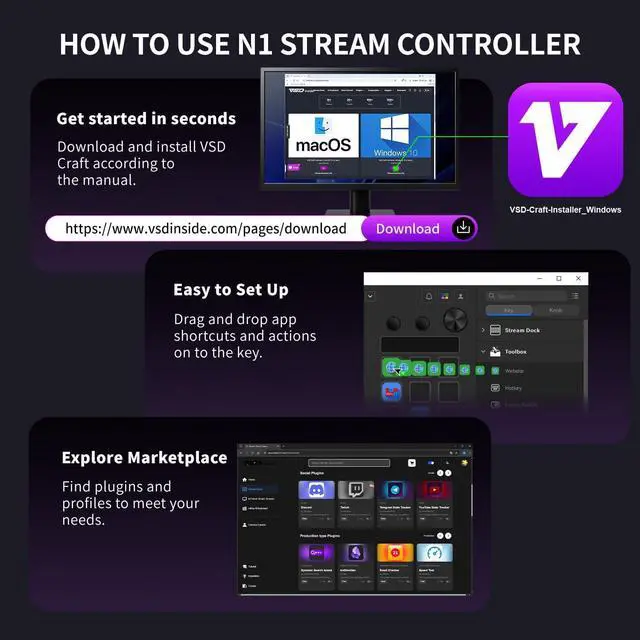
Wide Application CompatibleN1 Stream dock works seamlessly with PC, Windows, and macOS, plus OBS Studio (Windows 10 64-bit+/macOS Catalina 10.15 +), Streamlabs, Just connect via USB-C and you're up and running in seconds, and the included software is very easy to install and operate. The USB-C connection makes it easy to get up and running in seconds, and the included software is very easy to install and operate.
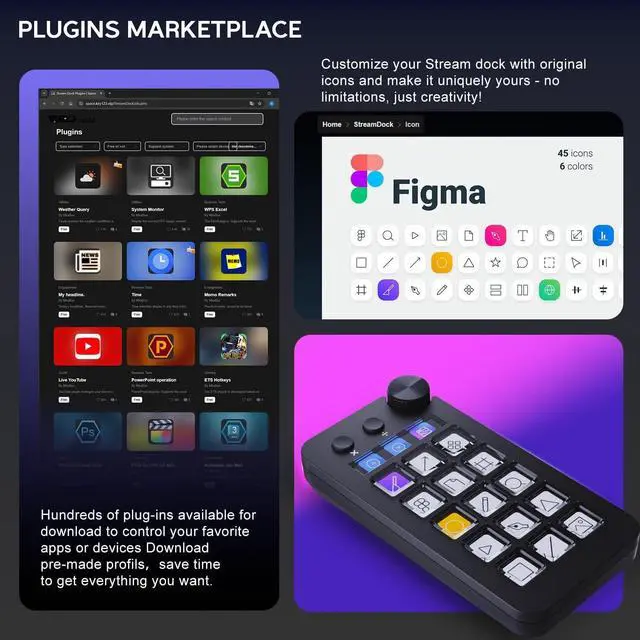
Extensive Plugins MarketplaceThe Stream Dock equiped with VSDinside marketplace for you to download, It offers thousands of free and premium options, including 200+ plugins, icons profiles and scenes for controlling apps like Discord, Twitch, and OBS for streamers and podcasters.
Supports dynamic iconsWhile most stream dock on the market are limited to static image icons, the N3 breaks new groundgoing beyond basic picture icons to support dynamic animated ones. Whats more, you can even use your favorite animations to create custom animated icon scenes for your device, transforming your interface from dull and static to uniquely vibrant and full of personality.
Wide Application CompatibleN1 Stream dock works seamlessly with PC, Windows, and macOS, plus OBS Studio (Windows 10 64-bit+/macOS Catalina 10.15 +), Streamlabs, Just connect via USB-C and you're up and running in seconds, and the included software is very easy to install and operate. The USB-C connection makes it easy to get up and running in seconds, and the included software is very easy to install and operate.
Extensive Plugins MarketplaceThe Stream Dock equiped with VSDinside marketplace for you to download, It offers thousands of free and premium options, including 200+ plugins, icons profiles and scenes for controlling apps like Discord, Twitch, and OBS for streamers and podcasters.
Supports dynamic iconsWhile most stream dock on the market are limited to static image icons, the N3 breaks new groundgoing beyond basic picture icons to support dynamic animated ones. Whats more, you can even use your favorite animations to create custom animated icon scenes for your device, transforming your interface from dull and static to uniquely vibrant and full of personality.
Warranty & Returns
Warranty, Returns, And Additional Information
Warranty
- Please contact the Seller directly for warranty information. Warranty information may also be found on the Manufacturer's website.
- CONTACT
Return Policies
- Return for refund within: 30 days
- Return for replacement within: 30 days
- This item is covered by Group Can Trading Limited Return Policy
Manufacturer Contact Info
- For a directory of all our manufacturers, please click below.
- Manufacturers Directory
LOADING...