

Your Browsing History
- Free 30-day Returns
$103.28

Meet Your Seller

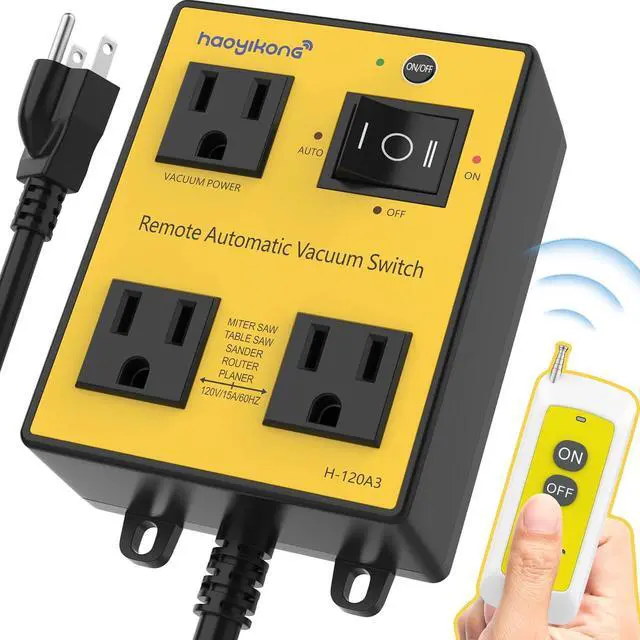


Automatic Vacuum Switch with Remote, Auto Vacuum Switch for Various Power Tools, Dust Collector On/Off Delay to Prevent Circuit Overload and Tripping, Keep Your Workplace Clean, Better for Your Lung
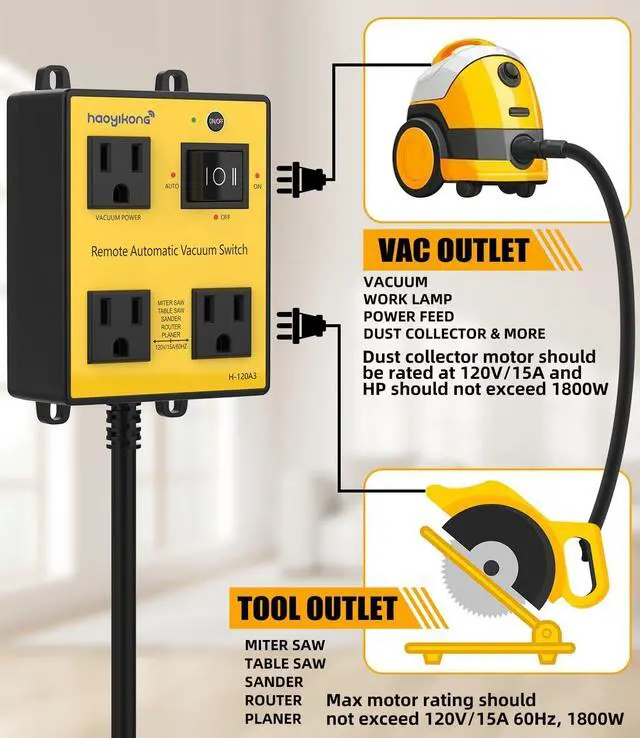
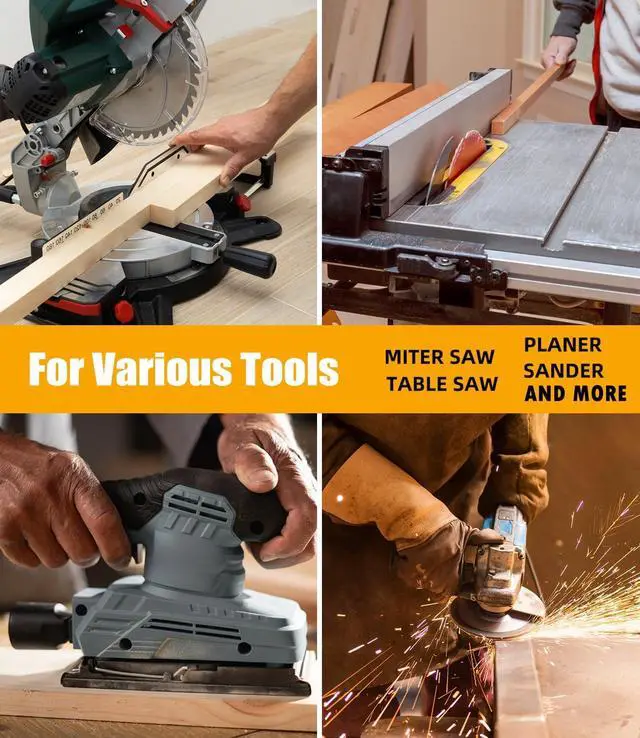
- One VAC Outlet and Two Tool Outlets: This automatic vacuum switch features one VAC outlet and two tool outlets, avoiding extra extension socket and messy cords. VAC Outlet is for dust connector, vacuum, shop-VAC, etc.. Tool Outlets are for various cutting tools like Miter Saws, Table Saws, Power Sanders, Routers, Joiners, Planers, etc.. Max motor rating should not exceed 120V/15A 50/60Hz, 1800W.
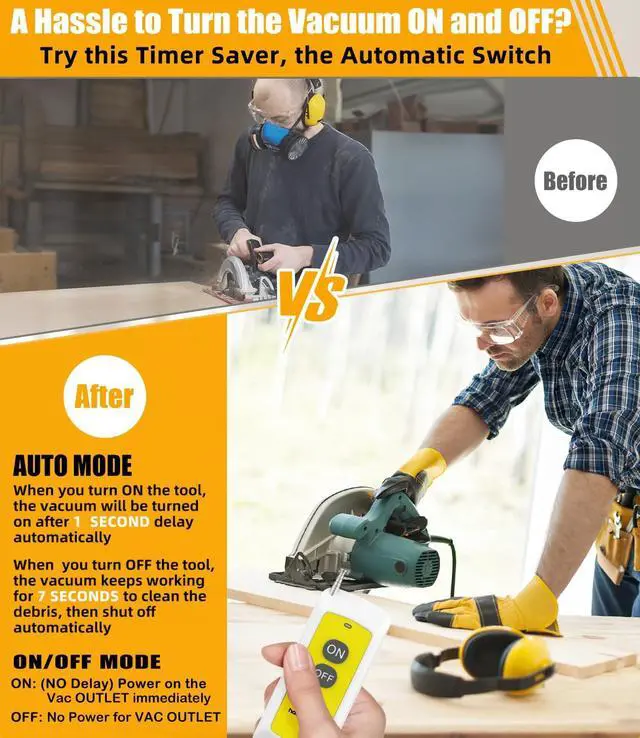
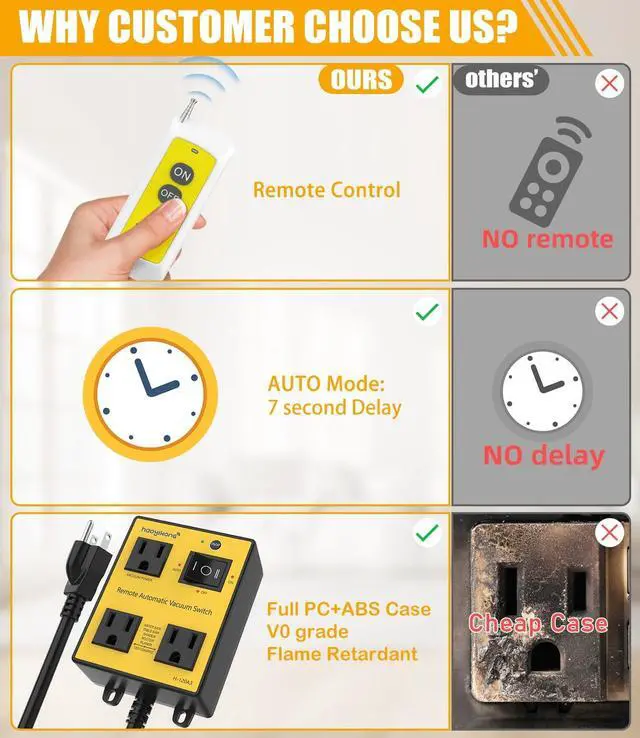
- ON/OFF delay Function Optimize Woodworking Efficiency: This auto Vacuum Switch is equipped with approimately 1-second ON delay and 7-second OFF delay (i.e. AUTO Mode), automatically starting the dust connector 1s after tool power-on and keeping it running for default 7 seconds after power-off to clear remaining dust and debris. With this automatic switch, you don't need to walk back and forth to power on and off the dust connector again and again.
+
+
Overview
Specs
Reviews

Any questions? Our AI mode will help you find out quickly.
Try me now
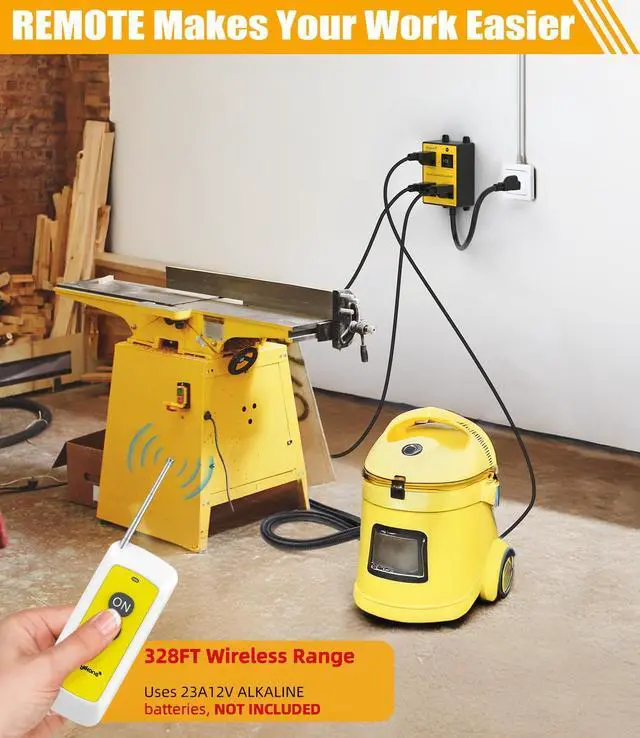
Hassle-Free REMOTE Control: The included remote let you effortlessly control your dust connector from a distance of 328FT. Please note that the remote needs a 23A12V batteries (NOT INCLUDED).
Safe UL-Certified Construction: This remote control outlet is built with a UL-certified SJT 14AWG US standard power cord. This auto switch employs PC+ABS V0-grade flame retardant materials reducing heat buildup and enhances product durability, ensuring your safety during operations in challenging settings.
Best Quality Control and Great Gift: This dust collector remote switch for power tools is backed by 7/24 customer service. This versatile wireless vacuum switch is a great gift for woodworkers, DIY enthusiasts, and professionals looking to maintain a clean and efficient workspace.
Safe UL-Certified Construction: This remote control outlet is built with a UL-certified SJT 14AWG US standard power cord. This auto switch employs PC+ABS V0-grade flame retardant materials reducing heat buildup and enhances product durability, ensuring your safety during operations in challenging settings.
Best Quality Control and Great Gift: This dust collector remote switch for power tools is backed by 7/24 customer service. This versatile wireless vacuum switch is a great gift for woodworkers, DIY enthusiasts, and professionals looking to maintain a clean and efficient workspace.
Warranty & Returns
Warranty, Returns, And Additional Information
Warranty
- Please contact the Seller directly for warranty information. Warranty information may also be found on the Manufacturer's website.
- CONTACT
Return Policies
- Return for refund within: 30 days
- Return for replacement within: 30 days
- This item is covered by Group Can Trading Limited Return Policy
Manufacturer Contact Info
- For a directory of all our manufacturers, please click below.
- Manufacturers Directory
LOADING...