Your Browsing History
- Free 30-day Returns
$104.80
Meet Your Seller
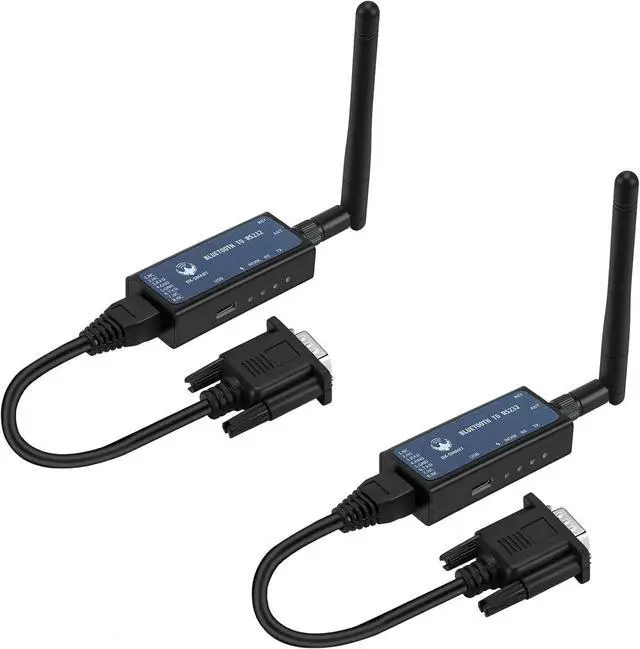
DX-CP26 RS232 to Bluetooth Wireless Serial Adaper Converter Support iOS Android Windows Support DB9 RJ45 Interface Built-in Rechargeable Lithium Battery (CP26 for Device)
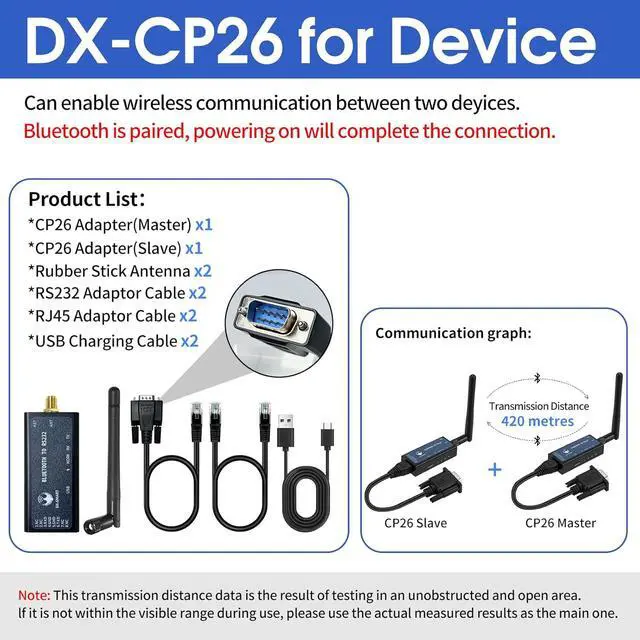
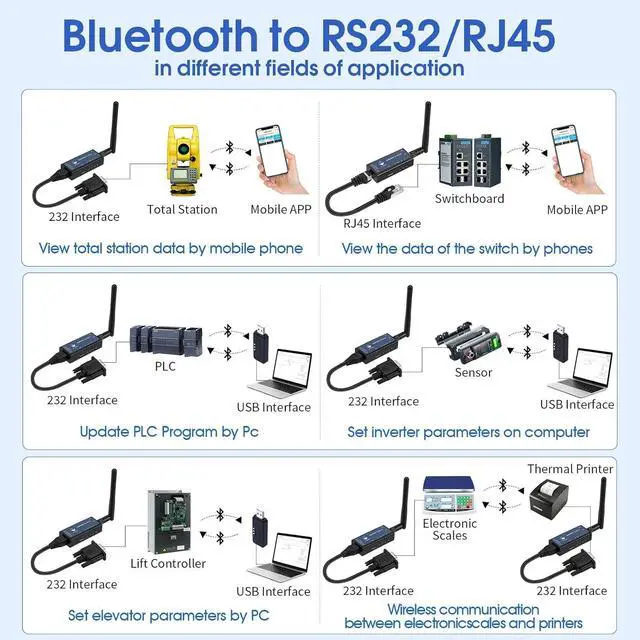
- RS232 device to wirelessDX-CP26 can convert your RS232 & RJ45 interface device to wireless Bluetooth communication, and can support wireless communication between PCIOSAndroid. It can be used in RS232 interface device debugging, parameter setting, information query and other application scenarios. (Note: You need to purchase a computer package to communicate with a PC)
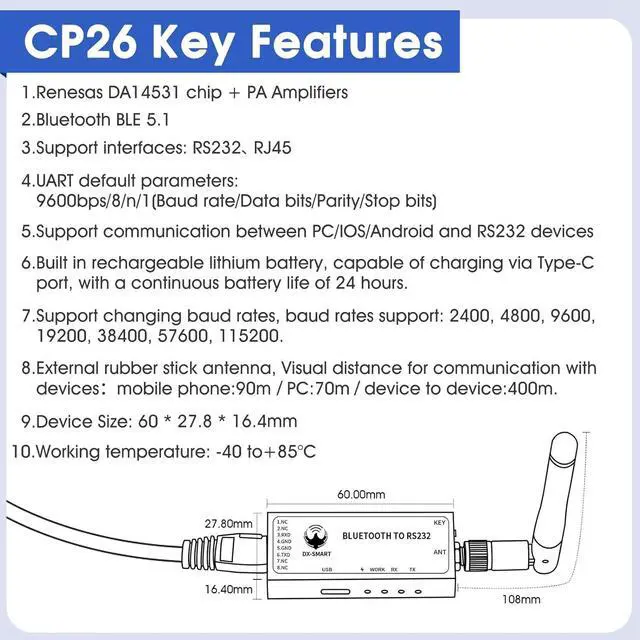
- Built-in Bluetooth 5.1 BLE moduleAdopts Renesas DA14531 chip + PA Amplifiers, with a transmission power of up to 13.5dBm and a stable communication distance. External rubber stick antenna, Visual distance for communication with devices: mobile phone:90m / PC:70m / device to device:400m.
- Built-in rechargeable lithium batteryThe DX-CP26 has a built-in rechargeable lithium battery and does not require external power supply. It can be charged through the TYPE-C port and the battery life can reach up to 24 hours.
+
+
Overview
Specs
Reviews
Any questions? Our AI beta will help you find out quickly.
Try me now
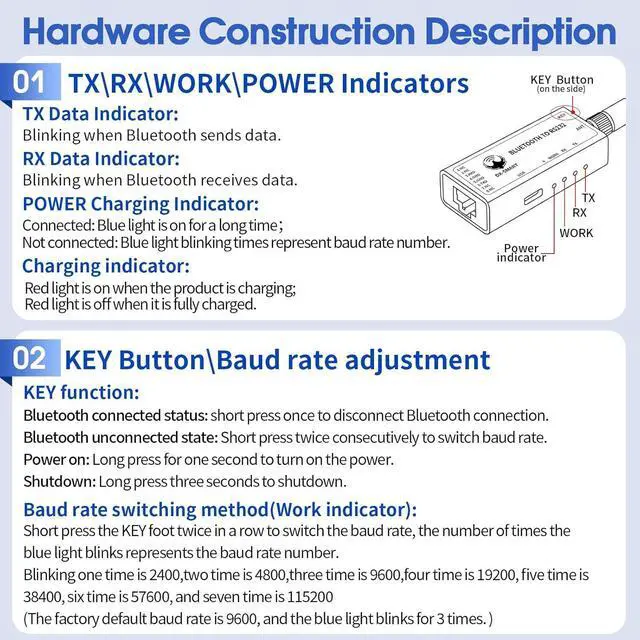
Support baud rate switchingDX-CP26 supports button adjustment of baud rate, supported
baud rates: 2400, 4800, 9600, 19200, 38400, 57600, 115200, default 9600bps/8/n/1 (baud rate/data bit/no parity/stop bit). Short press the button twice to switch the baud rate once, the number of blue light flashes represents the baud rate number, one flash for 2400, two times/4800, three times/9600, four times/16200, five times/38400, six times/57600, seven times/115200
Rich InformationWe provide a rich information package,
including: product manuals, tutorial videos, development and testing tools, etc. You can access the user guide for complete product information by clicking on the product guide and document link below.
Technical SupportWe are a manufacturer that supports OEM and ODM services. Please trust our capabilities and technology. If you encounter any problems, please give us a chance before commenting. We will do our best to solve the problem for you. If you encounter any problems, please contact us through User Guide Product Information Service Support.
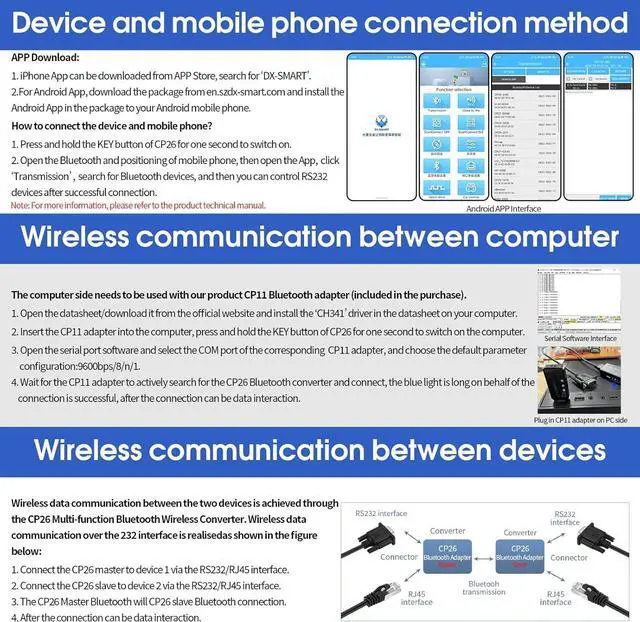
NoteThis device does not support direct Bluetooth connection with a smartphone. It must be used with the DX-SMART app. Users can download and install the app from the Apple App Store or Google Play Store.

baud rates: 2400, 4800, 9600, 19200, 38400, 57600, 115200, default 9600bps/8/n/1 (baud rate/data bit/no parity/stop bit). Short press the button twice to switch the baud rate once, the number of blue light flashes represents the baud rate number, one flash for 2400, two times/4800, three times/9600, four times/16200, five times/38400, six times/57600, seven times/115200
Rich InformationWe provide a rich information package,
including: product manuals, tutorial videos, development and testing tools, etc. You can access the user guide for complete product information by clicking on the product guide and document link below.
Technical SupportWe are a manufacturer that supports OEM and ODM services. Please trust our capabilities and technology. If you encounter any problems, please give us a chance before commenting. We will do our best to solve the problem for you. If you encounter any problems, please contact us through User Guide Product Information Service Support.
NoteThis device does not support direct Bluetooth connection with a smartphone. It must be used with the DX-SMART app. Users can download and install the app from the Apple App Store or Google Play Store.
Warranty & Returns
Warranty, Returns, And Additional Information
Warranty
- Please contact the Seller directly for warranty information. Warranty information may also be found on the Manufacturer's website.
- CONTACT
Return Policies
- Return for refund within: 30 days
- Return for replacement within: 30 days
- This item is covered by Group Can Trading Limited Return Policy
Manufacturer Contact Info
- For a directory of all our manufacturers, please click below.
- Manufacturers Directory
LOADING...