

Your Browsing History
- Free 30-day Returns
$98.18

Meet Your Seller


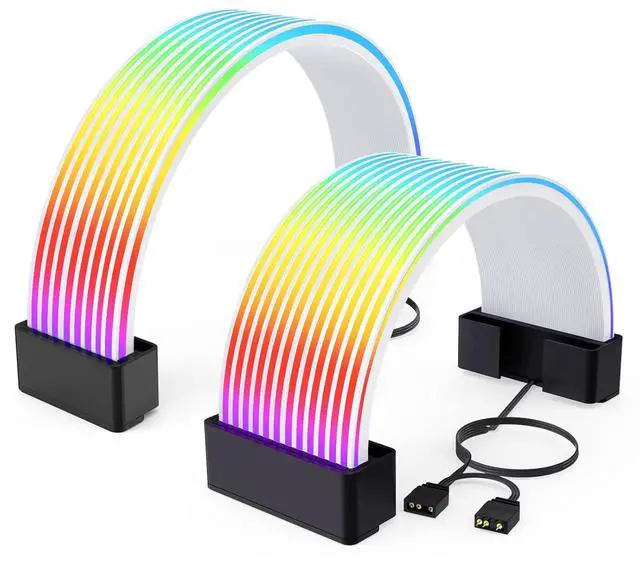
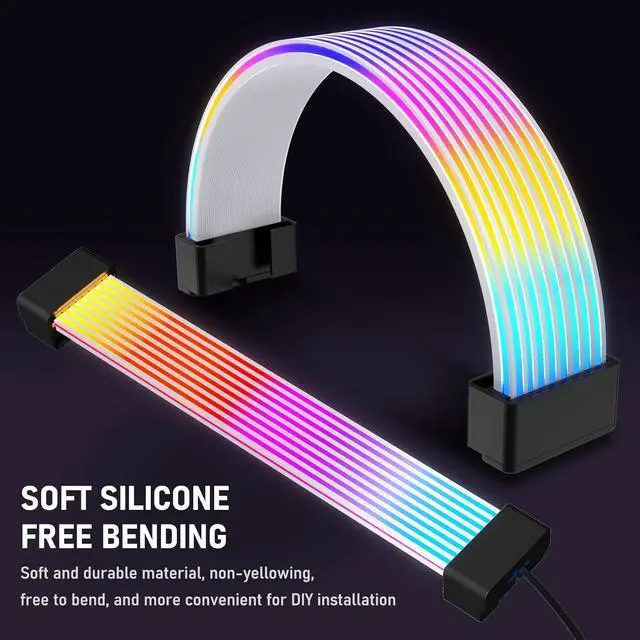


RGB Cables Cover Kit, Flex Power Cable Cover for 24-Pin Motherboard and 8-Pin/16-Pin GPU, ARGB PSU Cable Extension with 5V 3-Pin Sync for PC Case Decoration, Black
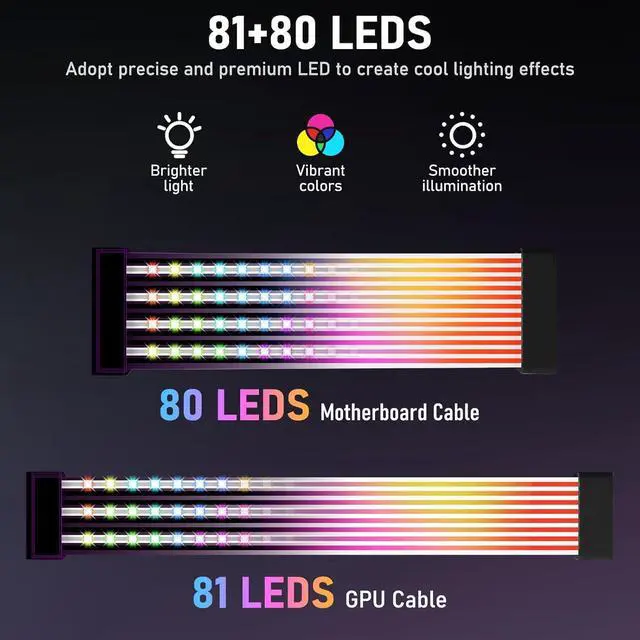
- Illuminate Your PC AestheticsThe 24-pin motherboard cable cover is equipped with 80 LED beads, and the 8-pin/16-pin GPU cable cover features 81 LED beads. These ARGB PSU extension cables cover are crafted from high-toughness silicone material, infuse dynamic light effects into your PC build, making hardware aesthetics go beyond just performance. (PSU extension cables not included)
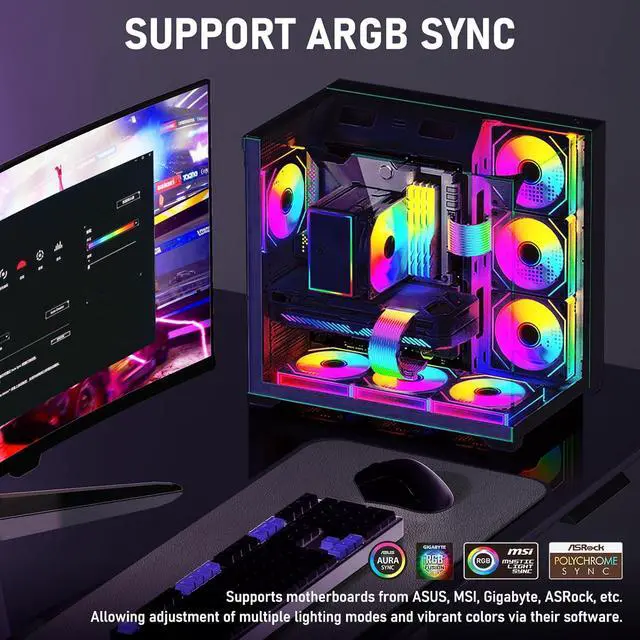
- Full-Range Lighting SynchronizationSeamlessly connect to existing ARGB devices to achieve synchronized lighting control. Dynamic light effects intelligently switch with system scenarios, maintaining visual consistency from startup to operation, the rgb cable cover make the overall lighting of the PC as coordinated as breathing.
+
+
Overview
Specs
Reviews

Any questions? Our AI mode will help you find out quickly.
Try me now
Multi-Scene Lighting ExpansionOur argb cable covers not only are they decorative extensions of power supply cable, but they can also be flexibly unfolded to serve as independent ambient light panels, adding personalized light and shadow layers to chassis corners or desktop spaces.
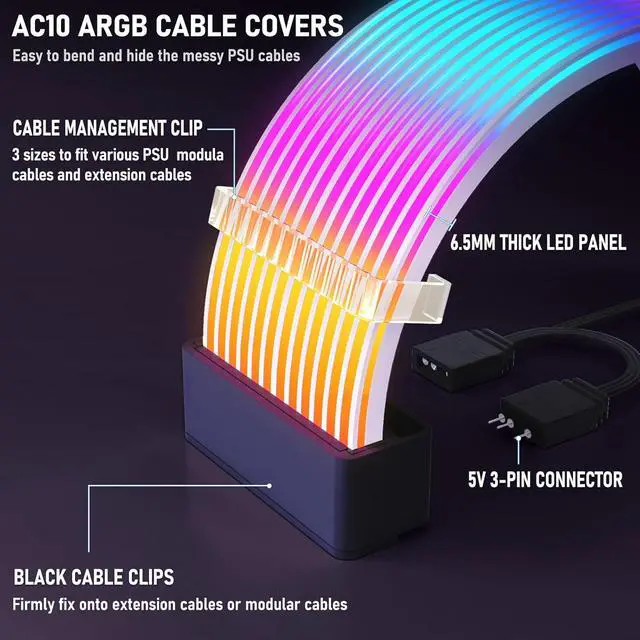
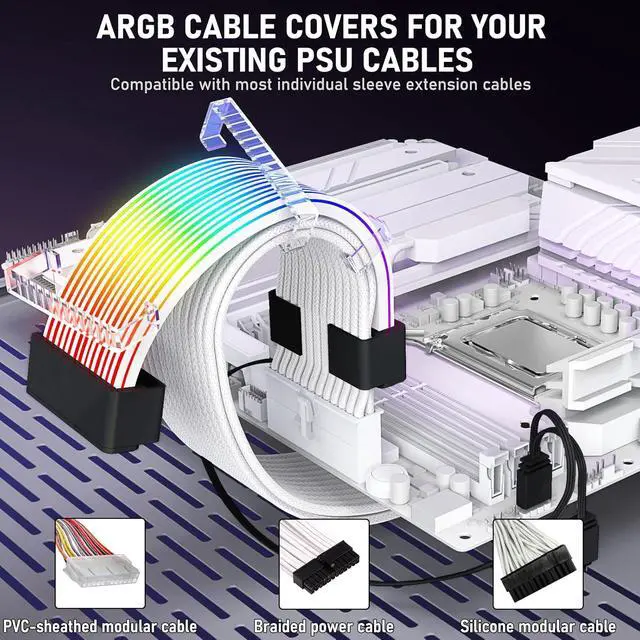
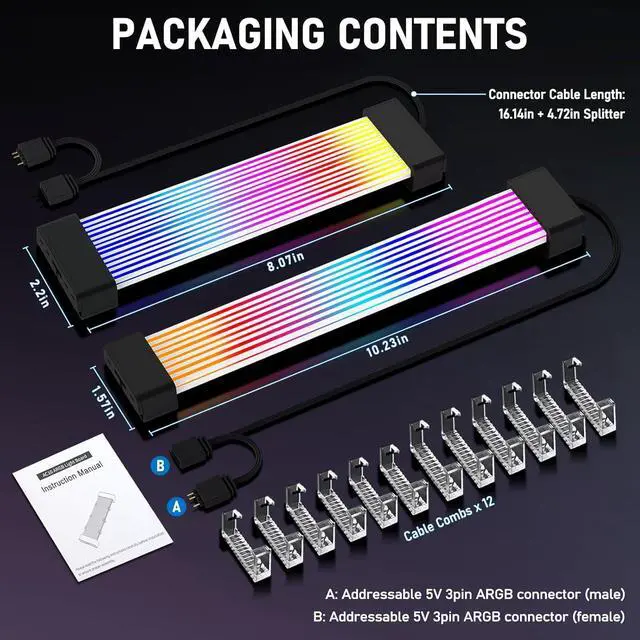
Full-Spec Compatibility DesignComes with 3 sizes of cable braces (supporting a maximum wire diameter of 14mm), easily adapting to all brands of power cables on the market. No matter how your PC build plan is upgraded, it can maintain installation stability and aesthetics.
Package Includes24-pin motherboard argb cable cover × 1 \ 8-pin/16-pin GPU argb cable cover × 1 \ Cable braces × 12 \ 5V 3-pin ARGB male-female connectors × 1 set \ 3-pin connector protective covers × 2
Easy to Install: 1. Attach the cable closely to the light strip and secure it firmly to ensure tight adhesion; 2. Use the included transparent plastic clips to fix the light strip firmly at the designated position in the chassis; 3. Precisely connect to the ARGB interface and ensure good contact to complete the core installation; 4. After installation, you can freely adjust the lighting effects (color, brightness, dynamic modes, etc. ) by the motherboards supporting software or an RGB controller (not included).
Full-Spec Compatibility DesignComes with 3 sizes of cable braces (supporting a maximum wire diameter of 14mm), easily adapting to all brands of power cables on the market. No matter how your PC build plan is upgraded, it can maintain installation stability and aesthetics.
Package Includes24-pin motherboard argb cable cover × 1 \ 8-pin/16-pin GPU argb cable cover × 1 \ Cable braces × 12 \ 5V 3-pin ARGB male-female connectors × 1 set \ 3-pin connector protective covers × 2
Easy to Install: 1. Attach the cable closely to the light strip and secure it firmly to ensure tight adhesion; 2. Use the included transparent plastic clips to fix the light strip firmly at the designated position in the chassis; 3. Precisely connect to the ARGB interface and ensure good contact to complete the core installation; 4. After installation, you can freely adjust the lighting effects (color, brightness, dynamic modes, etc. ) by the motherboards supporting software or an RGB controller (not included).
Warranty & Returns
Warranty, Returns, And Additional Information
Warranty
- Please contact the Seller directly for warranty information. Warranty information may also be found on the Manufacturer's website.
- CONTACT
Return Policies
- Return for refund within: 30 days
- Return for replacement within: 30 days
- This item is covered by Group Can Trading Limited Return Policy
Manufacturer Contact Info
- For a directory of all our manufacturers, please click below.
- Manufacturers Directory
LOADING...