

Your Browsing History
- Free 30-day Returns
$101.99

Meet Your Seller


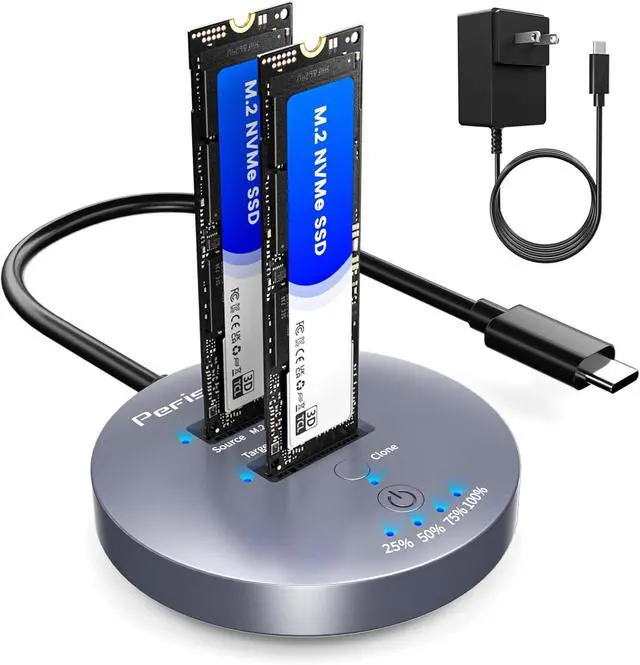


M.2 NVMe SSD Cloner Dock - 10Gbps Dual-Bay NVMe to USB Enclosure, Offline Clone, UASP, USB 3.2 Gen 2, Sizes 2230/2242/2260/2280/22110, Supports 2x8TB
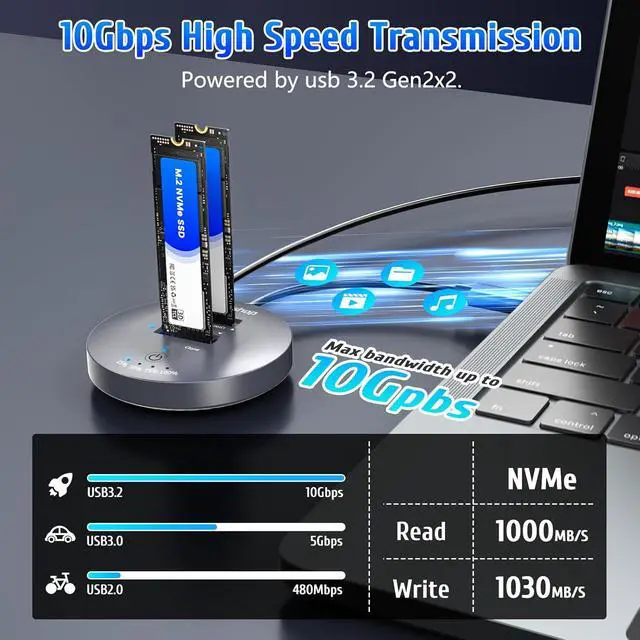
- 10Gbps Super Speed NVMe ClonerThe M.2 NVMe SSD Cloner equips with a USB 3.2 Gen 2x2 interface, this nvme m.2 ssd cloner dock duplicator offers blazing speeds up to 10Gbps, Also equips with an independent 5V/3A power adapter,it is fast to access your profile and increase your productivity.Professionally tested: A 1TB files transfer only takes about 10 minutes to complete. NOTE: This M.2 NVMe cloner is not compatible with M.2 SATA clones.
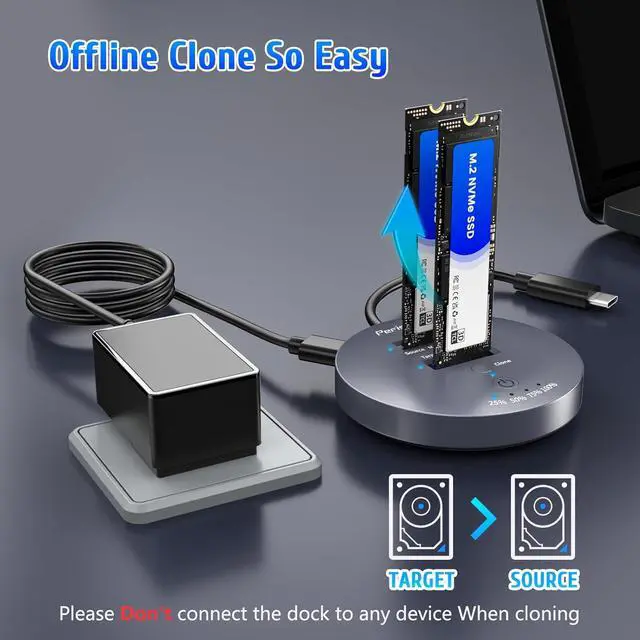
- Support Offline ClonerThis NVMe M.2 cloner dock station can support offline clone and it is super easy to operate. Just insert 2 SSDs into respective slots, connect the power adapter (do not connect computer), Press the power switch,then long press clone button for 5 seconds until 25% light is flashing blue. Please note that the source disk capacity should not exceed the target disk capacity.
+
+
Overview
Reviews

Any questions? Our AI mode will help you find out quickly.
Try me now
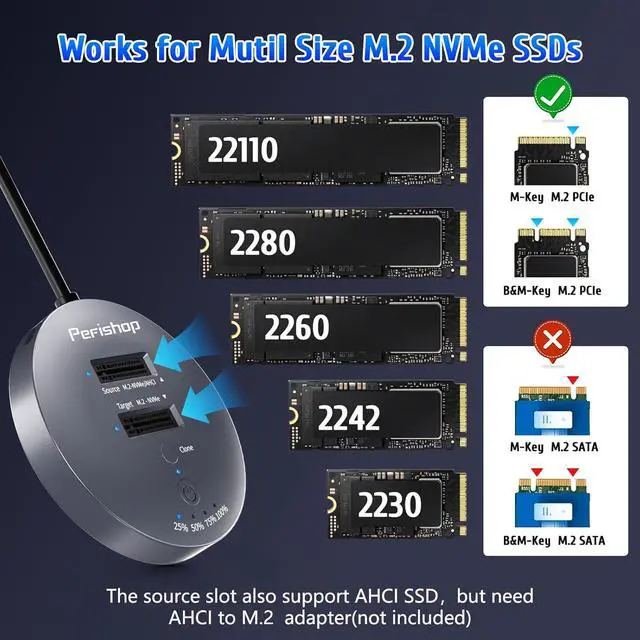
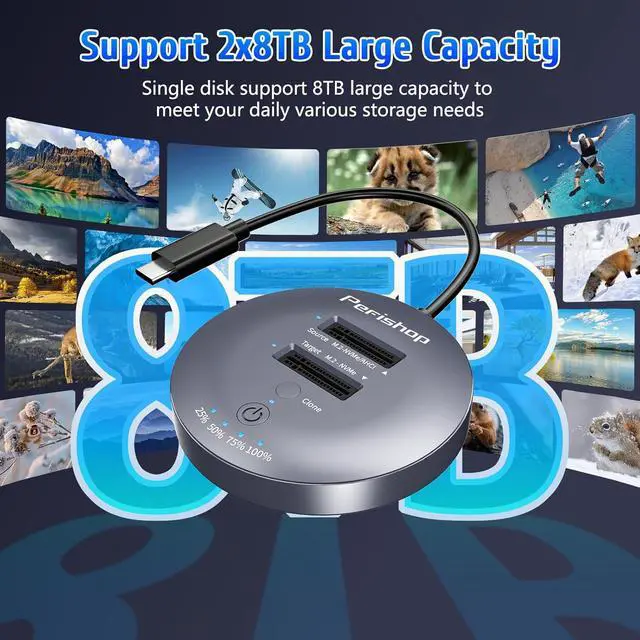
Works with M. 2 PCIe SSDThe M. 2 SSD cloner supports M Key/B+M Key NVMe SSDs in sizes ranging from 22110 to 2230, Storage expansion capability up to 2x8TB. The source slot is also compatible with AHCI SSDs, though it requires an AHCI to M. 2 adapter (not included).
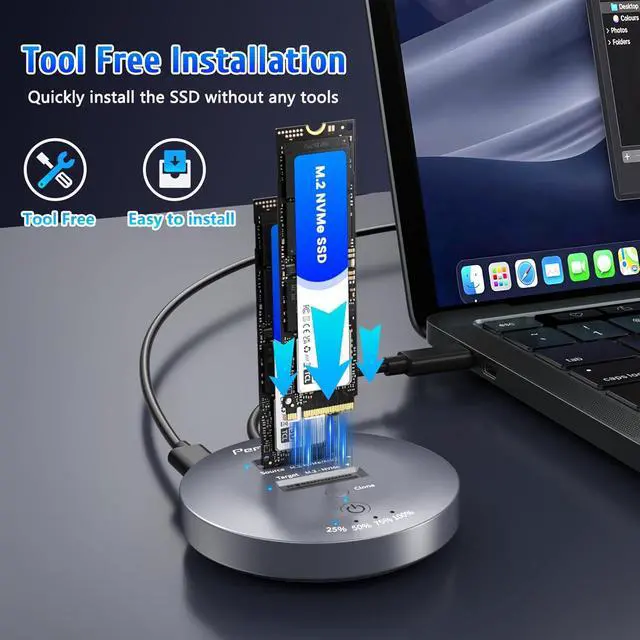
Tool-Free & Driver-Free M. 2 SSD ClonerThe m. 2 dock station with tool-free design makes plug or unplug an M. 2 SSD smoothly, plug and play, Simply connect the docking station to your main device and start using it, ensuring a smooth and efficient workflow.
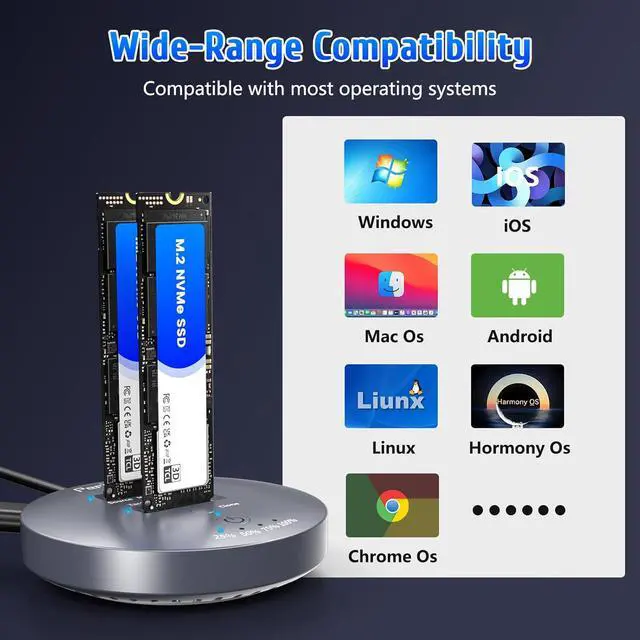
Wide CompatibilityThis M. 2 hard drive duplicator is widely compatible with Windows XP/2000/7/8/10/Vista, Linux, macOS 10.3 or higher. This compact M. 2 Nvme ssd dock provides you with excellent versatility, compact and lightweight, easy to carry, whether you need to expand storage or clone data, it can meet your daily travel needs.
1 One-Click Cloning
2 How to Offline Clone
3 How to Read & Write
4 Works for M. 2 PCIe SSD
5 Easy to Carry
When Using the M. 2 NVMe SSD Cloner - Kindly Notes as
Follows:
1. This M. 2 cloner docking station support NVMe M. 2 SSD, besides, only the source slot supports AHCI SSD, and the AHCI to M. 2 adapter is required (not included in the package).
2. When using the offline clone duplicator, capacity
requirements: source disk target disk. Otherwise the clone cannot be completed.
3. Offline Clone Function cannot be connected to the computer. Only supports offline clone.
Note: The NVMe SSD is not included in the package.
4. It is normal for the device to heat up during use, because the high-speed NVMe M. 2 drives generate much heat while working. Do not touch the SSD during operation.
5. If the host USB port is lower than USB 3.2 Gen 2, transfer performance will be limited.
6. While cloning drives disconnect the USB cable to your computer.
7. Please scan the SSD once before copying to make sure there are no bad sectors. If there are bad sectors in the SSD, the copy may stop.
8. Please make sure that the computer can recognize both SSDs when inserting our NVMe enclosure. Otherwise, cloning will not work.
9. If you need to remove the SSD, please unplug the power first, then remove the SSD.
10.
Package Lists: 1 x M. 2 SSD Cloner Dock1 x Power Adapter 1x Multi-Language Instruction Manual
Tool-Free & Driver-Free M. 2 SSD ClonerThe m. 2 dock station with tool-free design makes plug or unplug an M. 2 SSD smoothly, plug and play, Simply connect the docking station to your main device and start using it, ensuring a smooth and efficient workflow.
Wide CompatibilityThis M. 2 hard drive duplicator is widely compatible with Windows XP/2000/7/8/10/Vista, Linux, macOS 10.3 or higher. This compact M. 2 Nvme ssd dock provides you with excellent versatility, compact and lightweight, easy to carry, whether you need to expand storage or clone data, it can meet your daily travel needs.
1 One-Click Cloning
2 How to Offline Clone
3 How to Read & Write
4 Works for M. 2 PCIe SSD
5 Easy to Carry
When Using the M. 2 NVMe SSD Cloner - Kindly Notes as
Follows:
1. This M. 2 cloner docking station support NVMe M. 2 SSD, besides, only the source slot supports AHCI SSD, and the AHCI to M. 2 adapter is required (not included in the package).
2. When using the offline clone duplicator, capacity
requirements: source disk target disk. Otherwise the clone cannot be completed.
3. Offline Clone Function cannot be connected to the computer. Only supports offline clone.
Note: The NVMe SSD is not included in the package.
4. It is normal for the device to heat up during use, because the high-speed NVMe M. 2 drives generate much heat while working. Do not touch the SSD during operation.
5. If the host USB port is lower than USB 3.2 Gen 2, transfer performance will be limited.
6. While cloning drives disconnect the USB cable to your computer.
7. Please scan the SSD once before copying to make sure there are no bad sectors. If there are bad sectors in the SSD, the copy may stop.
8. Please make sure that the computer can recognize both SSDs when inserting our NVMe enclosure. Otherwise, cloning will not work.
9. If you need to remove the SSD, please unplug the power first, then remove the SSD.
10.
Package Lists: 1 x M. 2 SSD Cloner Dock1 x Power Adapter 1x Multi-Language Instruction Manual
Warranty & Returns
Warranty, Returns, And Additional Information
Warranty
- Please contact the Seller directly for warranty information. Warranty information may also be found on the Manufacturer's website.
- CONTACT
Return Policies
- Return for refund within: 30 days
- Return for replacement within: 30 days
- This item is covered by Grandwood Tech Limited Return Policy
Manufacturer Contact Info
- For a directory of all our manufacturers, please click below.
- Manufacturers Directory
LOADING...