

Your Browsing History
- Free 30-day Returns
$106.99

Meet Your Seller

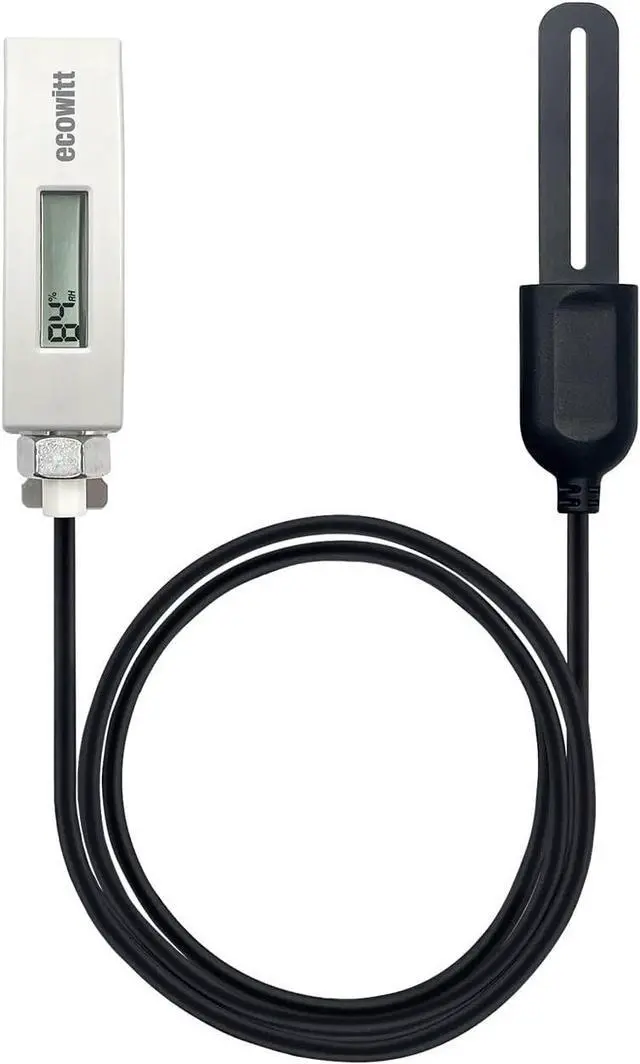
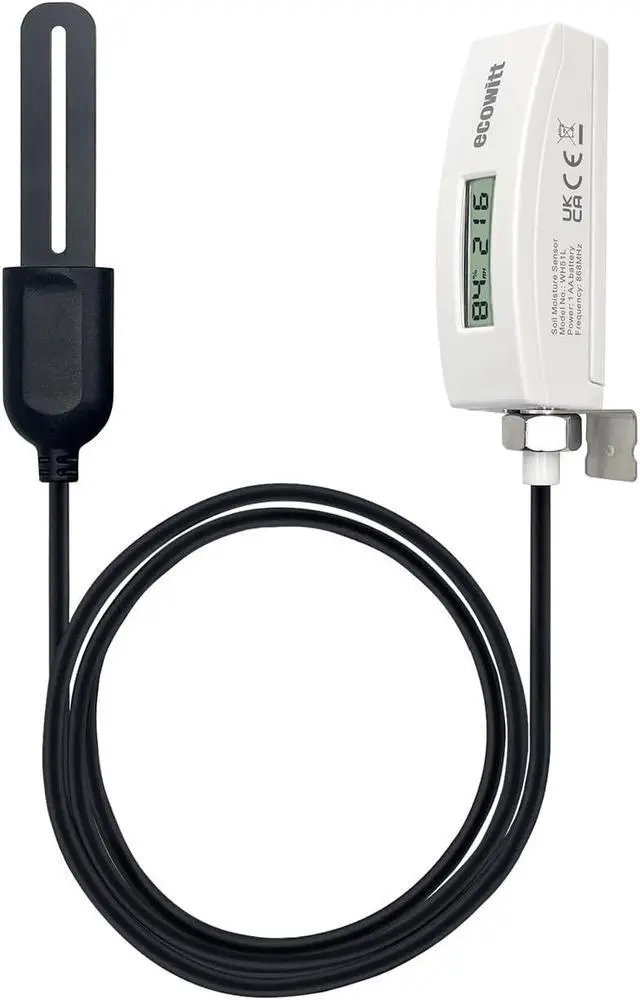
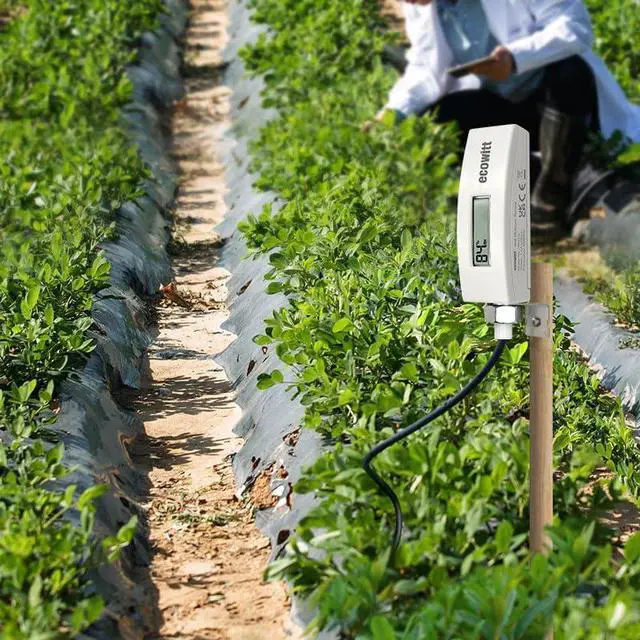


Soil Moisture Sensor WH51L with 1m/3.28ft PVC Wire Probe & LCD Display, Pairs with Wi-Fi Gateway, 915 MHz
- 2024 Newest Soil Moisture Meter WH51L soil moisture sensor with 1m/3.28ft PVC sensor wire could measure soil moisture. The LCD screen could display the real-time data. The data can be streamed by Wi-Fi Gateway (sold separately) and they can be viewed on the APP after the Wi-Fi configuration is done. A display console(sold separately) also can be used to display the received sensor value and submit it to the Internet.
- Difference between WH51 and WH51LBoth of them are designed to measure soil moisture. However, WH51L with an LCD screen could display the real-time data while WH51 does not. Besides, the 1m/3.28ft PVC cord of WH51L enables you to measure deeper soil moisture up to almost 80cm while WH51 can measure shallow soil moisture. What's more, the sensor probe of WH51L's waterproof lever is up to IP68 while WH51 is IP66.
+
+
Overview
Reviews

Any questions? Our AI mode will help you find out quickly.
Try me now
When Pairing with
Gateway: The gateway (sold separately), such as GW1100/GW2000/GW1200, supports up to 8 channels of WH51L soil moisture sensors and displays the data on app after WI-Fi configuration. Channel names can be edited on the app.
When Pairing with Consoles: When pairing with a display console (sold separately), such as HP2550/HP2560/HP3500/WN1820/WN1821, up to 8 channels of WH51L sensors are supported and you can view soil moisture data in real-time on the Display and the console will upload the data to the Internet. Other consoles, such as WN1900/WN1910/WN1980/WN1920/WS3800/WS3900/WS6006, could be a gateway to pair with the WH51L but NOT display the data on the screen. When paired with WH0291, you only can view soil moisture data in real-time on the Display, and the WH0291 could NOT upload the data to the Internet.
Custom Mode: When the WH51L sensor is inside soil with different humidity levels, it will generate electrical signals of different intensities. The sensor will convert the electrical signals into AD values. The higher the humidity, the greater the AD value. Please refer to the user manual to get the details about how to calibrate the WH51L.
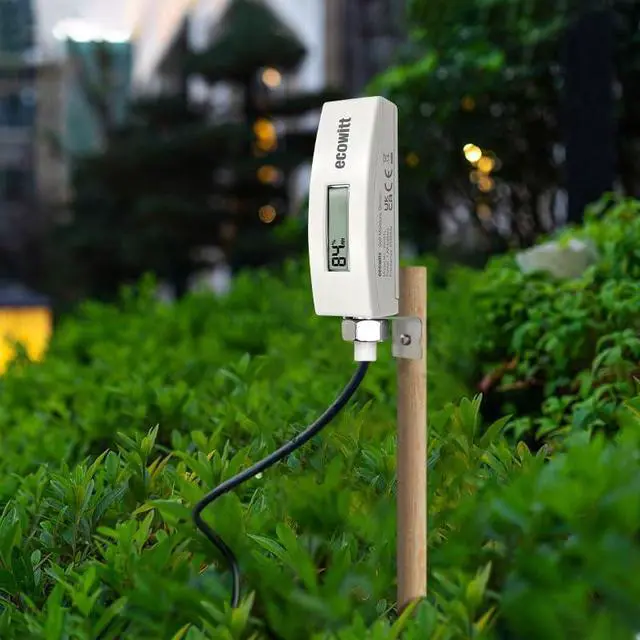
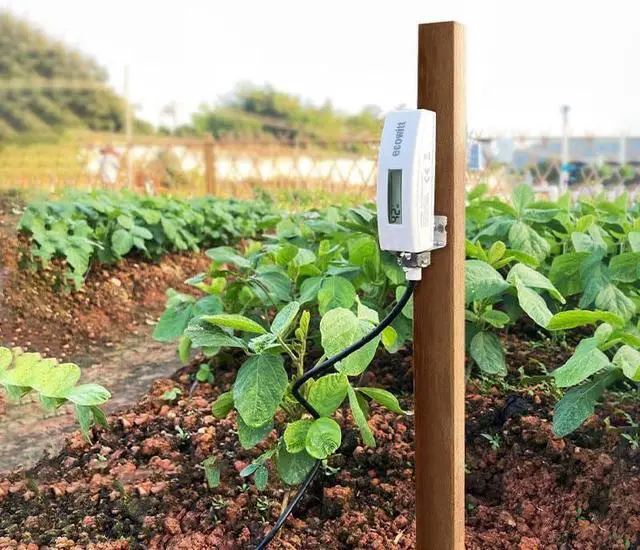
Note Before Purchase: WH51L and WH51 share the same 8 channels of Soil on the system. When placing the WH51L, it is highly recommended that the WH51L's body had better be placed at least 20cm higher than the surface of the soil. If the device's body is very close to the surface, RF would decline, which might affect the transmission of the data.
Gateway: The gateway (sold separately), such as GW1100/GW2000/GW1200, supports up to 8 channels of WH51L soil moisture sensors and displays the data on app after WI-Fi configuration. Channel names can be edited on the app.
When Pairing with Consoles: When pairing with a display console (sold separately), such as HP2550/HP2560/HP3500/WN1820/WN1821, up to 8 channels of WH51L sensors are supported and you can view soil moisture data in real-time on the Display and the console will upload the data to the Internet. Other consoles, such as WN1900/WN1910/WN1980/WN1920/WS3800/WS3900/WS6006, could be a gateway to pair with the WH51L but NOT display the data on the screen. When paired with WH0291, you only can view soil moisture data in real-time on the Display, and the WH0291 could NOT upload the data to the Internet.
Custom Mode: When the WH51L sensor is inside soil with different humidity levels, it will generate electrical signals of different intensities. The sensor will convert the electrical signals into AD values. The higher the humidity, the greater the AD value. Please refer to the user manual to get the details about how to calibrate the WH51L.
Note Before Purchase: WH51L and WH51 share the same 8 channels of Soil on the system. When placing the WH51L, it is highly recommended that the WH51L's body had better be placed at least 20cm higher than the surface of the soil. If the device's body is very close to the surface, RF would decline, which might affect the transmission of the data.
Warranty & Returns
Warranty, Returns, And Additional Information
Warranty
- Please contact the Seller directly for warranty information. Warranty information may also be found on the Manufacturer's website.
- CONTACT
Return Policies
- Return for refund within: 30 days
- Return for replacement within: 30 days
- This item is covered by Grandwood Tech Limited Return Policy
Manufacturer Contact Info
- For a directory of all our manufacturers, please click below.
- Manufacturers Directory
LOADING...