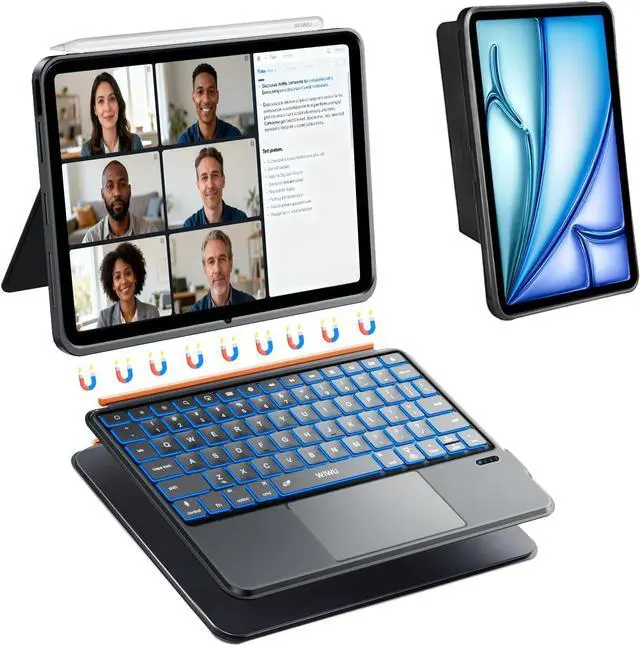
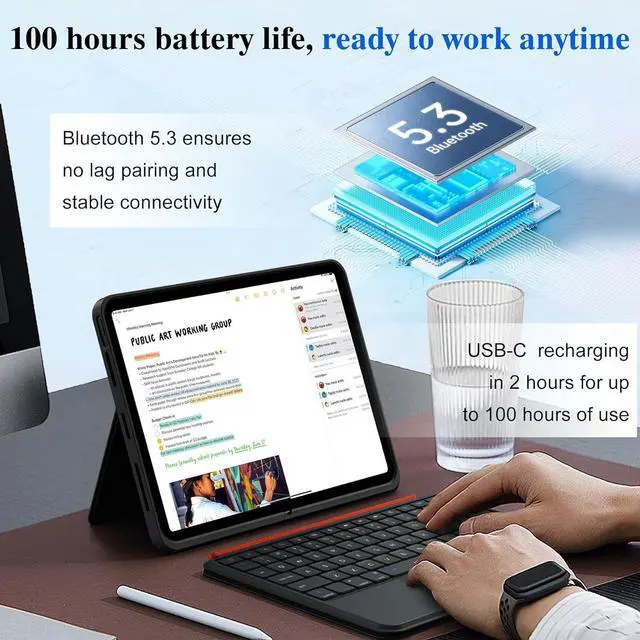
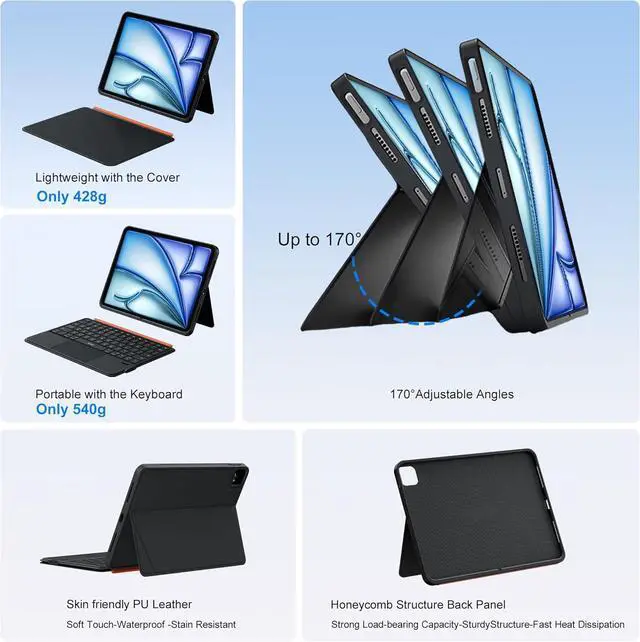
Slim Design & Bluetooth No Lag: 0.25 -inch ultra-slim iPad 10th gen keyboard backlit and durable case, portable enough for bags and backpacks. Ideal for students, business travelers, designers and outdoor workers, fits study, business trips, outdoor work and travel. Bluetooth 5.3 ensures instant no lag pairing and stable connectivity. Ideal for home study, online courses, turning iPad into a portable laptop in seconds
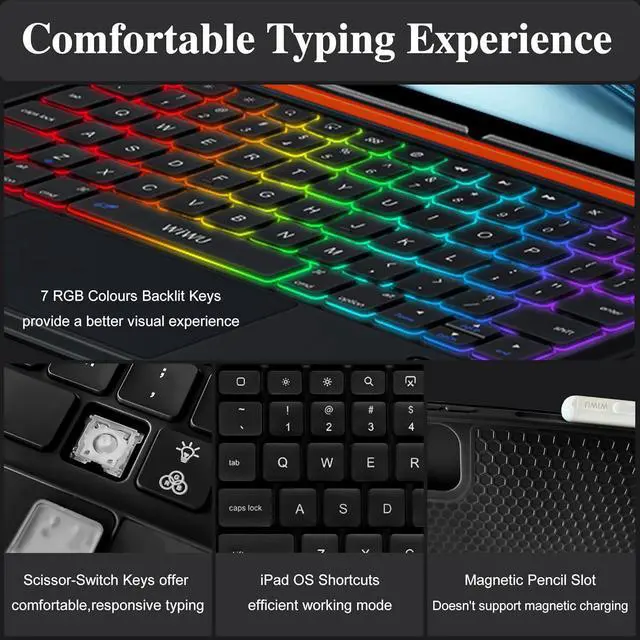
Multiple Backlit Keys: Various of RGB backlight colors with 3 brightness levels (Low/Med/High). Laser-engraved emit a soft, glare-free light for easy typing in low-light environments. This iPad air m3 11 inch case with keyboard ideal for doing homework at night, working overtime, working in dimly lit cafes/areas, and use in the bedroomideal for students, night owls, and office workers who use devices at night
Silent & Comfortable Keys: Scissor-switch keys with just 1mm key travel offer comfortable and fast response, reducing finger fatigue for long-hour typing. Silent keystrokes won't disturb others in libraries and offices. This iPad 10 gen keyboard and case ideal for writers, online learners, bloggers, and office staff for document editing, note-taking, email, and thesis writing
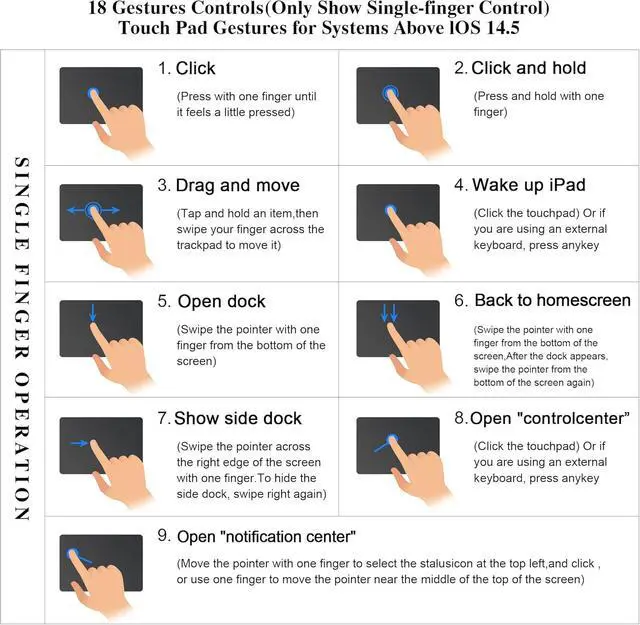
Precise Large Trackpad: The trackpad is 65% larger and supports 18 intuitive gestures, enabling precise and smooth browsing, tapping, zooming, and switching between apps. Business case iPad a16 with keyboard trackpad can turn off. Without the need for a mouse, iPad 10th gen keyboard durable transforms iPad into a laptop, flexibly adapting to various scenarios such as work and study
Long Battery Life: USB-C recharging in 2 hours for up to 100 hours of use, making iPad air 11 inch m4 2026 case with keyboard ideal for long-haul flights and road trips. Designed specifically for full-time students and professionals who work long hours. Say goodbye to frequent charging, reliable support for all-day studying, typing, and entertainment, thereby boosting work and study efficiency
Professional Productivity Anytime Anywhere
3 in 1 detachable magnetic keyboard case Stand Suitable for movies, video calls and meetings. Ideal for office, travel, and outdoor adventures
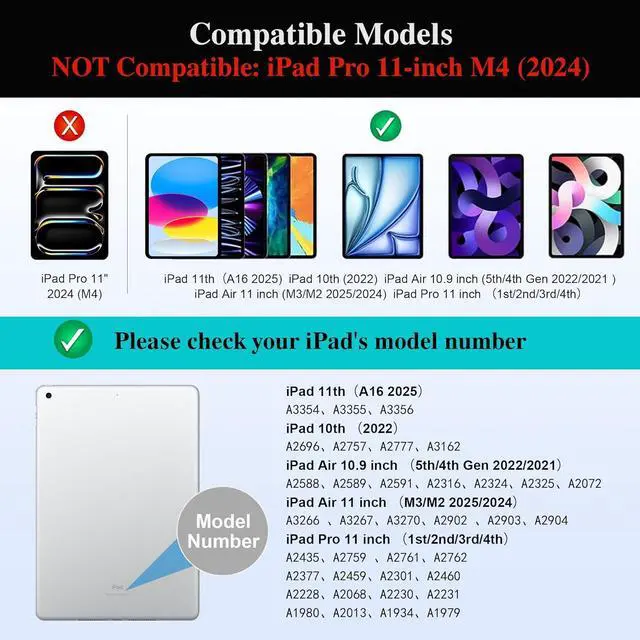
How to identify my iPad model correctly?
Open the iPad Settings>General>About>Click the "Model Number"
What specific iPad models are supported?
iPad 11 inch 11th Gen (A16) 2025
iPad 10.9 inch 10th Gen (2022)
iPad AIR 11 inch M4/M3/M2 (2026/2025/2024)
iPad Pro 11 inch 4th/3rd/2nd/1st Gen (2022/2021/2020/2018)
iPad Air 10.9 inch 5th/4th Gen (2022/2021)
What to do if the indicator light is normal but FN+Bluetooth keys have no response?
This is usually caused by low battery voltage. Please charge the keyboard for a period of time, keep the USB cable connected, and try activating Bluetooth again
What to do if the indicator is normal and press FN+Bluetooth, but the ipad can't find the keyboard or fails to connect?
1. If it finds the name but wont connect (first use): tapped pair but no connect. Please delete unused devices then try reconnecting
2. If it fails to reconnect after pairing: Refresh the list and pair to the new device (MK005) instead of the old saved one
Why can't use the spacebar to select text while typing?
Please go to iPad Settings > General > Keyboard, then turn on the "Space Confirmation" option





 here!
here!