• $139.99
  • Free 30-day Returns
  • Price alert
    Shop it at NeweggBusiness.

    Outdoor Sports Ski Helmets Headphones/Bicycle Helmets Headset- Chips 5.3 - True Wireless Bluetooth Helmet Speakers for Skiing, Snowboarding Mountain Biking

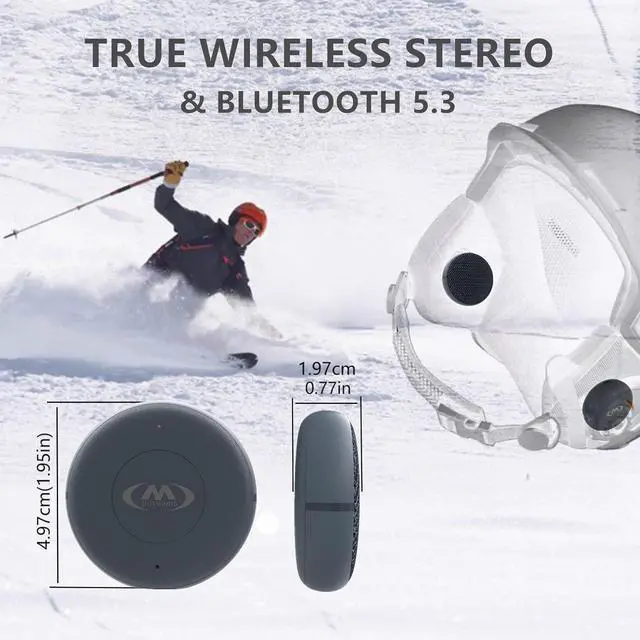
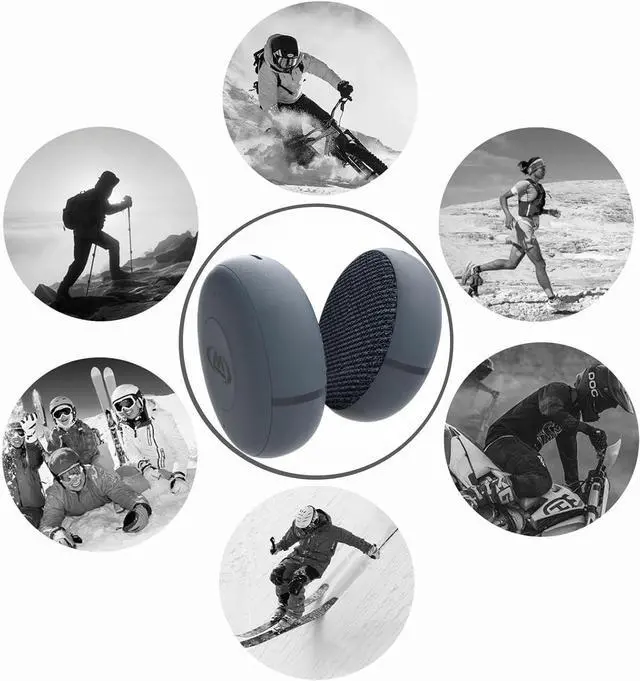
    • M Jiuyunmu Wireless Ski Helmet Speakers adopts the latest Bluetooth 5.3 technology, which can maintain stable connection and faster transmission speed within a range of ten meters. Therefore,motorcycle during mountain biking, hiking, skiing, and snowboarding, you can enjoy conversations and music to the fullest without experiencing audio loss or interruption
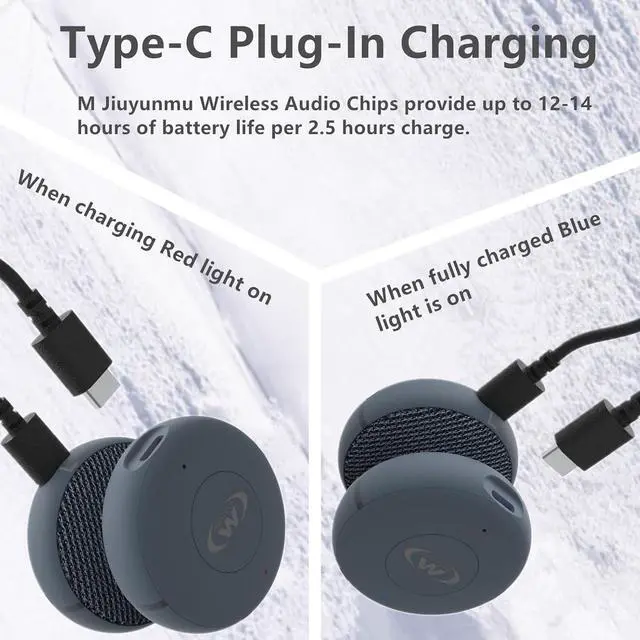
    • Ski Helmet Bluetooth Headset:It Tpye-C conventional charging is more stable and robust. Each earpiece has a big button that can be easily operated even when wearing gloves. A simple button combination allows you to control each function without removing the device from the helmet. With the buttons, you can easily change, play, or pause music, or answer calls
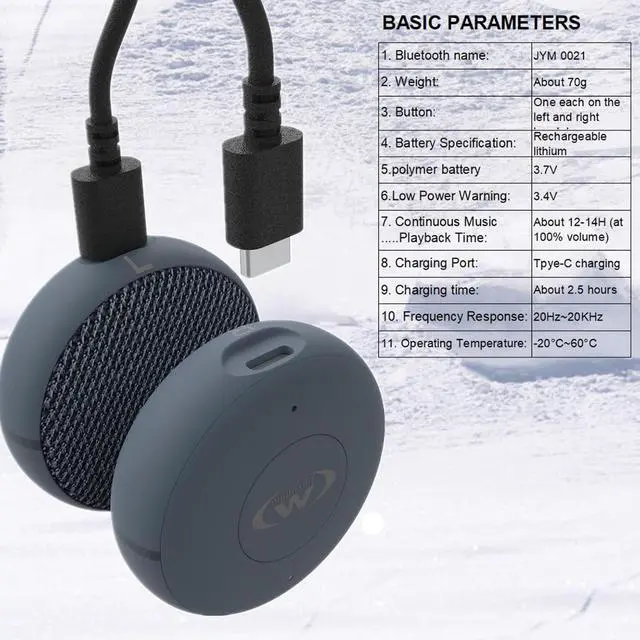
    • The volume of snowboard headphones is surprisingly high,40mm helmet speakersIt can be used for Bluetooth headsets inside motorcycle helmets,which can help you reduce wind noise. In addition, it can play for 12-14 hours when fully charged, providing you with music
    +
    +
    Overview
    Specs
    Reviews
    avatar

    Any questions? Our AI beta will help you find out quickly.

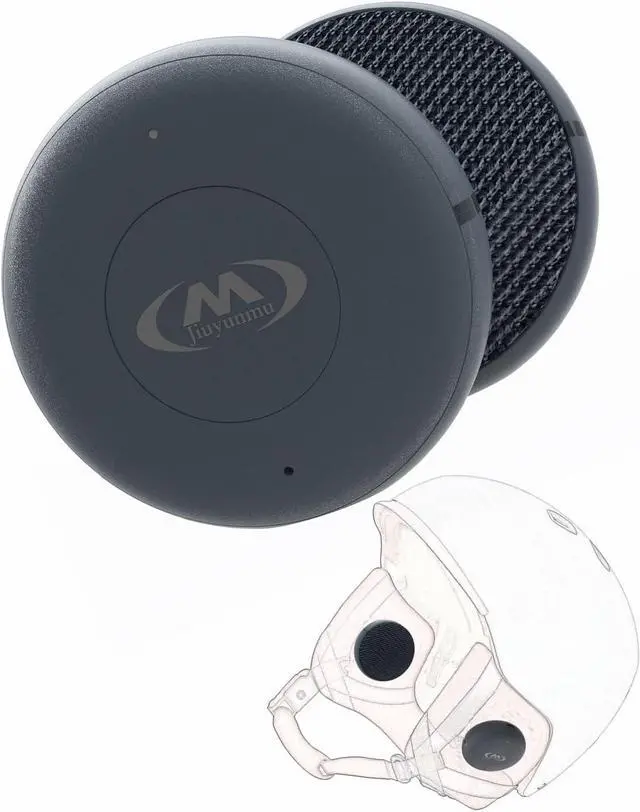
    This helmet headset equipped with a professionally tuned 40mm driver to create incredible sound effects in the helmet. It is the lightest and thinnest helmet sound solution, with sound quality like your personal concert
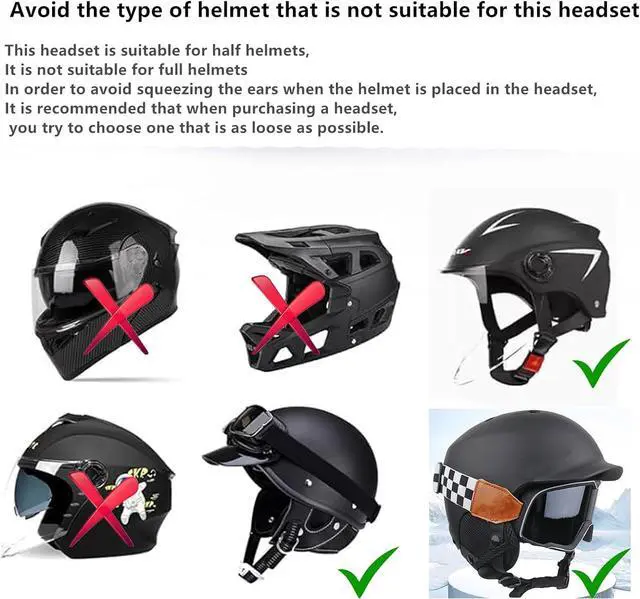
    Avoid the type of helmet that is not suitable for this headsetThis headset is suitable for half helmets, It is not suitable for full helmets In order to avoid squeezing the ears when the helmet is placed in the headset, It is recommended that when purchasing a headset, you try to choose one that is as loose as possible.
    Helmet Wireless Bluetooth HeadsetInternally equipped with a one to two Type-C charging cable, storage box, and instructions. If you have any issues with the goods upon receipt, please contact our store directly and we will resolve them as soon as possible

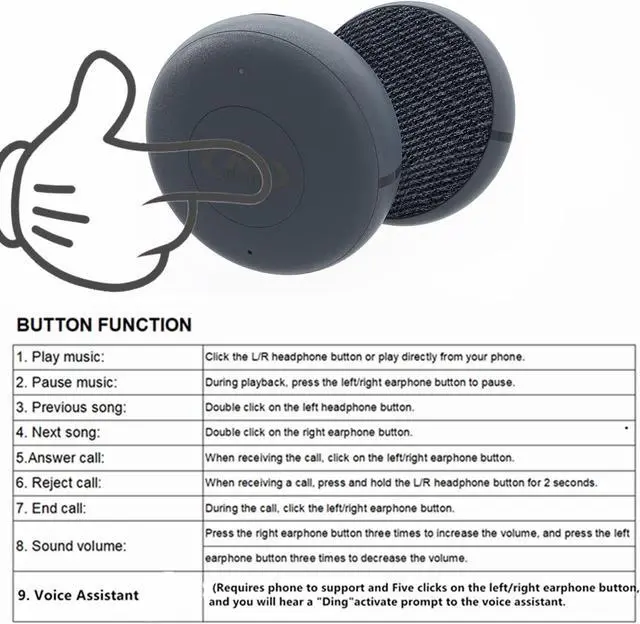
    Play music: Click the L/R headphone button or play directly from your phone.
    Pause music: During playback, press the left/right earphone button to pause.
    Previous song: Double click on the left headphone button.
    Next song: Double click on the right earphone button.
    Answer call: When receiving the call, click on the left/right earphone button.
    Reject call: When receiving a call, press and hold the L/R headphone button for 2 seconds.
    End call: During the call, click the left/right earphone button.
    Sound volume: Press the right earphone button three times to increase the volume, and press the left earphone button three times to decrease the volume.
    Voice Assistant (Requires phone to support and activate): Five clicks on the left/right earphone button, and you will hear a Ding prompt to activate the voice assistant.

    Warranty & Returns

    Warranty, Returns, And Additional Information

    Warranty

    • Please contact the Seller directly for warranty information. Warranty information may also be found on the Manufacturer's website.
    • CONTACT

    Return Policies

    Manufacturer Contact Info

    LOADING...