Your Browsing History
- Free 30-day Returns
$240.99
Meet Your Seller
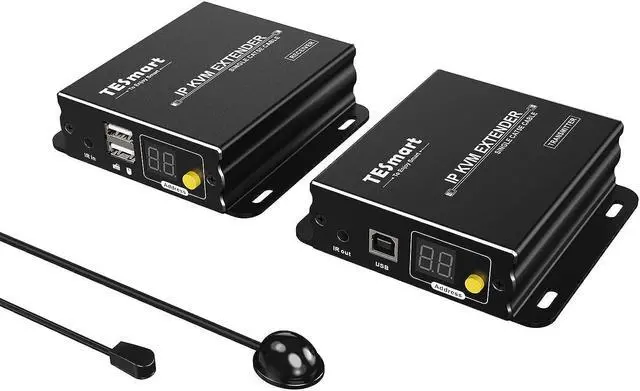
HDMI KVM Extender 1080P 60Hz Over Single Cat5e/6 Cable Up to 120m/393ft, Point/Multipoint to Point/Multipoint, Remote Control via Mouse & Keyboard, IR Pass Through (Transmitter and Receiver)
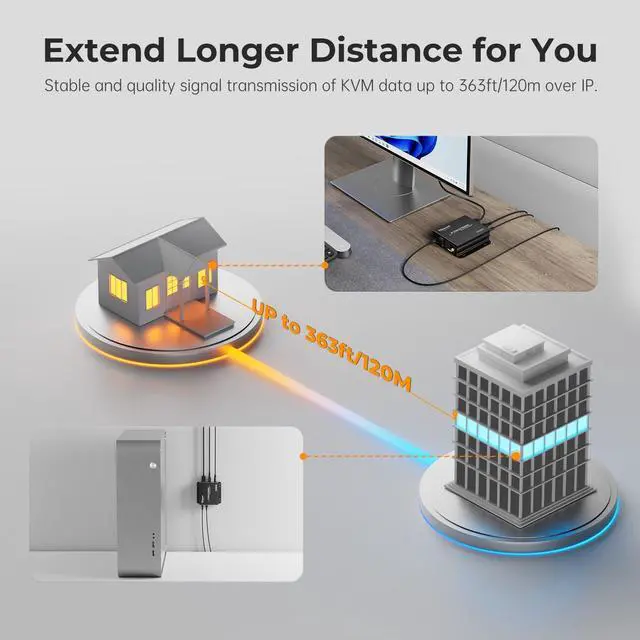
- Transmission 395ft(120m): Extend keyboard, mouse and HDMI signals to the remote monitor with a Cat 5e/6 Ethernet cable; support up to 390 ft (120 meters)
- 1080P@60Hz HDMI Video: Provide you a smooth, stable and high quality video experience; support 1080P@60Hz; compatible with HDMI 1.3
- Point/Muiltipoint to Point/Muiltipoint Connection: Support point-to-point, point-to-multipoint, multipoint-to-point, and multipoint-tomultipoint over router or network switch; support up to 16 transmitters to 253 receivers
+
+
Overview
Specs
Reviews
Any questions? Our AI beta will help you find out quickly.
Try me now
3 Advanced and
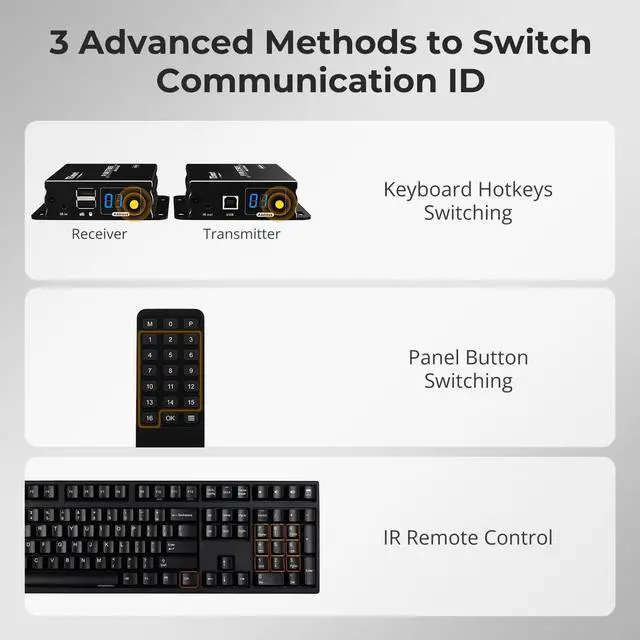
Simple Switching Modes: The ID switch button on the panel of Transmitter and Receiver for quick channel selection; IR Remote control to switch the ID of the Receiver; Keyboard hotkeys to switch ID for
Receiver(Note: IR Remote control and Keyboard hotheys can only be applied in multipoint-to-point and multipoint-to-multipoint connection)
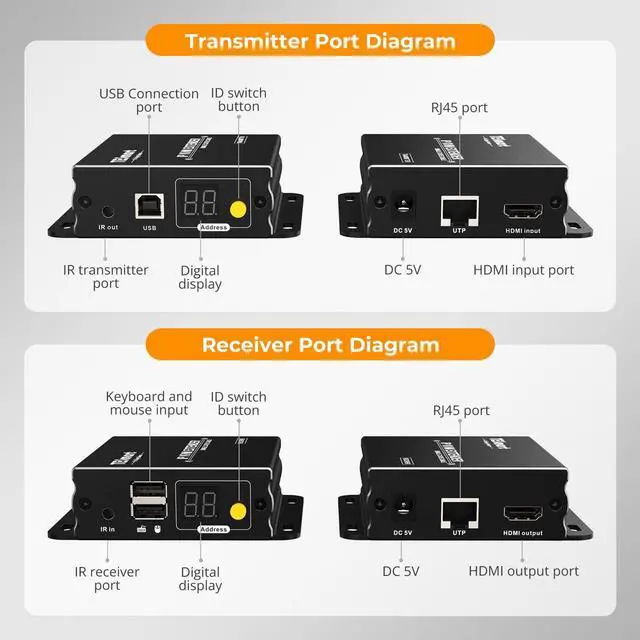
Easy to Setup and high Reliability: No driver needed, plug and play. Connect your HDMI source device (Compatible with PC, game console, Blu-ray player, media player) to the Transmitter, connect Ethernet Cat 5e/6 cable to Transmitter and Receiver, then connect your HD monitor/TV from a long distance place to the Receiver, and remember to connect the power adapter to Transmitter and Receiver, then it will work
Metal construction and Flexible Installation: The metal construction makes the unit more solid, durable and keeps better heat dissipation; there are keyhloes on the unit, you can also choose the flexible installation anywhere you want
Wide Compatibility: This HDMI KVM Extender supports various operation systems, compatible with Unix/Windows/Debian/Ubuntu/Fedora/Mac OS X/Raspbian/Ubuntu for Raspberry Pi and other Linux basic systems

Simple Switching Modes: The ID switch button on the panel of Transmitter and Receiver for quick channel selection; IR Remote control to switch the ID of the Receiver; Keyboard hotkeys to switch ID for
Receiver(Note: IR Remote control and Keyboard hotheys can only be applied in multipoint-to-point and multipoint-to-multipoint connection)
Easy to Setup and high Reliability: No driver needed, plug and play. Connect your HDMI source device (Compatible with PC, game console, Blu-ray player, media player) to the Transmitter, connect Ethernet Cat 5e/6 cable to Transmitter and Receiver, then connect your HD monitor/TV from a long distance place to the Receiver, and remember to connect the power adapter to Transmitter and Receiver, then it will work
Metal construction and Flexible Installation: The metal construction makes the unit more solid, durable and keeps better heat dissipation; there are keyhloes on the unit, you can also choose the flexible installation anywhere you want
Wide Compatibility: This HDMI KVM Extender supports various operation systems, compatible with Unix/Windows/Debian/Ubuntu/Fedora/Mac OS X/Raspbian/Ubuntu for Raspberry Pi and other Linux basic systems
Warranty & Returns
Warranty, Returns, And Additional Information
Warranty
- Please contact the Seller directly for warranty information. Warranty information may also be found on the Manufacturer's website.
- CONTACT
Return Policies
- Return for refund within: 30 days
- Return for replacement within: 30 days
- This item is covered by Group Can Trading Limited Return Policy
Manufacturer Contact Info
- For a directory of all our manufacturers, please click below.
- Manufacturers Directory
LOADING...