Your Browsing History
- Free 30-day Returns
$124.99
Meet Your Seller
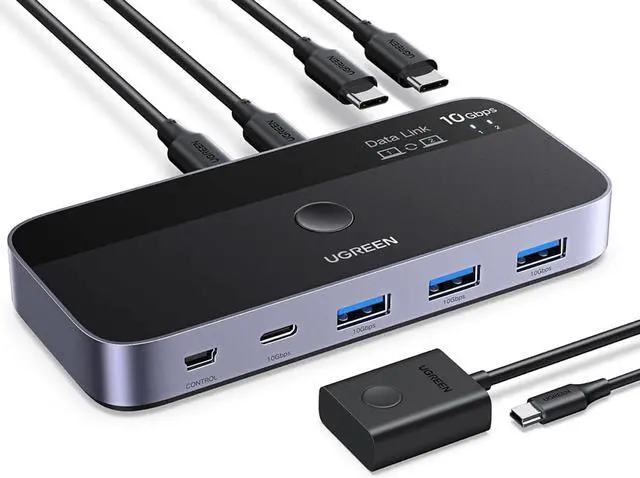
10 Gbps USB-C Switch Support File Sync & Cross-Screen Drag, USBC 3.2 Switch 2 Computers Share 4 USB 3.2 Gen 2 Ports, USB Switcher Selector Sharing Keyboard and Mouse with Controller
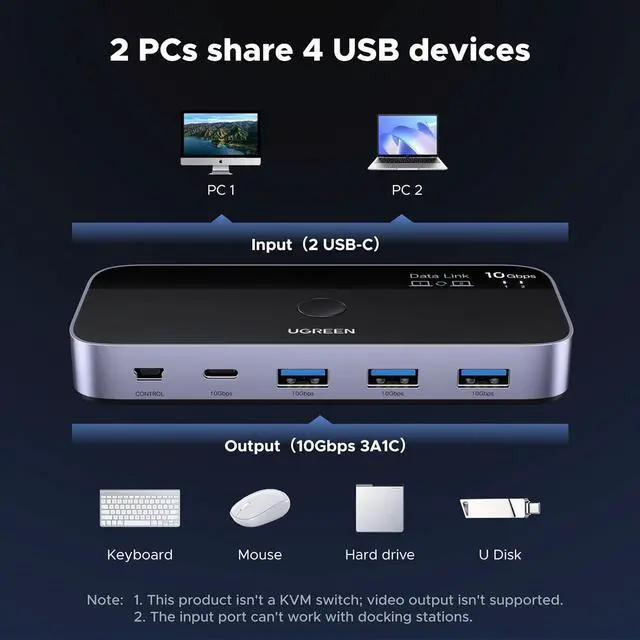
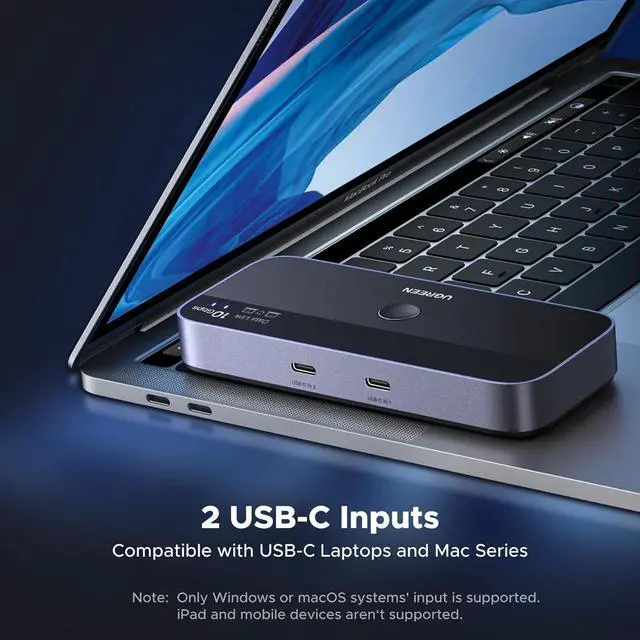
- 2 USB-C PCs Share Multiple Devices: UGREEN 2-In 4-Out USB-C switch supports sharing 4 USB devices like a keyboard, mouse, and headphones between 2 computers. Switch freely between work computer and personal laptop to boost work efficiency. (Not a KVM switch and Not support a monitor)
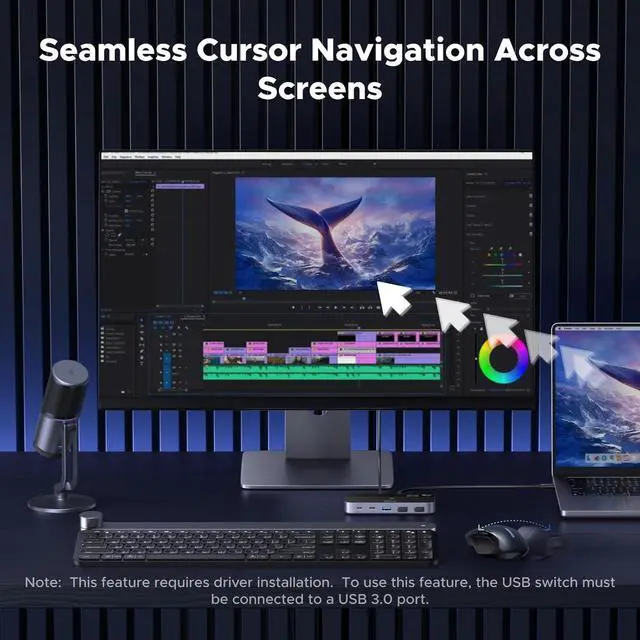
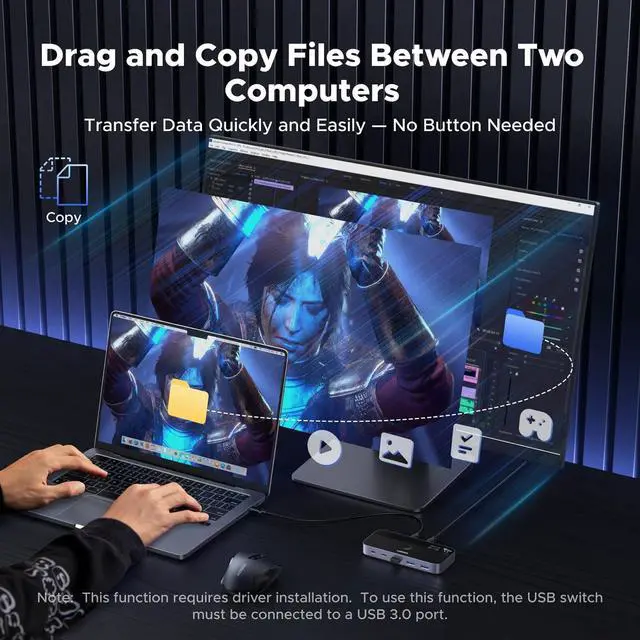
- Support File Sync & Cross-Screen Drag: This USB-C switch allows seamless file sync, drag & drop, and clipboard sharing between two computers Streamline your workflow, no more switching USB drives or uploading to cloud storage. (Function depends on system compatibility and mainly works via keyboard and mouse; others do not support such functions. And these features require driver installation.)
+
+
Overview
Specs
Reviews
Any questions? Our AI beta will help you find out quickly.
Try me now
10
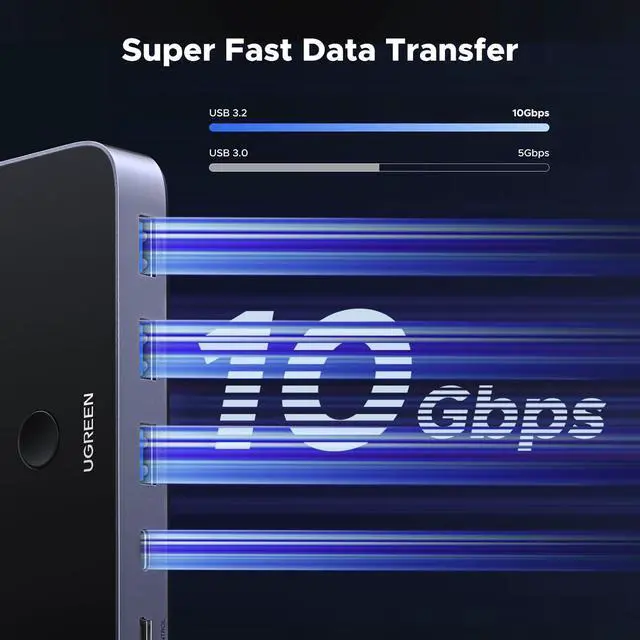
Gbps Transfer Speed: The USB-C switch is equipped with 4 USB 3.2 Gen 2 ports and speeds up to 10 Gbps. Faster than traditional 5 Gbps USB Switches, transfer 1 GB files in 1.5 seconds to improve work efficiency without waiting. (The USB ports are primarily for data transmission audio connections and charging are not recommended. )
Stable Operation with Over-Current Safety: The device features over-current protection with a max output of 2.6A, supporting keyboard, mouse, printer, and hard drives simultaneously without extra power. (Tip: Actual max output depends on the input ports power supply. If the input port is USB 3.0 or 2.0, a lower input current may cause unstable operation. )
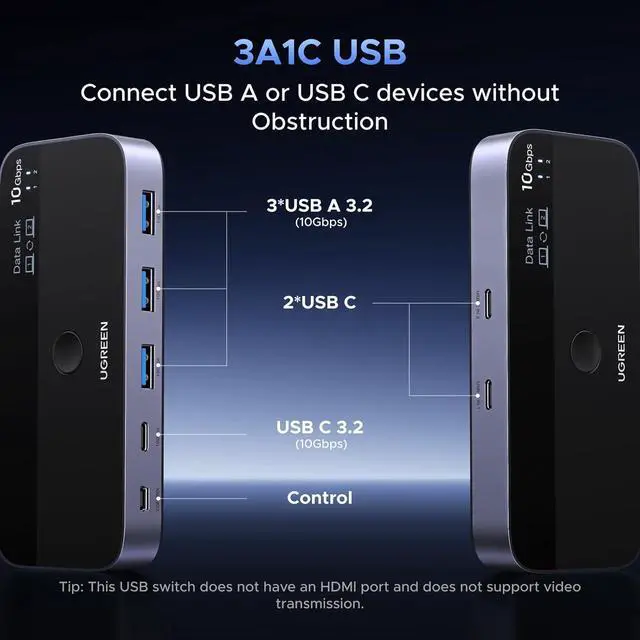
Connect both USB A & C devices: The USB 3.2 switch provides 1 USB-C port and 3 USB-A ports for connecting various devices. 4 USB ports can extend the number of ports for two computers and improve work efficiency. (Do not suggest working with extra USB hubs to prevent insufficient power and unstable performance. )
Two Switching Modes: The USB switcher has two switching modesRemote control and button, switch devices freely as you like. You can hide the USB switch to tidy up the desktop and save space, and then use the remote to switch devices.
1 Screen-Cross Switching
2 Drag & Drop Files
3 Dual Switching Modes
1 Wide Compatibility
2 Whats in the Box
3 Detailed Port View

Gbps Transfer Speed: The USB-C switch is equipped with 4 USB 3.2 Gen 2 ports and speeds up to 10 Gbps. Faster than traditional 5 Gbps USB Switches, transfer 1 GB files in 1.5 seconds to improve work efficiency without waiting. (The USB ports are primarily for data transmission audio connections and charging are not recommended. )
Stable Operation with Over-Current Safety: The device features over-current protection with a max output of 2.6A, supporting keyboard, mouse, printer, and hard drives simultaneously without extra power. (Tip: Actual max output depends on the input ports power supply. If the input port is USB 3.0 or 2.0, a lower input current may cause unstable operation. )
Connect both USB A & C devices: The USB 3.2 switch provides 1 USB-C port and 3 USB-A ports for connecting various devices. 4 USB ports can extend the number of ports for two computers and improve work efficiency. (Do not suggest working with extra USB hubs to prevent insufficient power and unstable performance. )
Two Switching Modes: The USB switcher has two switching modesRemote control and button, switch devices freely as you like. You can hide the USB switch to tidy up the desktop and save space, and then use the remote to switch devices.
1 Screen-Cross Switching
2 Drag & Drop Files
3 Dual Switching Modes
1 Wide Compatibility
2 Whats in the Box
3 Detailed Port View
Warranty & Returns
Warranty, Returns, And Additional Information
Warranty
- Please contact the Seller directly for warranty information. Warranty information may also be found on the Manufacturer's website.
- CONTACT
Return Policies
- Return for refund within: 30 days
- Return for replacement within: 30 days
- This item is covered by Group Can Trading Limited Return Policy
Manufacturer Contact Info
- For a directory of all our manufacturers, please click below.
- Manufacturers Directory
LOADING...