

Your Browsing History
- Free 30-day Returns
$112.99

Meet Your Seller



Moms Choice Awards Kids Sleep Trainer with App Control, OK to Wake Clock 4+, Color Night Light, Alarm & Sound Machine, Easy Setup, Free App, USB-C
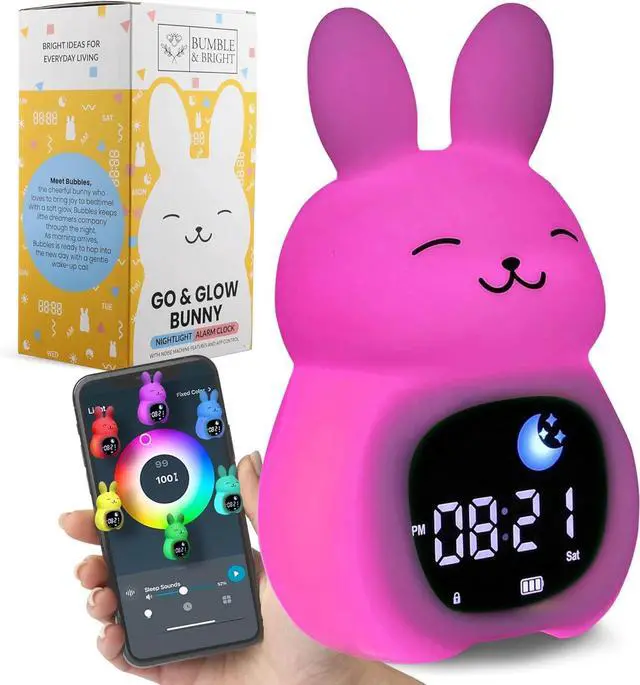
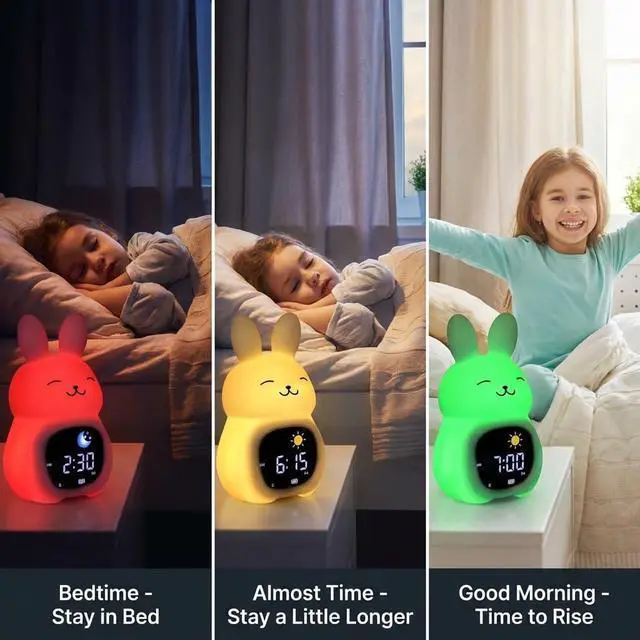
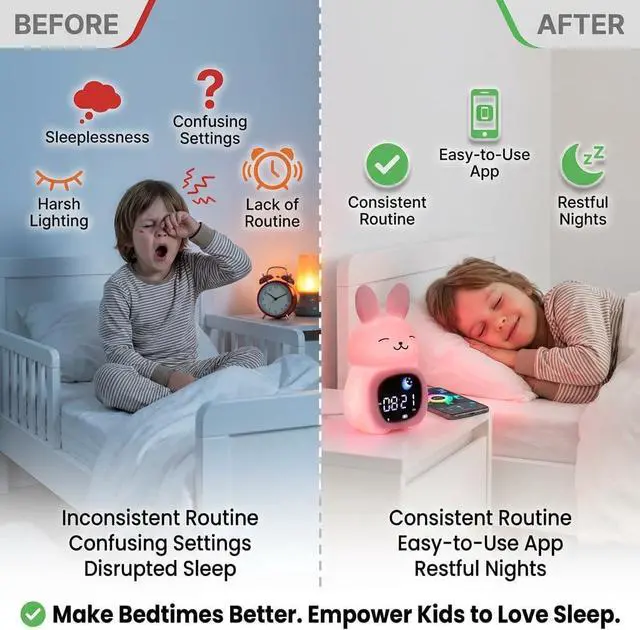
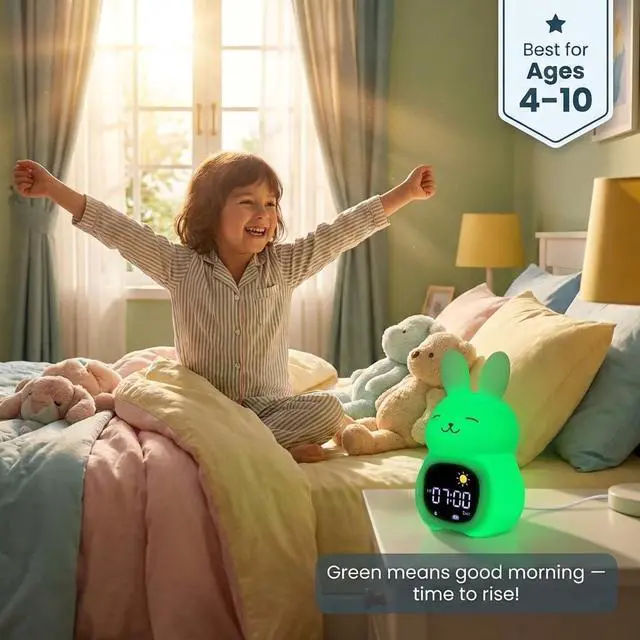
- Mom's Choice Awards winning Kids Alaram Clock: Set one sleep light and one wake-up light from your phone. Red means stay in bed, green means good morning - simple enough for kids ages 4+ to understand and follow on their own. Enable Child Lock in the app to keep the colors set all night, every night. Note: This clock supports one sleep routine and one wake routine. It does not support separate weekday/weekend schedules or automated nap time settings.
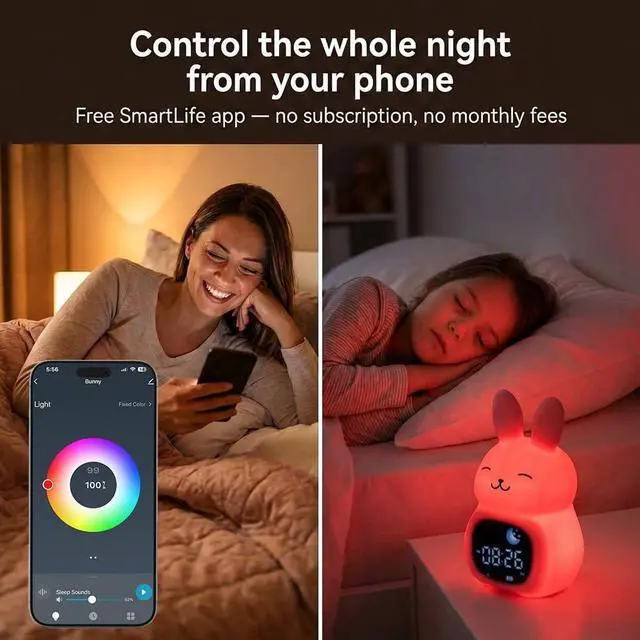
- Full Control From Your Phone - No Getting Out of Bed. - Adjust sleep and wake light colors, sounds, brightness, and duration from the free SmartLife app (blue icon - no subscription, no fees) on iPhone or Android. First-time setup tip: set Duration to 600 min for sleep and 60+ min for wake so lights stay on as long as you need.
+
+
Overview
Specs
Reviews

Any questions? Our AI beta will help you find out quickly.
Try me now
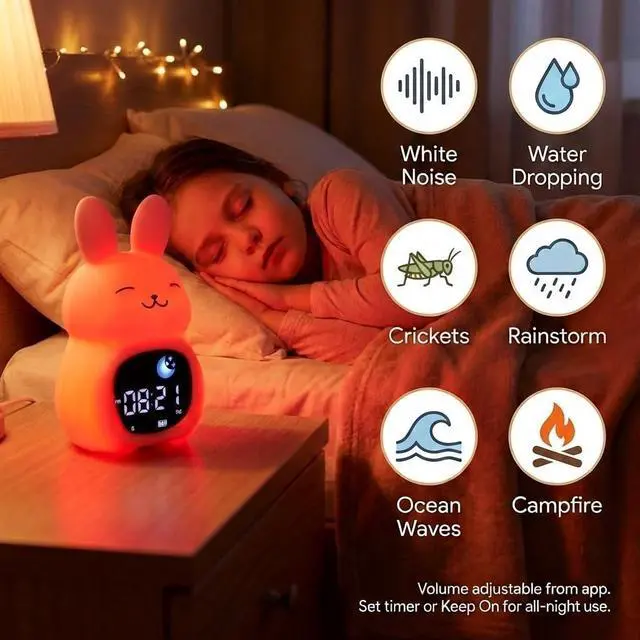
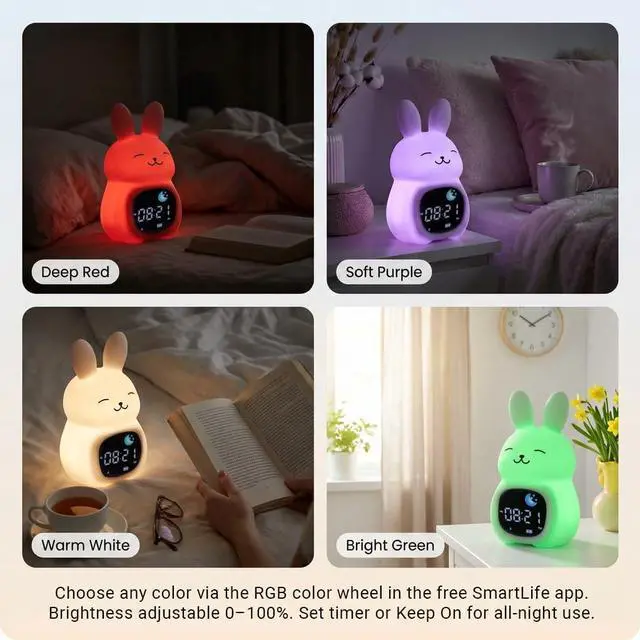
3-in-1 That Replaces 3 Devices - Nightlight, sound machine, and alarm clock in one adorable character your child will actually want in their room. Choose any color from the full RGB color wheel, 6 soothing sleep sounds, and nightlight brightness adjustable from 0100% - all from your phone. Set each timer to Keep On in the app for all-night use. Enable Child Lock to prevent accidental changes.
Always Plugged In, Always Ready - USB-C powered for reliable all-night home use. Built-in backup battery maintains your settings and keeps the clock running during short power interruptions or travel.
Note: The backup battery is not designed to power lights and sounds overnight. For all-night light and sound use, keep the clock plugged in.
Child Lock That Actually Holds - Enable Child Lock via the SmartLife app or by holding the manual buttons on the clock to lock all touch functions - including tap-to-change-color - so your sleep training colors stay consistent all night, even if the clock gets bumped.
Note: Child Lock must be manually enabled - it does not activate automatically. Without Child Lock, bumping the clock or the surface it sits on can change the light color.
Made by a Real Mom. Backed by Real Support. - Bumble & Bright was created by a mom in Temecula, CA - for her own daughter. Every order matters to us personally. Includes wall plug, quick-start guide, free returns, and a 1-year warranty. Questions before or after setup? Reach us by email, chat, or phone - we respond the same day, often within the hour.
Always Plugged In, Always Ready - USB-C powered for reliable all-night home use. Built-in backup battery maintains your settings and keeps the clock running during short power interruptions or travel.
Note: The backup battery is not designed to power lights and sounds overnight. For all-night light and sound use, keep the clock plugged in.
Child Lock That Actually Holds - Enable Child Lock via the SmartLife app or by holding the manual buttons on the clock to lock all touch functions - including tap-to-change-color - so your sleep training colors stay consistent all night, even if the clock gets bumped.
Note: Child Lock must be manually enabled - it does not activate automatically. Without Child Lock, bumping the clock or the surface it sits on can change the light color.
Made by a Real Mom. Backed by Real Support. - Bumble & Bright was created by a mom in Temecula, CA - for her own daughter. Every order matters to us personally. Includes wall plug, quick-start guide, free returns, and a 1-year warranty. Questions before or after setup? Reach us by email, chat, or phone - we respond the same day, often within the hour.
Warranty & Returns
Warranty, Returns, And Additional Information
Warranty
- Please contact the Seller directly for warranty information. Warranty information may also be found on the Manufacturer's website.
- CONTACT
Return Policies
- Return for refund within: 30 days
- Return for replacement within: 30 days
- This item is covered by Group Can Trading Limited Return Policy
Manufacturer Contact Info
- For a directory of all our manufacturers, please click below.
- Manufacturers Directory
LOADING...