

Your Browsing History
- Free 30-day Returns
$181.99


Meet Your Seller

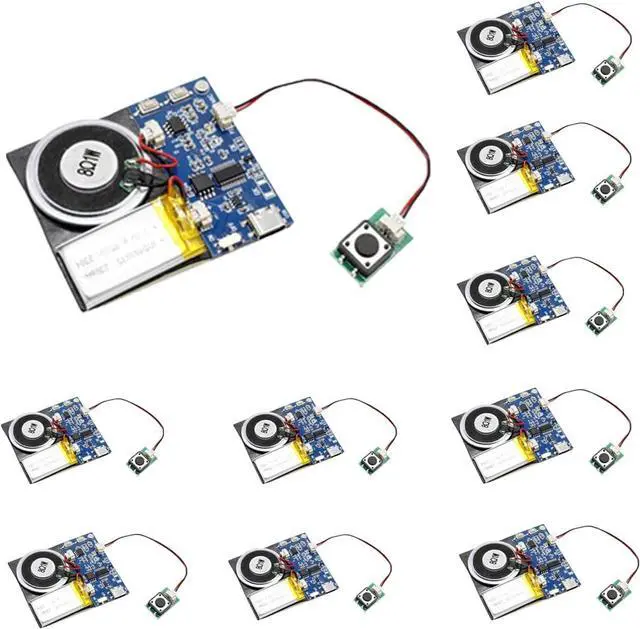
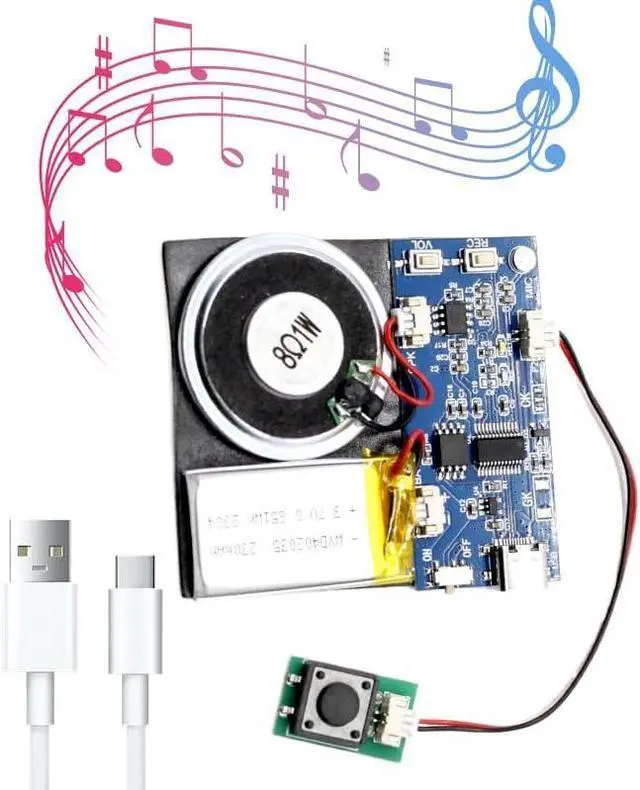


Sound Module, 16MB Push Button Activated Sound Module with Speaker,Type-C Cable Charging, 16Min Easy Sound Recording Chip for Personalized Greetings, DIY Projects, Holiday Crafts ect.(Blue-10Pack)
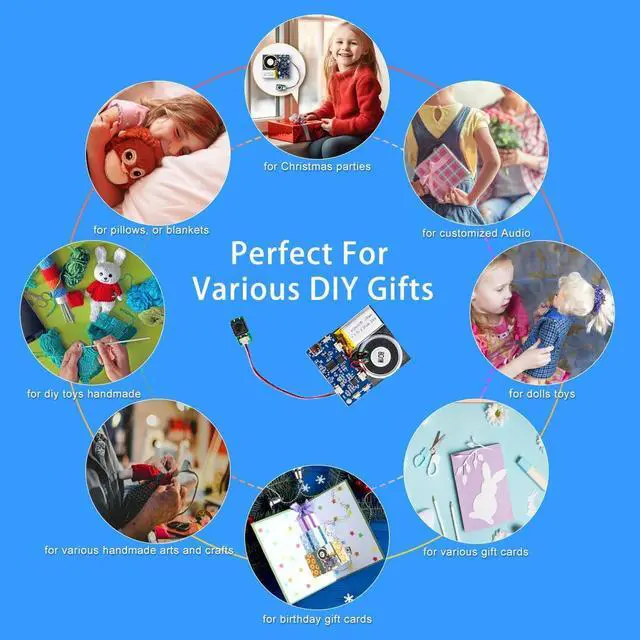
- 16-Minute Recording Module This 16-minute recording sound module is nice for personalizing greeting cards, music boxes, or other creative presents. Embed it in a greeting card to bring your wishes to life, place it in a music box to create a unique musical experience, or incorporate it into other creative presents to add a personalized touch. Whether you're giving it to friends, family, or loved ones, it adds joy and surprise to your creative endeavors.
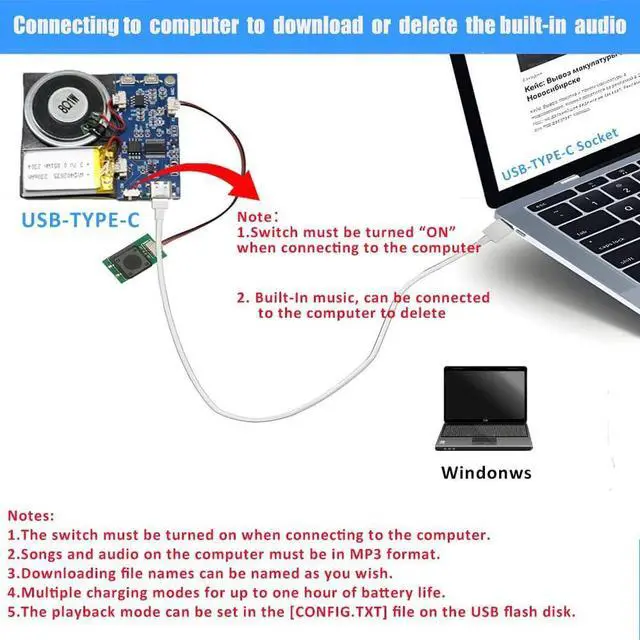
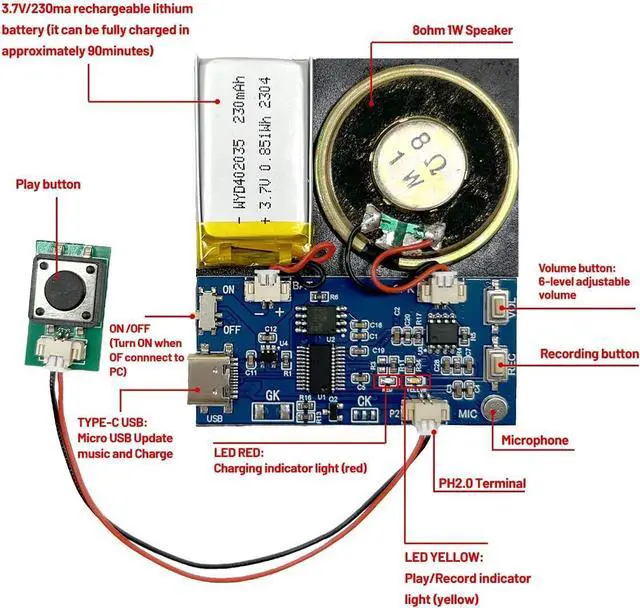
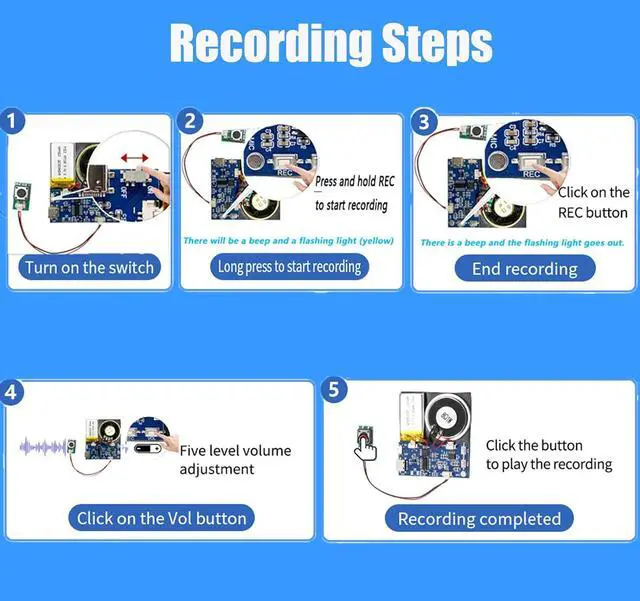
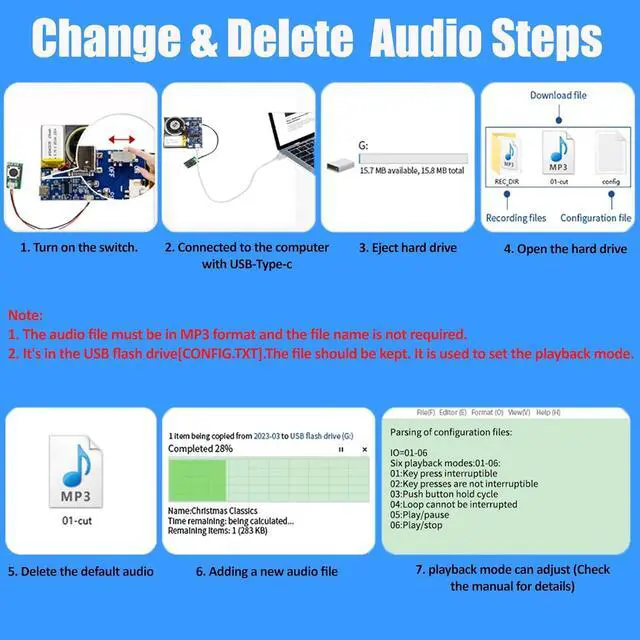
- Download and Record and Delete Music Long press the button for 3 seconds to start recording, and release the button to stop automatically. The maximum recording time is 16 minutes. Can download your own mp3 music, also record through MIC.You can connect to the computer to delete built in music. Personalize your settings by adjusting the playback mode (PLAY=01-02) and (IO=01-06) parametes , If you want to adjust the volume.you can adjust on the module volume button.This allows you to achieve a personalized experience.
+
+
Overview
Specs
Reviews

Any questions? Our AI mode will help you find out quickly.
Try me now
16 MB Storage Capacity This sound module boasts a spacious 16 MB memory, providing ample storage space to accommodate multiple favorite songs or recordings. By connecting the module to a computer using a USB-Type-C cable, you can effortlessly add new audio files to the internal storage. This opens up a world of possibilities for your creativity, allowing you to easily modify and update the stored audio content according to your preferences and needs.
USB Charging Recording Module This recording module features a rechargeable design and is equipped with a big-capacity 3.7 V battery (230 mAh) fully charged takes approximately 90 minutes, played for about 120 minutes. It can be conveniently charged via the Micro USB-Type-C interface. This design extends the battery life, allowing for prolonged usage without the need for battery replacement. You can easily charge it by connecting it to a computer or using a charger, ensuring a full battery and enabling long-lasting usage with repeated charging cycles.
Easy Installation Back of the sound module is equipped with adhesive stickers. You simply need to stick it onto the surface of your greeting card, present box, easter presents, or any other object, and it will securely attach to your creative creation. This way, you don't need any additional tools or materials to easily combine the sound module with your present, bringing surprise and joy to the recipient. We have own factory, Diverse style. Support customization Welcome to email us!
You can go to the computer to set the playback mode, there are six different modes of playback instructions tutorial: first turn on the switch - connect to the computer - pop up the hard drive - open the hard drive - click on the "config. txt" configuration file.
IO=01: Six playback modes: 01-06
01: Key press interruptiblePress to start playing, and during playback, press play again to play the next track.
02: Key presses are not interruptiblePress once to start playback, during playback in the press invalid, the current song ends automatically transition to the next song.
03: Push button hold cycleClick the play button to loop the song, release the button to stop playing immediately.
04: Loop cannot be interrupted(holding the button, play in a loop. After releasing the button, finish playing the current music and stop. )
05: Play, pause(Press once to play, press again to pause, and press again to resume from the paused point. )
06: Play, stop(Press once to play, and during playback, press again to stop play. )
USB Charging Recording Module This recording module features a rechargeable design and is equipped with a big-capacity 3.7 V battery (230 mAh) fully charged takes approximately 90 minutes, played for about 120 minutes. It can be conveniently charged via the Micro USB-Type-C interface. This design extends the battery life, allowing for prolonged usage without the need for battery replacement. You can easily charge it by connecting it to a computer or using a charger, ensuring a full battery and enabling long-lasting usage with repeated charging cycles.
Easy Installation Back of the sound module is equipped with adhesive stickers. You simply need to stick it onto the surface of your greeting card, present box, easter presents, or any other object, and it will securely attach to your creative creation. This way, you don't need any additional tools or materials to easily combine the sound module with your present, bringing surprise and joy to the recipient. We have own factory, Diverse style. Support customization Welcome to email us!
You can go to the computer to set the playback mode, there are six different modes of playback instructions tutorial: first turn on the switch - connect to the computer - pop up the hard drive - open the hard drive - click on the "config. txt" configuration file.
IO=01: Six playback modes: 01-06
01: Key press interruptiblePress to start playing, and during playback, press play again to play the next track.
02: Key presses are not interruptiblePress once to start playback, during playback in the press invalid, the current song ends automatically transition to the next song.
03: Push button hold cycleClick the play button to loop the song, release the button to stop playing immediately.
04: Loop cannot be interrupted(holding the button, play in a loop. After releasing the button, finish playing the current music and stop. )
05: Play, pause(Press once to play, press again to pause, and press again to resume from the paused point. )
06: Play, stop(Press once to play, and during playback, press again to stop play. )
Warranty & Returns
Warranty, Returns, And Additional Information
Warranty
- Please contact the Seller directly for warranty information. Warranty information may also be found on the Manufacturer's website.
- CONTACT
Return Policies
- Return for refund within: 30 days
- Return for replacement within: 30 days
- This item is covered by Halo Electronics Return Policy
Manufacturer Contact Info
- For a directory of all our manufacturers, please click below.
- Manufacturers Directory
LOADING...