Your Browsing History
- Free 30-day Returns
$159.99
Meet Your Seller
Pop Up Outlet; 15W Wireless Charger, 4 Outlets 1875W USB-A/C PD20W Super Charging 6.5FT 16AWG Cable 3.86 inch Desk Hole Pop Up Power Outlet for Kitchen Countertop,Office Table UL Testing-Black
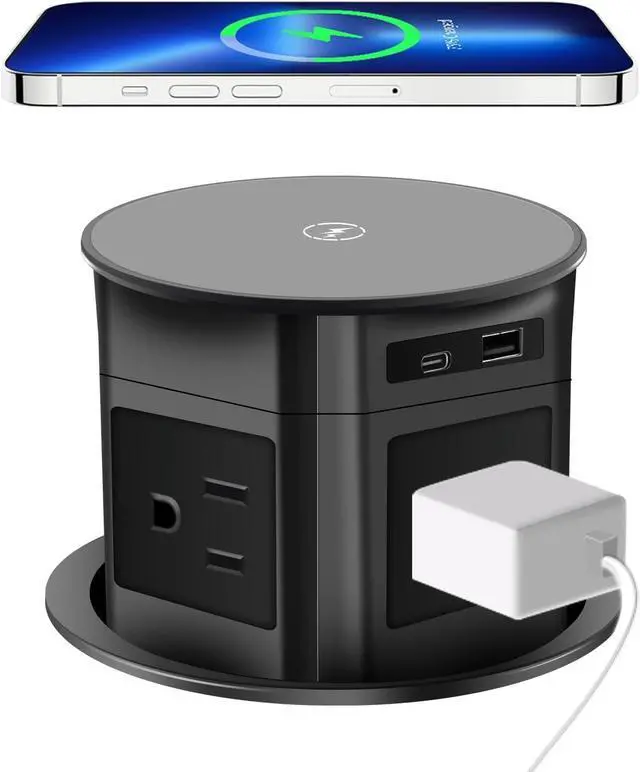
- New model: The wireless charging light only lights up when in use Reminder: If the product looks scratched, it is because the top and socket of the product are covered with film to prevent scratches. Tearing off the film will make the product smoother and newer 1Reminder: When using wireless charging, please open your phone case for charging! Please do not place any metal in the wireless charging position, otherwise it may cause charging heating failure, resulting in high temperature heating of the metal, or causing fire or burns
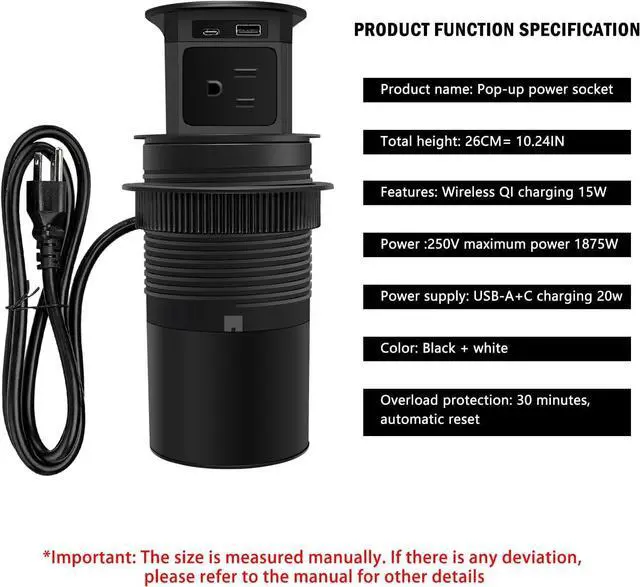
- 2Pop Up Power Outlet-Automatic Pop Up Electrical Outlets for Countertops:with wireless charger on the top of the power strip,15W max fast wireless charging pad,compatible with all devices which apply with Qi standard. USB-A/C 20W Super fast charging Pop Up Outlet with USB Ports:1 PD20W USB-C ports PD20W USB-C ports(5V/3A 9V/2.22A 12V/1.67A) and 1 USB-A port(5V/3A 9V/2A 12V/1.5A Max 20W). AC outlet: 125V/15A/1875W.6.5FT 16AWG extension cord.
+
+
Overview
Specs
Reviews
Any questions? Our AI beta will help you find out quickly.
Try me now
3: Pop
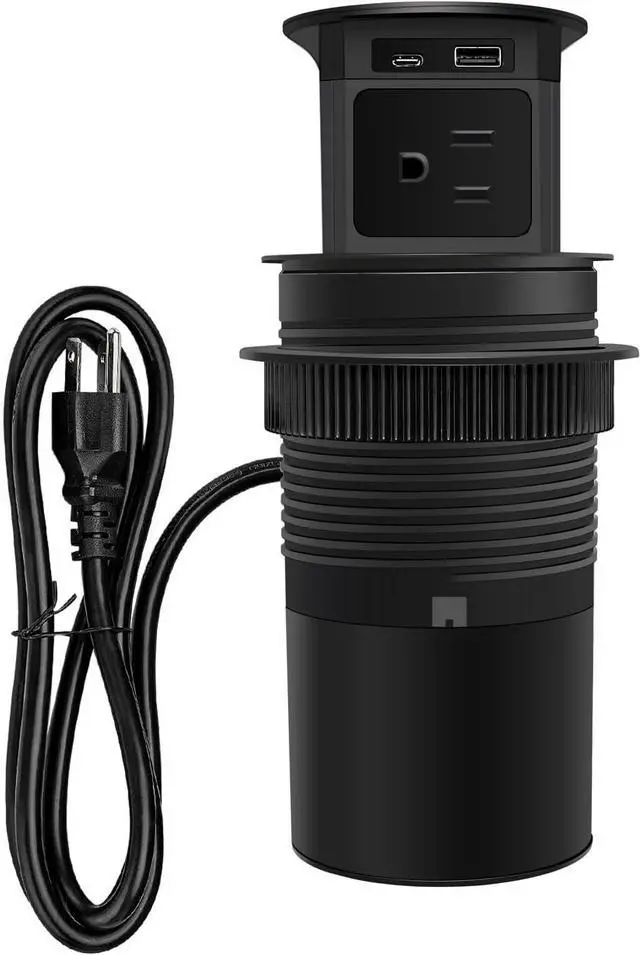
Up Table Power Outlet: with 4 grounded 3 prong AC outlet, 15 Amps, provide more options when you need more than one plug. with 6.5 ft 16 AWG/3C extension cord 6.5FT US plug 16AWG cable ETL listed UL E231507 STV 16AWG extension cord
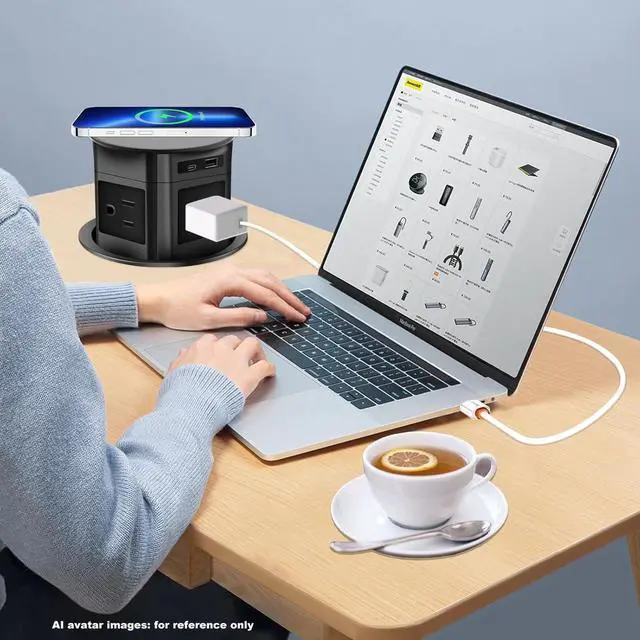
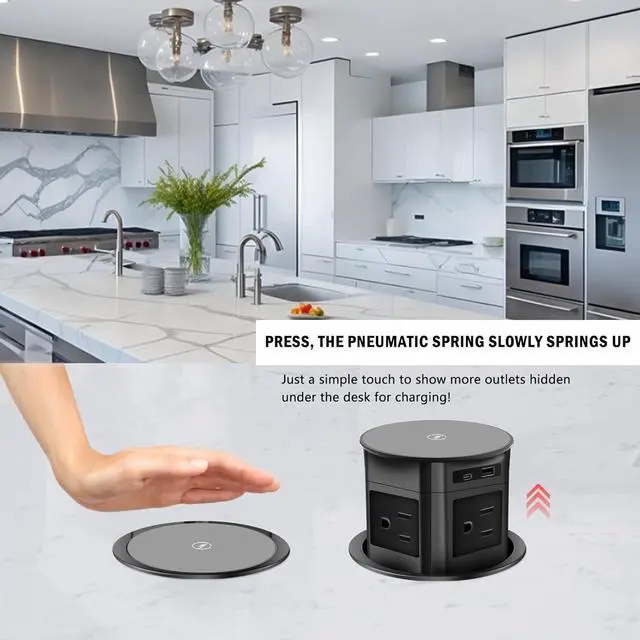
4Compact Countertop Pop Up Outlet: Fully automatic retractable desktop design, this unique grommet power outlet get rid of hefty adapters and messy plugs. Ideal for charging multiple devices at the home/office/school.
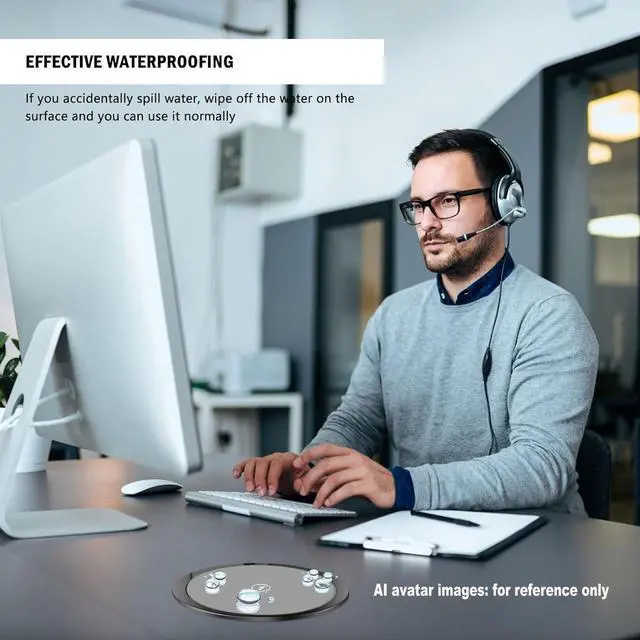
5Splash Resistant Pop-Up Countertop Receptacle: If you accidentally spill water, wipe off the water on the surface and you can use it normally. Made of refined hardened scratch-resistant PVC plastic. product has FCC certification There is a protective film on the organic glass at the top For brightness, the film can be peeled off
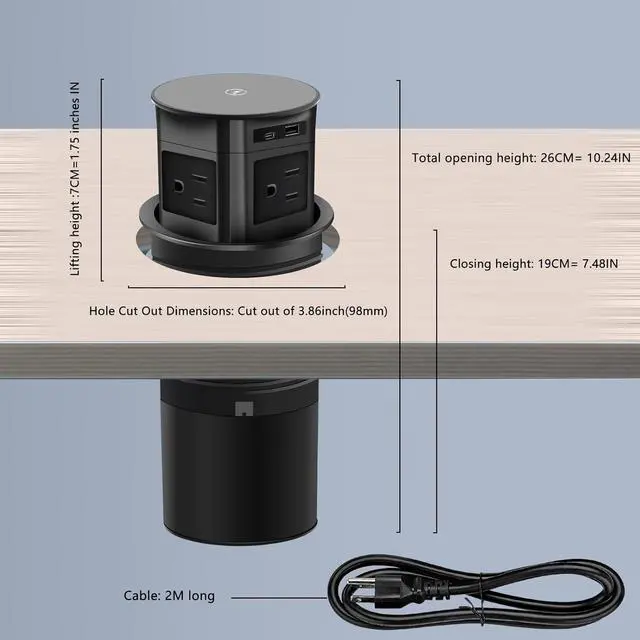
6: Automatic Pop Up Outlet- Easy installation: Unscrew the fixed plastic ring and draw a circular hole on the table according to the ring shape, which is approximately the size of the hole The product has FCC certification
7Pop Up Outlet -Easy to Installing: pop up outlet fits 3.86 inch(98mm-100mm) hole size, and has a built in spring loaded pop up mechanism, simply press in the top to pop the unit up for use. Overload overheating power-off protection/automatic reset power on device after 30 minutes
Common issues and precautions regarding wireless charging:
Reminder: When working with wireless charging, try to avoid metal clips on the back of the phone case and metal phone cases
If the indicator light changes from blue to red during wireless charging, it usually indicates that the device has encountered a malfunction or requires maintenance. The following are common reasons and solutions:
1: Over temperature protection
When the charging area is obstructed by foreign objects, the phone case has poor heat dissipation, or the ambient temperature is too high, the device may trigger the overheating protection mechanism. At this point, it is necessary to remove the covering of the charging area (such as keys, phone cases) to ensure that the device is cooled in a cool place.
2: Charging position offset
Misalignment between mobile phones and wireless charging pads can lead to uneven current distribution and overheating. Suggest adjusting the position of the phone to the center area of the coil to ensure complete fit.
3: Equipment compatibility issues
Using non original chargers or mismatched power may cause malfunctions. Suggest replacing the original adapter or confirming that the device supports fast charging protocols (such as QC, PD, etc. ).
4: Cleaning and maintenance
Regularly wipe the charging area with a soft cloth to remove dust and debris to maintain heat dissipation efficiency.
AI avatar images: for reference only
The product has FCC certification

Up Table Power Outlet: with 4 grounded 3 prong AC outlet, 15 Amps, provide more options when you need more than one plug. with 6.5 ft 16 AWG/3C extension cord 6.5FT US plug 16AWG cable ETL listed UL E231507 STV 16AWG extension cord
4Compact Countertop Pop Up Outlet: Fully automatic retractable desktop design, this unique grommet power outlet get rid of hefty adapters and messy plugs. Ideal for charging multiple devices at the home/office/school.
5Splash Resistant Pop-Up Countertop Receptacle: If you accidentally spill water, wipe off the water on the surface and you can use it normally. Made of refined hardened scratch-resistant PVC plastic. product has FCC certification There is a protective film on the organic glass at the top For brightness, the film can be peeled off
6: Automatic Pop Up Outlet- Easy installation: Unscrew the fixed plastic ring and draw a circular hole on the table according to the ring shape, which is approximately the size of the hole The product has FCC certification
7Pop Up Outlet -Easy to Installing: pop up outlet fits 3.86 inch(98mm-100mm) hole size, and has a built in spring loaded pop up mechanism, simply press in the top to pop the unit up for use. Overload overheating power-off protection/automatic reset power on device after 30 minutes
Common issues and precautions regarding wireless charging:
Reminder: When working with wireless charging, try to avoid metal clips on the back of the phone case and metal phone cases
If the indicator light changes from blue to red during wireless charging, it usually indicates that the device has encountered a malfunction or requires maintenance. The following are common reasons and solutions:
1: Over temperature protection
When the charging area is obstructed by foreign objects, the phone case has poor heat dissipation, or the ambient temperature is too high, the device may trigger the overheating protection mechanism. At this point, it is necessary to remove the covering of the charging area (such as keys, phone cases) to ensure that the device is cooled in a cool place.
2: Charging position offset
Misalignment between mobile phones and wireless charging pads can lead to uneven current distribution and overheating. Suggest adjusting the position of the phone to the center area of the coil to ensure complete fit.
3: Equipment compatibility issues
Using non original chargers or mismatched power may cause malfunctions. Suggest replacing the original adapter or confirming that the device supports fast charging protocols (such as QC, PD, etc. ).
4: Cleaning and maintenance
Regularly wipe the charging area with a soft cloth to remove dust and debris to maintain heat dissipation efficiency.
AI avatar images: for reference only
The product has FCC certification
Warranty & Returns
Warranty, Returns, And Additional Information
Warranty
- Please contact the Seller directly for warranty information. Warranty information may also be found on the Manufacturer's website.
- CONTACT
Return Policies
- Return for refund within: 30 days
- Return for replacement within: 30 days
- This item is covered by Halo Electronics Return Policy
Manufacturer Contact Info
- For a directory of all our manufacturers, please click below.
- Manufacturers Directory
LOADING...