

Your Browsing History
- Free 30-day Returns
$205.99

Meet Your Seller

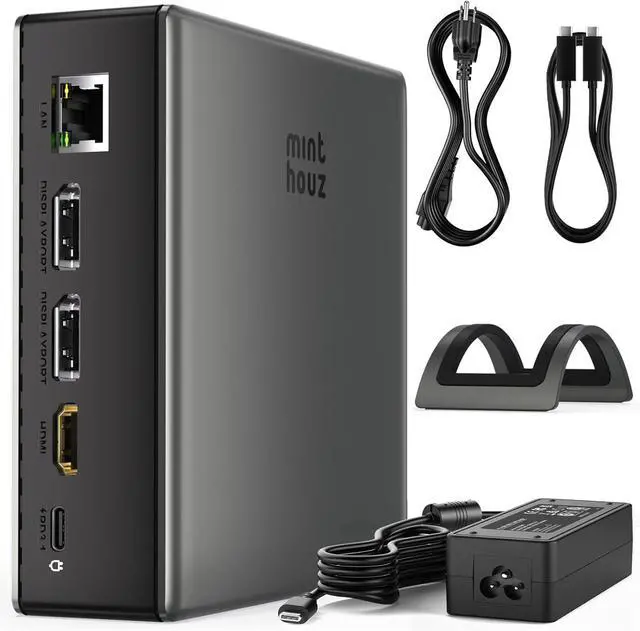


USB-C Docking Station for Laptop Triple 4K Display with Dual DisplayPort & HDMI, 140W Power Delivery, 10Gbps USB-A/C Ports, Gigabit Ethernet, for MacBook, Dell, HP & Surface
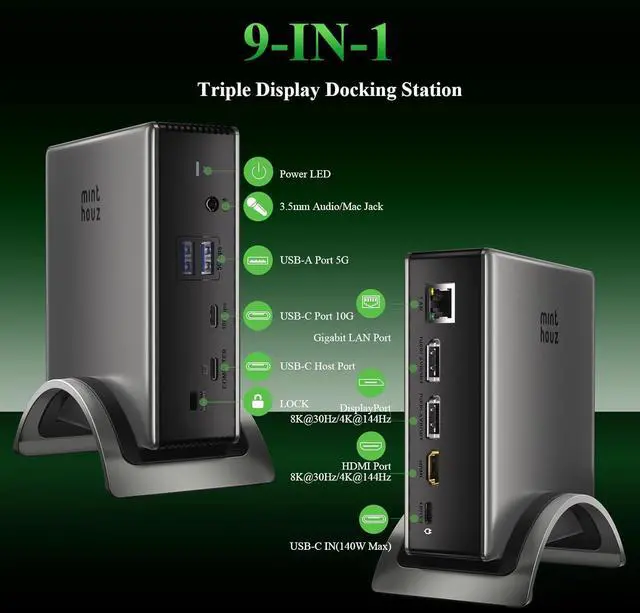
- Premium 9-in-1 Docking Station:Transform your laptop into a powerful workstation with this versatile USB C docking station. Features include dual DisplayPort ports, HDMI, USB-C with 140W PD, multiple USB-A/USB-C data ports, Gigabit Ethernet, SD/microSD card slots, and audio jack. Ideal for laptop, MacBook, and computer users seeking a clutter-free hub.
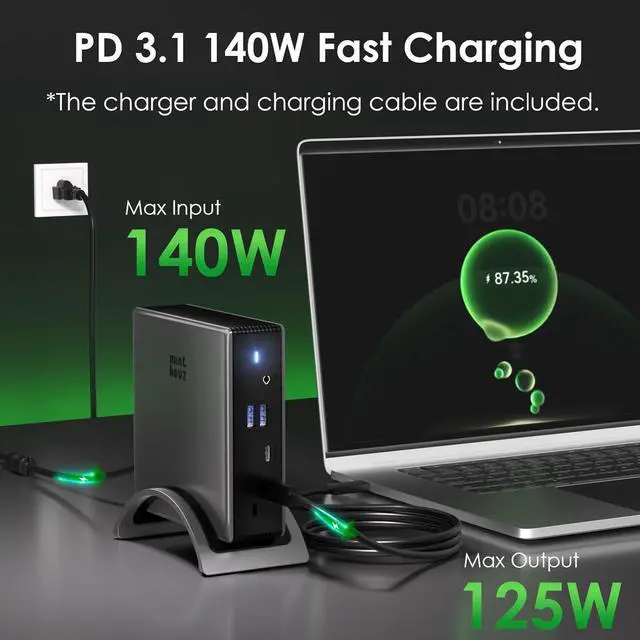
- High-Speed USB C Hub with 140W Laptop Charging:Equipped with USB C Power Delivery for up to 100W pass-through charging. Enjoy rapid data transfer via USB-C and USB-A ports, alongside simultaneous device charging. A true USB C dock designed for efficiency.
+
+
Overview
Reviews

Any questions? Our AI mode will help you find out quickly.
Try me now
Triple Monitor Docking Station with 4K
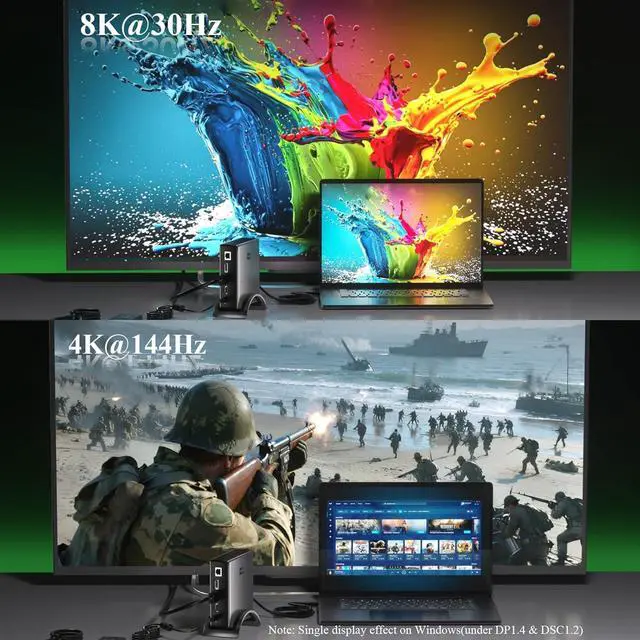
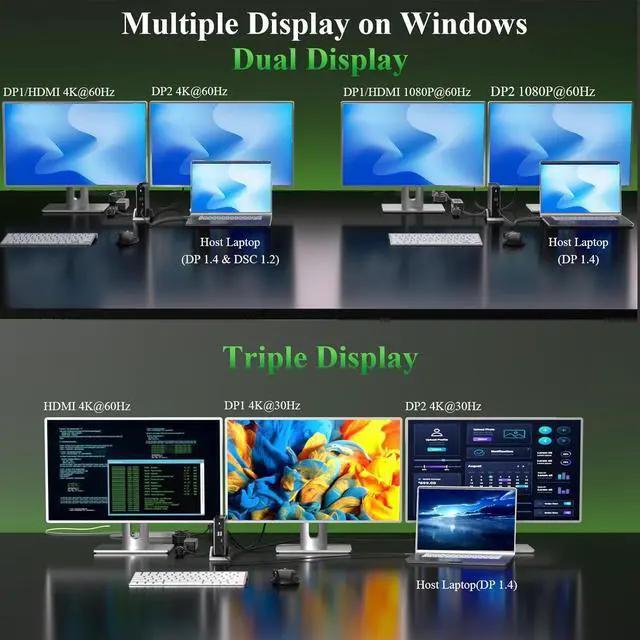
Dual HDMI Support: Expand your screen across three external monitors in crisp 4K resolution. Single display up to 8K@30Hz/4K@144Hz via DP 1.4; dual displays run at 4K@60Hz. Connect up to three monitors simultaneously This dual monitor and triple monitor docking station supports extended mode on Windows and mirroring on macOS. Perfect for multitasking, streaming, and professional workflows.
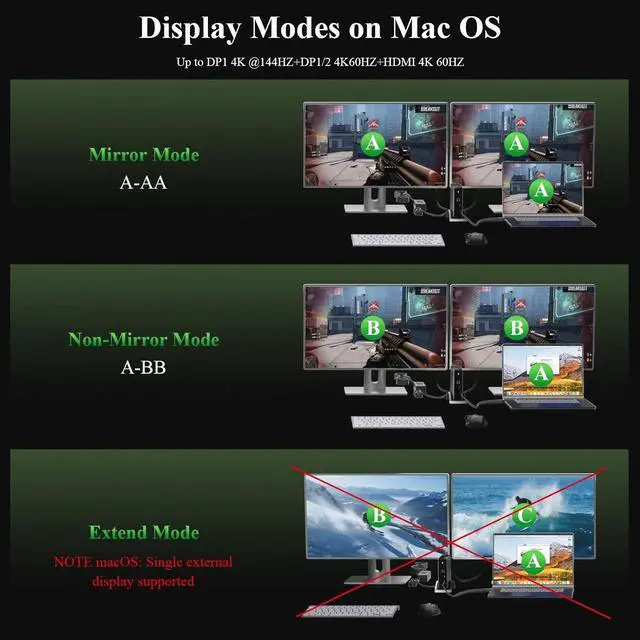
Extensive Compatibility: Universal Docking Station for Mac, Windows & MoreCompatible with MacBook Pro, MacBook Air, Dell, HP,, and most USB-C/Thunderbolt laptops. Supports macOS, Windows 10/11, and ChromeOS. Includes a security lock for added safety in office or dorm settings, Note: 1. For macOS, The docking supports to extend one monitor only.
Package contains: Docking Station, 140W Power Adapter, USB-C Cable, Quick Start Guide. Backed by an 12-month warranty and dedicated support. Experience the ultimate laptop docking station for multi-monitor setups, This dual monitor docking station is easy to usejust plug and play!
1 8K Ultra HD
2 Windows MST Mode
3 MacOS Mode
4 Points to Note
1 Fast PD Charging Port
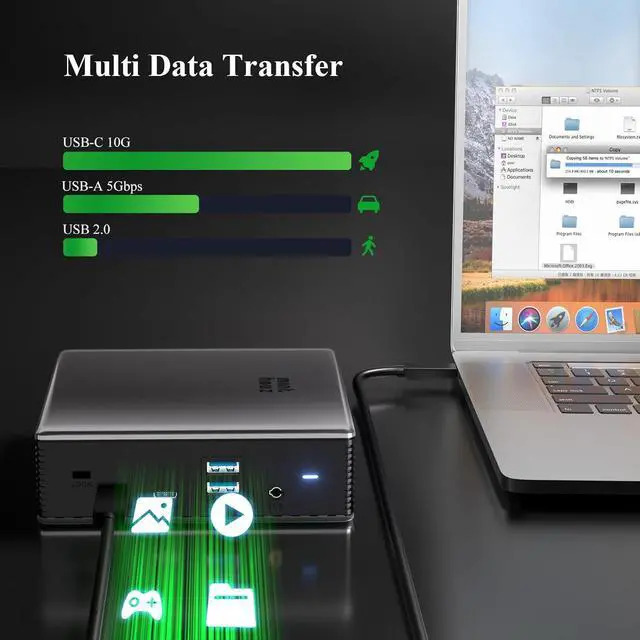
2 Fast Data Transfer
3 1000Gbps Ethernet
What should I do if the monitors connected tothe docking station do not work?
Please make sure that the USB-C port on yourlaptop supports video output. Not all USB-C portshave this capability.
Why do my external monitors show the samecontent when I connect the docking to my MacBook?
This is expected behavior due to a limitation inmacOS. macOS does not fully support MST, so theexternal monitors may mirror each other insteadof extending independently.
Why isn't my laptop charging when I connectthe power adapter to the hub?
Please make sure that the USB-C port on yourlaptop supports charging. Not all USB-C portssupport this function.
When I connect three monitors to the dockingstation, one monitor does not turn on. WhatShould I do?
Make sure your graphics card can support four displays at once (this includes your laptop's built-in screen), because not all GPUs can run four monitors simultaneously.
The device gets hot in usage, is that as expected?
It should be as expected the device will get hot in usage. If it does not affect usage, please do not worry about that. If you meet any problem, please be free to contact our support team.
Dual HDMI Support: Expand your screen across three external monitors in crisp 4K resolution. Single display up to 8K@30Hz/4K@144Hz via DP 1.4; dual displays run at 4K@60Hz. Connect up to three monitors simultaneously This dual monitor and triple monitor docking station supports extended mode on Windows and mirroring on macOS. Perfect for multitasking, streaming, and professional workflows.
Extensive Compatibility: Universal Docking Station for Mac, Windows & MoreCompatible with MacBook Pro, MacBook Air, Dell, HP,, and most USB-C/Thunderbolt laptops. Supports macOS, Windows 10/11, and ChromeOS. Includes a security lock for added safety in office or dorm settings, Note: 1. For macOS, The docking supports to extend one monitor only.
Package contains: Docking Station, 140W Power Adapter, USB-C Cable, Quick Start Guide. Backed by an 12-month warranty and dedicated support. Experience the ultimate laptop docking station for multi-monitor setups, This dual monitor docking station is easy to usejust plug and play!
1 8K Ultra HD
2 Windows MST Mode
3 MacOS Mode
4 Points to Note
1 Fast PD Charging Port
2 Fast Data Transfer
3 1000Gbps Ethernet
What should I do if the monitors connected tothe docking station do not work?
Please make sure that the USB-C port on yourlaptop supports video output. Not all USB-C portshave this capability.
Why do my external monitors show the samecontent when I connect the docking to my MacBook?
This is expected behavior due to a limitation inmacOS. macOS does not fully support MST, so theexternal monitors may mirror each other insteadof extending independently.
Why isn't my laptop charging when I connectthe power adapter to the hub?
Please make sure that the USB-C port on yourlaptop supports charging. Not all USB-C portssupport this function.
When I connect three monitors to the dockingstation, one monitor does not turn on. WhatShould I do?
Make sure your graphics card can support four displays at once (this includes your laptop's built-in screen), because not all GPUs can run four monitors simultaneously.
The device gets hot in usage, is that as expected?
It should be as expected the device will get hot in usage. If it does not affect usage, please do not worry about that. If you meet any problem, please be free to contact our support team.
Warranty & Returns
Warranty, Returns, And Additional Information
Warranty
- Please contact the Seller directly for warranty information. Warranty information may also be found on the Manufacturer's website.
- CONTACT
Return Policies
- Return for refund within: 30 days
- Return for replacement within: 30 days
- This item is covered by Grandwood Tech Limited Return Policy
Manufacturer Contact Info
- For a directory of all our manufacturers, please click below.
- Manufacturers Directory
LOADING...