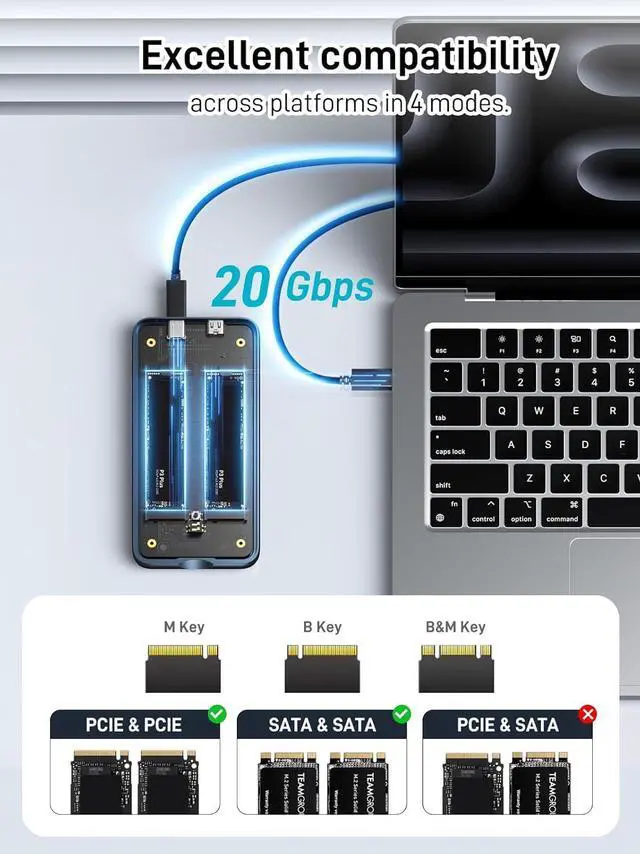
High-Speed Data Transfer: With 20Gbps transfer speeds, it's perfect for large file handling, backups, and data-intensive tasks
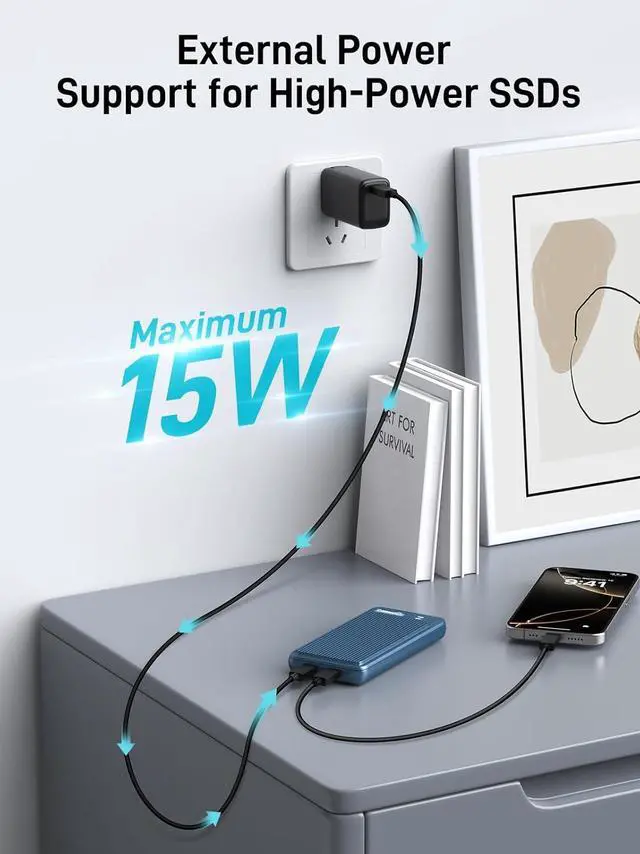
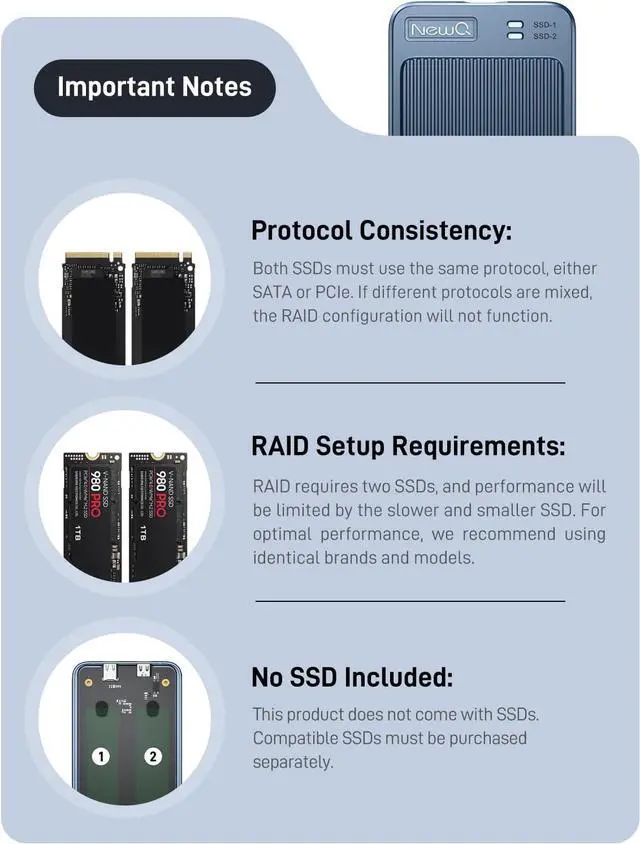
Supports External Power Supply: Designed for high-capacity SSDs like 8TB or 16TB, this dual-bay enclosure includes an extra USB-C port for external power. If your laptop or computer's USB port can't provide enough power to run both drives, simply connect an external power source for smooth operation.
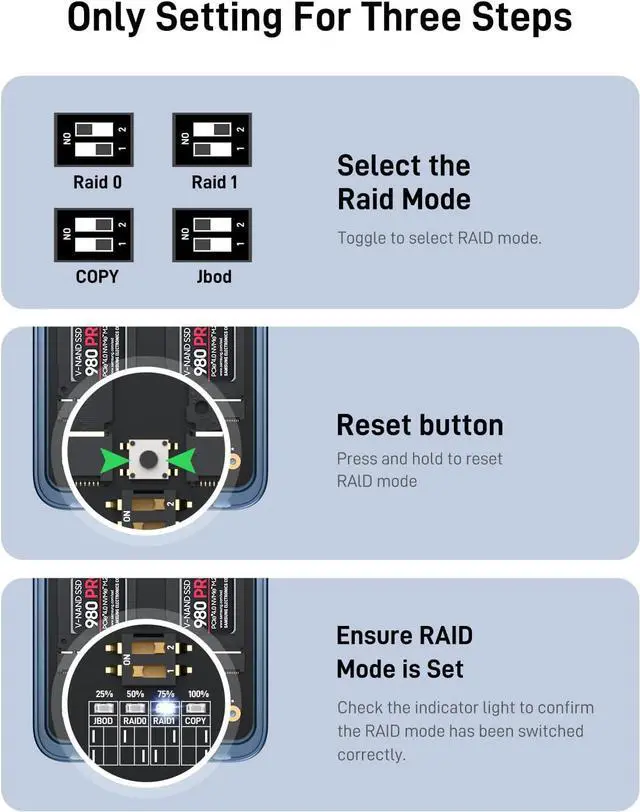
RAID 0 (Speed Mode): Combines two drives into one for faster performance. Data is split between both drives, but if one fails, all data is lost.
RAID 1 (Mirror Mode): Copies the same data to both drives for backup. If one drive fails, the other still has all your data.
Clone (Duplicate Mode): Copies all data from one drive to the other for an identical backup. Perfect for creating a duplicate drive quickly.
JBOD (Individual Mode): Uses each drive separately. No speed boost or backup, just full use of each drive's storage.
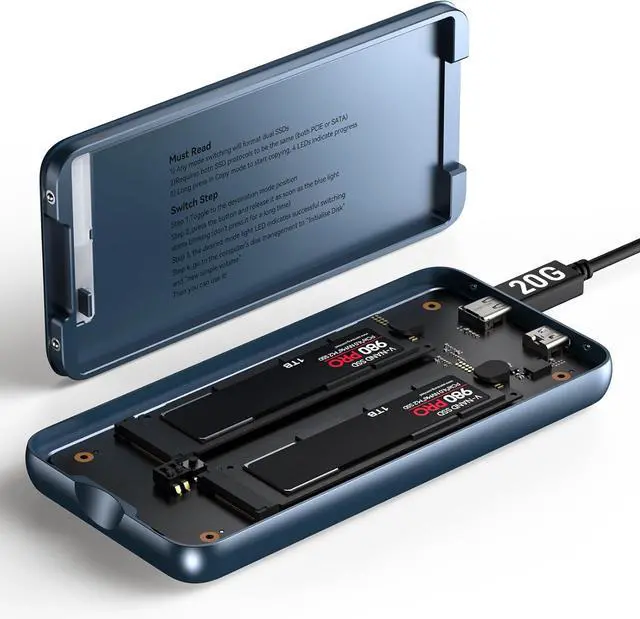
This SSD enclosure features a convenient pogo pin design, allowing tool-free opening and quick SSD replacement. Say goodbye to the frustration of searching for screws during urgent SSD swaps
RAID 1 mode is widely preferred by users for safeguarding important files, photos, and video materials. It uses two SSDs to create duplicate copies of your data, ensuring that if one SSD fails, the other keeps your files secure. Enjoy peace of mind with reliable data protection
If an SSD fails, the indicator light shows which one is broken. Replace it with a new SSD (The replacement SSD must be initialized first), and the system will auto-restore your data by mirroring it to the new drive
1 About speed difference
2 Wide Compatibility
3 Support Large SSDs
4 Essential Tool





 here!
here!