Easy to install:
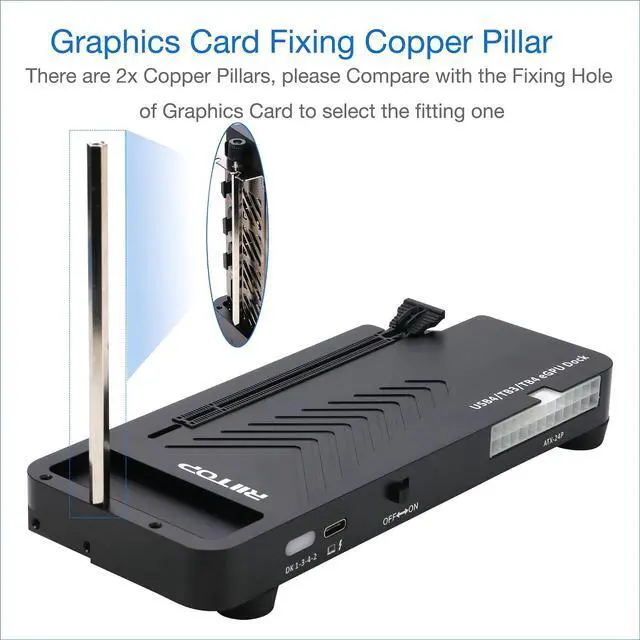
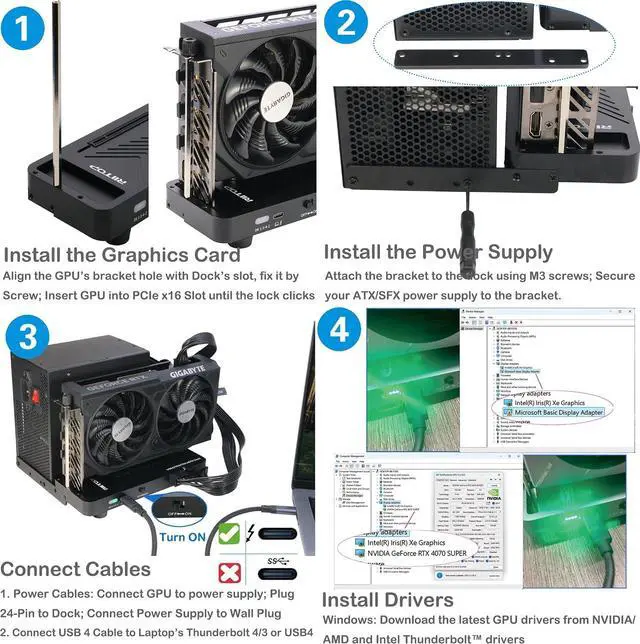
1. Install Graphics Card, and Fix it by the copper Pillar for Graphics Card
2. Fix Power Supply by black Bracket
3.
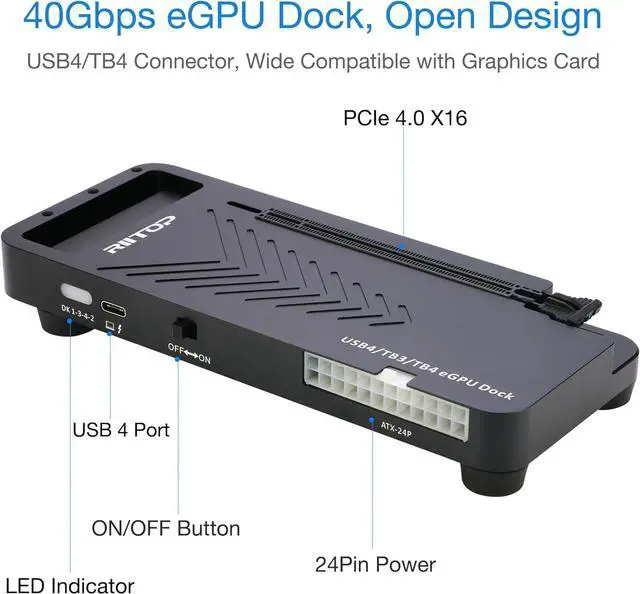
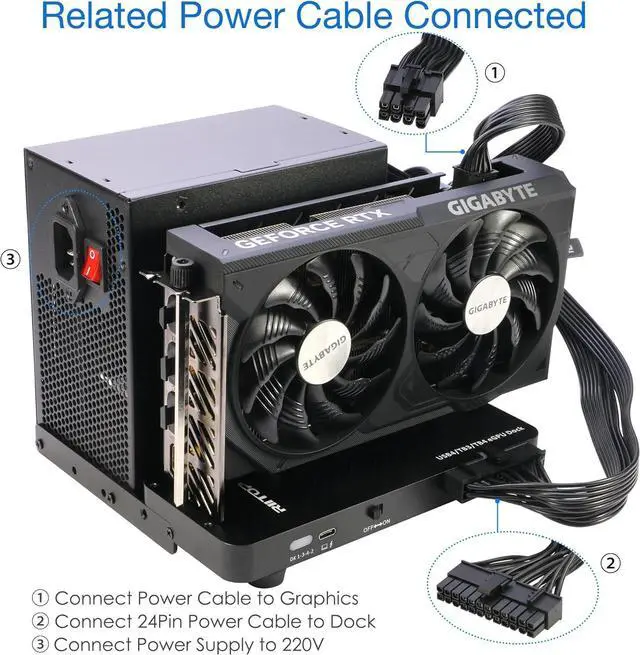
Connect the related cables: 24 Pin ATX Cable, USB 4 Cable and Video Cable for Monitor
4. Turn on the "ON/OFF Button
5. Install driver for the
Graphics CardPlease Note: Windows os also need to update the Thunderbolt Controller Driver to latest version
Wide Compatibility: Open design, No restrictions on graphics card size, Supports the most latest graphics card, such as NVIDIA (RTX 5060 Ti, RTX 40
Series: 4090 D/4080/4070 Ti/4070) and (RX 7000 Series) GPU; Compatible with Windows 10/11 64-bit, Linux, and Mac OS.
Please Note:
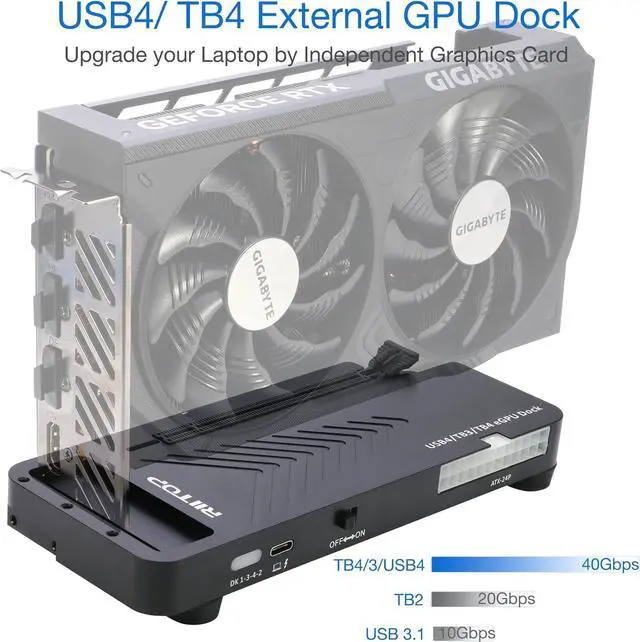
1. Please make sure your laptop owns Thunderbolt 4 or USB4 interface in bandwidth of 40Gbps, Full-spec, not a Limited Edition. Otherwise, the eGPU Docking Station can not work
2. Compatible with Mac OS 10.13. 4 and above, but can only support Graphics Card, no driver need. Not support NVIDIA on Mac OS
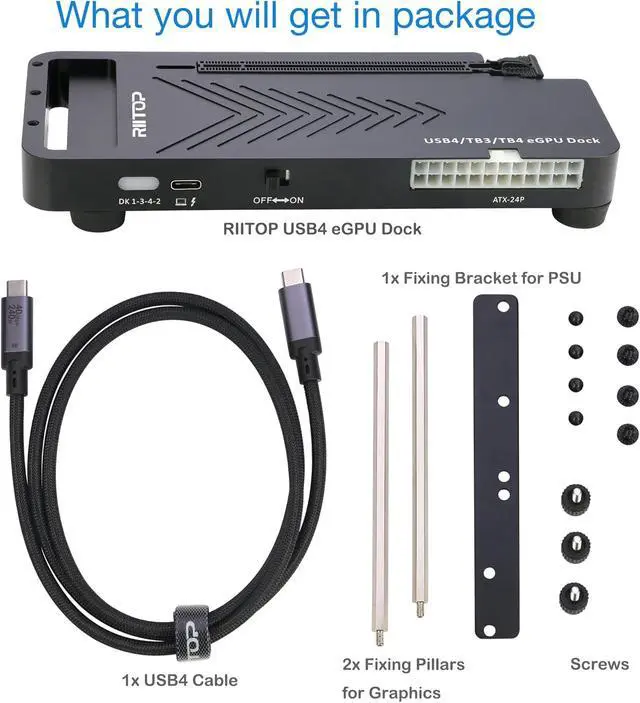
Packing Including: 1x 40Gpbs GPU Dock (Graphics Card and Power supply not included); 1x USB 4 cable; 2x Fixing Cooper Pillar for Graphics; 1x Fixing bracket for power supply; 1 x User Manual; Screws
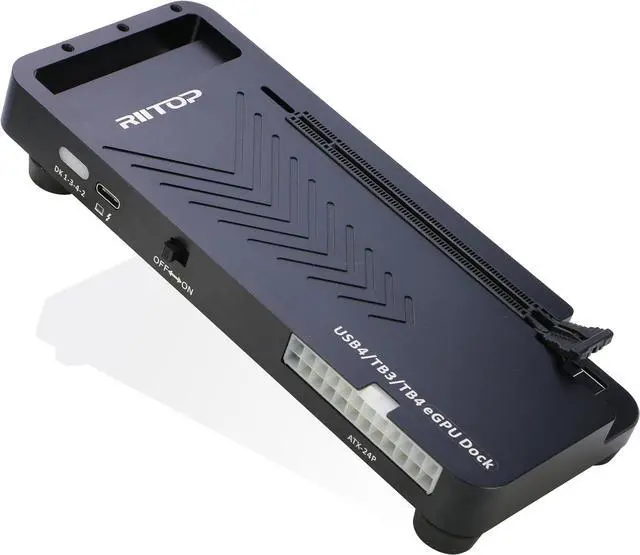
Thunderbolt 4 GPU Dock in Open Design: Supports graphics cards of any length
Specifications
of Thunderbolt 4 GPU Dock
PCIe Slot PCIe 4.0 x16
OutPut Port Thunderbolt 4; USB 4.0
Power Supply ATX/SFX Power (Not including)
Power for Dock ATX 24Pin
ON/OFF Button Turn ON - Right; Turn OFF- Left
Please Note Compatible with Thunderbolt 4/ USB 4 Laptop, Mini PC; Not work with other USB C Port (which not supports video transfer)
FAQ of USB4 eGPU Docking Station
Q1: NVIDIA error 43 fix
A1: The script you're referring to, nvidia-error43-fixer, is not an official NVIDIA tool but a community-created script from the eGPU enthusiast community.
You can download it here:
Download Link: nvidia-error43-fixer. bat from eGPU. io
Q2: RTX 50 Series eGPU Shuts Down During Boot
A2: it's a known behavior with RTX 50-series cards and Thunderbolt eGPU setups.
The Solution: Proper Boot Sequence as below:
Ensure eGPU power supply is ON (gree n light on PSU)
Turn on the Thunderbolt dock (press the ON/OFF button)
Wait 5-10 seconds let the dock and GPU fully power up
Boot your laptop as normal
If the above doesn't work, try
the alternative sequence:
Boot your laptop without the eGPU connected
Wait for Windows to fully load (desktop visible)
Plug in the Thunderbolt cable Windows should detect the eGPU
Check Device Manager RTX 50-series should appear without Error 43
Important: Never hot-plug the Thunderbolt cable while the computer is shutting down or entering sleep mode.





 here!
here!